Think about the last e-book, icon pack, or online course you bought. Nobody printed it, boxed it, or shipped it. Digital products are goods you create once and sell repeatedly online, as downloads or gated access: e-books, courses, templates, music, stock photos, and software. There’s no inventory to manage and nothing to ship, so each additional sale costs you almost nothing to fulfill.
Selling physical goods online is an excellent way to make money, but it isn’t the only way. If you have a skill people pay for, you can package it as a file, a course, or a membership and sell it straight from your WordPress website.
In this guide, we’ll cover why digital products are a good fit for WordPress, which plugins handle checkout and file delivery, and 10 digital products worth selling.

Your Store Deserves WooCommerce Hosting
Sell anything, anywhere, anytime with WooCommerce and DreamHost.
See PlansWhy Sell Digital Products on Your WordPress Site
When thinking about starting an online store, most people assume you need a physical product to sell. It’s an option, not a requirement.
Digital products have a few structural advantages over physical ones:
- Lower overhead. No materials, no warehouse, no shipping labels. A video or a piece of graphic art costs you time and skill, not stock.
- Make it once, sell it indefinitely. An e-book or template you finish today can sell hundreds of times without another hour of production work.
- Instant delivery. Customers get the file the moment they pay, with no order fulfillment or distribution centers on your end.
There’s one trade-off to respect: a digital file can be copied and shared the moment it leaves your server. You can’t eliminate that risk, but you can limit it with a plugin that delivers each purchase through a unique download link with an expiration date and a download cap. More on those next.
Which WordPress Plugins Let You Sell Digital Products?
You need one plugin that does two jobs: take the payment and deliver the file. The short answer: use Easy Digital Downloads if you’ll only ever sell downloads, use WooCommerce if your catalog will mix digital and physical goods, and use a membership plugin if you’re selling ongoing access instead of files.
Easy Digital Downloads is free on WordPress.org and built specifically for selling digital products. It can sell any file type, takes payment through processors including Stripe and PayPal, and delivers each purchase through a unique download link you can set to expire or cap. Subscriptions and software licensing are paid Pro features.
WooCommerce is the heavier tool: a free, open source ecommerce platform with more than 7 million active installations on WordPress.org as of August 2026. It handles digital downloads and physical products in one store, which makes it the right call if you might ever ship anything.
| Plugin | Best for | How it sells |
|---|---|---|
| Easy Digital Downloads | Stores that only sell downloads | Checkout plus protected download links with expiration dates and download limits |
| WooCommerce | Catalogs mixing digital and physical goods | A full online store with instant downloads for digital items |
| MemberPress | Ongoing access to content or a community | Members-only content behind a paywall |
Starting from scratch? DreamHost’s Online Store hosting pairs a hosting plan with either Ecwid or WooCommerce, added through the WordPress installer in your panel. Ecwid’s free plan covers up to 5 product listings and one sales channel and runs well on Web Hosting; WooCommerce typically needs a premium plan like DreamPress to carry its extra weight.
10 Digital Products You Can Sell on Your WordPress Site
Now that the store mechanics are covered, the real question is what to put on the shelf. Here are 10 digital goods to consider, starting with the ones that reward expertise you already have.
1. Online Courses
One of the most popular ways to earn from expertise is to sell online courses. You can build a training or educational program around any skill you can teach, from watercolor basics to advanced Python.
WordPress users can run courses with a learning management plugin such as LifterLMS or Sensei LMS. Sensei LMS builds courses, lessons, and quizzes right inside WordPress; charging for a Sensei course requires the paid Sensei Pro upgrade.

You can also list your course on third-party platforms such as Skillshare or Udemy. We still recommend selling directly from your own website whenever possible: you keep the customer relationship, control your pricing, and project a more professional image.
2. Templates
Another digital product to consider is templates. This one is a natural fit if you have basic graphic design or digital art skills.
There are many types of templates you can create. Some of the most common include:
- Resumes and proposals
- Business reports and presentations
- Brochures and flyers
- Social media graphics
Again, you create the product once, then sell it to a wide audience. You don’t need much to get started beyond the software used to make the template: a word processor like Microsoft Word, a graphics tool like Adobe Photoshop, or an online option such as Canva, which has a drag-and-drop builder for graphics and templates.
3. E-books
E-books were among the first digital goods sold online, and they’re still a serious market: Mordor Intelligence estimates the global e-book market at $18.85 billion in 2026 and forecasts it to reach $23.6 billion by 2031.
This product takes more up-front work than most. Writing the book may take months, and you may want to hire an editor and proofreader. Once it’s ready, though, you can sell it from your site indefinitely and earn a passive income from work you did once.
You can also distribute beyond your own site, for example through Amazon’s Kindle Direct Publishing, to reach readers who would never find your website on their own.
4. Memberships and Subscriptions
With membership services, you can sell recurring access to information and events in your industry, such as educational material, training programs, and webinars. You can also offer premium access to your website content, either for a one-time or recurring fee.

Starting a subscription site works essentially the same way. You can use plugins such as SureMembers or MemberPress to make this as easy as possible.

This approach lets you launch your membership website and focus on giving value to your subscribers. You can put a paywall in front of exclusive content and charge signup fees for access to your members-only area. The upside over a one-off download is recurring revenue: subscribers can pay again each billing period while they remain subscribed.
5. Professional Services
Downloadable guides and workbooks turn a repeatable process into a product buyers can use on their own. Package instructions, checklists, worksheets, or prompts as a PDF or editable file.
It’s also extremely flexible. Services could include consulting, web design and development, content writing, and much more.

Of course, your ability to sell professional services depends on your skills, knowledge, and background. If you have an area of expertise, you can likely find an audience willing to pay for it.
Get Social and Grow Your Business with DreamHost
Our experts will help create a powerful social media strategy and level up your execution so you can focus on running your business.
Learn More6. Audio
Audio is another broad category of digital goods worth exploring. Many people will pay for a wide range of audio files, from podcast back catalogs to music.
Some additional examples include:
- Audiobooks
- Language lessons
- Sound effects
- Relaxing meditations
- Lectures
Depending on the type of audio you’re creating, you can use different platforms to host and share your files. In addition to your WordPress website, a service such as SoundCloud lets listeners stream your work.

To motivate customers to buy your audio, offer a brief sample for free. That way, they can hear the quality before deciding whether it’s worth paying for.
7. Photography
If you’re a photographer, selling your own images through a photography website is another excellent way to earn money online. With so many businesses operating online, there’s a steady need for high-quality photos for marketing campaigns and websites.
You can sell photos through a stock marketplace or directly from your WordPress site. For direct sales, use a commerce plugin such as Easy Digital Downloads to take payment and deliver the purchased files.

Selling from your own site gives you control over your pricing, and no marketplace sits between you and the buyer.
To drive traffic to your site, promote your photography business on visual-heavy platforms such as Instagram. That spreads awareness that your photos are for sale and, ultimately, increases your sales.
8. Software
If you work in development and are code-savvy, one of the best products you can sell from your WordPress website is your own software. It won’t be the easiest or quickest digital product to produce, but it can be among the most lucrative because of how it’s priced.
You have a couple of options for pricing. You could sell a one-time fee for an unlimited license, or charge an ongoing subscription. Subscriptions give you recurring income while keeping the entry cost manageable for customers, and that’s the model we’d pick for anything you plan to keep updating.
9. Apps
If a full software program feels like too much, consider creating and selling a web-based application instead. There are many kinds of tools and features consumers will pay for.
As with software, you can take a couple of approaches to pricing. You could charge a small, premium price, or you could release a “freemium” app.
With the latter, customers download and use the basic functionality for free. To get the full feature set, they upgrade to a paid version.
Similarly, you could develop and sell plugins. You can submit your plugins through the official WordPress Plugin Directory.
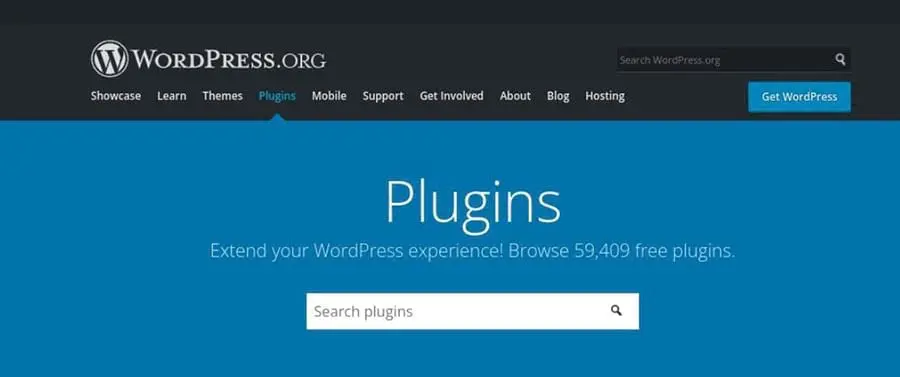
If it’s not accepted, you can sell it directly from your WordPress site. That’s also the better route for a freemium plugin, since it gives users a place to learn about the paid version’s functionality and features.
This is another versatile area. As more businesses move online, the need for management tools and niche-specific apps grows with them. You could create a WordPress plugin that fills a gap in the market.
10. Graphic Art
Many businesses and professionals don’t know how to create their own graphics or brand assets. If you’re skilled or experienced with graphic design, you could sell graphic art and creative bundles from your WordPress site.
Your work could be useful in many fields. For example, you can sell art used on clothing, such as t-shirts and hats.
Alternatively, you could work with web design agencies to help create art for client websites. Other popular ideas include logos, icon packages, stencils, overlays, and backgrounds.
If you’re a digital artist, another route is printables. Like templates, they’re delivered as an instant download after purchase, and you can create the work once and keep selling it.
Which Digital Product Should You Start With?
Pick the product closest to work you’ve already done. If you teach, that’s a course. If you design, that’s templates or graphic art. If you write, that’s an e-book. The product you can finish this quarter beats the theoretically better one you never ship.
From there, the setup is short: WordPress, one commerce plugin, and hosting that can handle checkout traffic. Our WordPress hosting plans include daily automated backups and unlimited free SSL certificates, and the Online Store option adds Ecwid or WooCommerce straight from the panel’s WordPress installer.
FAQs About Selling Digital Products on WordPress
What are the best WordPress plugins for selling digital products?
Easy Digital Downloads is the best fit for stores that only sell downloads: it’s free, built specifically for digital products, and protects files with unique, expiring download links. WooCommerce is the better choice for catalogs that mix digital and physical goods. For paywalled content, use a membership plugin such as MemberPress.
Do I need WooCommerce to sell digital products on WordPress?
No. WooCommerce works well for digital goods, but it’s built for full stores, physical products included. If everything you sell is a downloadable file, a lighter plugin like Easy Digital Downloads covers checkout, payment, and secure file delivery without the extra setup a complete store platform requires.
What are the most lucrative digital products to sell?
There’s no universal winner: the most lucrative product is the one backed by expertise you can prove and an audience you can reach. That said, the pricing model matters. An e-book earns once per customer, while a membership, subscription-priced software, or a course with a community earns from the same customer month after month.
How do I stop people from sharing my files after they buy?
You can’t stop it completely, but you can make it inconvenient. Easy Digital Downloads, for example, generates a unique download link for each purchase and lets you set link expiration times, limit the number of downloads per purchase, and track IP addresses for fraud prevention. For high-value content, a membership paywall is harder to share than a file.
Do I have to charge sales tax or VAT on digital products?
It depends on where you and your customers are located, so check the rules for your jurisdiction or ask a tax professional before you launch. Your store software can do the mechanical part: WooCommerce offers the WooCommerce Tax integration for automated calculations, and Easy Digital Downloads Pro includes EU VAT compliance tools.
How much does it cost to start selling digital products?
The software can cost nothing: WordPress, WooCommerce, and Easy Digital Downloads all have free versions. Your real costs are hosting, a domain name, whatever your payment processor charges per sale, and any paid plugin upgrades you grow into, such as subscriptions or software licensing.