
Imagine Goldilocks set up a WordPress website. We bet her plugin selection would be just right — not missing out on useful tools, and not overwhelming her site with bloat.
The best WordPress plugins in 2026 cover seven job areas: page building (Elementor, Bricks Builder), speed (WP Rocket), translation (TranslatePress), SEO and analytics (Rank Math, SEOPress, Site Kit), security and backups (Wordfence, Really Simple Security, UpdraftPlus), selling and lead capture (WooCommerce, FunnelKit, OptinMonster), and AI (AI Engine, AI Puffer). Choose only the plugins that match your site’s needs, and skip the rest.
The problem is choice: the official WordPress.org directory alone offers more than 70,000 free WordPress plugins, and every single one of them claims to be the one you need.
To help you navigate, we’ve picked a list of essential plugins that every site owner should consider. Step right this way to check out the shortlist!
The 15 Greatest WordPress Plugins on Planet Earth
Okay, that title might be a slight overstatement. But we’ve put a lot of thought into our list, and we’re pretty confident that you’ll agree with our choices.
If you don’t fancy a long read, here’s the summary:
| # | Plugin | Category | Best for | Price | 5-Word Verdict |
| 1 | Elementor | Build & Optimize | DIY design + AI | Free + paid Pro plans | Design and copy, zero code |
| 2 | Bricks Builder | Build & Optimize | Code-clean pages | From $79/yr ($599 lifetime) | Design playground with no bloat |
| 3 | WP Rocket | Build & Optimize | One-click caching | From $59/yr | Faster loading with one click |
| 4 | TranslatePress | Build & Optimize | Visual multilingual | Free + from €99/yr | Click to translate your site |
| 5 | Rank Math SEO | SEO & Analytics | On-page SEO guidance | Free + PRO from €7.99/mo | SEO coach in the sidebar |
| 6 | SEOPress | SEO & Analytics | Schema autopilot | Free + PRO $49/yr | Quiet technical muscle for SEO |
| 7 | Site Kit by Google | SEO & Analytics | GA4 + search data | Free | Audience data straight from Google |
| 8 | Wordfence | Secure & Maintain | Firewall + malware scan | Free + paid Premium | Your site’s own digital bouncer |
| 9 | Really Simple Security | Secure & Maintain | Hardening + 2FA | Free + paid Pro | Lock every loose door fast |
| 10 | UpdraftPlus | Secure & Maintain | Scheduled backups | Free + paid Premium | Ctrl-Z for your WordPress website |
| 11 | WooCommerce | Sell & Capture Leads | Store backbone | Free | Powers 4+ million online stores |
| 12 | FunnelKit | Sell & Capture Leads | Checkout & upsells | Free + paid Pro | Tools to increase order value |
| 13 | OptinMonster | Sell & Capture Leads | Pop-ups & A/B tests | From $7/mo, billed annually | Grow your email list faster |
| 14 | AI Engine | Get Smarter with AI | On-site chat & AI tools | Free + paid Pro | Add a chatbot to WordPress |
| 15 | AI Puffer | Get Smarter with AI | Bulk AI content | Free + paid Pro | Create posts while you sleep |
How We Curated This List
If you’re wondering how we made our choices, it was a combination of:
- What real site owners are saying: We looked through loads of social posts to see which plugins are receiving the most love.
- Total number of users: If millions of people are using a plugin, it probably offers something worthwhile.
- Insights from the DreamHost expert team: Our technical and creative pros have hands-on experience with these apps.
Every install count and price below was re-checked in August 2026, against the plugin’s own site or its WordPress.org listing. But don’t take our word for it. Up next is a detailed look at each of our chosen plugins, category by category.
The Best Plugins To Build and Optimize Your Site
Let’s start with plugins that help you construct a rock-solid site in the first place. Here are four plugins that really stand out.
1. Elementor: Design Made Easy (Now With Built-In AI)
Elementor tops WordPress.org’s popular plugins list with more than 10 million active installations, and Elementor itself says it powers over 22 million websites. It now has native AI built in, which can generate page sections, text, code, and images for you. That’s a huge potential time saver.
Things we like:
- You can build pages in minutes — drag, drop, done.
- The built-in AI writes text and builds visuals while you do the design stuff.
- A global design system keeps your brand colors and fonts consistent across every headline, button, and form.
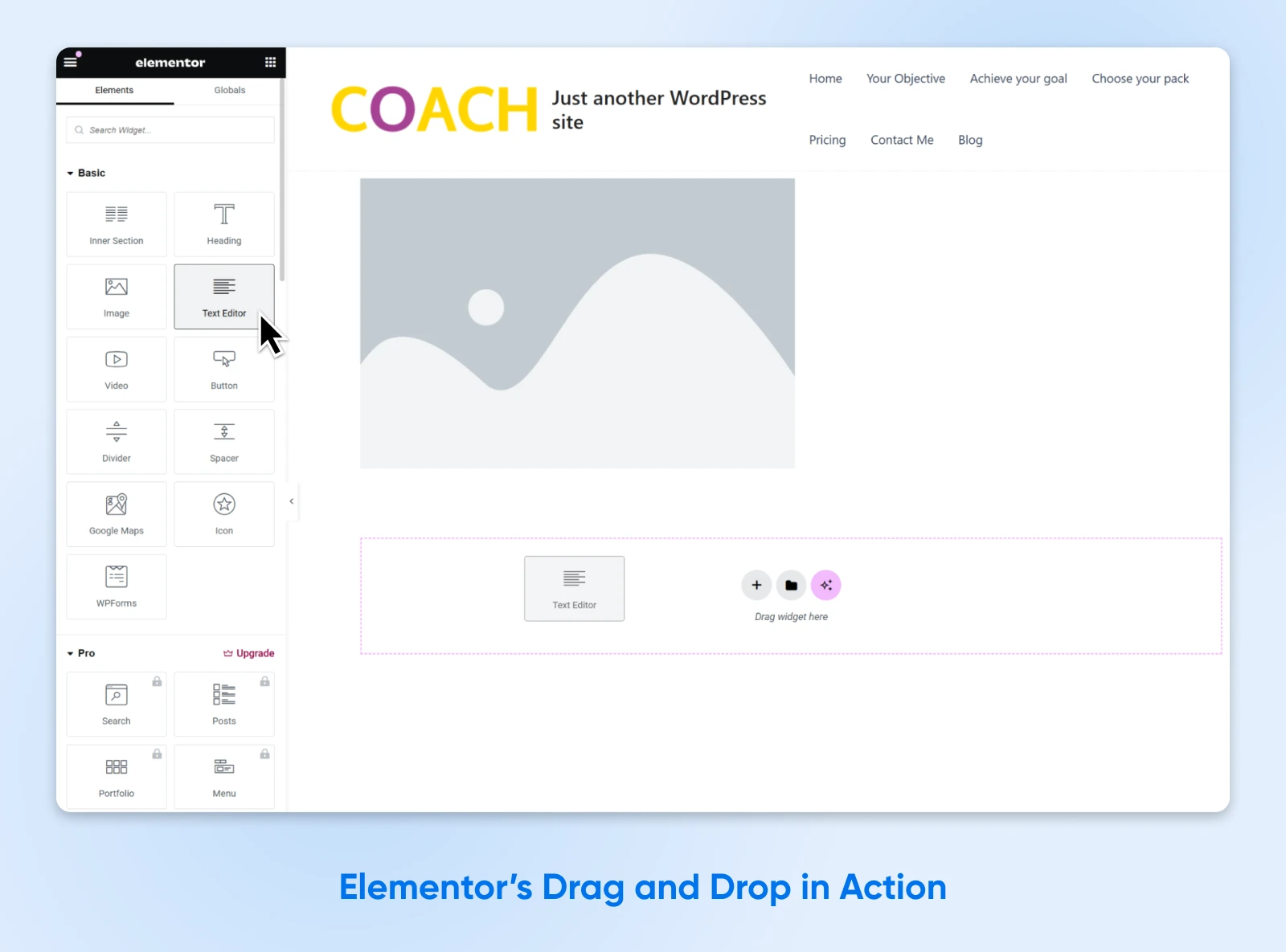
Best for: Site owners who’d rather drag and drop than wrangle with code.
Price: The core plugin is free. Paid Editor Pro plans add theme building, forms, popups, and ecommerce widgets, while the Elementor One plans bundle in AI credits.
(Top tip: DreamHost customers can try our Remixer AI website builder free for 30 days, no credit card required. Just saying…)
2. Bricks Builder: Designer Look, Clean Code
If you’re fairly comfortable with tech, you might prefer designing your site with Bricks Builder. It’s slightly more complex, but you still get a glossy visual editor. Bricks also supports dynamic data and conditional logic, giving tech-confident users more control over how content is displayed.
Things we like:
- Visual editing with no bloat. Designs look great, without compromising performance.
- Works perfectly with custom fields called “dynamic data,” meaning you can style any content.
- You can use conditional logic to personalize your offering for every visitor.
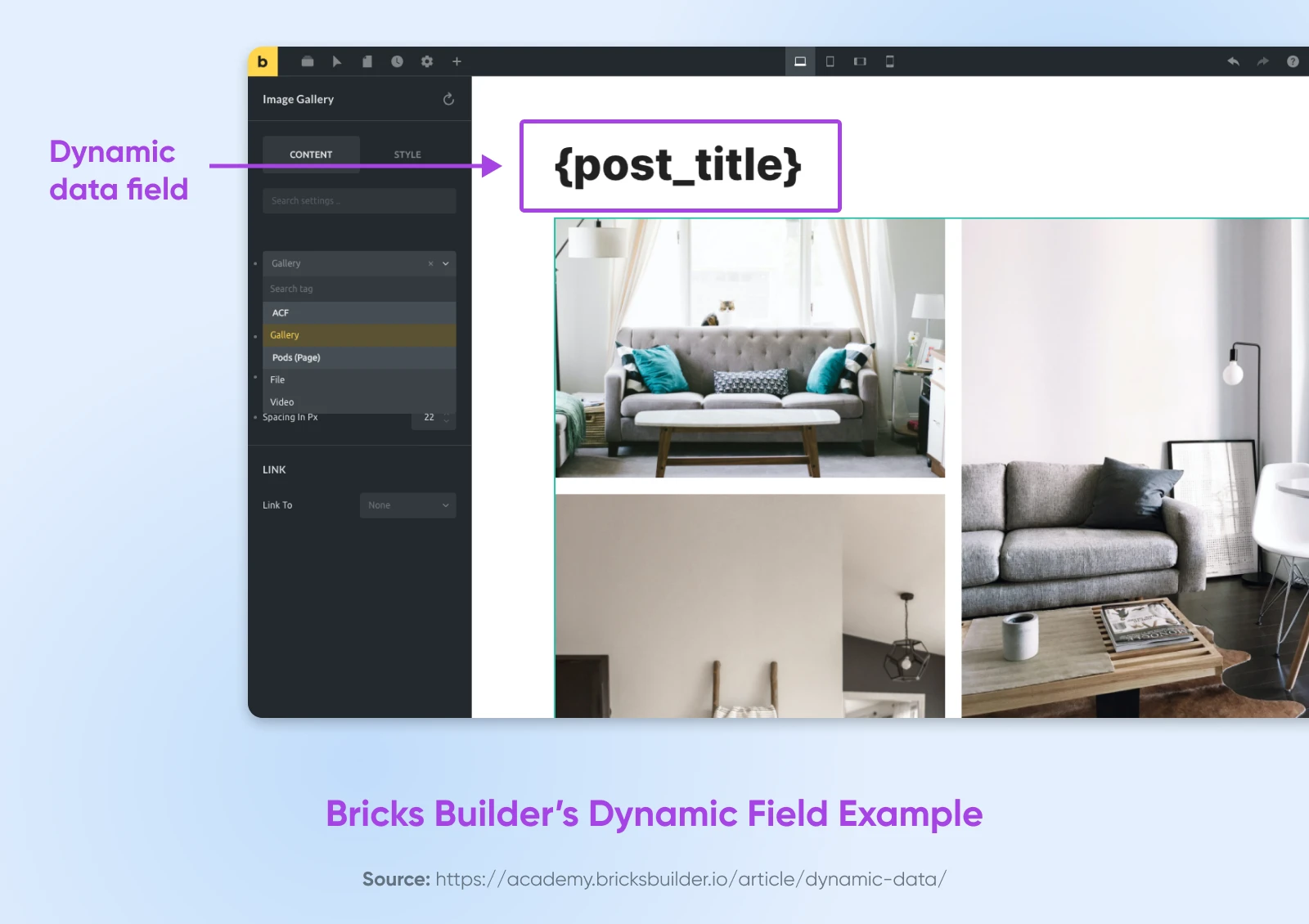
Best for: Tech-confident site owners who hate slow, bloated pages.
Price: From $79/yr for one site, or $599 once for a lifetime license on unlimited sites. There’s no free version, but you can test-drive it at Bricks’ free online playground.
3. WP Rocket: Instant Speed Boost
Page caching, lazy loading, delayed JavaScript, unused-CSS removal… In short, WP Rocket packages several common performance optimizations into one plugin. WP Rocket says 80% of web-performance best practices are applied automatically on activation — no code required.
Things we like:
- Flip a switch and watch load times drop.
- Delaying JavaScript and removing unused CSS keeps heavy pages lean.
- It plays nicely with ecommerce plugins, so shoppers aren’t left waiting at checkout.
Best for: Anyone who wants a faster site without tech stress.
Price: From $59/yr for one site. No free version, but there’s a 14-day refund policy.
4. TranslatePress: Click To Translate Websites
So, you’ve built the perfect website. But wait… how will Spanish, French, and Klingon speakers understand your awesome copy? TranslatePress — used on more than 400,000 websites — helps you convert your content via Google Translate, DeepL, or its own TranslatePress AI.
Things we like:
- Let the machine translation handle the first drafts.
- Edit your text right on the page, in a visual front-end editor.
- Add a language picker so visitors can find their ideal content.
Best for: Online businesses wanting to target local customers around the world.
Price: Free version available; premium plans from €99/yr for one site, including 50,000 AI-translated words.
The Best WordPress Plugins for SEO & Analytics
Having put some effort into building your site, you probably want people to visit. The following three plugins should help you stand out in the search and measure your progress along the way.
5. Rank Math SEO: Your Personal SEO Coach
Using Rank Math is like having a coach on the sideline, giving you advice on how to win the SEO game. And this coach knows the whole playbook: keywords, schema, meta descriptions, and more. With 4+ million active installations, it’s our favorite SEO plugin.
Things we like:
- A real-time SEO score gives you live feedback as you write.
- The built-in schema generator formats your content for rich results, with pre-built types and reusable templates.
- Paid plans add a broken link checker and advanced redirections, so you can clean up 404 errors in seconds.
Best for: Site owners who want to optimize their content, but don’t know how.
Price: Free; Rank Math PRO from €7.99/mo, billed annually.
6. SEOPress: Quiet Technical SEO Muscle
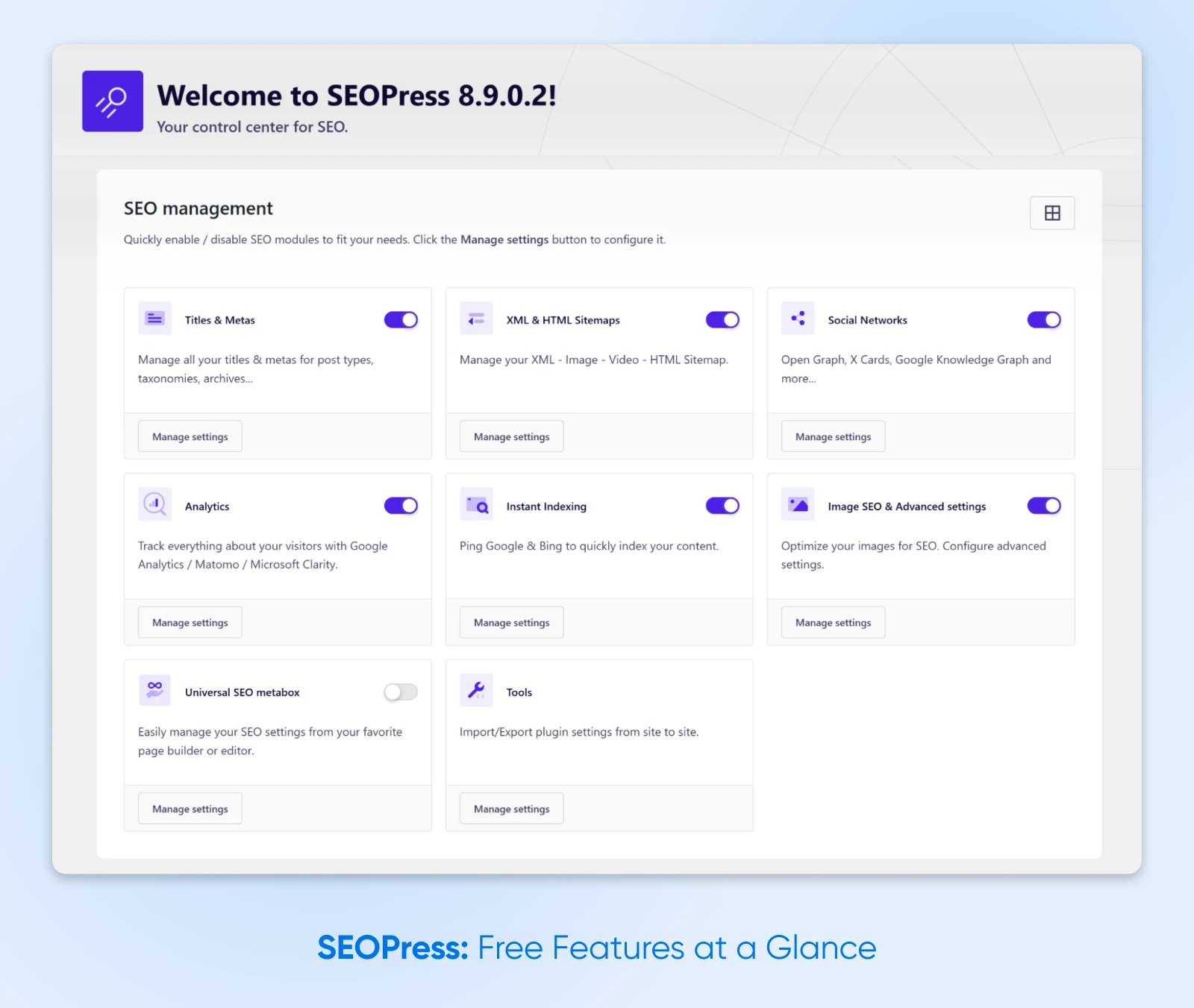
Optimizing content is only half of the SEO battle — your site also needs the right structure to perform well. SEOPress, used on 350,000+ websites, handles the technical stuff for you, from XML sitemaps to structured data.
Things we like:
- Hands-free schema and sitemap generation, so Google can easily find your content.
- The PRO version adds a redirect manager with 404 monitoring and a broken link detector.
- Optimize your site for social sharing with custom titles, images, and descriptions.
Best for: Handling nerdy SEO tasks when you don’t have a master’s degree in Google.
Price: Free; SEOPress PRO is $49/yr for one site, and it renews at the same price.
7. Site Kit by Google: Stats Straight From the Source
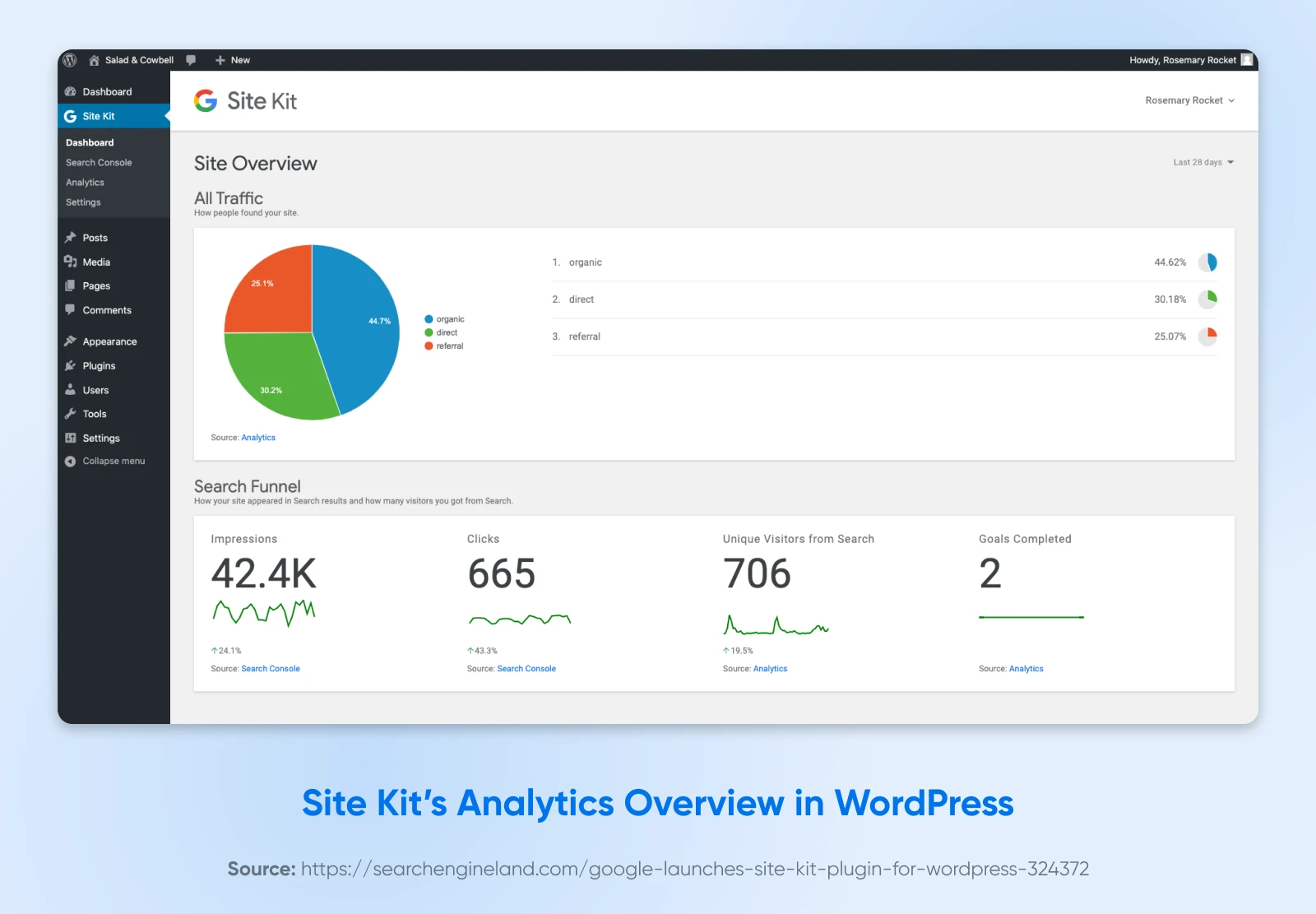
You’ve heard of Google Analytics, right? Of course you have. Everyone has. And this plugin from Google — active on 5+ million sites — lets you set up Analytics, Search Console, AdSense, and PageSpeed data right in your WordPress dashboard. That makes installing Site Kit a no-brainer.
Things we like:
- Check visits, keywords, and ad revenue inside WordPress.
- PageSpeed data shows which pages need a performance boost or SEO love.
- Get no-code setup for the whole Google Analytics suite.
Best for: Any site. Literally any WordPress website.
Pricing: Totally free.
The Best Plugins To Secure and Maintain Your Site
For any site owner, the idea of being hacked is enough to keep you awake at night. We recommend using these three plugins to lock down your online space.
8. Wordfence: A Bouncer for Your Website
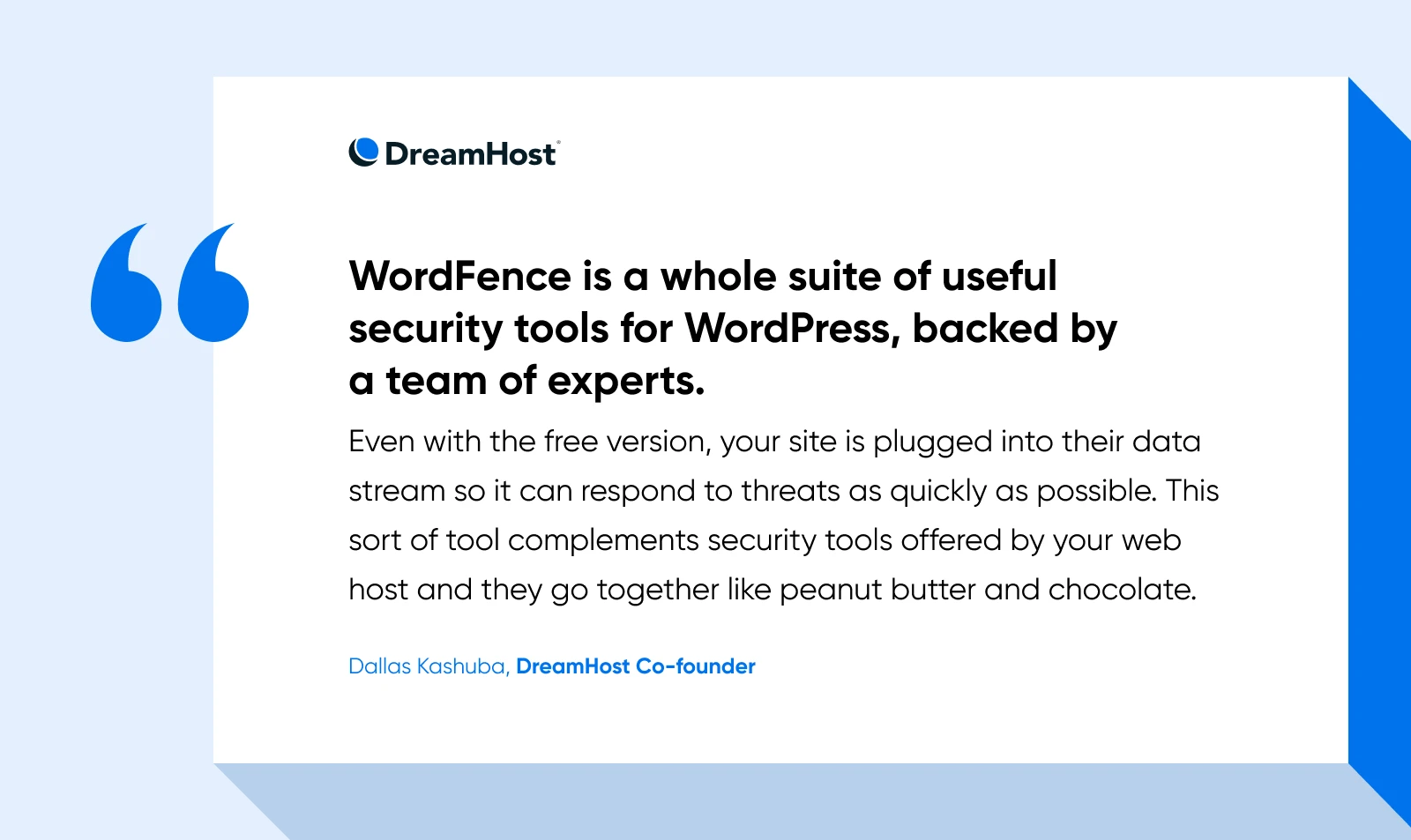
Your website is like a beautiful garden left unlocked — It only takes one fool to come along and trash the place. Installing Wordfence is basically like hiring a security guard. It’s powerful, easy to set up, and popular (5+ million active installations).
Things we like:
- The web application firewall helps block malicious traffic before it reaches your site.
- The built-in malware scanner can catch security problems early.
- Wordfence lets you configure two-factor logins, passkeys, and CAPTCHA for added protection.
Best for: Adding live security protection. One honest caveat: the free version receives new firewall rules 30 days after paying customers do.
Pricing: Free; paid tiers are available as Premium, Care, and Response.
9. Really Simple Security: Lock Every Loose Door
If Wordfence is the security guard, Really Simple Security is a package of new locks, cameras, and alarms. This plugin — formerly Really Simple SSL, now active on 3+ million sites — hardens WordPress itself, which makes life tougher for hackers. That’s a win in our book.
(A note for longtime readers: our previous pick in this slot, iThemes Security, was renamed Solid Security and then renamed again to Kadence Security in 2026. Really Simple Security is the hardening plugin we now recommend.)
Things we like:
- A quick onboarding process walks you through login protection and WordPress hardening.
- Two-factor authentication and limited login attempts protect your login page.
- Vulnerability detection alerts you when a plugin, theme, or WordPress core needs attention.
Best for: Making your website harder to hack, without slowing it down.
Pricing: Free; the paid Pro version adds a firewall, security headers, and advanced hardening.
10. UpdraftPlus: Your Big Red ‘Undo’ Button
Even veteran site owners hit the wrong key sometimes. UpdraftPlus — trusted on more than 3 million websites — takes scheduled snapshots of your site and stores them safely in the cloud, so a bad update or accidental edit never becomes a disaster. Get it before you regret it.
Things we like:
- Back up automatically on a schedule you choose — from every two hours to monthly.
- Restore any backup in just a few clicks, choosing exactly which components to bring back.
- Save copies to Dropbox, Google Drive, or Amazon S3 for extra safety.
Best for: “Better safe than sorry.”
Price: Free; UpdraftPlus Premium adds incremental backups, automatic backups before updates, and more storage destinations.
The Best Plugins To Sell & Capture Leads
If you’re putting this much thought into kitting out your WordPress website, there’s a fair chance you’re doing it for business reasons. If so, the following three plugins can help you maximize revenue:
11. WooCommerce: The Obvious Choice for Building a Store
We’ve written about WooCommerce many times, and for good reason. This open-source platform powers about 4.1 million live stores (per Store Leads, August 2026), has 7+ million active installations on WordPress.org, and can handle everything from individual products to vast catalogues.
Things we like:
- Lets you create product pages as easily as writing a blog post, using modular product blocks.
- Connects to 100+ payment gateways, including Stripe, PayPal, and Square.
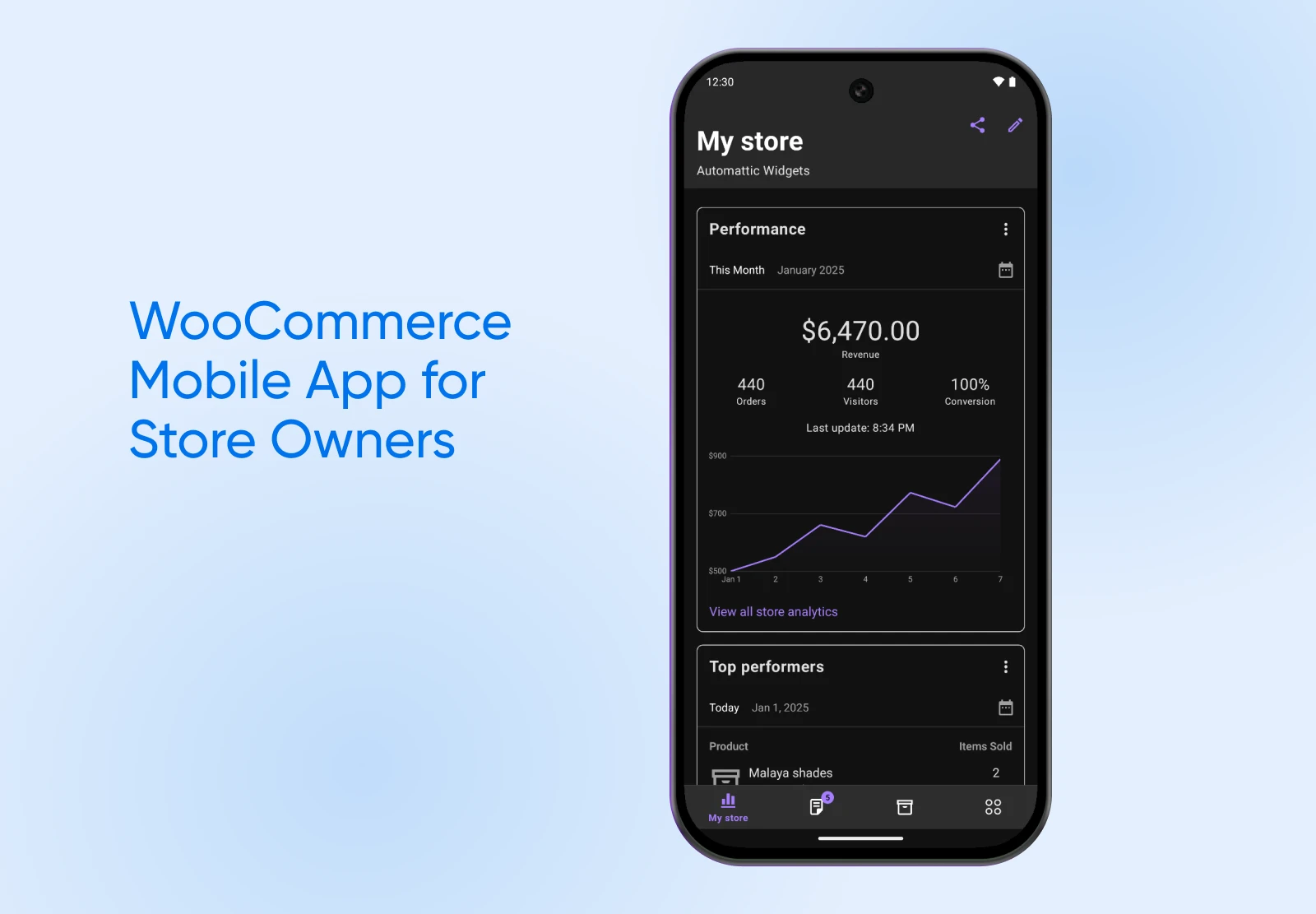
- You can manage orders on the go via the free WooCommerce mobile app.
Best for: Selling anything online.
Price: Core plugin free; paid extensions vary.
12. FunnelKit: More Sales per Shopper
Convincing someone to check out your website isn’t easy, so you need to make every visit count. FunnelKit (formerly WooFunnels) offers a variety of tiny tools that help nudge people toward buying something. We think it’s a great choice for anyone trying to make money online.
Things we like:
- The free FunnelKit Automations companion can send abandoned-cart recovery emails.
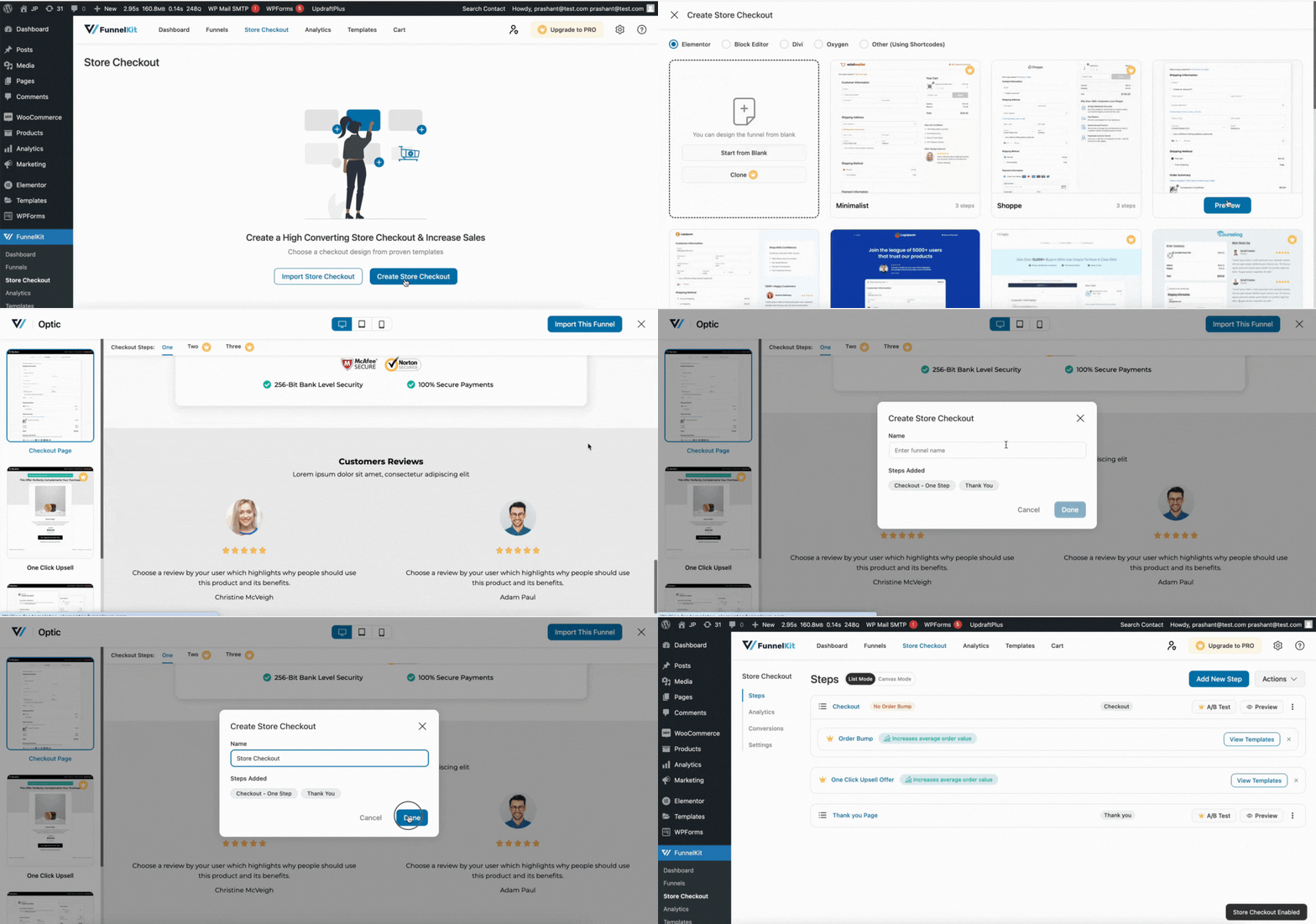
- One-click upsells and order bumps after payment help boost order value.
- Use the plugin’s conversion-optimized templates to simplify your WooCommerce checkout.
Best for: Stores chasing bigger carts without bigger ad budgets.
Price: The Lite version is free; the paid Pro version adds premium templates, rule-based upsells, and A/B testing.
13. OptinMonster: Turn Visitors Into Subscribers
Not everyone who visits your site is ready to spend money right now, but if you can get them on an email list, they might just buy something later. The OptinMonster plugin helps you convert visitors into subscribers using an array of site add-ons.
Things we like:
- Exit Intent® pop-ups (on the Pro plan and up) encourage people to sign up before they leave.
- 700+ templates to choose from, and they’re all customizable.
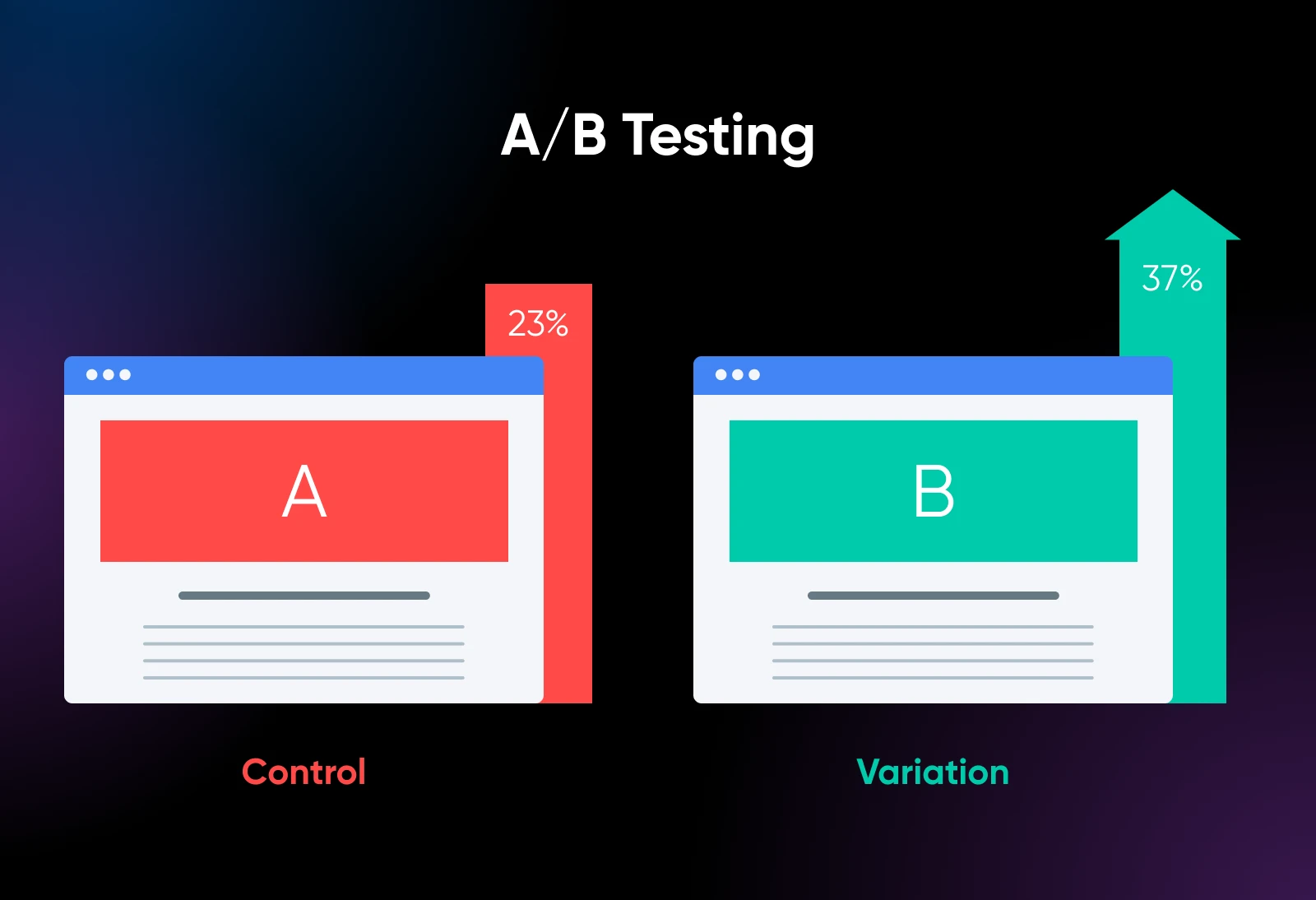
- A/B testing (Plus plan and up) helps you identify your best-performing pitch.
Best for: Growing your email marketing list.
Price: From $7/mo, billed annually. That’s an introductory rate — renewals are at full price.
The Best AI Plugins That Make WordPress Smarter
We couldn’t write a guide to plugins in 2026 and not include some AI. Our last two selections bring some extra intelligence to your site — and both work on a “bring your own API key” model, so you pay your AI provider directly for what you use.
14. AI Engine: Your On-Site AI Assistant
Everyone is kinda used to getting answers through a chat interface nowadays. AI Engine — 100,000+ active installations — lets you add this feature to your site, so visitors can interact with your content through chatbots and smart workflows. It’s a pretty impressive tool.
Things we like:
- You can add a ChatGPT-style chatbot, and the Pro version’s embeddings features can ground its answers in your own content.
- Generate product blurbs and FAQ snippets via AI, without leaving the regular editor.
- It works with OpenAI, Claude, Gemini, Mistral, Perplexity, and OpenRouter — giving you a choice of supported providers.
Best for: Improving customer support and banishing writer’s block.
Price: Free; the paid Pro version adds AI forms, embeddings, and cross-site chatbots. Either way, you bring your own API keys and pay the AI provider for tokens.
15. AI Puffer (Formerly AI Power): Draft Content While You Sleep
Ever tried using AI to write blog posts? It’s possible, but a total hassle. AI Puffer makes the process smoother by bringing AI into your dashboard. It’s a smaller plugin than the giants above (10,000+ active installations), but we’re impressed by how many content types it can generate.
Things we like:
- It connects to several top AI providers, including OpenAI, Google Gemini, Microsoft Azure, OpenRouter, DeepSeek, xAI, and Ollama.
- The automation engine can bulk-draft blog posts and product descriptions on a schedule — feed it topics via text, CSV, RSS, or URLs.
- SEO-friendly output with custom templates means you can optimize content faster.
Best for: Content-hungry stores and blogs on tight schedules.
Price: Free; a paid Pro version is available. Again, you’ll connect your own AI provider account and pay it directly for usage.
Dive Deeper With Specialized Plugins
Most of the plugins above should improve your site — no matter whether it’s a blog, an online store, a portfolio, a business site, or something else.
However, every WordPress website is different. If you’re looking for specific features, try one of our dedicated guides:
- Is Elementor Pro Worth It? Free vs. Pro
- Google Site Kit: Is This the Magic Analytics Solution for Your Small Business?
- A Closer Look at the Limit Login Attempts Reloaded WordPress Plugin
- How To Build a WordPress Membership Site: Plugins & Best Practices
WordPress Plugin FAQs
Still weighing up your options? Here are quick answers to the plugin questions we hear most often.
What are the must-have WordPress plugins?
Most WordPress sites need a plan for security, backups, SEO, and performance, but that does not always mean installing four separate plugins. Check what your host and existing tools already provide, then add only the plugins needed to fill the gaps.
What are the top 10 WordPress plugins by installs?
As of August 2026, the most-installed plugins in WordPress.org’s popular plugins directory are Elementor, Yoast SEO, and Contact Form 7 (10+ million active installations each), followed by Classic Editor, LiteSpeed Cache, WooCommerce, Site Kit by Google, Akismet, WPForms, and All-in-One WP Migration. Popular doesn’t automatically mean right for you, though — match the plugin to the job.
How many plugins should I install on WordPress?
There’s no fixed limit. Quality matters far more than quantity: one well-coded plugin beats several poorly maintained ones. A sensible rule is one plugin per job — then remove anything you’re not actively using, and keep the rest updated.
Do plugins slow down a WordPress site?
Badly coded plugins can, but the raw number of plugins matters less than their quality. Choose plugins that are actively maintained, deactivate and delete anything unused, and add a caching plugin like WP Rocket — it exists specifically to make your site faster.
Are free WordPress plugins safe?
Downloading from the official WordPress.org directory is safer than using an unknown third-party source, but no listing guarantees that a plugin is secure or actively maintained. Before installing, check its last-updated date, compatibility information, support activity, and recent reviews, and remove plugins you no longer use.
Build a Smarter Website Today
You don’t need a whole heap of plugins to build a great WordPress website. It’s all about quality and relevance, not quantity.
The plugins we’ve featured in this guide all deliver on real-world performance and everyday usefulness. Pick the ones that fit with your site goals, and you’ll be well ahead of the curve.
Just remember: plugins are only as reliable as the hosting underneath them. DreamPress, DreamHost’s managed WordPress hosting, comes with WordPress pre-installed, daily backups stored offsite, and 1-click staging — so you can safely test any plugin on this list before it touches your live site — plus 24/7 support from WordPress experts.