
Full site editing (FSE) lets you design every part of a WordPress site — header, footer, page templates, and site-wide styles — with blocks, no custom code or page builder plugin required. It shipped in WordPress 5.9 “Josephine” on January 25, 2022, and it has since grown into the tool WordPress now calls the Site Editor.
This post originally broke the news that 5.9 had slipped past its December 2021 target. That delay is history now: 5.9 arrived on schedule in January 2022, full site editing matured across the 6.x releases, and as of this update the current version is WordPress 7.1, released August 19, 2026.
So we’ve updated the whole story: what full site editing is, how the delayed launch actually played out, the three features that still define it, and where the project goes next — useful whether you’re a longtime site owner or new to WordPress. Let’s take a look!

Want to Skip the Setup?
Describe the site you want in plain language and Remixer, DreamHost’s AI website builder, builds and publishes it for you. Try it free for 30 days — no credit card required.
Try Remixer FreeWhat you need to know about WordPress full site editing
For most of WordPress’ life, customizing a site meant one of three things: picking a theme and living with its options, writing custom code, or installing a page builder plugin to get more control over your site’s look and layout. Themes vary widely in what they let you change, which is why the other two workarounds became so common.
WordPress 5.0 took a big step toward fixing that with the block editor — Phase 1 of the long-term Gutenberg project. But the block editor was built for posts and pages. Headers, footers, and templates still belonged to your theme, and editing them without a plugin wasn’t easy.
Full site editing closed that gap. With a block theme active, the Site Editor (found under Appearance > Editor in your dashboard) lets you redesign your entire site with the same drag-and-drop blocks you already use in posts. One thing to keep straight: “full site editing” is the capability, and the Site Editor is the tool where you use it. If you learned the block editor, you already know most of how it works.
The delay that started this post — and how it turned out
Here’s the original news: WordPress 5.9 was scheduled to ship on December 14, 2021, but the core team announced a revised release schedule on November 22, 2021, moving the release to January 25, 2022. WordPress is open source, so decisions like this happen in public — you can read the full development cycle, feature scope, and schedule for any release on the Make WordPress Core blog.
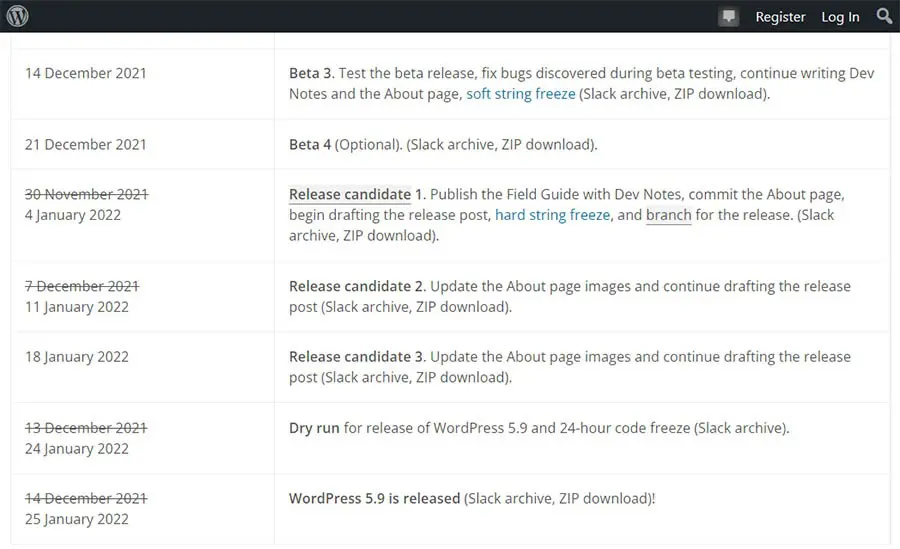
The extra six weeks paid off. WordPress 5.9 “Josephine” shipped on January 25, 2022, with full site editing intact — plus Twenty Twenty-Two, the first default block theme in WordPress history.
And the story kept going. Phase 2 of the Gutenberg project — the customization phase that 5.9 kicked off — culminated in WordPress 6.3 with the launch of the Site Editor. Today, full site editing is the site-design experience for WordPress sites using a block theme, and WordPress 7.1 is the current release.
What full site editing gives you (3 features)
Full site editing makes customizing a WordPress site easier than it’s ever been, without leaning on third-party tools. The Site Editor is available only when a block theme is active. Here are the three features that defined the 5.9 release and still define full site editing today.
1. More control over the way your site looks
You already edit posts and pages with WordPress’ visual block editor, introduced in the 5.0 update.
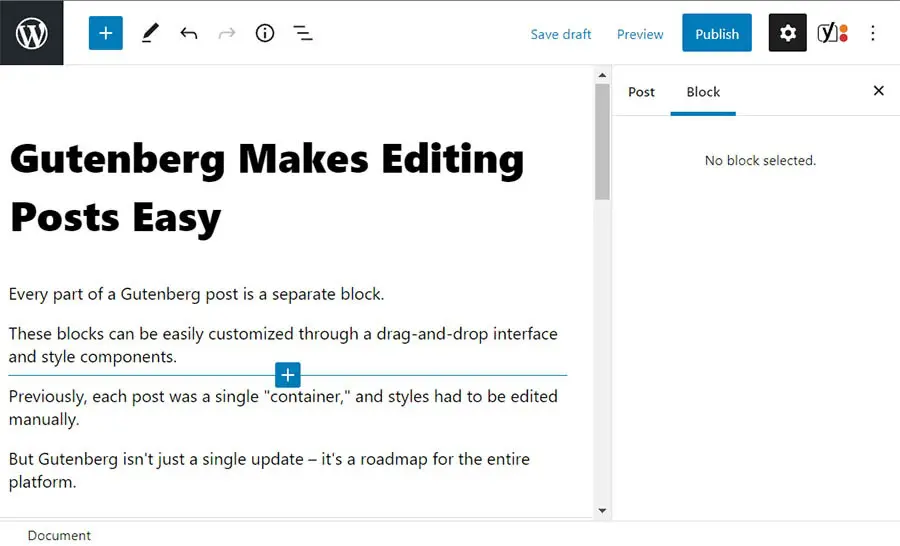
With a classic theme, though, you still depend on the theme to change how your site looks overall. You make changes through the Theme Customizer, which may offer a few options or a lot of them — whatever the theme’s developers decided to provide.
With full site editing, you edit page layouts directly through a drag-and-drop interface. Place blocks in your header or footer, control their positioning, or modify the size and placement of your text — no waiting on a theme setting. Rather than hoping the theme developer made it possible to edit your site’s color scheme, you change it yourself.
You can also copy ready-to-go layouts, called block patterns, from the WordPress Pattern Directory and drop them straight into your site. Need a different header or footer? Swap it for a new one in a few clicks, and use the Pattern Explorer’s near-full-screen view to compare patterns before you commit.
2. Site-wide changes through the Styles interface
In WordPress, a site’s overall “style” consists of font faces, font colors, font sizes, and formatting. A header might be “14-point, blue Trebuchet, centered,” for example. Not every theme lets you edit its default style, yet those details shape how your whole site reads.
The old workaround, when your theme didn’t expose those settings, was editing your site’s style sheets by hand. That requires some knowledge of CSS, a style sheet language.
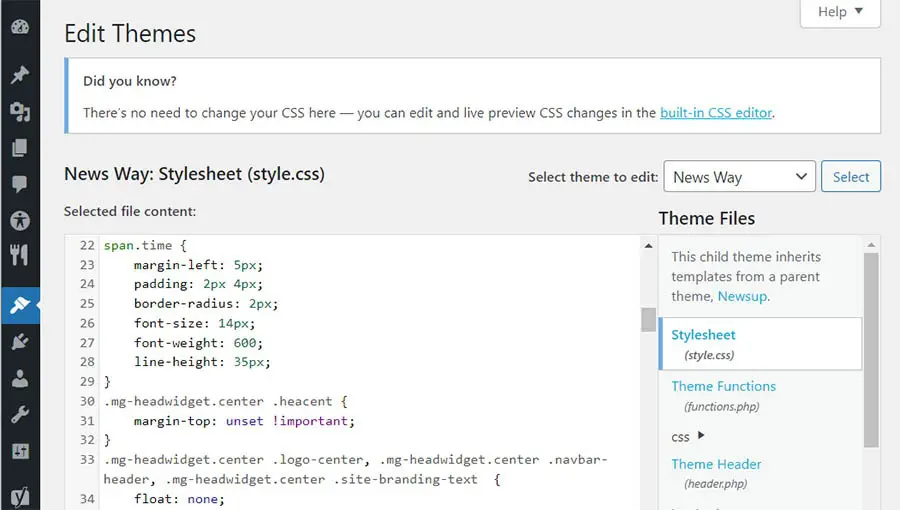
The Styles interface in the Site Editor handles this without code. Set the typography, color palettes, and layout for your entire site, or customize the appearance of a specific block type everywhere it appears. The result: you can “brand” your WordPress site without ever digging into a style sheet.
Many block themes also ship style variations — alternative looks you can browse and apply from the Styles panel, like swatches for your whole site. Themes and plugins are still the way to add complex functionality, such as slideshows or scrolling news tickers, but day-to-day design decisions no longer require them.
3. Design tools built into the blocks themselves
Last but not least, WordPress 5.9 integrated design tools into existing blocks: new typography tools, flexible layout controls, and finer control of details like spacing and borders. That makes it much easier to build a consistent design that spans your entire site.
A quick refresher: the block editor is built around creating and manipulating blocks of content. A “block” is a discrete element or piece of content, such as a header, paragraph, or image.
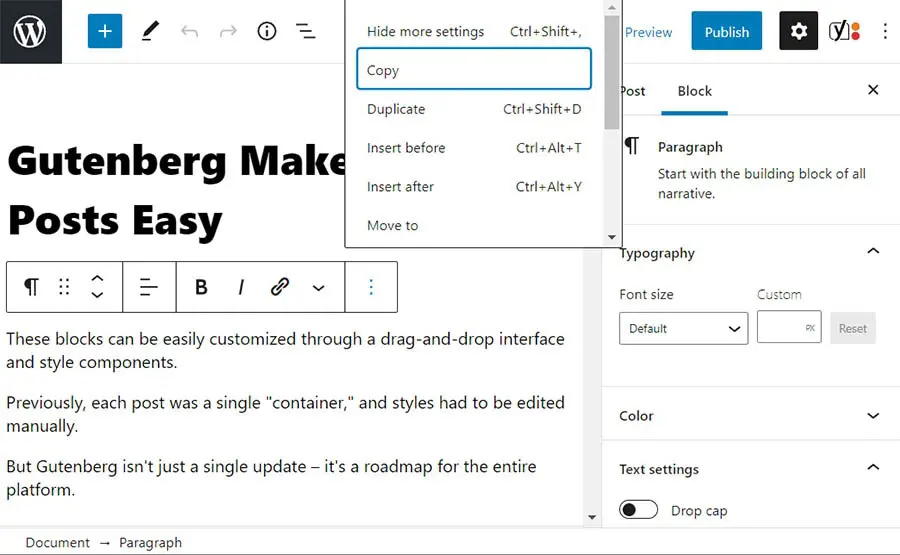
With full site editing, you edit those blocks across your entire site — not just in posts and pages. The revamped List View helps you manage complex layouts, letting you drag and drop content exactly where you want it and expand or collapse sections as you build.
Best of all, you see how every change looks immediately. No code, no guesswork, no switching between an editor and a preview tab.
Bulletproof Website Backups
DreamPress, our managed WordPress hosting solution, makes it easy to protect and restore your site with automated and on-demand backups.
Find Out MoreWhere full site editing goes from here
WordPress started as an easy way to build a simple blog. Over the years, it’s become a fully featured Content Management System (CMS) that powers major community sites, e-commerce stores, and much more.
Full site editing moved WordPress closer to being a complete website development kit — the same territory as website builders such as Squarespace, Wix, and Weebly, but on a platform you own. And it was never the finish line. The Gutenberg project roadmap lays out four phases: easier editing, customization, collaboration, and multilingual.
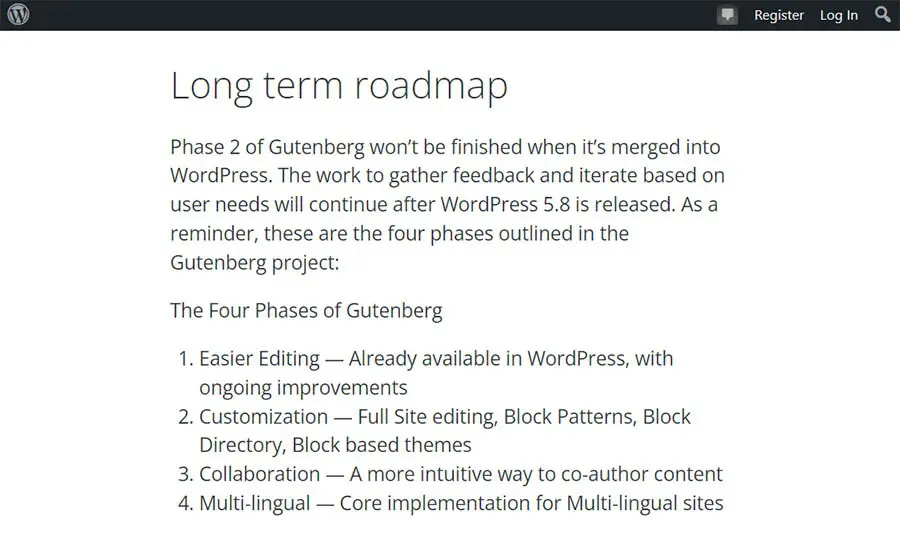
Phase 1 delivered the block editor in WordPress 5.0, and Phase 2 — the customization phase that 5.9 opened — culminated in WordPress 6.3 with the Site Editor. Phase 3 is underway now, centered on collaborative editing and workflows, and the project’s 2026 goals include WordPress 7.0 advancing those collaboration features. Phase 4 will bring core support for multilingual sites.
WordPress full site editing FAQs
When was WordPress 5.9 released?
WordPress 5.9 “Josephine” was released on January 25, 2022. It was originally scheduled for December 14, 2021, but the core team announced a revised schedule on November 22, 2021, adding six weeks to the release timeline.
What is the latest version of WordPress?
As of this update, the latest version is WordPress 7.1, released on August 19, 2026. The next major release, WordPress 7.2, is planned for December 10, 2026.
Is full site editing the same as the Site Editor?
Nearly. “Full site editing” is the capability — designing your whole site with blocks. The Site Editor is the tool where you do it, under Appearance > Editor in your dashboard. WordPress 6.3 marked the Site Editor’s official launch, completing Phase 2 of the Gutenberg project.
Do I need a block theme to use full site editing?
Yes. The Site Editor is only available when a block theme is installed and activated. You can find a growing list of them by filtering for block themes in the WordPress theme directory — and with one active, you no longer need the Theme Customizer.
Conclusion
Full site editing was worth the (brief) wait. Since WordPress 5.9, it has given site owners:
- Direct control over layout — headers, footers, and templates — plus ready-made layouts from the Block Pattern Directory
- A Styles interface for changing fonts, colors, and other stylistic elements across your whole site, no CSS required
- Typography, spacing, and layout tools built directly into blocks
Trying it is simple: activate a block theme and open Appearance > Editor. For a full redesign of an established site, do your experimenting on a staging site first — not your live website.
Want that sandbox built in? DreamPress, our managed WordPress hosting, comes with WordPress pre-installed, daily backups stored offsite, and 1-click staging — so you can test a block theme on a staging site before making changes to your live site. And our WordPress experts are on hand 24/7 if you get stuck.