
Not long ago, building a website meant picking a template, dragging boxes around a page, and writing every word yourself. In 2026, you can skip most of that. Describe your business to an AI website builder and watch it design the pages, write the first draft of your copy, and wire up everything from contact forms to payments.
A website builder is an online tool that lets you create and publish a website without writing code. Classic builders do it with templates and drag-and-drop editing; some AI website builders can generate a site’s structure, design, and draft copy from a plain-language description. Most include hosting, so the site is live the moment you publish.
That shift happened fast, and it changed what “website builder” even means. The drag-and-drop tools are still around, and they’re still useful. But they now share the stage with agentic AI builders that generate an entire site from a conversation, and coding assistants that produce real applications from a prompt.
This guide covers the current state of website builders: what they are, how AI site generation works, the pros and cons, and how to choose the right one, whether you’re launching your first website or replacing one that’s overdue for a refresh.
What are website builders?
Website builders are online tools that let you create a website without writing code. They offer drag-and-drop editing, customizable templates, and ready-made design elements, making it easy for anyone to build a professional-looking website.
In 2026, that definition has grown a second half: most modern website builders also include AI. Instead of assembling pages by hand, you can describe what you need (“a site for my hair salon with a services page and online booking”) and the builder generates the structure, design, and starting copy for you. That makes them a natural fit for small-business owners who’d rather run their business than learn to code.
How does a website builder work?
Website builders handle the technical work of a website (the code, the layout system, usually the hosting) so you can focus on content and design decisions. Today they work in two main ways:
- Visual editing: You start from a template and customize it through a drag-and-drop or click-to-edit interface, arranging text, images, videos, and interactive features on the page.
- AI generation: You describe the site you want, and the builder creates the pages, navigation, design, and draft copy. You then refine the result, often by continuing the conversation rather than touching an editor at all.
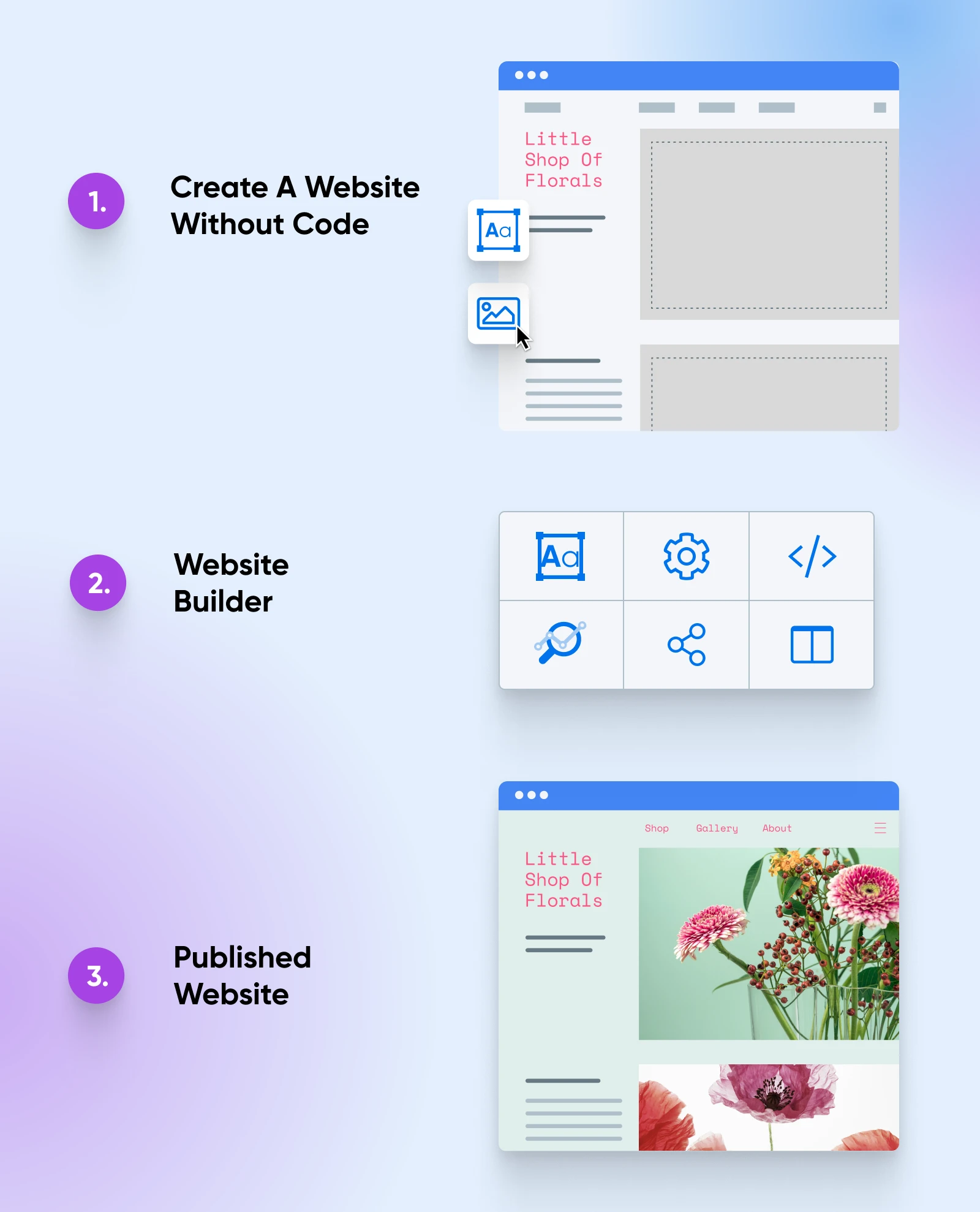
Whichever way you build, a good website builder should help you:
- Manage all your website settings, content, and design from a single dashboard.
- Start from templates, or generate a custom starting point with AI, without building global layouts by hand.
- Control simple configuration of all pages and SEO settings right from the editor.
- Preview your content on all devices, from desktop to mobile, before publishing.
Most website builders also provide hosting, meaning the site is live on the internet as soon as it’s published.
Website builder categories
Broadly, today’s tools split into two camps: tools you drive by hand, and tools that build for you. On the hands-on side, the familiar categories still apply:
- Template-based builders: The classic approach. Pick a professionally designed template, then customize it with a visual editor. You make every content and layout decision yourself.
- E-commerce website builders: Designed specifically for online stores, with product management, shopping carts, payment processing, and inventory tracking built in.
- Content management systems (CMS): Platforms like WordPress offer deep customization through themes and plugins, and can power any kind of site — with a steeper learning curve than a builder.
The build-for-you side, AI website builders and prompt-to-code tools, has grown into the main event, and it gets its own section below.
How websites were built before website builders
A little history explains why each new generation of tools caught on, and why AI builders are spreading so quickly now.
Originally, building a website meant coding it by hand with HTML, CSS, and JavaScript, or hiring a developer who could. Front-end frameworks like Bootstrap and Tailwind CSS sped that up with pre-written building blocks, but they still required real coding skill.
Content Management System (CMS)
Content Management System (CMS) is a software or application that provides a user-friendly interface for you to design, create, manage, and publish content.
Content management systems opened the door for non-coders. With WordPress, you could install a pre-made theme and have a presentable site without writing a line of code — though customizing beyond what the theme allowed often meant editing template files anyway.
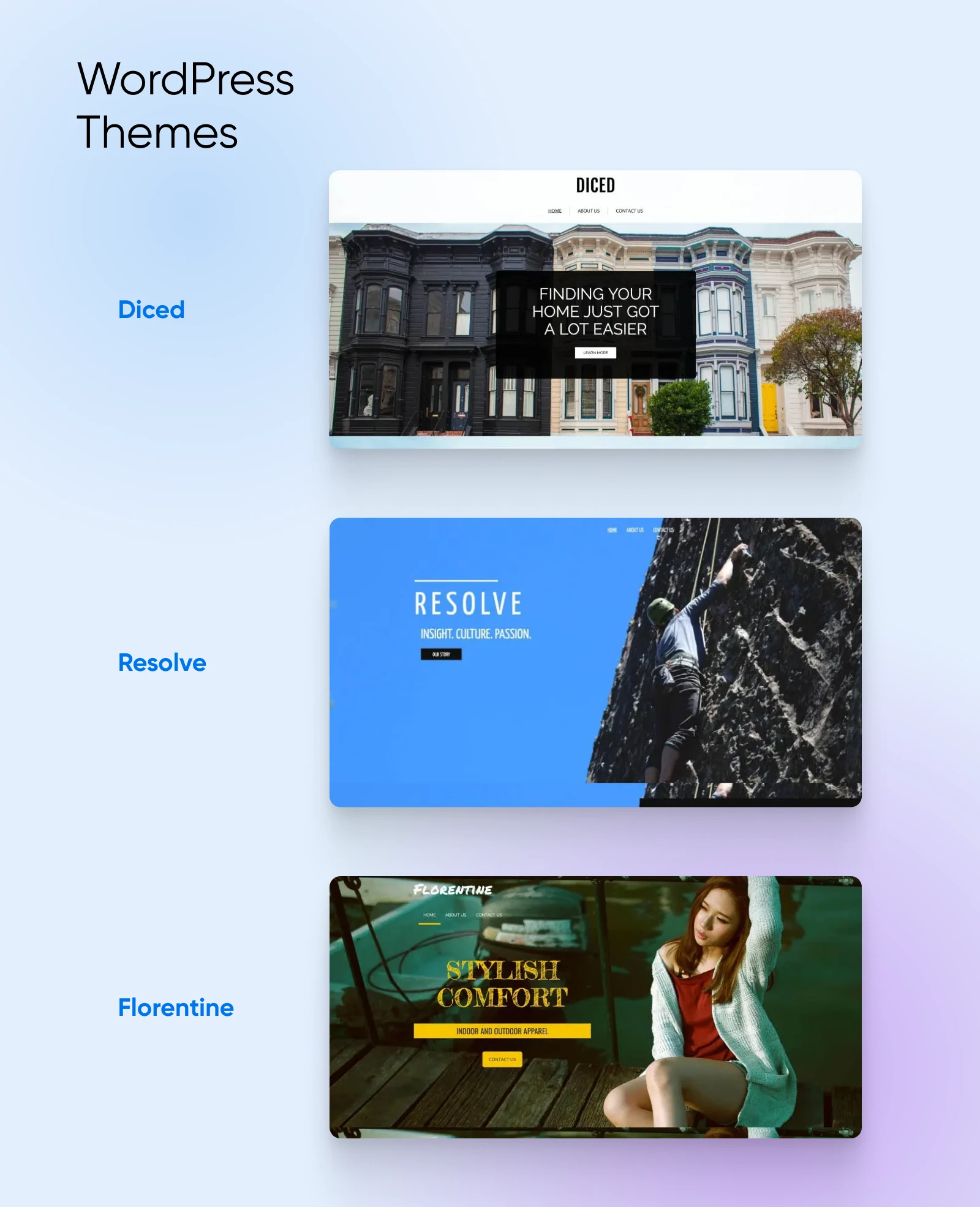
Page builder plugins added drag-and-drop editing on top of WordPress, and standalone website builders took that idea further by bundling the editor, templates, and hosting into one product. Each generation traded some flexibility for a lot of speed.
AI builders are the newest step in that same progression, and the trade is smaller than it’s ever been: you describe the outcome, the tool does the assembly, and the flexibility comes back through conversation instead of code.
AI website builders: three kinds, three different users
A couple of years ago, AI was a bullet point on website builder feature lists: a logo generator here, a paragraph writer there. That’s over. AI generation is now a headline feature across the category, and it comes in three distinct flavors. Knowing the difference will save you from picking a tool built for a different kind of user.
| Tool type | You provide | You get | Best for |
| Agentic AI builder (Remixer) | A plain-language description, plus feedback | A working site or web app, with hosting, forms, logins, and payments included | Business owners who want a finished product |
| Vibe coding tool (Lovable, Bolt) | Prompts plus developer judgment | A full web app generated from your prompts | Developers and technical tinkerers |
| General AI assistant (Claude, ChatGPT) | Prompts and copy-paste work | Code files and draft copy, but no hosting | Quick prototypes, copy, and odd jobs |
Agentic AI builders: describe it, get a working site
An agentic AI builder plans the whole project (pages, navigation, copy, and images) and builds the working parts underneath, the kind that used to require a developer: databases, user accounts, forms that actually store submissions, and payment processing.
Remixer, DreamHost’s AI website and app builder, works this way. You describe what you’re building in your own words: a business site, an online store, a booking app with client logins. Remixer generates a complete site, in 2 to 3 minutes on average. From there, you refine it by continuing the conversation: “make the header darker,” “add a testimonials section,” “let customers pick a time slot.”
Because there’s a real app platform underneath, Remixer can go past simple, static sites: client portals, membership sites with gated content, community platforms, fundraising pages, and online stores with Stripe payments built in. Hosting, a global CDN to help deliver content efficiently across regions, and SSL to encrypt data sent between visitors and the site are all included, so publishing is one step rather than a separate project. You can preview your site free for 30 days with no credit card required, then pick a plan when you’re ready to publish.
The AI website builder that turns conversation into designer-level sites. Free with hosting.
Start Free Trial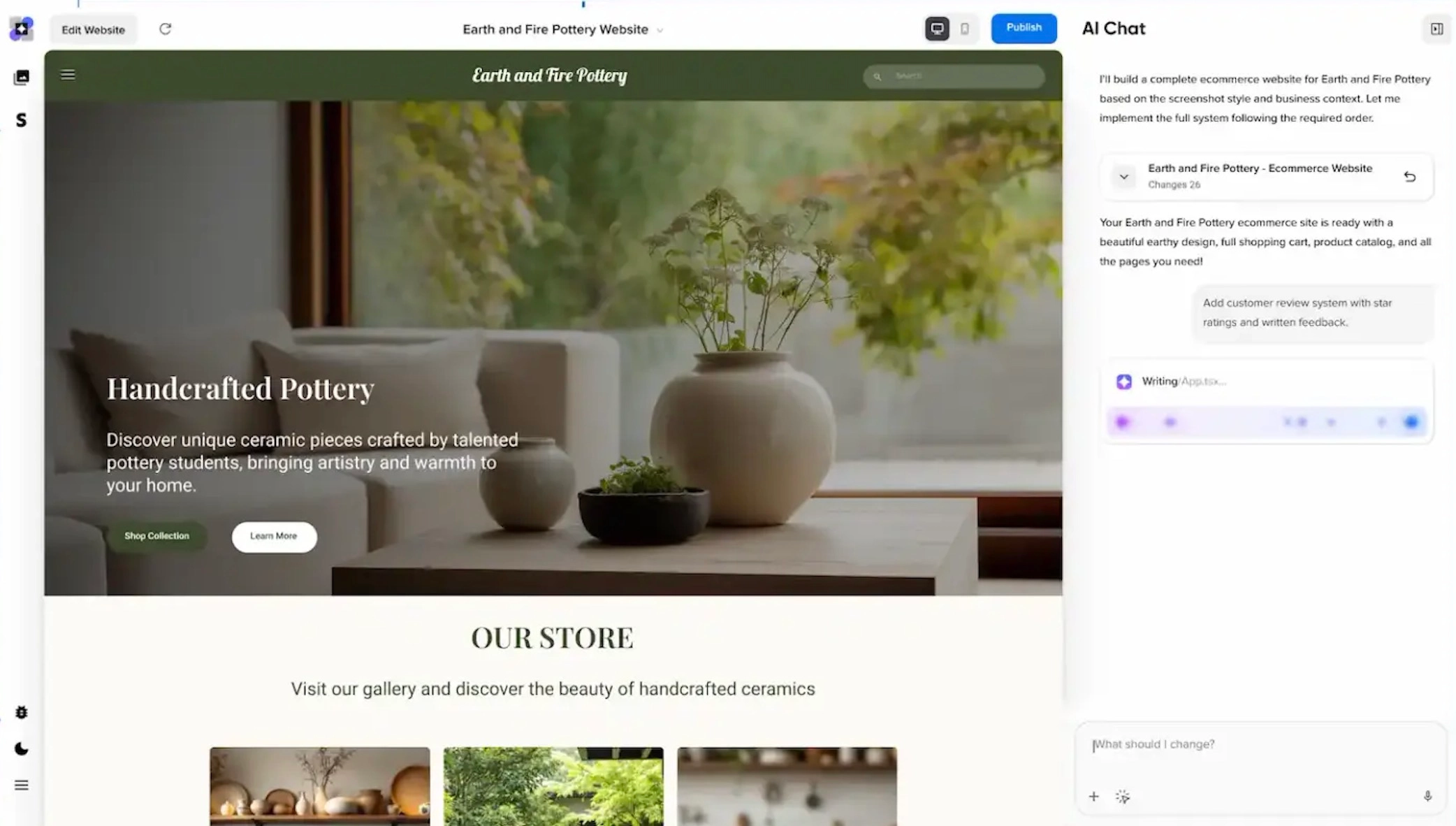
Whatever builder you’re comparing, depth is the thing to check: many AI builders stop after generating pages, while agentic builders keep going into the functionality your business actually runs on, meaning the databases, logins, and payments.
Vibe coding: from prompt to production code
The second flavor generates real, editable application code from your prompts. Tools like Lovable and Bolt build full web apps this way, and command-line agents like Claude Code can construct entire projects while you direct them in plain English. The approach even has a name: vibe coding.
The payoff is control. You can edit the generated code, giving you more control over customization. The catch is that you also own everything a developer owns: hosting, deployment, debugging, and security. When the AI writes something subtly wrong (and it will), fixing it is your job.
For a custom web app or a developer who wants speed, these tools are impressive — we tested nine of them ourselves. For a business owner who needs a reliable site with support behind it, they’re usually more tool than the job requires.
General AI assistants: Claude, ChatGPT, and the DIY route
Then there are the general-purpose AI assistants: Claude from Anthropic and ChatGPT from OpenAI. Both can write working HTML, CSS, and JavaScript from a description, draft your page copy, and explain any web concept you’re stuck on. For a simple one-page site, you can paste their output into a file and have something real.
What they hand you, though, is files, not a running website. You still need to arrange hosting, connect a domain, and repeat the copy-paste loop every time you want a change. That’s a fine trade for tinkerers and a bad one for a business that just needs its site up. Think of assistants as the world’s most patient collaborator for odd jobs around your site: writing, brainstorming, debugging, and quick prototypes.
Where WordPress and classic builders fit now
None of this made the established tools disappear. WordPress still powers 40.7% of all websites, and 58.9% of websites that use a known CMS, according to W3Techs (August 2026). WordPress supports deep customization through themes and plugins, including a growing set of AI tools for WordPress itself. Template-based builders still make sense when you want full manual control over a design without touching code.
The practical difference in 2026: these are now the deliberate, hands-on options rather than the default first stop. If you enjoy building, they reward the time. If you’d rather describe the site and get on with your business, an AI builder gets you further, faster.
What are the pros and cons of website builders?
Website builders are excellent tools for small businesses looking to establish themselves online quickly and simply. Are they right for you? Let’s look at some of the pros and cons.
| Pros of using a website builder | Cons of using a website builder |
| Ease of use: Designed for users with little to no technical skills, from drag-and-drop editors to plain-conversation AI builders. Speed: Classic builders get you live in days; AI builders can generate a complete starting site in minutes. No coding required: Build and maintain your website without any coding knowledge. Integrated hosting: Most builders include hosting, so publishing is part of the product rather than a separate setup step. Built-in features: E-commerce, blogs, forms, and, on newer platforms, databases, logins, and payments, without hunting for plugins. Automatic updates and security: The platform handles software updates and monitoring, reducing your maintenance burden. Support and resources: Customer support plus knowledge bases, tutorials, and community forums. Responsive design: Templates and AI-generated layouts work on desktop and mobile out of the box. All-in-one solution: Domain registration, website building, email, and hosting from one provider. | Limited customization: Advanced users may hit the edges of what the platform allows compared to hand-coded sites. Generic results if you don’t refine: Template sites can look like every other site on the same template, and unedited AI output has the same problem. AI copy needs review: Generated text is a first draft; read and verify every claim before you publish. Usage limits: AI generation is often metered by monthly credits. Scalability: A fast-growing site can outgrow a platform’s capabilities, forcing a migration later. Vendor lock-in: Exporting your content and design to another platform ranges from tedious to impossible. Cost creep: Low entry pricing can grow as you add premium features, apps, and add-ons. |
Popular types of website builders
Have you decided that a website builder is right for you? All that’s left now is to choose one. Here’s how the field breaks down in 2026.
AI-first builders
These tools treat a written description as the primary way you build: agentic builders like Remixer that produce complete sites and web apps, the AI generation modes inside big platforms, and prompt-to-code tools like Lovable and Bolt for custom applications. If starting from a blank template sounds like a chore, start here. (We covered the differences between these in detail above.)
Platforms
The all-in-one, subscription builders bundle templates, a visual editor, hosting, and, increasingly, AI generation into a single product. They’re polished and mature, but pricing tiers, AI credit allowances, and export options vary widely, so compare each one against your actual feature list rather than the marketing page.
Plugins
If you’d rather build on an open-source CMS, page builder plugins turn WordPress into a visual website builder. Divi, Elementor, WPBakery, SeedProd, and Beaver Builder all add drag-and-drop editing, template libraries, and beginner-friendly design tools. They’re popular for a reason: W3Techs measures Elementor alone on 31.5% of all websites that use WordPress (August 2026). You keep WordPress’s flexibility and ownership while skipping most of its learning curve.
Web host provided solutions
Some builders come from web hosts, which means the two things every site needs, a builder and a place to live, are one product from one provider, with one support team behind both.
DreamHost is part of this category.

Remixer is our AI website and app builder, running on infrastructure DreamHost has operated since 1997. The Remixer Build plan includes hosting, a global CDN, SSL, and 24/7 chat and email support, and you can connect a custom domain when you’re ready. If you’d rather go the WordPress route, our Web Hosting plans include unmetered bandwidth, a free domain for the first year on annual and multi-year terms, a free handcrafted starter website (a 4-page WordPress site our team builds for you), and Liftoff, an AI builder that launches a personalized WordPress site in under 60 seconds. Either way, you can try Remixer free for 30 days before you commit to a lane.
What to look for in a website builder (10 tips)
With website builders in all shapes and sizes, how do you choose the best one for your needs? Consider these must-have features when evaluating your options.
1. Ease of use
Website builders are known for being beginner-friendly, but some are easier to use than others. Drag-and-drop editors let you drop content modules anywhere on a page, and click-to-edit (WYSIWYG) editors let you change the layout and content directly on the page itself.
WYSIWYG Editor
WYSIWYG is an acronym that stands for ‘what you see is what you get.’ In web design, this typically refers to a web-building interface that allows users to edit that instantly shows the end result.
The newest builders remove even that learning curve: you describe the change you want in a chat, and the builder makes it. However you prefer to work, look for an interface you can use comfortably on day one. If the demo feels like homework, the tool will too.
2. Real AI, not an AI sticker
Almost every builder advertises AI now, so check what the AI actually does. A paragraph rewriter bolted onto a template editor is very different from a builder that generates your whole site (structure, design, copy, and working features) from a description, and then edits it conversationally.
Also check how AI usage is measured. Many platforms meter generation with monthly credits. That’s reasonable, but the allowance and the price of adding more should be published clearly, not discovered mid-project.
3. High-quality templates (or generated designs)
Your audience can spot a cheap-looking site from a mile away, so review the quality of a builder’s templates (or, for AI builders, the quality of real generated examples) before committing. A clean, attractive layout makes a strong first impression; preview yours on desktop and mobile before launch.
4. App features built in
In 2026, a contact form that emails you is the bare minimum. If your business takes bookings, sells products, or serves logged-in customers, look for a builder with real application features: forms that save to a database, user accounts, payments, and member-only areas. Adding these later through third-party widgets is where builder projects usually get expensive and fragile.
5. Frequent, easy updates
Building your website is just the first step — once it’s launched, you need to maintain it. Running a site on outdated software makes it vulnerable to bugs and security threats. Hosted website builders typically manage platform updates, but security and monitoring commitments vary by provider. With self-managed WordPress, core, theme, and plugin updates remain on your to-do list. Either way, make sure updating your actual content (posts, pages, hours, prices) is quick, because that’s the update you’ll do most.
6. Plugins, integrations, and marketplaces
Your website probably isn’t the only tool your business runs on. Look for a platform that connects to the others: your email marketing, scheduling, analytics, payment, and social media tools, so you’re not copying data between systems by hand.
7. Domain and email options
Own your piece of internet property: a custom domain and a branded email address project a professional image that a free subdomain like “yourname.builderplatform.com” never will. Check that your builder makes connecting (or registering) both straightforward.
8. Active community and real support
Engaged communities like Discord servers, discussion boards, and YouTube tutorials often answer questions faster than a support ticket. But when the site your business depends on breaks, you’ll want an actual support team, ideally humans available around the clock. Check both before you commit.
9. Ownership and deep customization
After you generate or pick a starting design, you’ll want to make it yours: fonts, colors, layouts, and imagery. Check how deep the customization goes before you hit a wall. And ask the exit question up front: if you outgrow the platform, can you take your domain, content, and data with you? The answer tells you a lot about how a platform treats its customers.
10. Affordability
As a beginner, you might feel overwhelmed by the costs of creating a new website: a builder plan, a domain, maybe professional help. The good news: entry costs have never been lower, and many builders offer free plans or free trials so you can test-drive before paying anything.
Do read the fine print: free plans often come with platform branding, ads, and a subdomain instead of your own name. Compare what’s included at each tier (domain, email, AI usage, support) rather than the headline number alone.
Website builder FAQs
Which website builder is best?
The best website builder is the one that matches how you want to work. Want a finished site or web app from a description? Use an agentic AI builder like Remixer. Want maximum control and ownership? Build on WordPress. Want to own the code? Try a vibe coding tool.
Is it free to build my own website?
You can preview a Remixer site free for 30 days on a remixer.ai subdomain, with no credit card required. To publish, you’ll need a paid plan.
How much do website builders cost?
It depends on the platform and tier, and the advertised rate is rarely the whole bill. Before you commit, check the renewal price, what the AI credit allowance covers, whether a domain and email are included, and what the add-ons you’ll actually need cost.
Is a website builder better than WordPress?
Neither is better for everyone. A website builder is faster to launch and bundles hosting, updates, and support into one product; WordPress gives you ownership and deeper customization through themes and plugins, but on a self-managed install the hosting, updates, and security are your job. Pick the builder if speed and simplicity matter most; pick WordPress if control and portability do.
Can ChatGPT build a website?
Partly. ChatGPT can write working website code and draft your copy, but it hands you files, not a live site. Hosting, domain setup, and every future edit are on you. If you want one platform to generate, host, and publish your site, use an AI website builder that includes hosting.
Do website builders include hosting?
Most do. Website builders typically bundle hosting, so your site is live as soon as you publish; the Remixer Build plan, for example, includes hosting, a global CDN, and SSL. General AI assistants are the exception: they generate code, and finding it a home is your job.
The future of site builders
The last two years answered the old “what’s next for website builders?” question decisively: AI generation went from novelty add-on to headline feature. The next step is already visible: builders that keep working on your site after launch, handling content updates, SEO housekeeping, and new features the same way they handled the initial build. You describe it, they do it.
That means less time managing a website and more time running the business it describes. Want to see how close we already are? Describe your site to Remixer and watch it build — free for 30 days, no credit card required.