
Expected WordPress 6.9 to reinvent the editor? It didn’t — and that turned out to be the point. WordPress 6.9 “Gene,” released on December 2, 2025, introduced Notes (block-level commenting), the Abilities API, a dashboard-wide Command Palette, and meaningful front-end performance gains, and it shipped without a new default theme. More than 900 contributors, including 279 first-timers, built it; the name honors jazz pianist Gene Harris.
Since then, the 6.9 branch has seen six point releases (6.9.6, released August 6, 2026, is the latest; the March 2026 releases were a cluster of security fixes), and WordPress 7.0 “Armstrong”, the current major release, arrived in May 2026. If you’re still on 6.9, updating is the sensible move.
So what did 6.9 actually deliver, and which of the features previewed during its release cycle slipped to 7.0? Here’s the full record, based on the official “Gene” release announcement and field guide.
Notes: Block-level commenting finally arrived
The headline collaboration feature shipped under the name Notes. Aimed at teams, agencies, and freelancers, Notes lets you attach a comment to any paragraph, image, or section — ideas, feedback, your preferred takeout orders…anything you like.
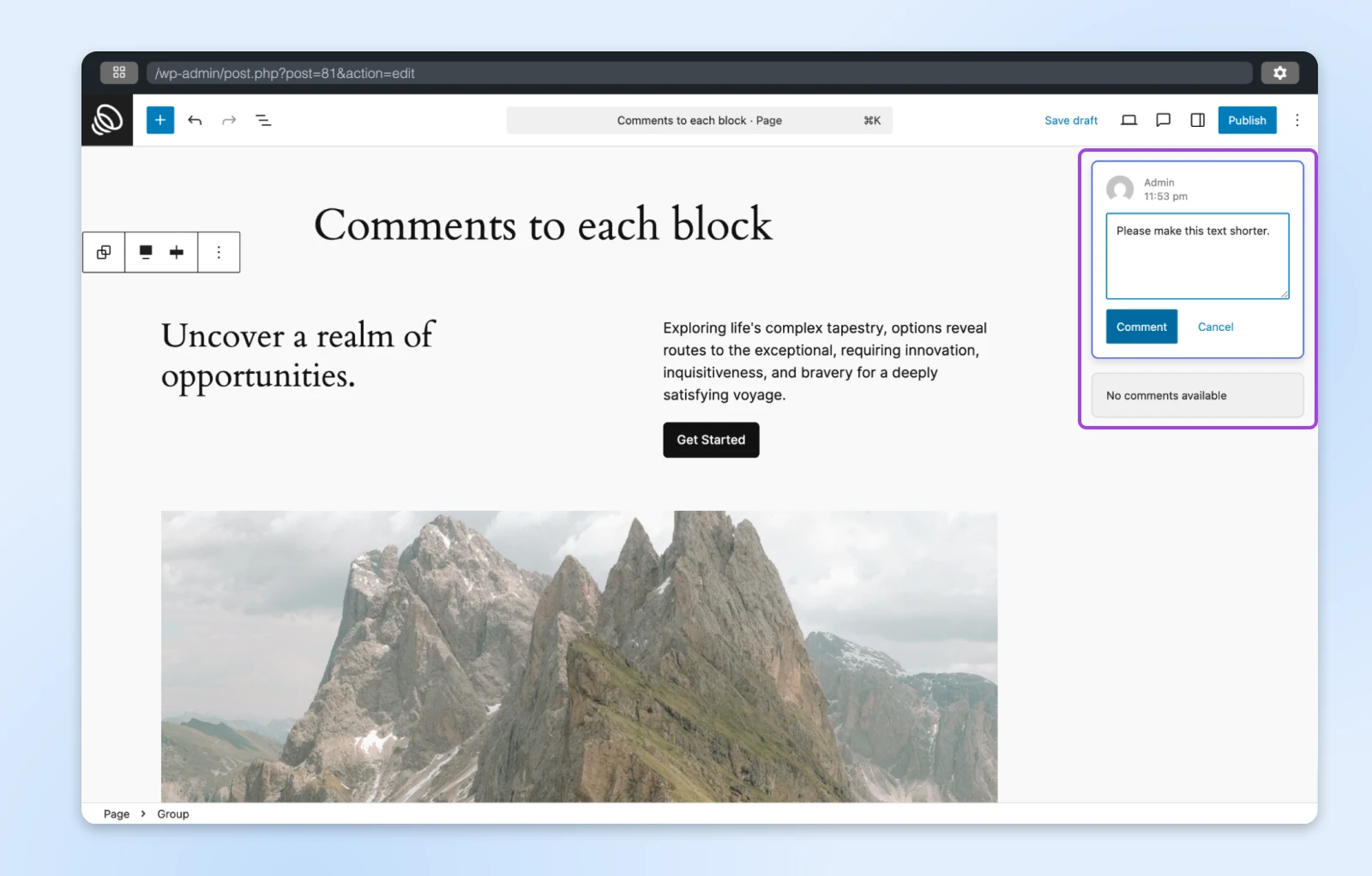
Colleagues and clients see each note in context while editing, and can reply, resolve, edit, or delete it. The post’s author gets email notifications by default, so feedback doesn’t sit unseen. And no, notes never appear on your live site.
Who can use Notes follows your existing user roles. Because notes can only be created or viewed inside the post editor, a person needs edit access to that post: per the official Notes dev note, Administrators and Editors can view notes on all posts, Authors and Contributors on posts they’ve authored, and Subscribers can’t view notes at all. The practical upshot for agencies: a client needs an account on your site that can edit the post before they can leave feedback on it.
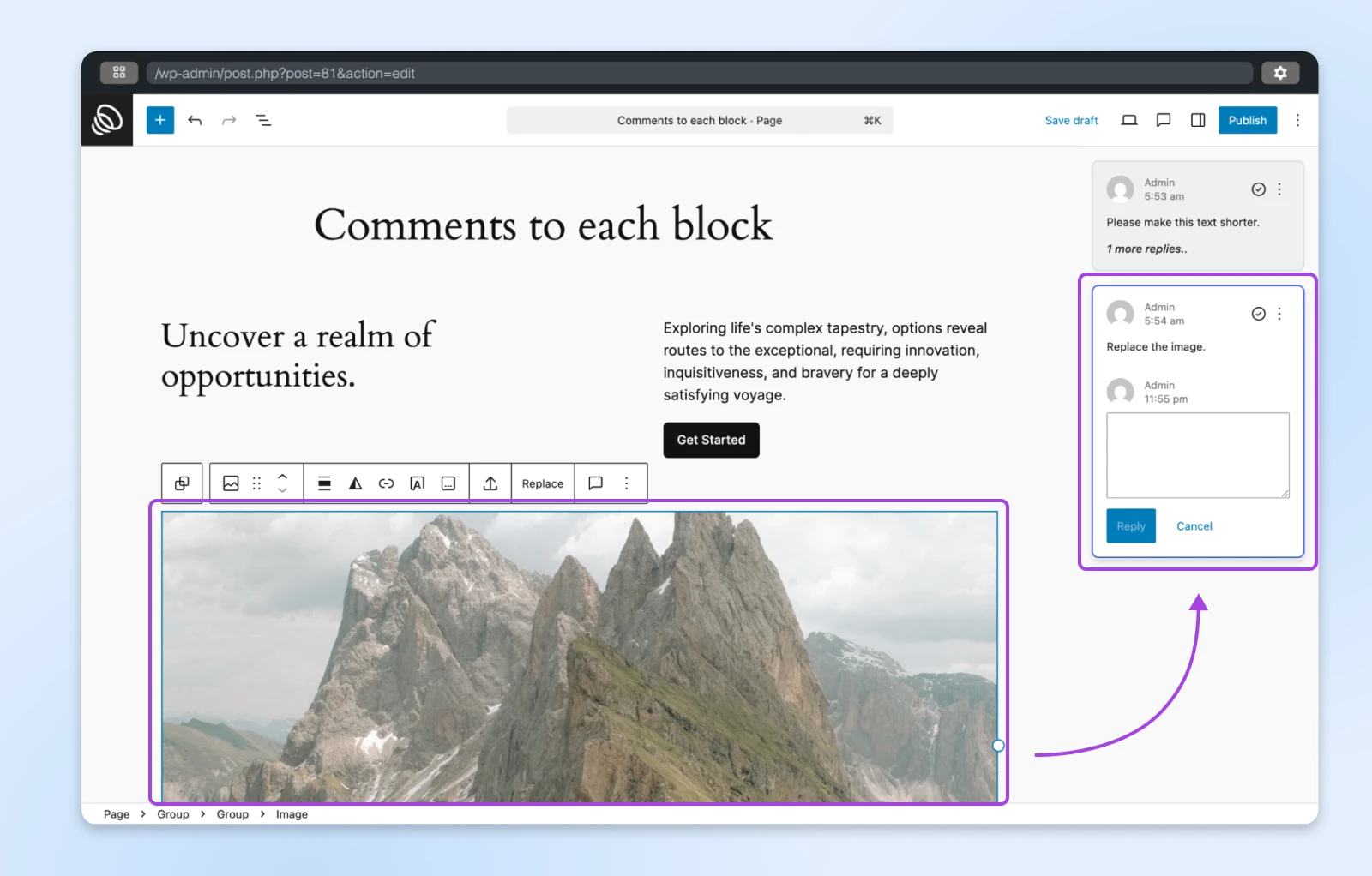
Two scope details worth knowing: in 6.9, Notes works in the post editor (posts and pages) but not in templates or the Site Editor, and there are no @mentions or “suggest changes” mode yet. Those, along with template support, were deferred to the 7.0 cycle.
What this means for you: The WordPress editor finally feels more like Google Docs. Instead of going back and forth via other platforms, you can drop a note in the original context.
New editing powers: Hidden blocks, direct drag and drop, and new blocks
WordPress 6.9 shipped a set of smaller editor upgrades that add up.
You can now hide blocks on your live site while keeping them editable behind the scenes. This was previously the territory of third-party plugins like Block Visibility; now it’s part of core. Work-in-progress sections can stay hidden while the rest of the page is live, with no separate draft pages or staging copies needed.
And hidden really means hidden: per the official dev note, hidden blocks are “fully omitted from the published markup,” and their scripts and styles are skipped by default too. Nothing lingers in the page’s HTML for search engines (or curious visitors viewing the source) to find, so hiding an unfinished or sensitive section carries no SEO or privacy side effects.
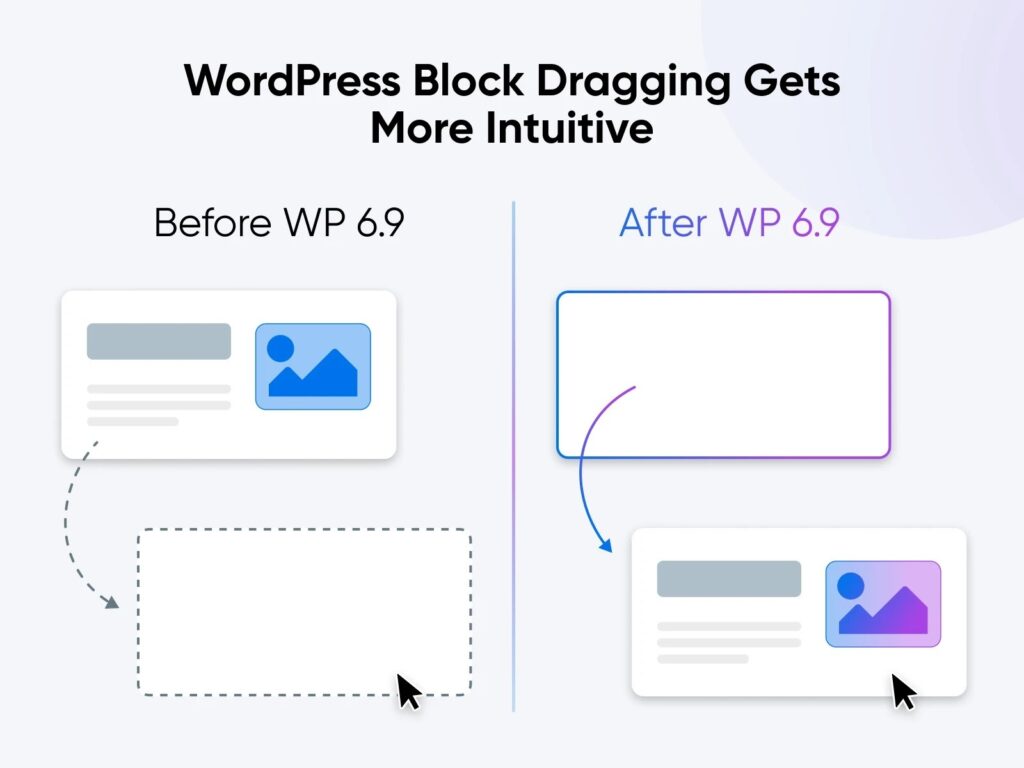
Drag and drop got direct. Instead of showing a ghost copy of the block while the page stays frozen, the editor now moves everything to its new position while you drag, so you can see the real end result before you drop.
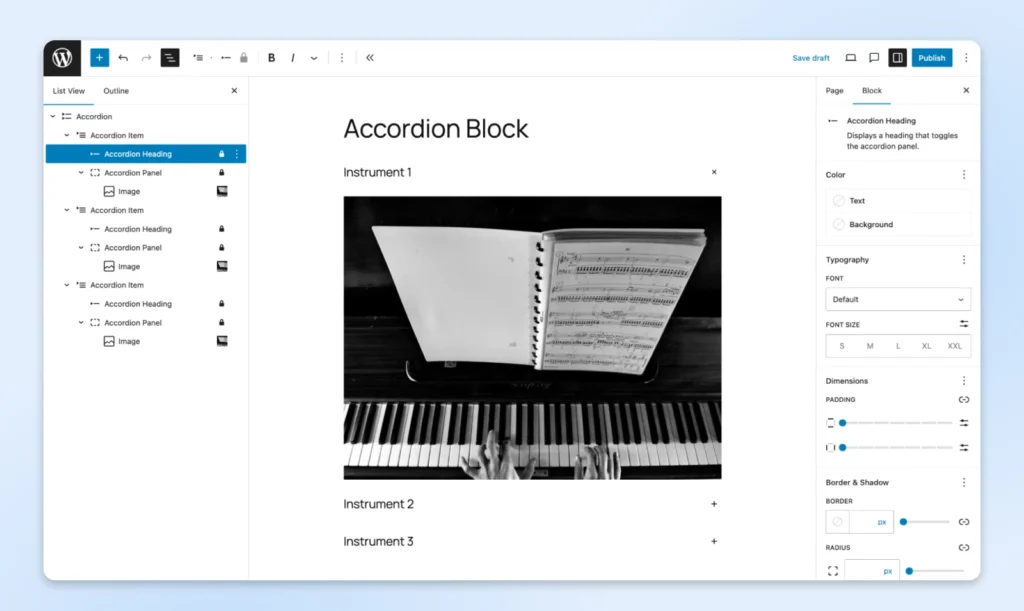
Six new blocks joined the roster, too. The full 6.9 roster: Accordion, Math, Terms Query, Time to Read, Comment Count, and Comment Link. The Accordion block builds collapsible sections without a plugin, and it’s really a nested structure — each item pairs a clickable heading with a panel that can hold any other block, so an entire pattern can live inside one collapsed row. The Math block renders proper mathematical notation using MathML. The Terms Query block works like the Query block but displays taxonomy terms instead of posts (think a category directory, in list or grid layout), while Time to Read shows an automatic reading-time estimate for the current post or page. Comment Count and Comment Link, two smaller comment-focused blocks, round out the six.
Two block settings are worth a look, too. Gallery blocks can now hold every image to a fixed aspect ratio, so a gallery of mixed portrait and landscape shots lines up without pre-cropping each file. And Paragraph and Heading blocks gained a “fit text to container” option that scales type to fill its space, which means one less round of trial-and-error font sizing on hero banners.
And the one that got away: the much-previewed “Write/Design” simplified editing mode did not ship in 6.9. Content-only pattern editing remained a Gutenberg experiment through the release, and the simplified-editor concept is still evolving in the plugin rather than core. If a decluttered writing view is what you’re after, keep an eye on future releases.
Developers got two big APIs (and a smarter Command Palette)
WordPress developers have long faced a tricky choice: stick with basic WordPress functionality or mess with complex JavaScript frameworks to access interactive features. WordPress 6.9 narrowed that gap considerably.
Interactivity API updates
The enhanced Interactivity API improved how WordPress handles interactive features. Instead of only updating HTML content when users move between pages, WordPress can now automatically update the design (CSS) and load any scripts (JavaScript) requested by blocks during client-side navigation.
That opened up things like:
- Letting users submit comments without the page reloading
- Instantly showing a “No results found” message when filtering or searching
- Letting the “Post Content” block work in more flexible layouts
- Only loading the exact styles and scripts needed for specific blocks, based on what they contain or how they’re used
The Abilities API
The Abilities API introduced a standardized way to list the features of plugins, themes, and custom functions: a machine-readable registry with descriptions, input formats, and output formats.
That sounds very nice but…what’s the point? Here, a schema is a structured description of the inputs an ability accepts and the output it returns. That machine-readable format lets anything (PHP code, REST endpoints, or AI agents) discover and call your site’s features consistently. AI is the headline use case: a model that can read the registry understands the components of your website well enough to run workflows that reference specific features.
For example, an ability can declare what your SEO plugin does (“Analyzes post content for SEO improvements.”) and the type of output it produces:
'output_schema' => [
        'type' => 'number',
        'description' => __( 'The score for the content in percentage.', 'my-seo-plugin' ),
        'required' => true,
],
Also new in core: the expanded Command Palette. Hit Ctrl + K or Command + K in the editor or anywhere in the dashboard to search for screens and trigger actions on your site.
MCP Adapter and PHP AI Client
The MCP Adapter turns WordPress Abilities into MCP (Model Context Protocol) tools that AI agents can use, and the PHP AI Client lets WordPress connect to large language models for AI-powered content creation. Both launched alongside the 6.9 release as canonical packages and plugins rather than core features. That “not in core yet” status didn’t last long: WordPress 7.0 built its in-core AI Client on exactly this foundation.
Other developer changes
The biggest of the smaller changes is the Field API, DataViews, and DataForms overhaul. Per the official dev note, the Field API grew from 3 field types to 13 (adding color, email, media, password, telephone, and URL, among others), so a field now works out of the box just by declaring its type. It also gained 11 bundled edit controls with rule-based validation and 16 new filter operators — plugin authors can build admin screens with sortable, filterable, editable data tables without writing that plumbing themselves.
The WordPress 6.9 Field Guide rounds out the list: PHP 8.5 support, HTML API updates, and an improved Block Bindings API. Third-party plugins can now register their own data sources in the block bindings UI, so users could connect a block to, say, an external service’s data right in the editor instead of through custom code.
💡 Nerd note: If you fancy taking these APIs for a spin, take advantage of our SSH access and staging environments to experiment safely before deploying to production.
Page loading got faster
WordPress 6.9 sped up page transitions by optimizing navigation handling: the system preloads more resources, so there’s less to load when visitors jump to the next view. (Do you feel the need…the need for speed? Then 6.9 delivered.)
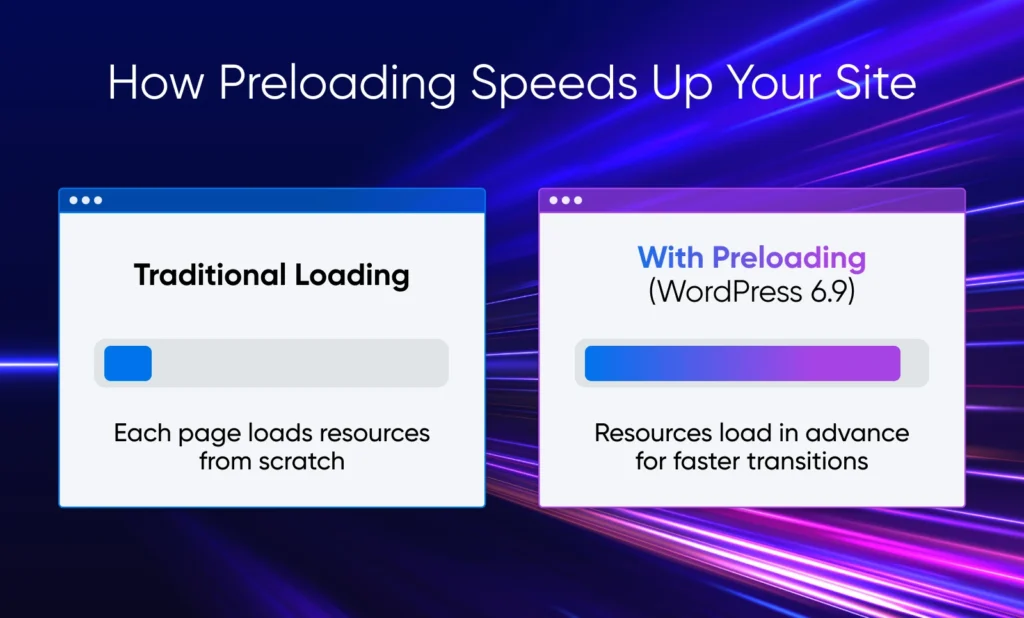
The release also improved overall loading times, with the biggest wins in Largest Contentful Paint. Key changes:
- On-demand block styles for classic themes, and minified stylesheets in core block themes.
- Deprioritized loading for non-critical scripts.
- Database query optimizations and refined caching.
- Optimized cron spawning, reducing its impact on page load.
What this means for you: A smoother experience for anyone checking out your site, with no configuration required.
Accessibility got 70+ fixes
WordPress 6.9 also shipped more than 70 accessibility fixes and enhancements, per the official 6.9 release page. Two changes with everyday impact: decorative content generated by CSS is now hidden from screen readers globally, so assistive tech no longer reads out mid-page clutter, and typing focus stays put when you click an autocomplete suggestion, ending a long-standing lost-cursor annoyance. Screen reader announcements and cursor placement got a round of fixes as well.
What this means for you: Visitors and editors who rely on screen readers get a better experience on your site and in your dashboard, and none of it needs setup.
No new default theme (sorry, Twenty Twenty-Six)
WordPress has shipped default themes since 2005, usually something pretty bland with a title to match the year. But 6.9 arrived without one — there is no Twenty Twenty-Six.
According to the WordPress development team, the reason was “the pace of this release and the maturity of block themes over recent years.”
Translation: the team prioritized upgrades to the CMS itself, and there are now plenty of great themes that support block editing.
What this means for you: Probably not a lot. Even if you’re building a new site from scratch, you can install a theme like Astra or build your site with Remixer.
One related note: the template-management upgrades previewed during the 6.9 cycle (duplicating, deactivating, and activating individual templates in the Site Editor) were deferred beyond 6.9 rather than shipping in this release.
WordPress 6.9 FAQ
When was WordPress 6.9 released?
WordPress 6.9 “Gene” was released on December 2, 2025, named for jazz pianist Gene Harris. It followed 6.8 “Cecil” (April 2025) and preceded WordPress 7.0 “Armstrong” (May 2026).
Is WordPress 6.9 the latest version?
No. WordPress 7.0 “Armstrong” (May 20, 2026) is the current major release. The 6.9 branch reached 6.9.6 (released August 6, 2026) through maintenance and security point releases, including a March 2026 cluster that fixed 10 security issues, but only the newest major is fully supported.
What is the Notes feature in WordPress 6.9?
Notes is block-level commenting: attach feedback to any block in a post or page, with replies, resolution tracking, and email notifications. In 6.9 it works in the post editor only; @mentions arrived in WordPress 7.0; suggestion mode is slated for WordPress 7.1 (due August 19, 2026), per the Make WordPress Core Roadmap to 7.1.
Is there a Twenty Twenty-Six default theme?
No. WordPress 6.9 shipped without a new default theme, citing the release’s pace and the maturity of existing block themes. Twenty Twenty-Five (from WordPress 6.7) remains the newest default theme.
What does WordPress 6.9 mean for your website?
WordPress 6.9 didn’t radically change how you manage your website. It was fine-tuning, like a performance package for your car. But Notes and the Abilities API were genuine upgrades: one made the editor collaborative, the other laid the groundwork for the AI features that 7.0 built into core.
If your site is still running 6.9, update to WordPress 7.0 “Armstrong” — it carries everything here forward. As always, test major updates on a staging site first; you can set one up in minutes with our managed WordPress hosting plans.

Unbeatable WordPress Hosting
Reliable, lightning-fast hosting solutions specifically optimized for WordPress.
See MoreThis page contains affiliate links. This means we may earn a commission if you purchase services through our link without any extra cost to you.