
You don’t need a warehouse, a retail lease, or an Amazon-sized budget to start an online boutique. You do need a specific customer, a sourcing plan, and enough margin to cover the costs that show up after launch.
That’s true whether this is your first business or your latest side hustle.
To start an online boutique, you’ll choose a niche, pick a sourcing model (handmade, wholesale, dropshipping, or on-demand), write a business plan, handle the legal setup, register a domain, build your storefront with an AI builder like Remixer, or with WordPress and WooCommerce, and market it to your audience. In this guide, we’ll step through each of those tasks one at a time.
By the end of this post, you should have all the information and confidence you need to start your own online boutique.
Why open an online boutique business?
Your brain might zip right to Amazon when you think about online shopping.
However, any website that offers specialized goods (and services, but we’ll focus on the former today) on the internet is an online boutique.
So, you don’t necessarily have to compete with Amazon. There’s plenty of space for millions of sellers and niches.
More and more people are choosing to move or start their stores online to take advantage of the various benefits:
E-commerce is growing faster than retail overall
In the first quarter of 2026, e-commerce sales accounted for 16.9% of all retail sales in the U.S., per the U.S. Census Bureau (May 2026).
Where total retail sales grew 3.9% from the first quarter of 2025 to the first quarter of 2026, e-commerce sales, in particular, grew a good bit faster — 9.8% over the same timeframe.
If you’re going to get into, or stay in, the retail game, trends indicate that an online store is likely going to be your most lucrative outlet.
Lower startup costs
Customer-facing staffing and training, expensive retail space rent, maintenance, loss, local marketing — there’s a good bit of overhead associated with physical shops that you may not have to shell out with a digital one.
If you don’t have a lot of cash or time to get your store off the ground, you’ll likely find an online boutique has lower, more approachable startup costs.
Improved reach over brick and mortar
An online boutique isn’t restricted to only selling to consumers who visit your shop in person. With an online presence, you can reach your target audience pretty much anywhere in the world.
Between this level of accessibility as well as the 24/7 nature of an online business, you should be able to reach more buyers and make more sales.
Passive income, anyone?
While it won’t happen right out of the gate (or ever, completely), a fully online store is a lot easier to run with less of your time than a physical shop. Semi-passive is the realistic goal: automation and paid help can shrink the day-to-day, but inventory, vendors, finances, and customer experience will still need your oversight.
Yes, you’ll have to automate or outsource everything to do with fulfillment: managing inventory, packing and shipping, receiving returns, and customer support.
But that’s a lot simpler to do with the right business structure and a digital storefront than it is to do in a brick-and-mortar space that requires a physical presence.
How to start an online boutique in 11 steps
We’re not saying that building or running an online boutique is going to be easy.
An online store requires a healthy amount of upfront work to set it up, and continuous work to keep it going successfully.
However, the investment can absolutely be worthwhile due to all the prospective upsides.
If you’re ready to tackle the challenge, let’s walk through everything you need to do to open your online store.
1. Identify your target market
First and foremost, you shouldn’t aim to cater to everyone while opening an online store, even a fashion boutique.
You could go bankrupt just trying.
This means the first step is figuring out your target market.
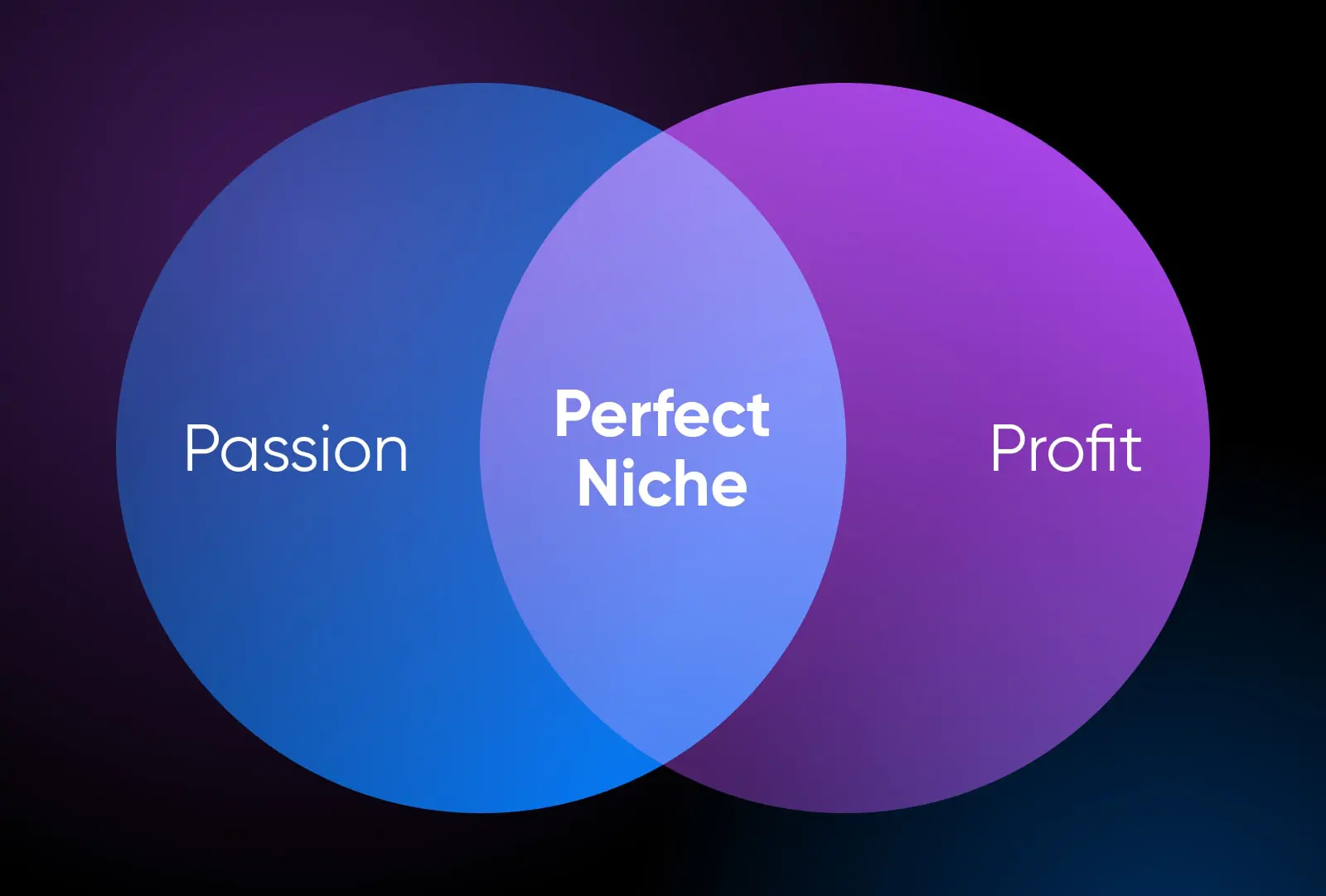
Your target market is your ideal customer. It’s your niche. It’s a unique piece of the population that aligns with your marketing and desires what you sell.
To find your target market, think about what you want to sell. Keep quality, margins, and customer lifetime value in mind here. It’s much easier to make a profit on items that can be sold at a higher price or sold over and over again to the same customers. It’s a known fact in the retail space that selling to existing customers is easier and more affordable than having to win over new customers all the time.
We personally think it’s also important that you feel connected to your offerings in some way. Is there something you’re passionate about making or sourcing? Is there a hobby you can monetize? Have you come up with a solution for a particular community you’re a part of? When you’re a part of or have a deeper understanding of your target market, it’s a lot easier for you to stock the things they want to see.
And that’s exactly what you should be doing once you have your target market locked in. Use this information to guide what products you offer in your store and how you choose to market to your audience.
2. Define your business model
Simply put, a business model outlines the basics of how you’re going to generate revenue. In the case of retail, it’s all about defining how you’re going to source and sell product.
You can use one or more of the following models to get products for your online boutique:
Handmaking: This model of course revolves around making, selling, and shipping out the goods you sell.
Reselling: Reselling is the process in which you purchase goods from other companies, typically wholesale suppliers, to then sell them in your shop for a markup. This is one of the most common retail models.
Manufacturing: You can also go straight to the source and work with a manufacturer who will create your goods, as designed by you, from raw or semi-assembled materials. They typically send finished products to your warehouse for you to sell and distribute. This is very common in the retail space, especially for brands who want to add a custom touch to their products.
Dropshipping: In this model, you don’t actually have inventory. You facilitate the order, but another company with the goods ships them out. While your business will probably handle marketing, support, and refund conversations — returns usually go back to the dropshipper. This method is becoming more popular as globalization makes the supply chain accessible to small business owners.
Create on demand: This is another no-inventory model where goods are manufactured and shipped to the customer right when they’re ordered. It’s similar to dropshipping but the products can typically be more personalized.
3. Build a business plan
Now, you can build a business plan that will help you pin down your strategy for opening your boutique, guide your actions as you grow, and even seek investment.
Based on the traditional business plan format from the U.S. Small Business Administration, here are some key elements to include:
Summary: Quickly sum up the core of your business: What does it sell? Who’s behind it? Why do you think it’s going to be successful? What’s your mission statement?
This section is your “elevator pitch” and is most critical if you plan to use your business plan to acquire funding or partners.
Full description: Time to expand on the summary above. Here, you mostly want to focus on what will make your business stand out in the large retail space. Think about the desires your product meets or issues it solves. For whom? What makes you competitive? Is it your pricing, expertise, or selection? What’s your business model, and who will be running each element of it?
Reading the description should enable people to imagine what your business looks like and does — even before they’ve seen anything you’ve executed.
Market research: Drill down on where your product fits into the market. Who’s in your niche, and who are you competing with? What makes you different, and what makes you the best option for your target audience?
Product(s): Next up, create a thorough description of the goods you plan to sell and the model you plan to use. For anything you’re crafting yourself, what legal measures have you taken to protect your intellectual property, such as filing a patent, etc.?
Marketing & sales processes: As for marketing, how will you attract clients? With what channels? What’s your time and monetary budget?
In addition, detail how sales will work. What’s the actual flow for a customer to make a purchase and your business to fulfill it? Support? Returns? All of these details will help you flesh out the next part: the financial plan.
Finances: How is the current cash flow? What are you projecting for the future, and how will you get there? This is important information for your planning and budgeting purposes, but it will also be pivotal for anyone who wants to invest in you.
If you intend to make funding requests, get even more detailed by including income declarations, current balance sheets, cash flow statements, information on credit and collateral, growth projections, etc.
(Optional) Funding: Funding part of your business? Lay out your needs, what you plan to use that money for, and the returns investors can expect. There are different kinds of funding, so you can also tailor this section to the option you desire — private individual investments, bank loans, venture capital backing, line of credit, purchase order financing, etc.
4. Select your name
If you’ve been following along, you’ve done a lot of hard work!
Let’s dive into something that isn’t any less important but might be a bit more fun.
At this point, you likely have some kind of name you’ve been using to refer to your business. Time to make it official.
Here are some things to keep in mind when solidifying your business name:
- It should be easy enough for your target market to read, spell, and pronounce.
- When possible, use a shop name that relates to the products you sell to make it more memorable.
- Your name shouldn’t be taken on your primary social channels.
- You don’t want to have a similar name to your competitors.
- The domain for your name should be available (more on actually setting up a domain later).
If you plan to trademark your name, use the USPTO’s trademark search system (which replaced the retired TESS tool in November 2023) to make sure it’s not already taken.
5. Take care of the legalities
Now, let’s take all the steps to make sure your online boutique is legit and above board.
Note: Nothing here is meant to be construed as legal advice and applies to businesses operating within the United States.
Set up an LLC
You don’t have to set up a limited liability company (LLC), but many small business owners do for tax advantages and personal liability protection.
You’ll usually need some kind of recognized business entity to work with larger vendors, so we recommend you go ahead and do this now if you’re going to do it at all.
Thankfully, it’s pretty easy to get an LLC set up online. LegalZoom is a popular resource, and their guide on how to start an LLC will take you through the whole process.
Secure an EIN
An Employer Identification Number (EIN), aka Federal Tax Identification Number, is what the IRS uses to identify your business at tax time.
Applying for an EIN (which you can do online through the IRS) isn’t required for businesses, but some banks require it before opening a business account.
Using an EIN instead of your personal information and Social Security number on business documents will also help protect that sensitive info from identity theft. And since the IRS issues EINs online in minutes, for free, there’s little reason to skip this step.
Register with your state
Federally and in many states, you won’t have to register the name of a retail boutique. However, it can be helpful to protect your business idea and name from being taken (trademarking is what protects you from this at a federal level). You may also need to register your business in your state to acquire the right licensing.
If you wish to register your business, use your favorite search engine to look up something like “register my business in [my state]” and look for government resources to get you started.
Business licensing/permitting
You will almost certainly need some kind of license or permit, at least at the state level, if you are operating a business — whether it be online or offline.
This is because states tend to handle their own regulation of certain industries, such as construction, farming, restaurants, and of course retail. However, if the industry you operate within is federally regulated (if you sell alcohol, for example), you’ll also need to look into federal licenses and permits.
The tough thing here is that requirements, steps, and fees for setting up business licenses and permits vary considerably based on your location, what you sell, and even your revenue. Generally speaking, state-level business licenses typically run from roughly $50 to over $1,000 depending on your state and industry, and most small businesses budget $400–$700 for all required licenses and permits, per MyLLC (2026). Many also need to be renewed yearly.
To get started, search a phrase like “business license [my town]” to see if your local government requires any license or permitting. Then, work your way outward from there (county, state, federal).
If you’re feeling overwhelmed by all this, remember that licensing for an online boutique should be on the simple side, at least. There are also in-person and remote small business lawyers who can guide you.
Sales tax license/permit
States with sales tax, which is most of them, require a sales tax license or permit. This documentation is what enables the business to make taxable sales and collect sales tax on behalf of the state.
Whether you need a sales tax license and which locations you need it for as an online business depends on your state’s regulations.
You should come across details for sales tax licensing in the course of your business license research. You can also Google “sales tax license [my state].”
Business bank account
With your business just about all set up legally, you’ll want a dedicated bank account.
You can choose any bank you like; we just recommend shopping around for the best service and products alongside reasonable fees.
Business insurance
The requirements and expectations for business insurance in your state — say it with us — will vary greatly.
However, many established e-commerce businesses choose standard general liability insurance, which covers bodily injury claims; property damage claims; and claims of copyright infringement, libel, and slander.
Trademark
Want to safeguard your business’s unique name, logo, and brand elements? Trademark it.
You can apply for a trademark online. Be warned, these applications can take a while to go through. As of mid-2026, the USPTO reports it takes roughly 4.5 months on average to get a first response to a new application — check the USPTO’s trademark processing timeline for current wait times.
6. Flesh out your branding
Strong branding is essential for any company, but especially those in the competitive and somewhat crowded retail space.
Branding your online boutique is important because it can attract potential customers within your target audience to your business — plus, it will help them remember you and keep coming back for more.
What goes into a brand?
Everything that shapes how consumers perceive you, such as:
- Your name and slogan or mission statement
- Your logo
- Your color palette
- Your website design
- Packaging design
- Your brand voice, including any unique language
Brand Guide
A brand guide is a manual that details a company’s visual identity and explains specific rules for representing the brand correctly in public-facing communications. Brand guides are used internally and externally by partners, media, and agencies.
As your business expands and even changes with the market, you’ll likely find that you need to update it to keep up with the times. And change is fine! What matters is that whatever updates you make remain on brand and are made consistently across every platform, from your products and packaging to your website, social media presence, and beyond.
To maintain that consistency, we recommend storing all your assets and notes on fonts, colors, etc. in a singular brand guide.
Not sure where to get started with branding? This is a great time to employ a designer, or strike out on your own with a platform like Canva that has all the templates and organizational features a small business owner needs to get started.
7. Develop your online presence
Once your business name is official and your branding ready to roll, you can finally secure your digital presence across the internet.
We recommend starting with your domain name.
A domain name is your website’s address. For example, at the site you’re on, dreamhost.com is the domain name.
Domain names have to be unique, just like addresses. Typically, you want it to be the same as, or very similar to, your business name.
Once you’ve found a domain name that’s available — check here — you can buy it through a domain registrar. Later, you’ll attach this domain to your online boutique’s website so it shows up when people put your domain name in their internet search bar.
Domain Registrar
A domain registrar is an organization that manages domain registration for Top-Level Domain (TLD) registries. Registrars provide registration services and sell domain names to registrants.
Then, secure your social handles on all the various channels where you want to have a social presence (ideally, the ones where your audience is already present). Sign up for new accounts under a handle that is, again, the same as or super close to your business and domain name.
8. Source products & supplies
If you plan to sell already-made products in your new business, it’s time to find vendors or dropshipping/create-on-demand providers.
Even if you’re partially assembling or making all your products from scratch, you’ll need to find suppliers for your raw materials.
There are a few elements we recommend paying attention to when starting to build your supply chain:
Compatibility
You’ll (hopefully) be interacting with many of your suppliers regularly. That’s why it’s important to get to know them a bit before signing any ongoing agreements. You want to make sure you can get along with these businesses or individuals and trust them to be fair and accurate when discussing pricing and timelines.
Cost vs. quality
Another thing to consider is making sure the quality of the products or materials you’re sourcing lines up with your boutique’s standards and customer expectations.
To get a real feel for this, request samples from potential providers. This is common practice and the good ones will be happy to oblige. Order samples as a paying customer where you can, and time how long delivery actually takes. Never build a launch on products you haven’t held, and be extra cautious with unvetted overseas suppliers (quality control and shipping times are hard to confirm) or with selling on pre-order before a vendor has proven they can deliver.
Once samples pass muster, start small. Most wholesalers set minimum order quantities (MOQs) that vary widely by vendor, so ask up front and don’t let a big minimum push you past your budget. It’s smarter to test a handful of SKUs in limited depth, see what actually sells, and reorder the winners than to tie up your cash in one deep first buy.
As you review sample products and materials, keep in mind that you should be finding high quality products without cutting too deep into your budget or ruining your ability to generate any profit.
Level of customer support
Especially when it comes to working with a partner in a dropshipping or create-on-demand business model, there’s a level of customer support and ongoing communication you’re going to need from their end.
To see what kind of support they’re capable of and if it lines up with your needs, find out if a provider you’re considering has a point of contact within their company who is assigned to your account and consistently and easily available to you.
Knowing how to vet a supplier is good and all — but how do you find them in the first place?
Connecting with other online boutique owners and going to trade shows or wholesale apparel markets are two of the best ways to actually meet vendors who already have a good reputation and inspect products in person. Go with a shortlist of vendors and leave with samples and direct contacts, not just catalogs. You can also seek out online reviews from businesses that are already selling in your space to start a list of suppliers who you can then learn more about on your own.
Some popular boutique product suppliers and marketplaces — each one live and operating as of July 2026 — include:
9. Set up your online store
Products solidified, it’s time to take the biggest step yet: Getting them online and available to your audience!
You have two ways to do this, and the right one depends on how much you want to build yourself. If you’d rather describe your boutique and have the storefront built for you, with payments and shipping already connected, use an AI builder like Remixer. If you want to own every layer and customize anything, build it on WordPress with WooCommerce. Both end with a real store that takes payments.
Option 1: Remixer (describe your store, then sell)
Remixer is DreamHost’s AI website and app builder, and it builds working stores, not only brochure pages. The path looks like this:
- Describe your boutique. A sentence works, though the more you give it (what you sell, who it’s for, the look you want), the closer the first draft lands. Remixer generates a complete storefront; two to three minutes is DreamHost’s stated average for a site.
- Refine it by asking. “Swap the hero photo,” “add a size guide to the product pages.” You can also edit text and images by hand.
- Connect Stripe for payments. You link a Stripe account from Remixer’s Integrations panel and manage your products and payouts in Stripe. There’s no checkout to build and no plugin to install.
- Connect Shippo for shipping. Live rates from multiple carriers, printed labels, and delivery tracking.
- Publish to your domain. Building and previewing is free for 30 days with no credit card. Publishing to your own domain, the point where you can actually take orders, takes a paid plan, which includes the hosting, global CDN, SSL, and 24/7 human support.
Underneath, every Remixer store gets a real database, so orders, customer records, and form submissions are kept as structured records rather than only emailed to you, and shoppers can sign in with email or Google. Once you verify a sender address on your own domain, order and inquiry emails send automatically.
The trade-off is where you grow later. Remixer runs on DreamHost’s own platform rather than WordPress, so there is no plugin directory to shop, and building or changing your store through chat draws on a monthly allowance of AI credits included with the plan (edits you type yourself in the visual editor don’t). WooCommerce gives you a store you can extend and move indefinitely; Remixer gets you a finished storefront the day you start. We compared both approaches in AI website builder vs. WordPress.
Option 2: WordPress and WooCommerce (own every layer)
Spin your site up on WordPress, which most hosts install for you in a few clicks, then add WooCommerce.
WordPress itself is free to download (paid web hosting required), and it becomes a full store once you add the free WooCommerce plugin.
WooCommerce isn’t a separate hosted service you rent. It’s a plugin that turns the WordPress site you already control into a full store, which is why it’s DreamHost’s pick for this route: your product pages, blog, and checkout live in one place you own, and it ships regular feature and security updates.
With WooCommerce, you get to design how your online store looks and feels, list any kinds of products (or services, subscriptions, etc.), offer highly secure payment options, print shipping labels from inside your dashboard, fully manage orders (even on mobile), and work with tons of integrations (such as accounting tools) that expand what WooCommerce can do even further.
Getting started with WooCommerce is simple:
- Go to your WordPress admin dashboard
- Navigate to Plugins > Add New
- Search “WooCommerce”
- Click Install Now
- Click Activate
- WooCommerce will appear in your sidebar
- Navigate to WooCommerce > Home and walk through the setup process
For a much more thorough walkthrough on installation and configuration, check out our full guide on how to install WooCommerce on your WordPress website.
The WooCommerce plugin itself is free. Your real costs come from hosting, extensions, and payment processing fees — budget for those rather than the software. If you’d rather not assemble the hosting side yourself, DreamHost online store hosting bundles it for you.
10. Fill your e-commerce website with new products
Now to fill in all those important product details.
First off, we really recommend investing money in great photos of your products.
And right after that, investing time in crafting creative, specific descriptions. You may even want to do some search engine optimization (SEO) research to make sure you’re including within descriptions the specific terms your ideal audience is looking for. AI writing tools can rough out first drafts of product descriptions quickly, too — just edit each one for accuracy, brand voice, and those search terms before you publish.
Product descriptions are also a good place to upsell or cross-sell other products in your store by showing how they pair together.
As for pricing, of course that’s going to depend on so much — quality, demand, overhead, and other costs. But typically, in retail boutiques that specialize in clothing, accessories, and small gifts, keystone pricing is a common starting point.
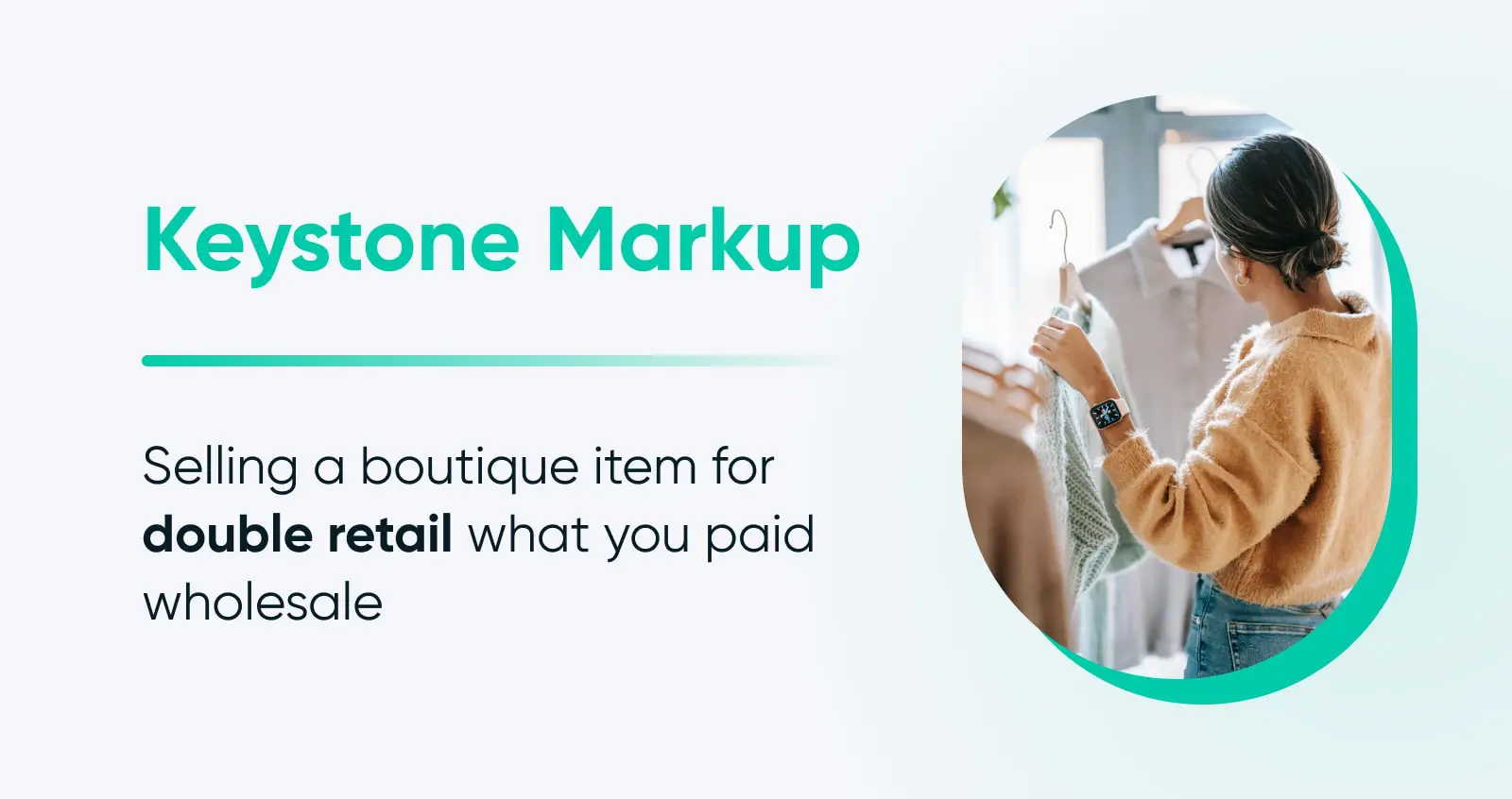
Keystone pricing is the practice of selling an item for double what you paid for it wholesale. So a trinket you bought for $100 wholesale would be priced at $200 in your store.
Treat keystone as a floor, not a formula. Your retail price also has to cover shipping, returns, marketing, transaction fees, and (eventually) your own pay. That’s why The Boutique Hub, a boutique-industry education company, recommends a retail markup of 2.5x wholesale or more for a sustainable boutique. Run the math on your full costs before you settle on a markup.
While you’re in setup mode, sort out the back office that keeps orders moving: accounting software to track income and expenses, a shipping provider integration for labels and rates, basic fulfillment supplies (mailers, tape, a label printer), and a habit of checking your sales reports so you restock winners instead of guessing.
11. Start attracting buyers via marketing
Last but never least — it’s finally time to get your online boutique out into the wider world and in front of your ideal shoppers.
That means marketing.
Email marketing
Email is one of the most high-powered owned marketing channels. Meaning, it’s one where you get to fully control the content as well as its distribution.
Create segmented email lists of folks who have made purchases or shown interest in other ways, such as added items to their wish list on your site. You can segment further by age of consumer, location, what types of products they’re interested in, etc.
This way, you can send more personalized emails that truly add value for your audience, inspiring sales and retention.
Social
First of all, it’s completely OK to not use every single social media platform available!
We recommend engaging with just a handful of channels which your target market uses. This gives you time to focus on creating the right content and strategy to actually attract eyeballs and make conversions.
Secondarily, focus on social channels that have shopping features included — for example, TikTok Shop, which made up nearly 20% of US social commerce in 2025, per eMarketer (December 2025), along with Instagram and Facebook Shops. Built-in checkout means your audience can complete purchases with much less friction.
Content marketing
Content marketing is a great supplement to more in-the-moment social media marketing.
Few Instagram and Facebook posts are going to inspire clicks and purchases once they’re even just a few weeks old, but evergreen content can be served to search engine users to drive sales for years and years (with a few updates here and there, as needed).
Partnerships
Something that’s unique about the retail space is how common it is to partner up with other brands, helping each other cross-sell by sharing each other’s products in online stores, emails, and social media posts.
Just look for other boutiques with a similar audience to yours. For example, an online clothing boutique could partner up with a perfumery, an accessory seller, or even a specialty online chocolate shop during the holidays.
Influencer marketing
In the age of TikTok, influencer marketing can be a great way to get your offerings in front of potential buyers.
An influencer marketing strategy is the process of paying online influencers to show and sell your products to their audience.
First, figure out where that audience is — Instagram, YouTube, the aforementioned TikTok, etc. Then, find influencers with messaging and followers that align with your brand and start reaching out.
Common mistakes to avoid when starting an online boutique
Knowing the steps is half the battle. The other half is dodging the traps that trip up plenty of first-time boutique owners:
Copying other boutiques: Inspiration is fine; imitation is fatal. A quick test: if you swapped your logo onto a competitor’s site and nothing looked out of place, you don’t have a brand yet — you have their brand with your name on it. Lean on the target market and branding work from steps 1 and 6 to stand for something specific.
Relying on supplier stock photos: Vendor photos show up on every store that carries the same item, which makes your boutique look interchangeable. Photograph your own products, even simply — a phone, natural light, and a consistent backdrop go a long way.
Underpricing your products: Keystone (2x wholesale) can feel safe, but run the numbers: a $20 wholesale top priced at $40 leaves that $20 to cover shipping, packaging, payment fees, marketing, returns, and your own pay. Build every cost into your price before you set it (step 10 covers the 2.5x-plus math), and revisit pricing as costs change.
Underestimating the workload: An online boutique can become semi-passive eventually, but the first year is hands-on: photography and listings, customer questions, reorders, bookkeeping, and marketing, week in and week out. Budget your time the way you budget your money, and automate or outsource deliberately as revenue allows.
How much does it cost to start an online boutique?
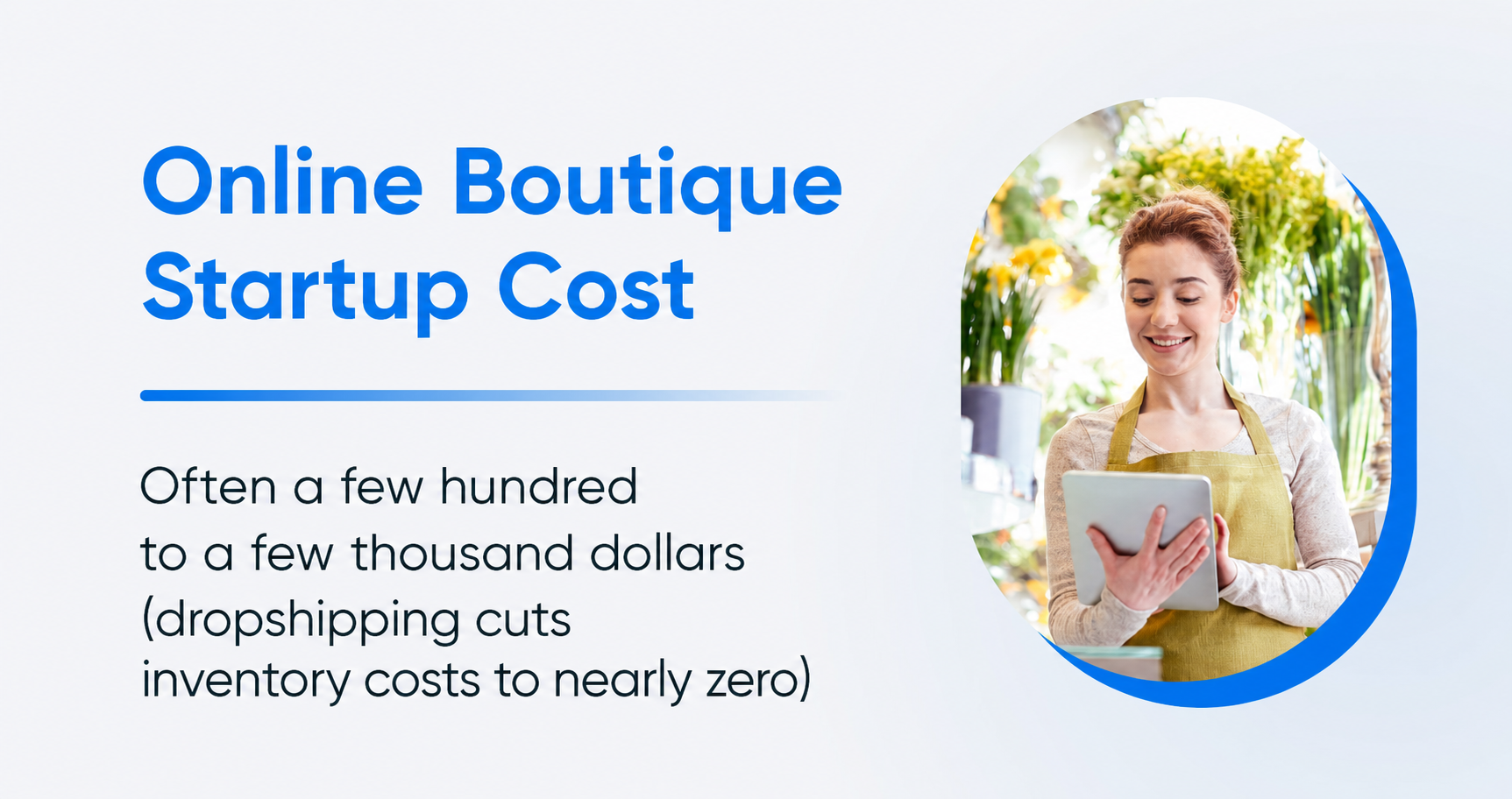
Often a few hundred to a few thousand dollars, depending on your business model — inventory is the biggest swing factor. Here’s where the money actually goes:
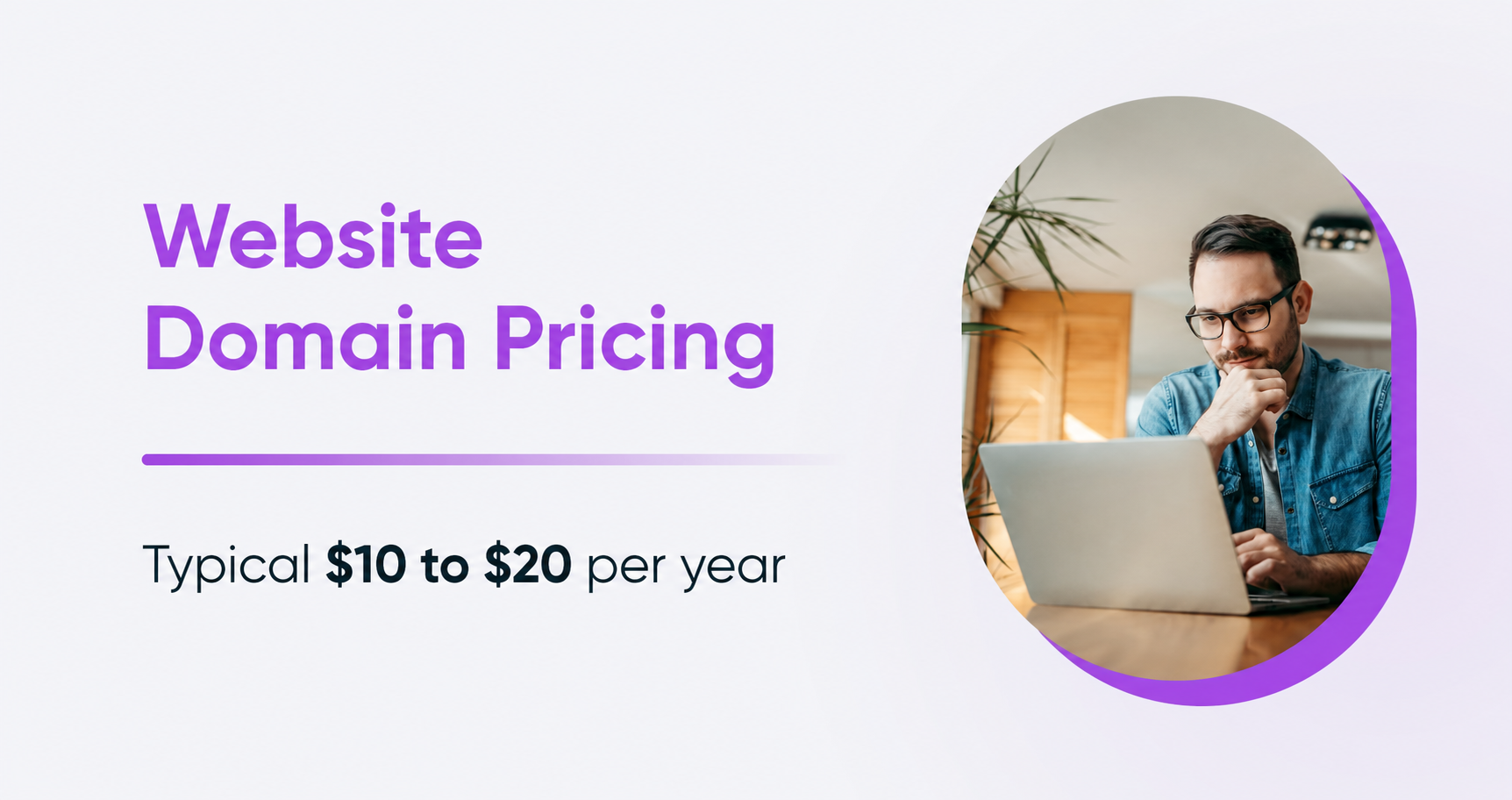
- Domain name: A custom domain typically runs roughly $10–$20 per year — check current prices on the DreamHost domain registration page.
- Website and hosting: The WooCommerce plugin is free; hosting is your recurring cost. See current plan pricing on the DreamHost online store hosting page, or compare it with Remixer, where the builder, hosting, CDN, and SSL are one flat plan and extra AI credits are the only add-on.
- Legal setup: LLC filing fees vary by state, and most small businesses budget $400–$700 for all required licenses and permits, per MyLLC (2026) — details in step 5.
- Inventory: The wildcard. Dropshipping and create-on-demand models need little to no inventory cash upfront, while wholesale buying means paying for stock before you sell it — so start small (see step 8).
- Branding and marketing: Optional at launch. You can DIY a logo and brand kit with a tool like Canva and lean on free channels (social, email, content) before paying for ads.
FAQs about starting an online boutique
How much does it cost to start an online boutique?
Often a few hundred to a few thousand dollars. A domain typically runs roughly $10–$20 per year, hosting is a modest monthly cost, licensing commonly totals $400–$700 (per MyLLC, 2026), and inventory is the biggest variable — dropshipping cuts it to nearly zero.
Can you start an online boutique with no money?
With literally no money? Generally not. Dropshipping and create-on-demand production remove upfront inventory spending, but you should still budget for a domain, hosting, any required registrations or permits, product samples, and payment processing or fulfillment fees — plus plenty of unpaid time for setup and marketing.
Do you need an LLC or a business license to sell online?
An LLC is optional — many owners form one for liability protection, but a sole proprietorship works too. Most US states do require a business license and a sales tax permit for retailers, so check your state and local requirements before launching.
Is an online boutique profitable?
It can be. US e-commerce sales grew 9.8% year over year in the first quarter of 2026, per the U.S. Census Bureau, and boutiques commonly price at 2x wholesale or more. Profitability comes down to your margins after shipping, returns, marketing, and fees.
What’s the best platform for an online boutique?
It depends on how much you want to manage. WooCommerce (48.4% of all e-commerce systems in W3Techs’ surveys, July 2026) is DreamHost’s pick for full ownership, but you handle hosting, extensions, and updates. Remixer builds the storefront for you, payments and shipping included. A fully hosted platform, where you rent the storefront and never touch hosting, is the third route worth pricing out.
Start your online boutique today
It’s probably clear by now that getting your online boutique up and running requires a fair bit of work.
But it can be very rewarding work when you know you’re taking all the right steps to be successful.
When you’re ready to build, you have a few ways to get there: describe your boutique to Remixer and refine what it builds, run WordPress and WooCommerce on online store hosting, or hand the whole thing to our design pro services.

Your online store deserves great hosting
Sell anything, anywhere, anytime on one of the world’s most widely used e-commerce platforms.
See Plans