
Running your own AI agent used to mean a GPU rig and a weekend of Python. Now it fits on a VPS that costs less than dinner.
ChatGPT Pro is $200 a month, but a self-hosted OpenClaw setup that connects to WhatsApp, Telegram, Discord, and a dozen other apps runs about $15 — VPS and API tokens included.
What Is OpenClaw and Why Self-Host It?
OpenClaw, an open-source AI agent gateway, is the fastest-growing open-source project in history, and you can run it on a $5/month VPS.
In under 60 days, OpenClaw passed React’s star count and became the most-starred non-aggregator software project on GitHub, crossing 250,000 stars in early March.
As of April 2026, it’s at 346,000+ stars with 500,000+ running instances across 82 countries, per OpenClaw’s April 2026 community report.
Here’s what it actually is:
OpenClaw is a self-hosted AI agent, a lightweight Node.js application that sits between your messaging apps and AI model APIs. You send a message on WhatsApp, OpenClaw routes it to GPT-4o or Claude, and the response comes back in your chat.
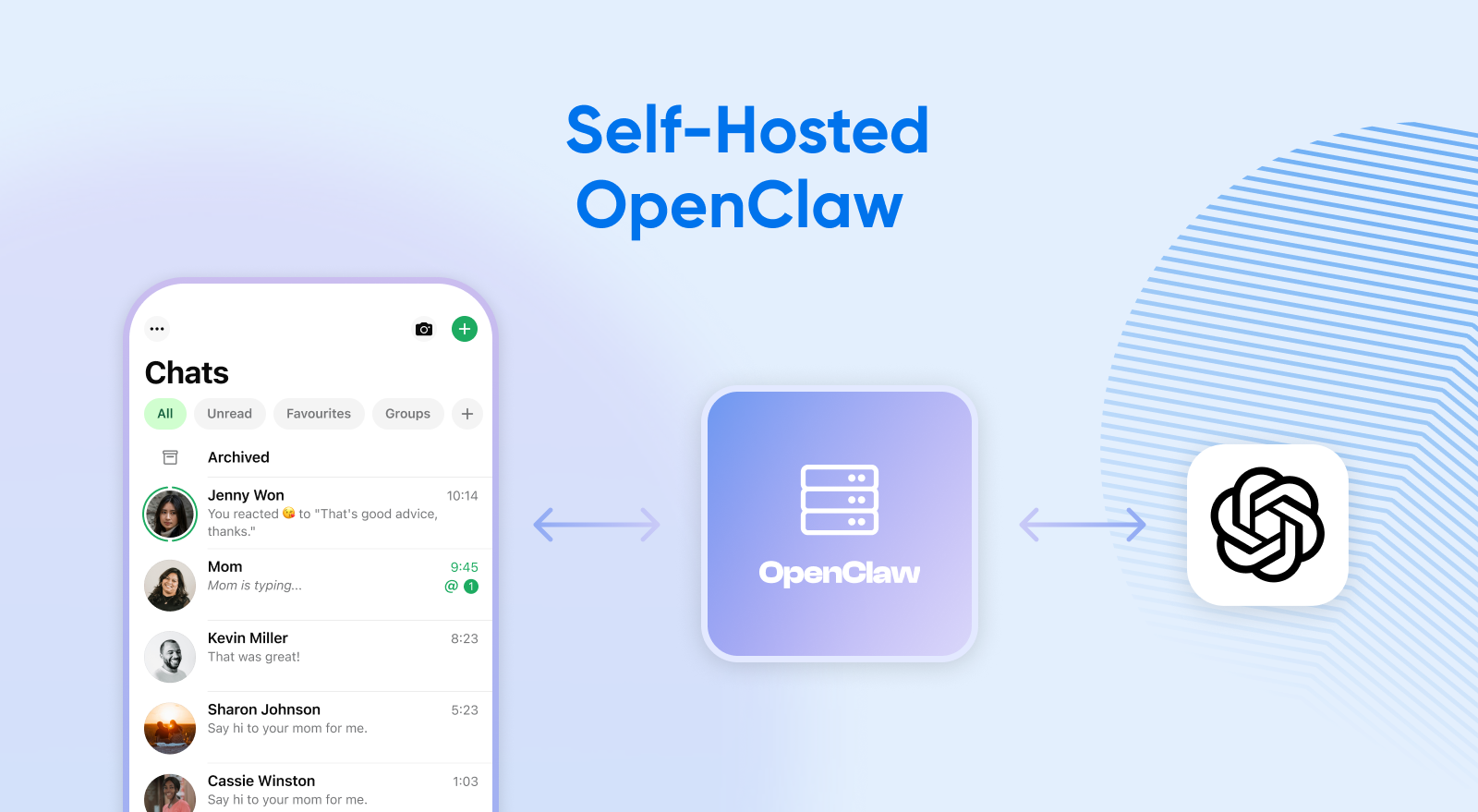
Unlike a chatbot you open in a browser tab, OpenClaw runs 24/7 on your server. It can act proactively, execute tasks on a schedule, and connect to any messaging platform simultaneously.
Why not ChatGPT? ChatGPT Pro costs $200/month for a browser-based chatbot that responds when you ask.
A self-hosted OpenClaw setup costs $5-$15/month in API tokens plus VPS hosting, and gives you an always-on agent across every messaging app you use.
ChatGPT Pro includes features OpenClaw doesn’t replicate (Deep Research, Sora), but no cloud subscription offers a 24/7 multi-channel agent at any price. Most power users run both.
Why Self-Host OpenClaw?
Three reasons to self-host: cost, privacy, and control.
As Peter Steinberger, OpenClaw’s creator (now at OpenAI), put it: “The community around OpenClaw is something magical… It will stay a place for thinkers, hackers and people that want a way to own their data.”
Self-hosting OpenClaw means you’re running the software on a server you control instead of renting access from a SaaS provider.
Your conversations stay with you, you pick the AI models, and you don’t pay per-seat for functionality you could own.
What Do You Need To Run OpenClaw on a VPS?
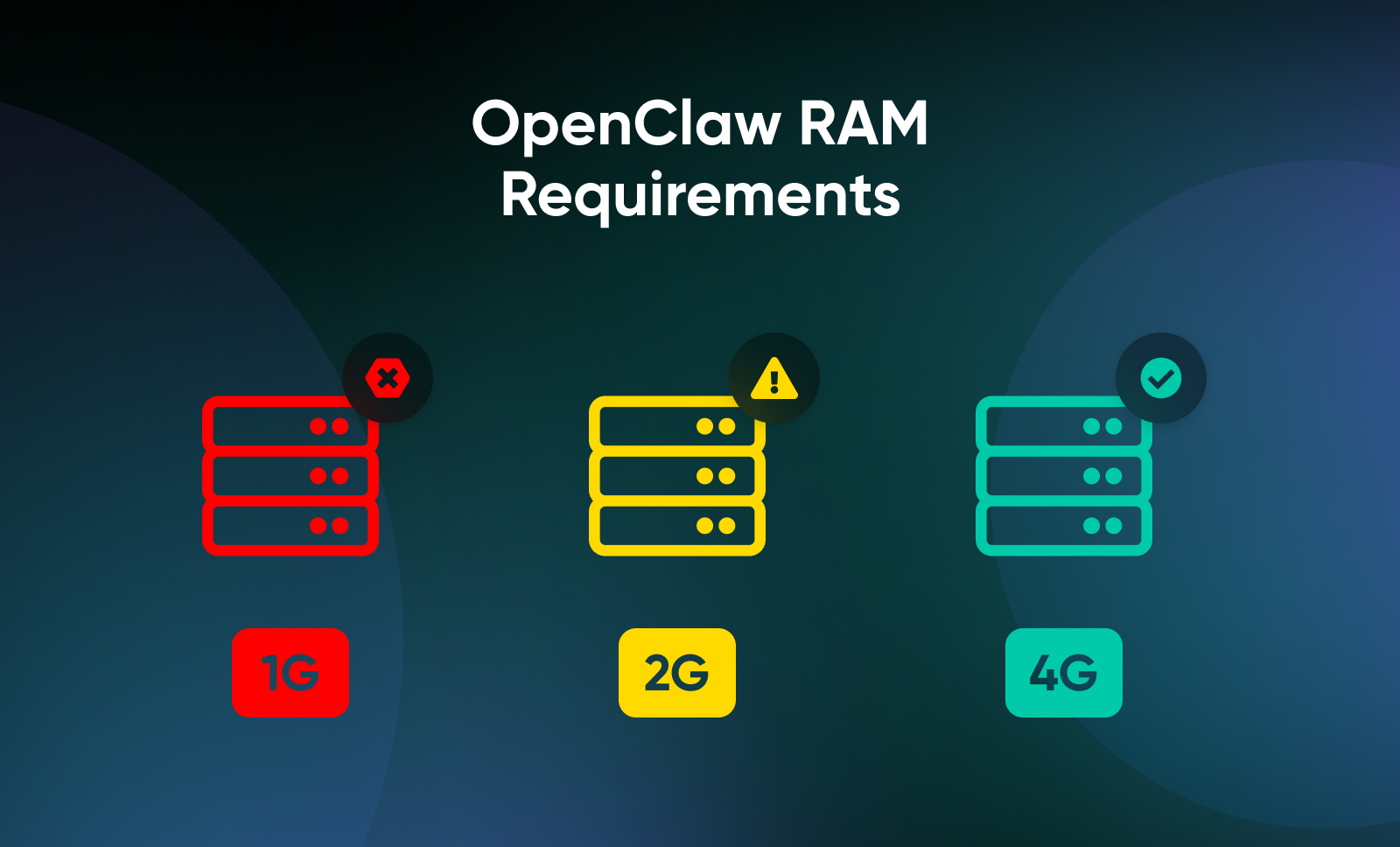
A 4GB RAM VPS with no GPU is the standard deployment — the spec the other 500,000 installs are running on. At DreamHost, we recommend 4GB RAM as the baseline. We’ve seen 2GB installs succeed during setup but struggle under real daily use, especially when multiple messaging channels are active simultaneously. The official minimum is 2 CPU cores, 2GB RAM, and 2GB storage, but 1GB machines consistently fail during installation with out-of-memory errors
OpenClaw doesn’t run AI models locally. It’s a lightweight Node.js runtime that sends requests to cloud APIs like OpenAI, Anthropic, or Google.
The only users who need serious hardware are running local models through Ollama, an entirely separate setup.
OpenClaw requires Node.js 22.14 at minimum, with Node.js 24 recommended. Many VPS images still ship with Node 18 or 20, so you’ll likely need to upgrade. The scripted installer handles this automatically. Manual installs need explicit version management via nvm (Node Version Manager) or nodesource.
If you’re on shared hosting, you’ll need a Self-Managed VPS because OpenClaw requires root access and dedicated resources. If you want a deeper breakdown, here’s how shared vs. Self-Managed VPS hosting compares.
💡Pro tip: If this is your first Self-Managed VPS, DreamHost’s VPS beginner’s guide walks through provisioning, SSH access, and basic server management.
Which VPS Plan Should You Choose for OpenClaw?
A 4GB RAM VPS handles most personal OpenClaw deployments running cloud AI APIs on a single channel.
Step up to 8GB for browser automation or multi-channel use, and 16GB+ if you plan to run local models via Ollama.
DreamHost’s Self-Managed VPS Stack 4 is the recommended starting point.
OpenClaw is a RAM-hungry application. Browser automation spawns Chromium instances that consume 2-4GB each. Multi-channel operation keeps multiple connection handlers in memory.
And if you run local models via Ollama instead of cloud APIs, model inference alone needs 16GB+.
Root access isn’t optional for OpenClaw. If your VPS provider doesn’t offer it, your agent can’t install Docker, manage integrations, or run browser automation. Shared hosting is a non-starter.
Saul Dolgin, a senior engineer at Microsoft Azure, published an extensive breakdown of OpenClaw hardware requirements for different deployment scenarios. He found that for a pure headless gateway with just SSH access, you can get away with 1 vCPU and 512MB RAM (but he recommends at least 1 GB).
Requirements tick up once you start adding sandboxing, channels, and browsers.
Here’s how different use cases map to VPS specs, based on his minimums and recommendations:
| Use Case | vCPU | RAM | Storage | Estimated Cost |
| Personal agent (cloud API only) | 2 | 2GB | 10GB SSD | ~$5-$10/month hardware |
| Multi-channel + browser automation | 2-4 | 4GB | 20GB NVMe | ~$15-$25/month hardware |
| Local models via Ollama | 4+ | 16GB+ | 50GB+ NVMe | ~$25-$35/month hardware |
| Team/multi-user deployment | 4+ | 8GB+ | 40GB+ NVMe | Varies by user count |
DreamHost’s Self-Managed VPS is built for exactly this kind of workload. NVMe storage, full root access, dedicated IPs, and unmetered bandwidth. The VPS Professional (4GB) plan is the right starting point for most personal deployments, with the option to scale up to Stack 8 or Stack 16 as your use case grows.
Docker deployments add roughly 200MB-300MB of RAM overhead. This matters on a 2GB machine.
How Much Does It Cost To Run Self-Hosted OpenClaw?
You’re looking at about $11-$35 per month to run OpenClaw for personal use, but you could spend closer to $100/month if you’re looking for heavier use or more advanced use cases.
According to HaiMaker’s pricing breakdown, API token costs for light personal use (20-50 messages per day with GPT-4o-mini) run about $1-$5/month.
Moderate use with a mix of models lands around $5-$15/month. And heavy automation with GPT-4o as the primary model can push costs to $30-$100/month, at which point the cost advantage over ChatGPT’s new $100/month mid-tier Pro option (launched April 9, 2026) starts to narrow.
If you’re sending 200+ messages a day, the math changes — skip to the heavy-use row.
For most personal setups, routing GPT-4o-mini as the default with GPT-4o as the escalation model keeps monthly API costs under $10.
| Setup | VPS | API Tokens | Total |
| Cost-optimized (GPT-4o-mini only) | $10-$15/month | $1-$5/month | $11-$20/month |
| Balanced (mixed models, routing) | $15-$25/month | $5-$15/month | $20-$40/month |
| Heavy automation (GPT-4o primary) | $15-$25/month | $50-$150/month | $65-$175/month |
Entrepreneur and CTO Lance Cleveland published a detailed cost analysis of his OpenClaw instance. He found that pricing worked out to around $0.00063 per 1,000 tokens or about $0.047 per interaction using GPT 5.4.
You can reduce costs by using older and cheaper models (e.g., GPT-4o-mini) for the routine stuff and save the expensive models for when you need reasoning power.
OpenClaw sends heartbeat checks every 30 minutes using your primary model. If your primary model is GPT-4o, those keep-alive pings add up for zero benefit.
Configure a cheaper heartbeat model or use smart routing to avoid paying premium rates for what amounts to an “are you still there?” ping.
According to VelvetShark’s calculations, smart model routing cuts API costs by 50%-80%.
The hosting cost is one factor to consider as well. A 4GB RAM VPS like those available through DreamHost Self-Managed VPS hosting typically runs $10-$25/month, the sweet spot for personal OpenClaw deployments.
When NOT to Self-Host OpenClaw
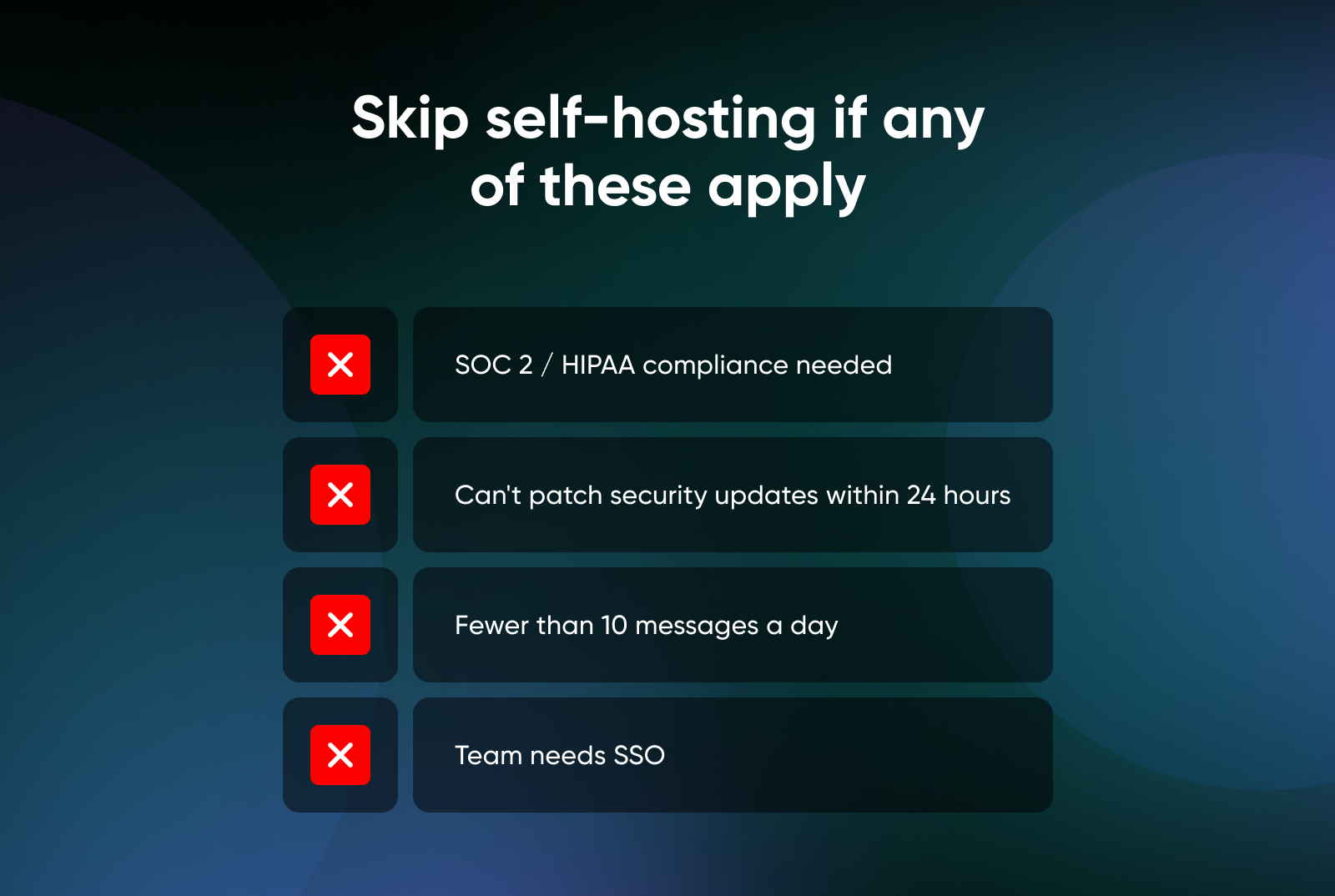
Self-hosting isn’t the right call for everyone.
Skip OpenClaw if you need SOC 2 or HIPAA compliance (self-hosted makes audits your problem), you’re not comfortable patching CVEs within 24 hours, you send fewer than 10 messages a day (ChatGPT free tier wins on economics), or you need SSO for a team deployment (not in OpenClaw yet).
How Do You Install OpenClaw on a Linux VPS?
Two methods, both under 30 minutes. The scripted installer is fastest, while Docker Compose is more popular, with 65% of all OpenClaw deployments using it, because it isolates dependencies and makes updates dead simple.
Method 1: Scripted Installer (Fastest)
SSH into your VPS and run:
curl -fsSL https://openclaw.ai/install.sh | bash
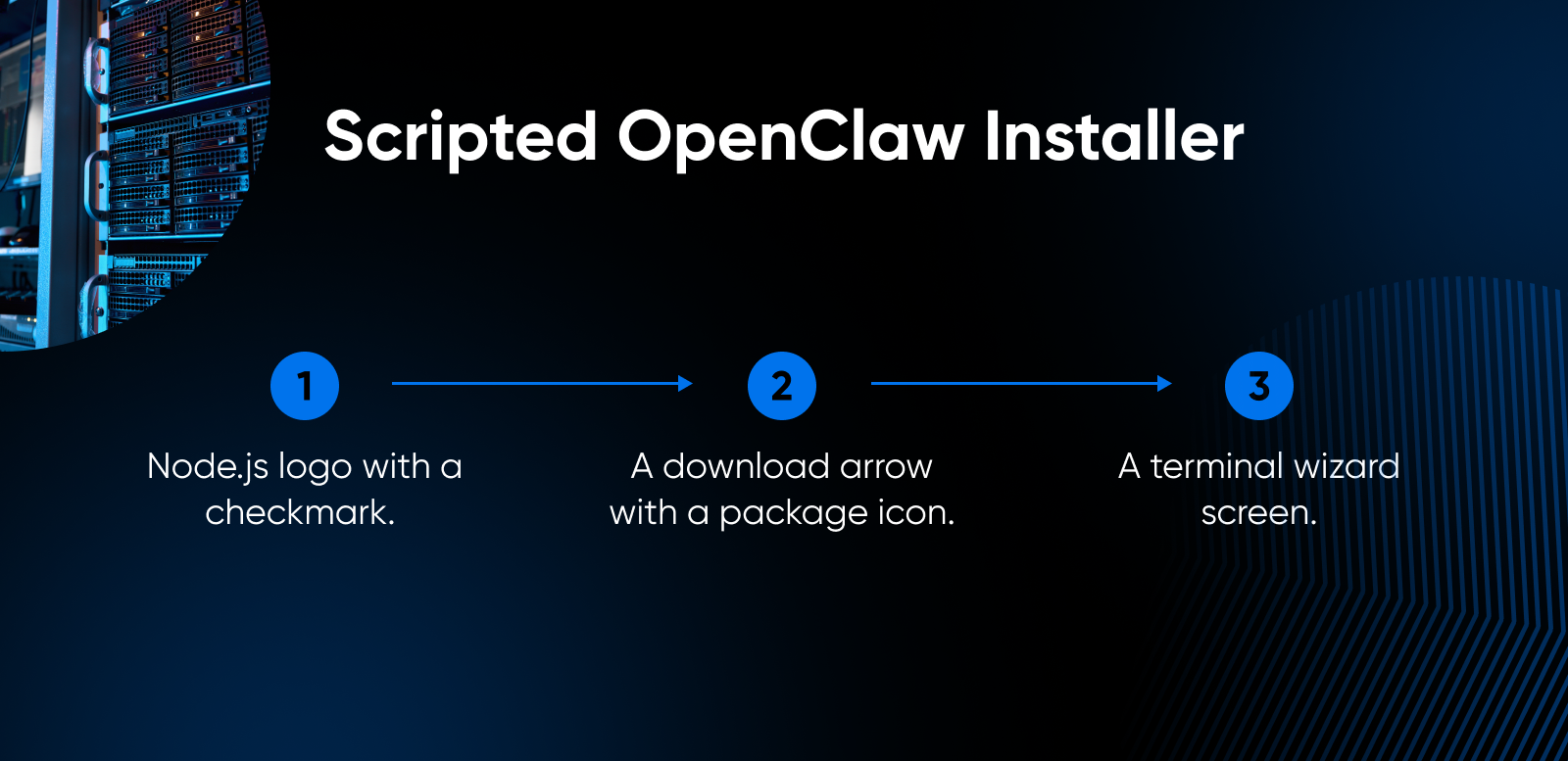
- The script checks for Node.js 24 and installs it if missing, downloads the latest release, and launches the onboarding wizard.
- The wizard walks you through picking a model provider (Anthropic, OpenAI, Google, and others), setting your API key, and configuring the gateway.
- The script also registers OpenClaw as a background service on Linux (systemd), so the agent survives reboots. If you prefer the manual path, run
npm install -g openclaw@latestfollowed byopenclaw onboard --install-daemon— that flag is what does the service registration.
👀 One gotcha to look out for: The installer launches a terminal user interface (TUI), a graphical menu inside your terminal, that can freeze on headless VPS environments without a proper TTY.
If your install stalls at a blank screen, fall back to the manual method:
npm install -g openclaw@latest
openclaw doctor --non-interactive
This skips the TUI entirely. You’ll configure your gateway token and API keys through the config files in ‘~/.openclaw’ instead of the wizard.
Two other common snags: if port 18789 is already in use, run lsof -i :18789 to find what has it, then kill that process or remap OpenClaw’s port in your docker-compose.yml. If WhatsApp pairing drops after a VPS reboot, rerun the login command (credentials in ~/.openclaw/credentials/whatsapp/ can rotate if the process doesn’t shut down cleanly.)
Method 2: Docker Compose (Most Isolated)
The second way you can install OpenClaw on your VPS is by using Docker.
💡Pro tip: If you’re new to containers, DreamHost’s explainer on Docker covers the basics.
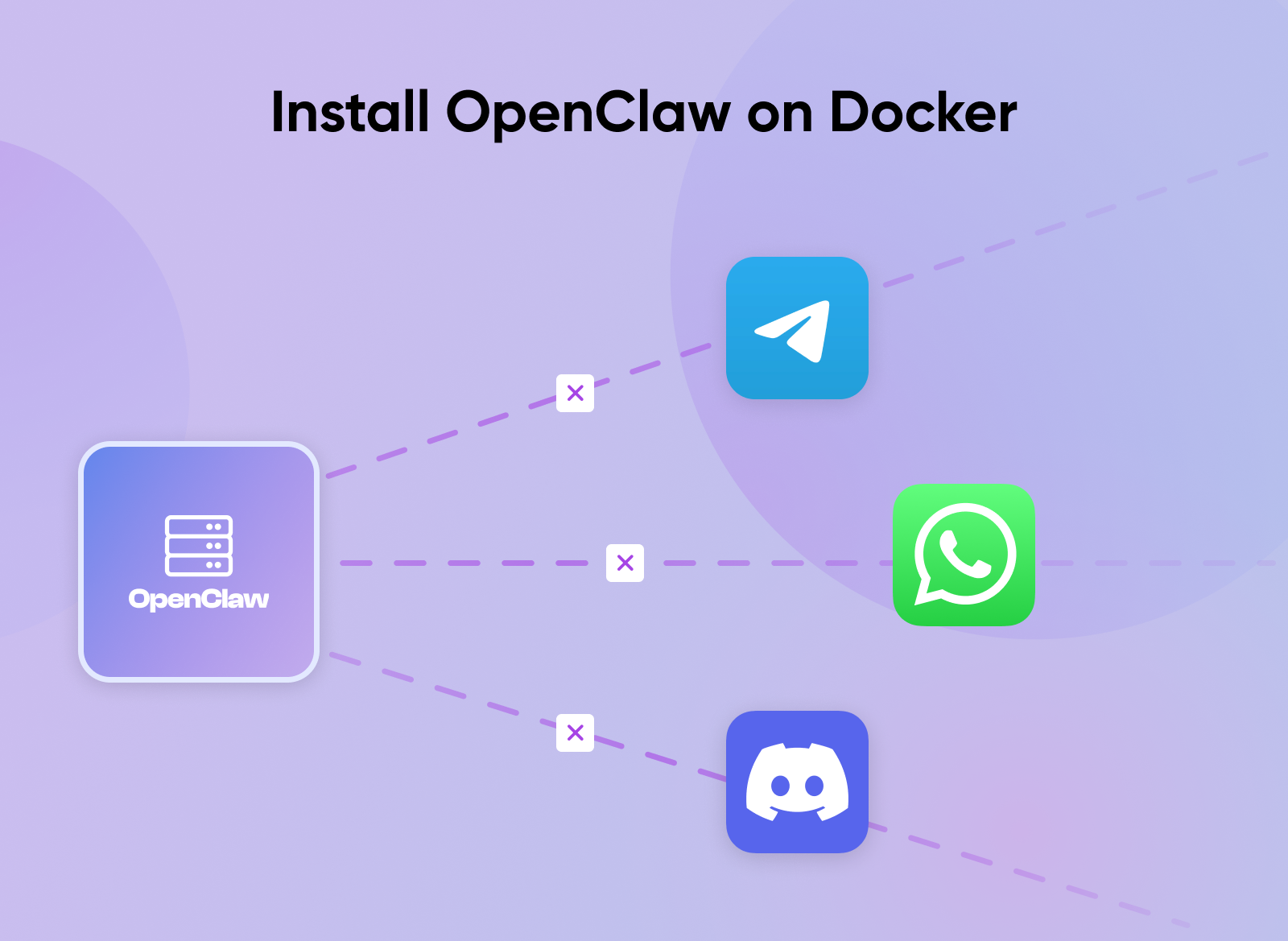
Docker packages an application like OpenClaw into a standardized unit, called a “container.” The container runs in an isolated environment on your server, ensuring consistent performance and making updates easy.
Here’s how to get it up and running:
- Clone the OpenClaw repository and run the setup script:
git clone https://github.com/openclaw/openclaw.gitcd openclaw && ./docker-setup.sh
- The setup script builds the Docker image, runs the onboarding wizard, generates your gateway token, and starts the OpenClaw gateway.
- Your instance runs inside a container with its own isolated filesystem and network namespace — an isolated environment where processes can’t interfere with anything else on your server.
Updates are as simple as running the command docker compose pull && docker compose up -d, and rollbacks are instant.
How Do You Verify the Installation Worked?
Run openclaw doctor; it checks your Node.js version, gateway status, and API key configuration in one pass:
Run these three checks to confirm everything is set up correctly:
openclaw --version— Confirms OpenClaw is installed and accessible from your terminal.openclaw doctor— Validates your environment, dependencies, and API key configuration in one pass.openclaw gateway status— Checks that the gateway process is actively running.
If all three return without errors, you’re good to go.
How Do You Secure OpenClaw on a VPS?
You can secure your installation by following a few simple steps, including setting up your installation to only accept connections from your local machine, running OpenClaw under a dedicated user, and setting up your firewall properly.
Those three changes block the majority of real-world attacks against OpenClaw instances, two of which have been widely documented:
- OpenClaw’s default configuration exposes the gateway to the public internet: SecurityScorecard scanned more than 40,000 exposed OpenClaw instances and flagged 32% (about 14,000) as vulnerable to remote code execution. Bitsight’s parallel research tracked 30,000+ exposed instances in a separate window.
- Running an AI agent on a public server without hardening the gateway is like leaving your front door open: The most critical vulnerability so far was ClawJacked (CVE-2026-28472), disclosed in February 2026. Any website you visit could open a direct connection to your OpenClaw instance and issue commands to your AI agent.
The fix was a one-line config change.
Patches for OpenClaw security issues typically ship within hours, but you’re responsible for applying them.
These are five hardening steps that will help you secure your OpenClaw installation, in order of priority:
- Restrict connections to your server only: By default, OpenClaw accepts connections from any device on the internet. Open your OpenClaw configuration file (~/.openclaw/openclaw.json) and change the host value from 0.0.0.0 to 127.0.0.1. That tells the gateway to only accept connections originating from the server itself, so nobody on the outside can reach it directly. This single change would have prevented ClawJacked.
- Give OpenClaw its own user account: If you’re running OpenClaw as the root administrator, a compromised agent has full control of your entire server. Creating a dedicated user account means even a worst-case breach is limited to just that account’s permissions.
- Configure execution guardrails: Set tools.exec.security to “deny” and tools.exec.ask to “always” in your configuration to ensure that any attempt to run local commands requires your explicit, manual intervention.
- Close the port to outside traffic: OpenClaw communicates on port 18789, and your firewall should block anyone on the internet from reaching it. If you’re running Docker, standard firewall rules won’t protect you. Docker bypasses them. Instead, set the port binding in your docker-compose.yml to 127.0.0.1:18789:18789 so Docker only accepts local connections, matching what you did in step 1.
- Set up a private connection for remote access: Once you’ve locked the gateway to local-only connections, you’ll need a secure way to reach it from your own computer. Tools like SSH, which connect you directly to your VPS from a terminal, or Tailscale create a private tunnel without opening the port to the public.
- Protect your OpenClaw configuration directory (~.openclaw): Restrict who can access it, back it up, and never include it in a public code repository.
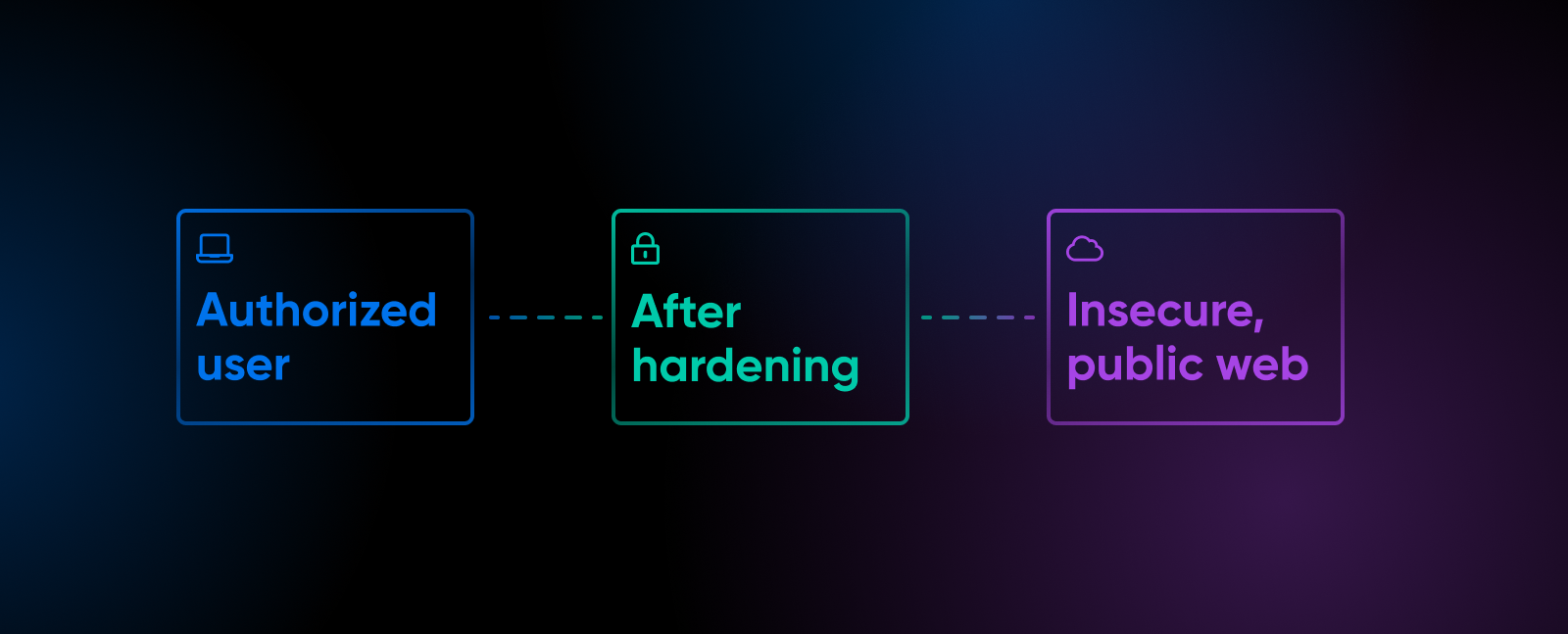
These steps are OpenClaw-specific, but they build on general cloud security best practices that apply to any VPS workload. For production deployments, add a reverse proxy with Nginx.
How Do You Connect OpenClaw to WhatsApp or Telegram?
Start with Telegram — it’s the most stable channel, requires zero inbound port configuration, and you’ll have a working AI agent in your DMs within five minutes.
How Do You Set Up Telegram With OpenClaw?
Telegram is the easiest integration because it uses long-polling, that is, the client asks the server for new messages at regular intervals; rather than webhooks, which means it works behind NAT and firewalls with no inbound ports required.
- Open Telegram and message @BotFather.
- Send /newbot and follow the prompts to name your bot.
- Copy the API token BotFather gives you.
- In your VPS terminal, run ‘openclaw channel add telegram.’
- Restart the gateway: openclaw gateway restart.
- Send your bot a message in Telegram, then approve the pairing request: openclaw pairing list telegram to see it, openclaw pairing approve telegram
<code>to accept. - After that, your agent will respond.
Your OpenClaw agent is now reachable through Telegram — five minutes, one API token, no inbound ports.
How Do You Connect OpenClaw to WhatsApp?
WhatsApp uses a device-pairing approach instead of a traditional API.
- Run openclaw channels login –channel WhatsApp to generate the QR code and link your account. This also triggers the installation flow if the plugin is not already present.
- A QR code appears in your terminal.
- On your phone, open WhatsApp > Settings > Linked Devices > Link a Device, and scan the code.
- Your OpenClaw instance registers as a linked device on your WhatsApp account. Credentials are saved to ~/.openclaw/credentials/whatsapp/.
Your VPS needs to stay running for the pairing to persist. If the OpenClaw process restarts, you may need to re-pair.
There are two things to know before you commit to WhatsApp:
- WhatsApp uses the Baileys library, an unofficial, community-built WhatsApp client, not an official Meta API: While that works well today, Meta could block the method, and WhatsApp updates can occasionally break compatibility.
- Without configuring an allowlist, anyone who has your connected phone number can send commands to your AI agent: Set up the allowlist immediately after pairing to restrict access to specific phone numbers.
Once your allowlist is configured, WhatsApp works just as reliably as Telegram for day-to-day use.
What Should You Do After Installing OpenClaw?
Send a message to your OpenClaw agent right now. Ask it to summarize a URL, set a reminder, or list the files in your workspace directory.
That’s where to start.
OpenClaw’s skill ecosystem has 44,000+ community-built skills on ClawHub as of April 2026, covering everything from calendar integration to code execution to web scraping. But ClawHub has a supply-chain problem. Koi research identified 341 malicious ClawHavoc skills, and a subsequent Trend Micro’s February 2026 ClawHavoc investigation surfaced 39 overlapping skills carrying Atomic Stealer; Antiy CERT’s parallel count pushed the total past 800, with a heavier concentration in crypto-automation skills.
Vet every skill before you install it. Stick to popular, well-reviewed options with active maintainers, and review the skill’s source code if it requests sensitive permissions.
Beyond skills, here’s your post-installation checklist:
- Configure your workspace directory: This is where OpenClaw stores files, notes, and agent memory. Keep it organized; it grows fast.
- Set up automated backups: Back up ‘~/.openclaw’ regularly. It contains your gateway token, API keys, agent configs, and conversation history. Losing this directory means starting from scratch.
- Enable auto-updates: OpenClaw ships updates frequently, including critical security patches. Run openclaw update to upgrade in place, run a health check, and restart services automatically.
- Explore workflow automation: OpenClaw can run tasks on a schedule via openclaw cron, which is where most of the value lives. The real win of a 24/7 agent is running your morning digest, checking a site for changes, or prepping a summary while you’re asleep.
💡Pro tip: If you’re running Ollama alongside OpenClaw for local inference, DreamHost’s roundup of self-hosted AI models covers the best options for running language models on your own hardware.
Where To Go From Here
Peter Steinberger left for OpenAI. The project kept growing anyway — 346,000 stars, 500,000 instances, a registry where hundreds of skills have been caught stealing credentials.
That’s the deal you’re making when you self-host OpenClaw.
You get a powerful, local agent that belongs to you… And you get to be the one who locks the door.

Own Your Entire Stack. Apps, AI, Databases, and More.
Keep every credential and conversation on a server you control, with NVMe speed and unmetered bandwidth built in.
Explore VPS Hosting PlansFrequently Asked Questions
Is OpenClaw free?
Yes, OpenClaw is completely free and open source under the MIT license. The software costs nothing. Your only expenses are VPS hosting and AI model API tokens, which typically add up to $11-$35/month for personal use.
DreamHost’s Self-Managed VPS plans provide the root access and resources you need to run it.
Can OpenClaw run on a $5/month VPS?
Technically, yes, but you probably won’t enjoy it. The official minimum is 2GB RAM, and 1GB machines consistently crash with out-of-memory errors during installation. A 2GB VPS can handle a single-channel personal setup, but 4GB gives you headroom for multiple channels without the hiccups.
DreamHost’s Self-Managed VPS Stack 4 hits that 4GB sweet spot.
Is OpenClaw safe to run on a server?
Safe when configured correctly, risky when left at defaults. The single most important step is binding the gateway to 127.0.0.1 (localhost only) and using SSH tunnels or a VPN for remote access.
The ClawJacked vulnerability (CVE-2026-28472, CVSS 8.8) showed what happens when instances are left exposed. Patched in under 24 hours, but only if you’d updated.
How is OpenClaw different from ChatGPT?
ChatGPT is a chatbot you open in a browser. OpenClaw is a self-hosted AI agent that runs 24/7 on your server, connects to WhatsApp, Telegram, Discord, and other messaging platforms, and can act autonomously — executing tasks, responding to messages, and running workflows while you sleep.
ChatGPT Pro costs $200/month for a browser-only experience. A self-hosted OpenClaw setup costs $11-35/month and gives you something no ChatGPT plan offers: an always-on agent across all your messaging apps.
Do I need to know Linux to install OpenClaw?
Basic terminal comfort is enough. If you can SSH into a server and copy-paste commands, you can install OpenClaw. The scripted installer handles the heavy lifting, and the onboarding wizard walks you through API key configuration step by step.
The security hardening steps do require understanding what firewall rules and port bindings do, but nothing here requires sysadmin-level expertise.
What AI models work with OpenClaw?
All the major providers work with OpenClaw: Anthropic (Claude), OpenAI (GPT-4o, GPT-4o-mini), Google (Gemini), and local models via Ollama. You can switch models anytime or route different tasks to different models to optimize cost.
