You’re about to make a big decision.
Maybe the biggest one of your life.
Okay, that’s a lie. But it is a decision that will live in your terminal for the next five years.
Which OS should you run on your new VPS?
You probably already know AlmaLinux 9 is a RHEL-family distribution, and you’ve heard it called “the modern CentOS.”
The question on the table is whether AlmaLinux 9 is the right answer for what you’re actually building, or whether Rocky, Oracle, Ubuntu, or Debian is the smarter call.
Most people pick the OS the first tutorial they read picked.
That’s how a Docker side project ends up on AlmaLinux when it should be on Ubuntu, and how a cPanel reseller ends up on Ubuntu when it should be on AlmaLinux.
But what’s right for you?
What Makes AlmaLinux 9 Different From Other Linux Distros?
AlmaLinux 9 is binary compatible with RHEL 9 — software that works on RHEL works on AlmaLinux, and the project treats any break as a bug. It’s governed by a non-profit foundation, and it carries no license cost. That’s the short version, and it’s how most readers will tell AlmaLinux 9 apart from the four distros it actually gets confused with.
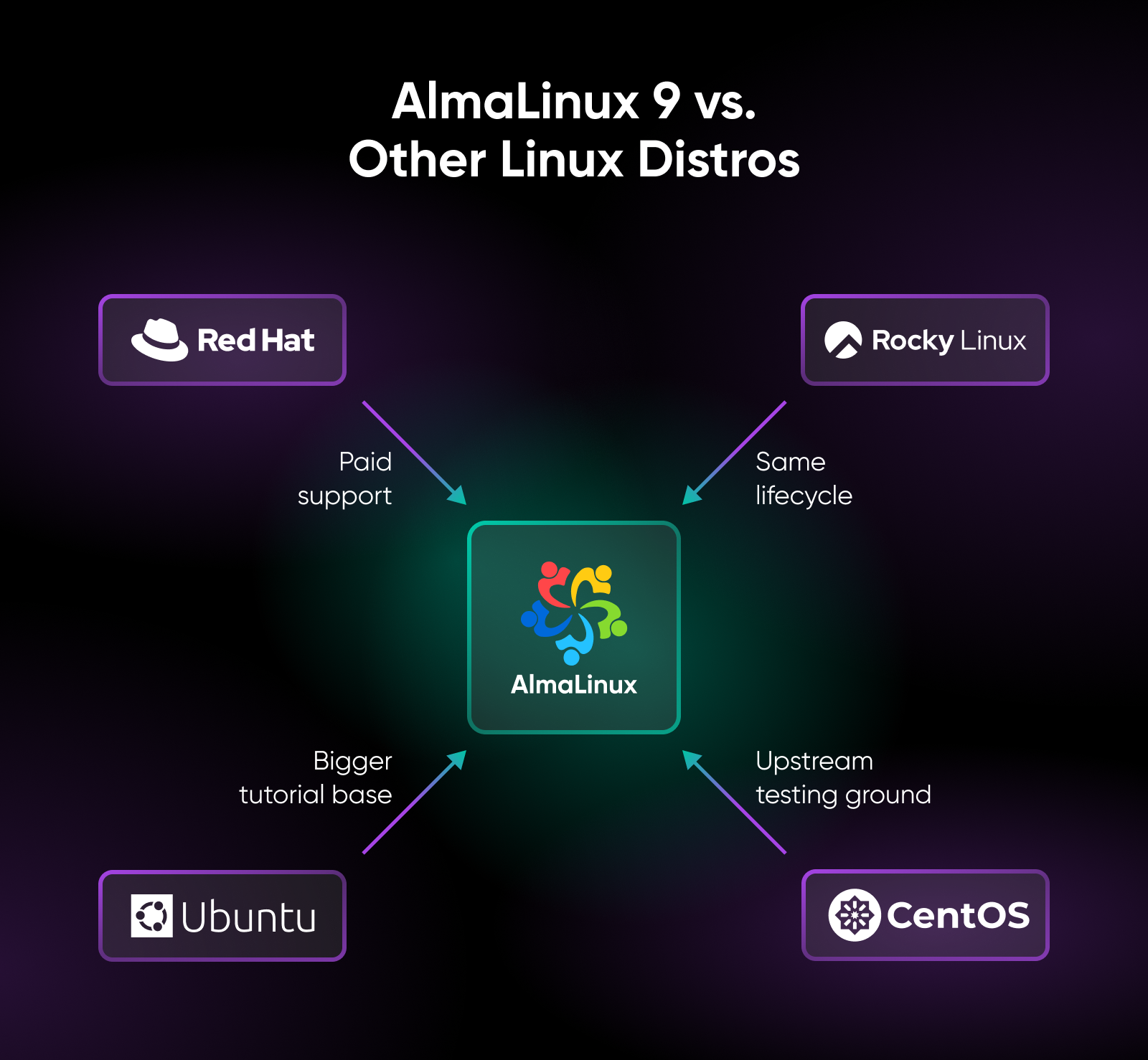
Here’s the longer cut, distro by distro.
AlmaLinux vs. CentOS Stream
CentOS Stream is the upstream development platform for upcoming RHEL releases — it’s where Red Hat prepares code before it ships. AlmaLinux 9 sits on the other side of that relationship. It no longer aims to be a 1:1 downstream rebuild of RHEL; in July 2023 the project shifted its goal to maintaining compatibility with RHEL, so applications that run on RHEL run unchanged on AlmaLinux, while the project keeps room to ship its own fixes.
AlmaLinux vs. Rocky Linux
Both projects launched in 2021, after Red Hat announced in December 2020 that CentOS Linux development would end in favor of CentOS Stream. Both are RHEL-compatible. For most teams running a web server, database, or app server, the practical difference is negligible. Phoronix’s June 2025 benchmark review found AlmaLinux 10 and Rocky Linux 10 performance “right on-par” with RHEL 10 across dozens of tests.
The differentiators that matter live in governance. AlmaLinux’s governance sits inside the AlmaLinux OS Foundation, a 501(c)(6) non-profit with publicly available foundation bylaws and a board chosen by foundation members. Rocky Linux is hosted by the Rocky Enterprise Software Foundation, with backers that include CIQ.
The compatibility goals also split in mid-2023. After Red Hat announced in June 2023 that CentOS Stream would become the sole repository for public RHEL-related source code releases, AlmaLinux moved from 1:1 rebuilds to a compatibility promise: anything that works on RHEL should work on AlmaLinux, and a break is treated as a bug. Rocky Linux kept the original goal — it’s designed to be 100% bug-for-bug compatible with RHEL, rebuilding sources directly from RHEL.
AlmaLinux vs. Ubuntu 24.04 LTS
AlmaLinux 9 fits long-running production servers and RHEL-adjacent ecosystems — if your team is already using CentOS, Red Hat, or Fedora elsewhere, the package management (dnf/rpm), SELinux defaults, and system administration patterns will feel familiar. Ubuntu 24.04 LTS fits modern dev workflows, Docker-first tutorials, and teams that want the larger community tutorial corpus. The package ecosystem (apt/deb) is different but not harder.
Support timelines are comparable: AlmaLinux 9 receives security patches through May 2032, and Ubuntu 24.04 LTS receives standard security maintenance through May 2029, with expanded security maintenance available through May 2034 via Ubuntu Pro. The choice usually comes down to which ecosystem your team already knows.
AlmaLinux vs. RHEL
RHEL is the paid Red Hat product with a Red Hat support contract and access to tools like Red Hat Lightspeed (formerly Red Hat Insights). AlmaLinux 9 is binary compatible with RHEL 9, free, and receives security patches through May 31, 2032, but without Red Hat’s commercial support contract.
For workloads that don’t need vendor support, AlmaLinux 9 offers a very similar operational experience without the per-system invoice.
Who Maintains AlmaLinux 9 and Can You Trust the Lifecycle?
AlmaLinux is maintained by the AlmaLinux OS Foundation, a 501(c)(6) non-profit founded in March 2021 to own and manage the project, with a governing board chosen by foundation members and bylaws published in full.
That’s the post-CentOS trust answer in one sentence. Here’s why it matters.
CloudLinux, the project’s founding sponsor, provides $1M in annual sponsorship, and more than 25 other sponsors back the Foundation alongside a broad membership base (see the AlmaLinux Foundation membership page for the current roster).
Members choose the board, the bylaws are public, and the build system is open. The 2020 CentOS shift caught hosting teams flat-footed because a single corporate decision retired the distribution their servers ran on. AlmaLinux’s structure is the direct answer to that: the foundation — not any one company — owns the project.
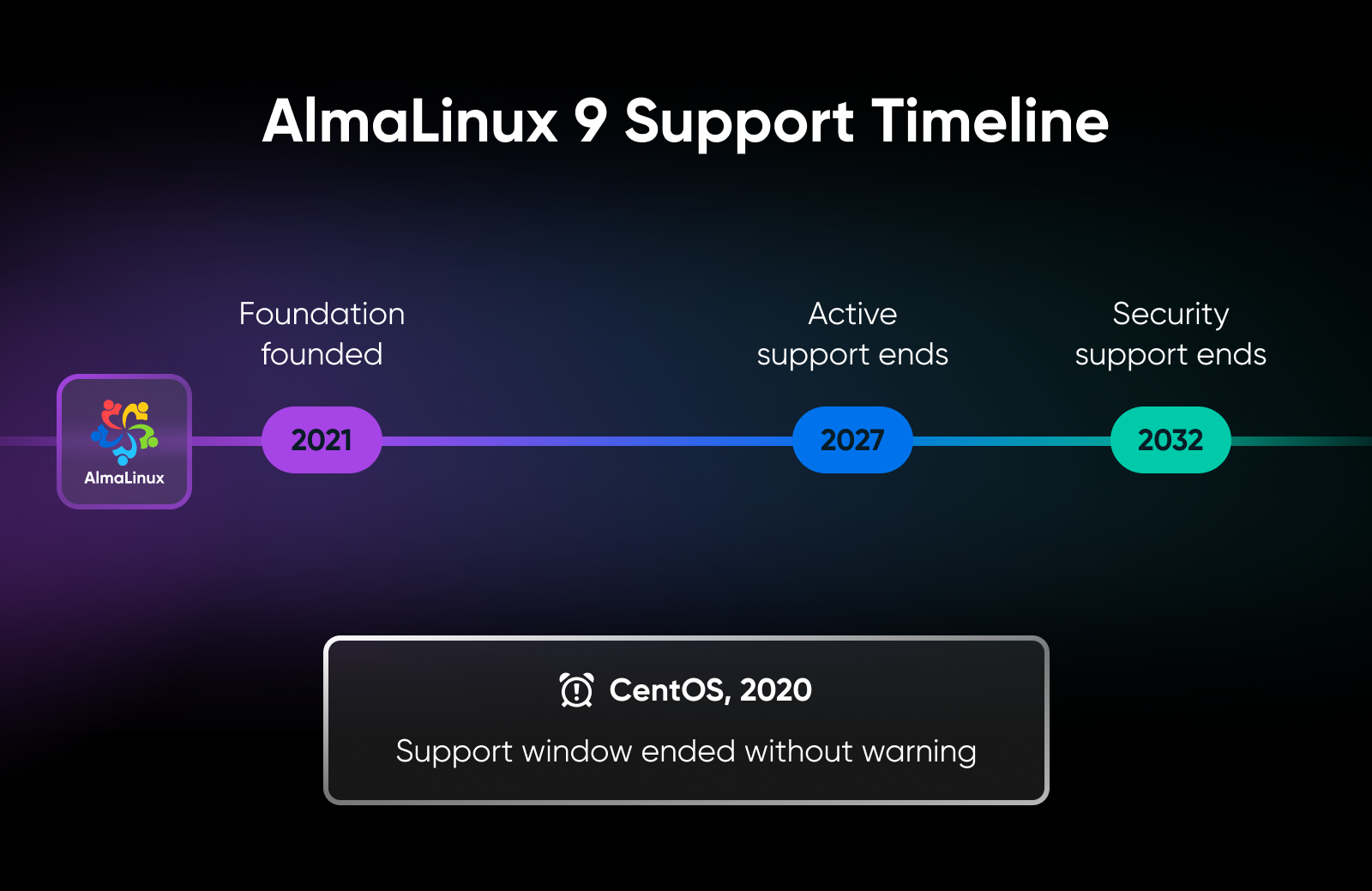
The lifecycle numbers reinforce that durability. Active support runs through May 31, 2027, and security support runs through May 31, 2032 (per endoflife.date). An AlmaLinux 9 VPS provisioned today can receive security updates through May 31, 2032. (That’s not a typo. Nearly six years from now.)
For workloads where the cost of replatforming is high, the long tail is the entire point. You provision once, patch on autopilot, and stop thinking about the OS for years.
What Does AlmaLinux 9 Setup Look Like on a VPS?
A clean AlmaLinux 9 setup runs through seven moves. Nothing exotic — just a slightly different set of defaults than Ubuntu. The shape is the same as Ubuntu or Debian; the commands and a couple of defaults differ.
For the full command-by-command procedure, the AlmaLinux 9 installation guide is the canonical reference.
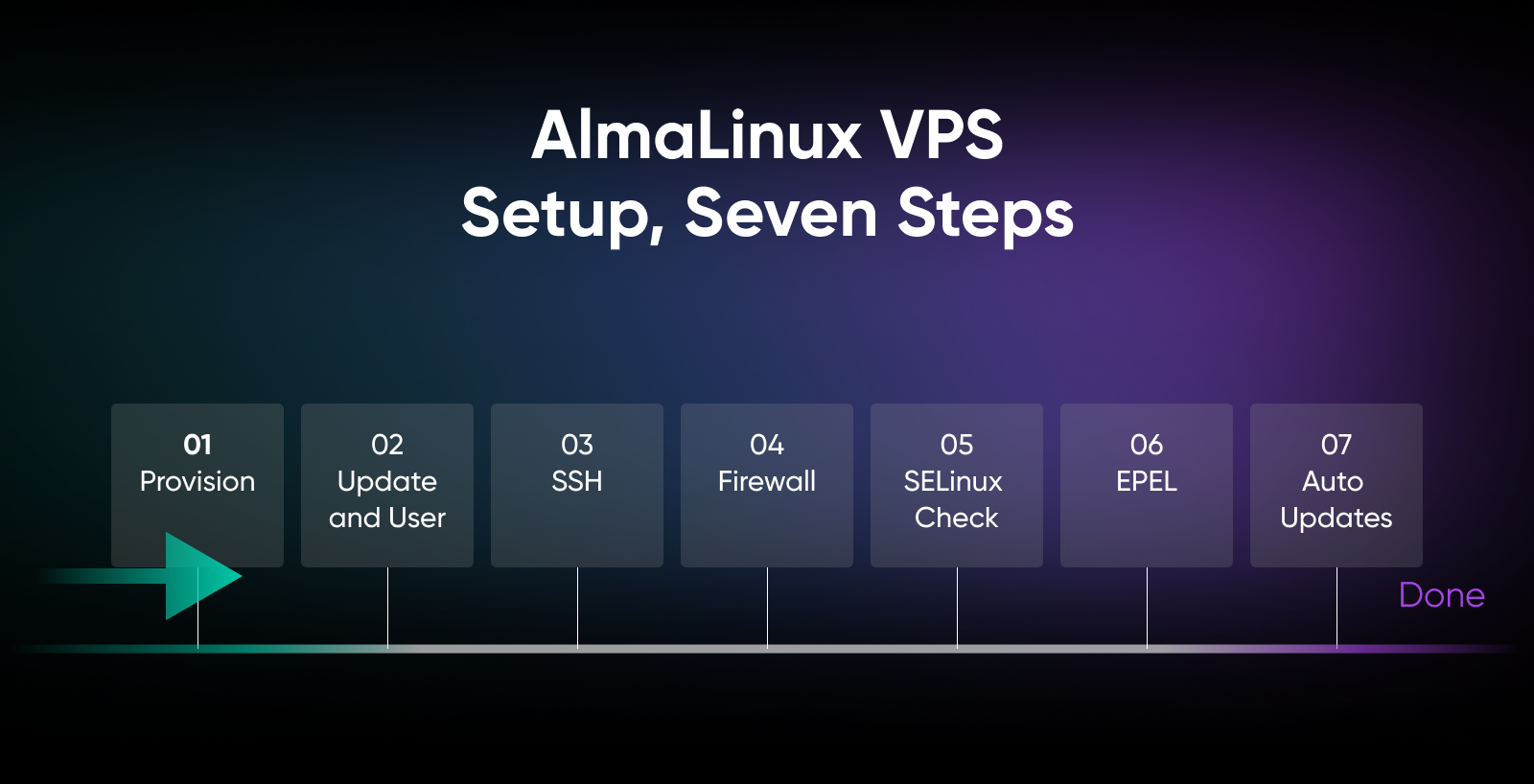
Provision the VPS with AlmaLinux 9 as the OS image
Many VPS providers ship a cloud image that boots cleanly on KVM hypervisors. Select AlmaLinux 9 as the OS image during provisioning, and confirm root access is enabled on the plan you picked — the rest of these steps assume you can sudo.
Update the system and create a non-root sudo user
dnf update -y is the AlmaLinux equivalent of apt update && apt upgrade. After that, create a dedicated sudo user and stop logging in as root.
dnf update -y
useradd -m -G wheel yourname
passwd yourname
(If your fingers still type ‘yum,’ you’re in good company. ‘dnf’ replaced ‘yum’ as the default package manager starting with RHEL 8 and CentOS 8, though ‘yum’ still works on AlmaLinux 9 — it’s now a symbolic link to dnf.)
Harden SSH access
Switch to key-based authentication, set PermitRootLogin no in /etc/ssh/sshd_config, and restart sshd. The pattern is broadly similar to Ubuntu or Debian.
Configure firewalld
AlmaLinux 9 uses ‘firewalld,’ the built-in firewall management tool on the RHEL family, instead of UFW. The command pattern is firewall-cmd --permanent --add-service=http, then firewall-cmd --reload.
Open 22 for SSH, 80 and 443 for web traffic, and avoid exposing unnecessary ports publicly.
Verify SELinux is enforcing
SELinux is Linux’s mandatory access control system, and on the RHEL 9 family, enforcing is the default mode. Run sestatus to confirm.
You’re looking for ‘Current mode: enforcing.’
Leave it that way.
SELinux policy ships with contexts pre-defined for common services — Apache’s httpd_t, for example — so the friction is generally lower than the reputation suggests. If a specific app fights SELinux, tune the context or policy instead of disabling SELinux entirely. (The big exception is cPanel, which requires SELinux disabled — more on that in the FAQ.)
Enable EPEL
EPEL (Extra Packages for Enterprise Linux) is a Fedora Project repository for RHEL-compatible distributions that provides packages outside the base repos. On AlmaLinux 9, enable CRB first, then install EPEL — the same order AlmaLinux’s own after-installation guide uses:
dnf config-manager --set-enabled crb
dnf install -y epel-release
Set up automatic security updates
dnf-automatic handles scheduled automatic package updates without rebooting the system unprompted. Turn it on once, and the 2032 security support window stays meaningful instead of decaying because nobody ran dnf update for nine months.
About 20 minutes of real work for someone who’s done it before. The first time costs more because firewall and SELinux conventions differ from the Ubuntu defaults most tutorials assume.
How Do You Size an AlmaLinux 9 VPS?
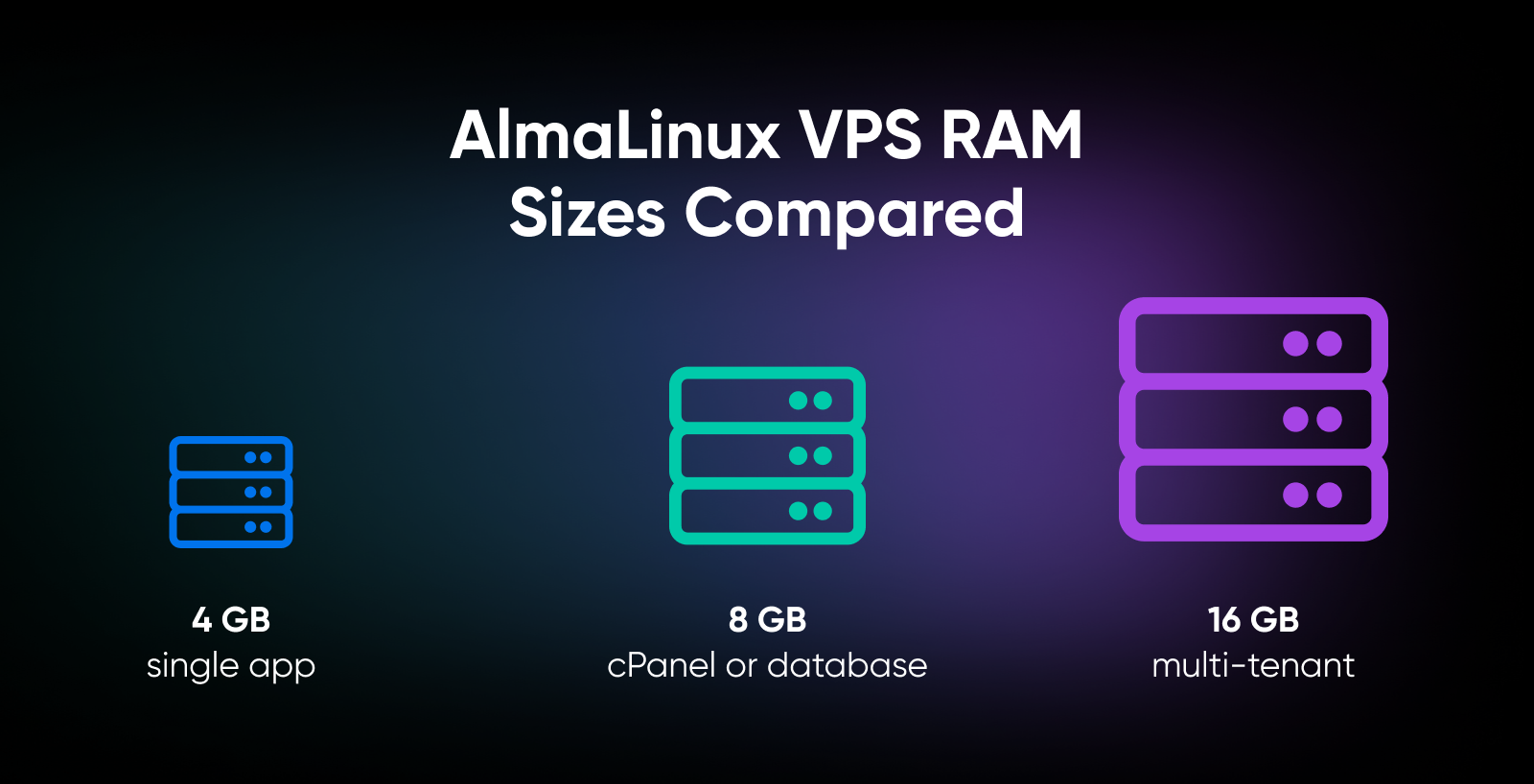
AlmaLinux 9 needs at least 1.5 GB of RAM and 10 GB of disk space (20 GB recommended) per the official installation guide, and — like RHEL 9 — an x86-64-v2 or newer processor. Anything above that floor depends on the workload running on top.
The realistic floor for a production server is 4 GB, and you’ll likely size up from there.
Here’s the practical mapping by workload:
| RAM | What Fits Comfortably? |
|---|---|
| 4 GB | AlmaLinux 9 plus a single web app, a small database, or a containerized workload. Headroom for SELinux contexts, EPEL packages, and lightweight hosting tooling or management utilities without paging out. |
| 8 GB | AlmaLinux 9 plus a heavier database (PostgreSQL with concurrent connections, MariaDB with a busy app on top), or AlmaLinux 9 plus a control panel like cPanel handling production traffic. |
| 16 GB and up | Multi-tenant workloads, mid-size production databases, or AlmaLinux 9 running a software vendor’s test environment that needs to match a customer’s RHEL deployment. |
You want a VPS with predictable pricing on those tiers, which matters more than people give it credit for. A surprise overage on a Linux server running a customer-facing app is the kind of thing that ruins a Friday just when you were about to grab a beer. (It’s part of why DreamHost VPS Hosting keeps bandwidth unmetered on every plan — no per-GB overage fees, subject to DreamHost’s terms.)
If you’re running PostgreSQL on a VPS with real production traffic, 8 GB of RAM is a more realistic starting point for many workloads, especially once concurrent connections, caching, and background jobs enter the picture.
Where Does AlmaLinux 9 Fit for Compliance Workloads?
AlmaLinux 9 is a low-cost way to achieve a RHEL-compatible security baseline for HIPAA, PCI-DSS, and CIS-benchmarked workloads.
It combines SELinux enforcing-by-default, AlmaLinux-specific FIPS 140-3 validation for certain AlmaLinux 9.2 crypto modules, and OpenSCAP compliance tooling.
- SELinux enforcing by default: Mandatory access control out of the box, with contexts pre-defined for common RHEL-family services. Verify and document SELinux’s current mode for auditors; although enforcing is the default, applications such as cPanel may require it to be disabled.
- FIPS-validated cryptography: AlmaLinux 9.2 has documented FIPS 140-3 validation for its crypto modules and is on the NIST Active list, but that validation is version- and module-specific, so teams should verify their exact AlmaLinux minor version and support path before making formal FIPS claims.
- OpenSCAP profiles: AlmaLinux 9’s installer offers security profiles for HIPAA, PCI-DSS, and CIS benchmarks, documented in the OpenSCAP guide for 9 and the ComplianceAsCode/OpenSCAP ecosystem. Run
oscapagainst the profile, and you get a machine-readable audit report. Not a guarantee of compliance, but a serious head start on the technical control checklist. - Vendor test-matrix coverage: If a customer asks “do you support RHEL?” check the vendor’s own support matrix — some certify only RHEL itself, others list RHEL-compatible distributions. One sensible pattern: develop and test on AlmaLinux 9, and reserve paid RHEL subscriptions for the environments that require official vendor certification or support.
The other distros can be hardened to similar levels with effort. AlmaLinux 9 starts there.
When Should You Not Pick AlmaLinux 9?
Don’t be fooled, dear reader. AlmaLinux 9 is great. But it’s the wrong call for plenty of workloads.
Here are some disqualifiers:
- Your team is fluent in
‘apt’and‘ufw,’and only‘apt’and‘ufw’: The‘dnf’and‘firewalld’equivalents work fine, but the muscle memory shift costs time. Stick with Ubuntu or Debian if that’s the team you have. - You deploy from Ubuntu-first tutorials: Many Docker tutorials, Node.js install scripts, and community guides default to Ubuntu 22.04 or 24.04. Translation errors are subtle.
- You need the newest package versions: AlmaLinux 9’s stability comes from holding versions steady across the lifecycle. If you want the newest Python the day it ships, Ubuntu’s release cadence and PPAs are friendlier.
- You’re running a Docker-first dev shop on rapid iteration: SELinux policies and container labeling can add operational overhead when teams are iterating quickly, particularly compared with Ubuntu, where AppArmor is installed and loaded by default.
- Your hardware predates the x86-64-v2 era: AlmaLinux 9, like RHEL 9, requires an x86-64-v2 or newer processor. Hardware below that level can’t run AlmaLinux 9 — look at AlmaLinux 8 (still patched through May 2029) or a different distro.
DreamHost VPS Hosting ships AlmaLinux alongside Ubuntu and Debian as pre-installed OS images. The right OS is whichever one your team can run without flinching.
Should You Run AlmaLinux 9 on Your Next VPS?
If your workload looks like RHEL, your team thinks like RHEL, or your auditor is going to ask whether the OS looks like RHEL, the answer is probably yes.
AlmaLinux 9 gives you a RHEL-compatible operational environment and a security support window that runs until May 31, 2032.
If your workload lives in ‘apt’-flavored tutorials and rapid Docker iteration, pick Ubuntu.
There’s no shame in matching the OS to the tutorials your team is actually going to follow.
So go back to that OS dropdown. You’re picking the Linux that fits this VPS, this team, this workload, this decade. Once you know which camp you’re in, the OS dropdown gets easy.

Own Your Entire Stack. Apps, AI, Databases, and More.
Keep every credential and conversation on a server you control, with NVMe speed and unmetered bandwidth built in.
Explore VPS Hosting PlansFrequently Asked Questions About AlmaLinux 9 on a VPS
Is AlmaLinux 9 free?
Yes, AlmaLinux 9 is free. The distribution, security updates, and production use carry no license cost or per-server fee. It’s maintained by the non-profit AlmaLinux OS Foundation, backed by $1M in annual sponsorship from CloudLinux plus more than 25 other sponsors, with governance published openly in the project’s transparency reports.
Is AlmaLinux the same as CentOS?
No, but it’s the closest living relative. AlmaLinux was created to fill the gap left by the discontinuation of CentOS Linux, which ended when CentOS Linux 7 reached end of life on June 30, 2024. CentOS still exists as CentOS Stream, but that’s the upstream development platform for upcoming RHEL releases — not a stable downstream rebuild. If you want what CentOS Linux used to be (a free, stable, RHEL-compatible server OS), AlmaLinux or Rocky Linux is the modern answer.
Is AlmaLinux 9 good for production?
Yes, AlmaLinux 9 is production-ready. It’s binary compatible with RHEL 9, receives security updates through May 31, 2032, and runs SELinux (enforcing is the RHEL 9 family default) with firewalld as the built-in firewall tool. AlmaLinux publishes official cloud images for AWS, Google Cloud, and Azure, and cPanel supports it directly.
AlmaLinux vs Rocky Linux, which one should I pick?
For most VPS workloads, AlmaLinux and Rocky Linux are interchangeable.
Both are free, RHEL-compatible, and follow a 10-year lifecycle per major release. Since mid-2023, AlmaLinux targets compatibility (anything that works on RHEL should work on AlmaLinux) while Rocky Linux targets 100% bug-for-bug compatibility, rebuilding sources directly from RHEL. Pick the one your team already knows; with no preference, read each project’s governance page and choose the model you trust.
Does cPanel support AlmaLinux 9?
Yes, cPanel supports AlmaLinux 9. Per cPanel’s system requirements, cPanel & WHM installs on AlmaLinux 8 (cPanel version 110 or later), AlmaLinux 9 (114 or later), and AlmaLinux 10 (132 or later).
Two caveats from those same requirements: cPanel needs SELinux disabled, and it calls for a 2 GB RAM minimum with 4 GB recommended. On DreamHost VPS Hosting, AlmaLinux is the OS image to pick for cPanel.
How long is AlmaLinux 9 supported?
AlmaLinux 9 receives security updates through May 31, 2032 — a 10-year lifecycle from its May 2022 release, matching RHEL’s cadence — with active support (bug fixes and enhancements) through May 31, 2027. If you’re still on AlmaLinux 8, its security support ends May 31, 2029. When it’s time to move up, the ELevate tool supports in-place upgrades from 9.x to 10.x.
How do I migrate from CentOS Linux 7 to AlmaLinux 9?
Use the ELevate tool to upgrade CentOS 7 in place to AlmaLinux 8, then run ELevate again to go from 8.x to 9.x. ELevate has been used to upgrade more than 500,000 devices, and each major-version hop requires two reboots.
CentOS Linux 7 reached end-of-life on June 30, 2024, so the migration isn’t optional anymore for internet-facing servers. Back up your data, plan a maintenance window, and verify each application after each version step. If the server runs cPanel, use the cPanel ELevate fork — that’s the ELevate project’s own recommendation.
Can I run Docker on AlmaLinux 9?
Yes, Docker runs on AlmaLinux 9. AlmaLinux’s compatibility promise — anything that works on RHEL works on AlmaLinux, with breaks treated as bugs — covers container tooling, and AlmaLinux even publishes official Docker- and OCI-compatible container images of its own. SELinux stays in the picture, though: containers that need host-file access require correct context configuration. On DreamHost VPS Hosting, every plan supports Docker and KVM, and there’s a preconfigured Docker + Portainer image if you’d rather skip the setup.
How much RAM does an AlmaLinux 9 VPS need?
AlmaLinux 9’s documented minimum is 1.5 GB of RAM, but that’s an installation floor, not a production plan. For cPanel, cPanel’s own requirements call for 2 GB minimum and 4 GB recommended. In practice: 4 GB for small production apps and solo projects, and 8 GB or more for Docker, multi-tenant hosting, or a production database.
DreamHost’s VPS Hosting Stack 4 plan (4 GB RAM) is a solid starting point for lightweight AlmaLinux 9 apps and solo projects, with Stack 8 (8 GB) for apps running in production and Stack 16 (16 GB) for demanding workloads and multiple services.
