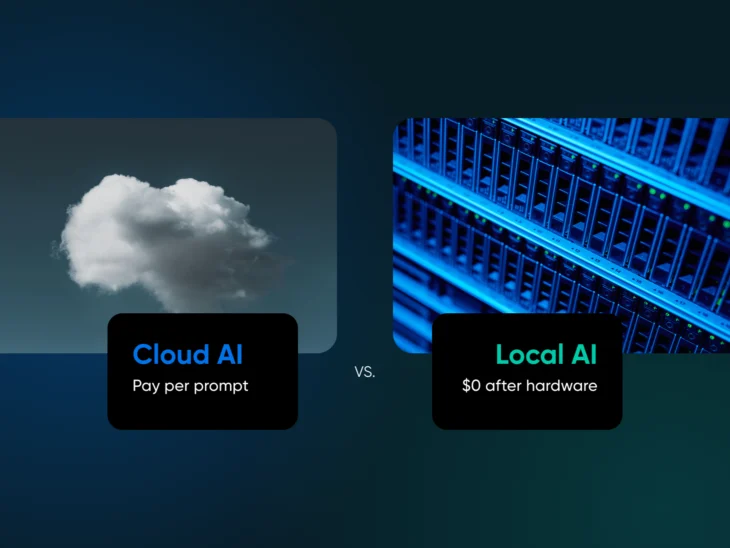
The short answer: Ministral 3 8B is the best self-hosted AI model for 12GB GPUs, OpenAI’s gpt-oss-20b for 16GB, and Qwen3 VL 32B for 24GB+ (all Apache 2.0 licensed and covered below). Licensing matters more than you’d think, because half the “open-source” models people recommend on Reddit would make Richard Stallman’s eye twitch. Llama uses a Community license with strict usage restrictions, and Gemma models through Gemma 3 came with Terms of Use you should absolutely read before shipping anything with them (Gemma 4 moved to Apache 2.0 in April 2026).
The term itself has become meaningless due to overuse, so before we recommend any software, let’s first clarify the definition.
What you actually need are open-weight models. Weights are the downloadable “brains” of the AI. While the training data and methods might remain a trade secret, you get the part that matters: a model that runs entirely on hardware you control.
The AI website builder that turns conversation into designer-level sites. Free with hosting.
Start Free Trial
What is self-hosted AI?
Self-hosted AI means running an AI model on infrastructure you administer — a desktop GPU, a home server, or a rented dedicated server — rather than calling a third-party model API. You download an open-weight model once and run it yourself, with no per-token fees, no rate limits, and prompts and outputs staying within the environment you control.
Here are our top picks at a glance — every model gets a full breakdown below:
| Model | VRAM tier | License | Best for |
| Ministral 3 8B | 12GB | Apache 2.0 | Fast all-purpose chat + images |
| Qwen3 8B | 12GB | Apache 2.0 | Agentic and tool-calling work |
| Llama 3.1 8B Instruct | 12GB | Llama Community | Tutorial and tooling compatibility |
| Qwen3-Coder 30B (MoE) | 12–16GB | Apache 2.0 | Coding |
| Ministral 3 14B | 16GB | Apache 2.0 | Reliable reasoning |
| Phi-4 14B | 16GB | MIT | Worry-free commercial use |
| gpt-oss-20b | 16GB | Apache 2.0 | Reasoning speed |
| Gemma 4 12B | 16GB | Apache 2.0 | Multimodal (text, images, audio) |
| Qwen3 VL 32B | 24GB+ | Apache 2.0 | Vision + language at scale |
| Gemma 4 26B | 24GB+ | Apache 2.0 | Near-frontier generalist |
What’s the difference between open-source, open-weights, and terms-based AI?
“Open” is a spectrum in modern AI that requires careful navigation to avoid legal pitfalls.
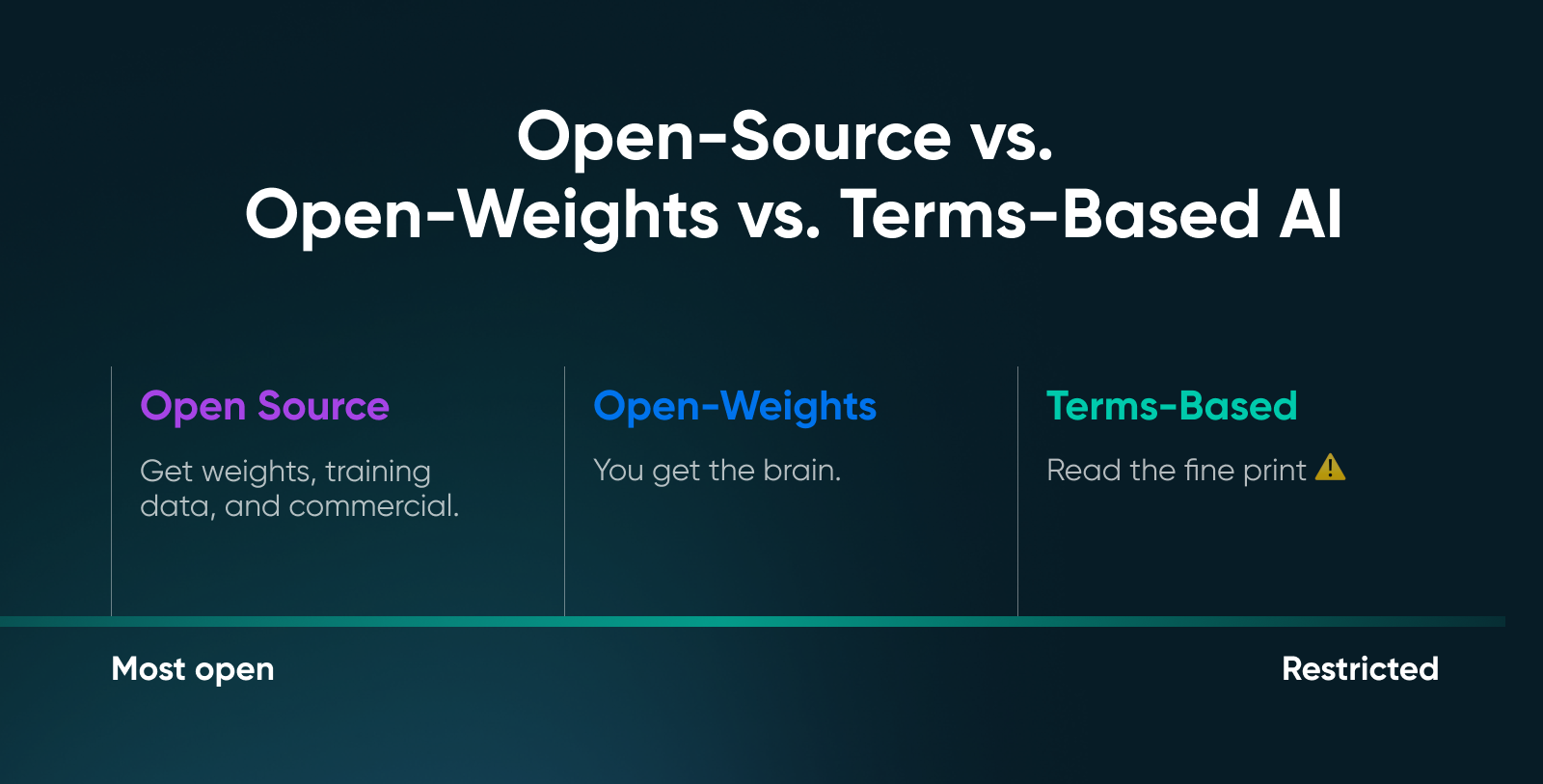
These three categories tell you what you’re actually downloading and what you’re allowed to do with it.
| Category | Definition | Typical Licenses | Commercial Safety |
| Open Source AI (Strict) | Meets the Open Source Initiative (OSI) AI definition; you get the weights, the code, and detailed information about the training data, which is the “preferred form” to modify the model. | OSI-Approved | Absolute; you have total freedom to use, study, modify, and share. |
| Open-Weights | You can download and run the “brain” (weights) locally, but the training data and recipe often remain closed. | Apache 2.0, MIT | High; generally safe for commercial products, fine-tuning, and redistribution. |
| Source-Available/Terms-Based | Weights are downloadable, but specific legal terms strictly dictate how, where, and by whom they can be used. | Llama Community, Gemma Terms (Gemma 3 and earlier) | Restricted; often includes usage thresholds (e.g., >700M users) and acceptable use policies. |
Why does the definition of “open” matter?
Open-weights models entered a more mature phase somewhere around mid-2025. “Open” increasingly means not just downloadable weights, but how much of the system you can inspect, reproduce, and govern.
- Open is a spectrum: In AI, “open” isn’t a yes/no label. Some projects open weights, others open training recipes, and others open evaluations. The more of the stack you can inspect and reproduce, the more open it really is.
- The point of openness is sovereignty: The real value of open-weight models is their control. You can run them where your data lives, tune them to your workflows, and keep operating even when vendors change pricing or policies.
- Open means auditable: Openness doesn’t magically remove bias or hallucinations, but what it does give you is the ability to audit the model and apply your own guardrails.
💡Pro tip: If you’re unsure what category the model you picked falls into, do a quick sanity check. Find the model card on Hugging Face, scroll to the license section, and read it. Apache 2.0 is usually the safest choice for commercial deployment.
How does GPU memory determine which models you can run?
Nobody chooses the “best” model on the market. People choose the model that best fits their VRAM without crashing. The benchmarks are irrelevant if a model requires 48GB of memory and you are running an RTX 4060.
To avoid wasting time on testing impossible recommendations, here are three distinct factors that consume your GPU memory during inference:
- Model weights: This is your baseline cost. An 8-billion parameter model at full precision (FP16) needs roughly 16GB just to load — double the parameters, double the memory.
- Key-value cache: This grows with every word you type. Every token processed allocates memory for “attention,” meaning a model that loads successfully might still crash halfway through a long document if you max out the context window.
- Overhead: Frameworks and CUDA drivers permanently reserve another 0.5GB to 1GB. This is non-negotiable, and that memory is simply gone.
However, if you want to run larger parameter models, look into quantization. Quantizing the weight precision from 16-bit to 4-bit can shrink a model’s footprint by roughly 75% with barely any loss in quality.
The industry standard Q4_K_M (GGUF format) keeps chat and coding quality close to the full-precision original while reducing the memory requirements.
What can you expect from different VRAM configurations?
Your VRAM tier dictates your experience, from fast, simple chatbots to near-frontier reasoning capabilities. This quick table is a realistic look at what you can run.
| GPU VRAM | Comfortable Model Size (Quantized) | What to Expect |
| 8GB | ~3B to 7B parameters | Fast responses, basic coding assistance, and simple chat. |
| 12GB | ~7B to 10B parameters | The “Daily Driver” sweet spot; solid reasoning, good instruction following. |
| 16GB | ~14B to 20B parameters | A noticeable capability jump; better code generation and complex logic. |
| 24GB+ | ~27B to 32B parameters | Near-frontier quality; slower generation, but great for RAG and long documents. |
🤓Nerd note: Context length can blow up memory faster than you expect. A model that runs fine with 4K context might choke at 32K. So, don’t max out context unless you’ve done the math.
No NVIDIA card? The tiers still apply — just read them against your usable memory. On Apple Silicon, the GPU shares unified memory with everything else on the machine (check yours under Apple menu > About This Mac), so budget conservatively: a 16GB Mac lives in the 8GB tier, and a 32GB Mac can work in the 16GB tier. Ollama runs natively on Apple Silicon, and LM Studio splits models between CPU and GPU automatically. AMD GPUs work too: Ollama ships an AMD path on Linux, and the Docker-based stacks covered below include an AMD profile.
The 10 best self-hosted AI models you can run locally
We’re grouping these by VRAM tier because that is what actually matters. Benchmarks come and go, but your GPU’s memory capacity is a physical constant.
If you think in tasks rather than gigabytes, cross-reference this way:
- Coding: Qwen3-Coder 30B (MoE) — the current dedicated coder (#4 below).
- Private document and image analysis: Ministral 3 8B or 14B, Gemma 4 12B, or, at 24GB+, Qwen3 VL 32B; all are multimodal.
- Smart-home and automation tool calling (think Home Assistant): a small, fast tool-caller like Qwen3 4B. At 4-bit quantization that’s only about 2GB of weights (4B × half a byte), so responses stay snappy on hardware that would choke on a reasoning model.
Best self-hosted AI models for 12GB VRAM
For the 12GB tier, you are looking for efficiency. You want models that punch above their weight class.
1. Ministral 3 8B
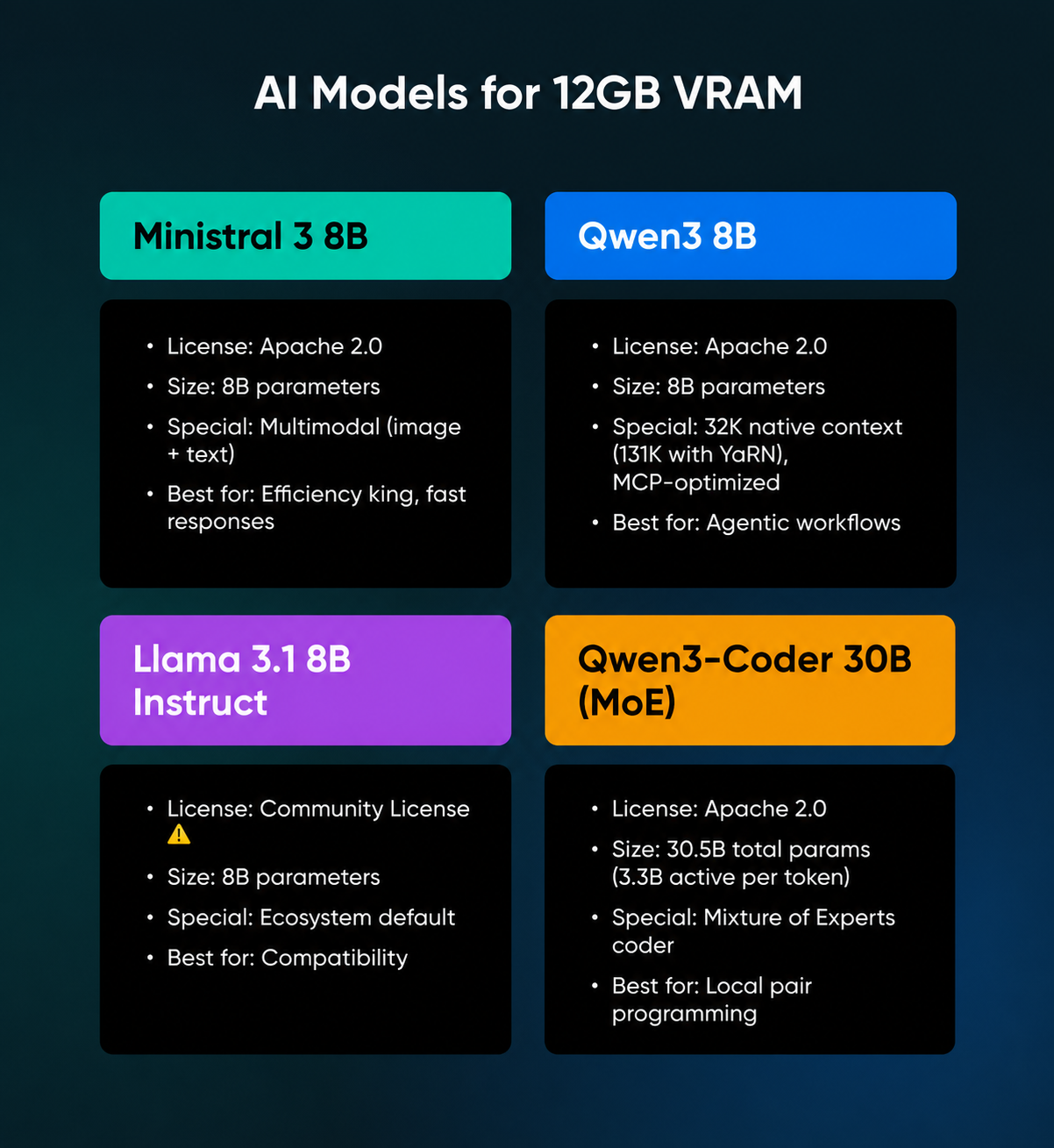
Released in December 2025, this immediately became the model to beat at this size. It’s Apache 2.0 licensed, multimodal (can process images along with text), and optimized for edge deployment. Mistral trained it alongside their larger models, which you will notice in the output quality.
✅Verdict: Ministral is the efficiency pick; its tendency toward shorter, more precise answers makes it the fastest general-purpose model in this class.
2. Qwen3 8B
From Alibaba, this model ships with a genuinely useful trick: hybrid thinking modes. You can instruct it to think through complex problems step-by-step or disable reasoning for quick responses. It has a 32K context window natively (extendable to 131K with YaRN, per Qwen’s model card) and strong tool-calling and MCP (Model Context Protocol) support.
✅Verdict: The most versatile 8B model available, specifically optimized for agentic workflows where the AI needs to handle complex tools or external data.
3. Llama 3.1 8B Instruct
This remains the ecosystem default. Every framework supports it, and every tutorial uses it as an example. However, note the license: Meta’s community agreement is not open-source, and strict usage terms apply.
✅Verdict: The safest bet for compatibility with tutorials and tools, provided you have read the Community License and confirmed your use case complies.
4. Qwen3-Coder 30B (MoE)
This model exists for just one purpose: writing code. It’s the current generation of Qwen’s dedicated coder line (released mid-2025 under Apache 2.0), a Mixture of Experts design with 30.5 billion total parameters but only 3.3 billion active per token. At 4-bit quantization the weights alone take roughly 15GB (30.5B × half a byte), which makes 16GB a tight fit once runtime overhead and KV cache claim their share; pick a smaller quant or offload a few experts if you run long contexts. On 12GB, offloading experts to system RAM works too — generation slows down, but with only 3.3 billion parameters firing per token, it stays usable.
✅Verdict: The current pick for a local pair programmer; use this if you want Copilot-like suggestions without sending proprietary code to the cloud.
Best self-hosted AI models for 16GB VRAM
Moving to 16GB allows you to run models that offer a genuine inflection point in reasoning. These models go beyond simple chat to solve problems.
5. Ministral 3 14B
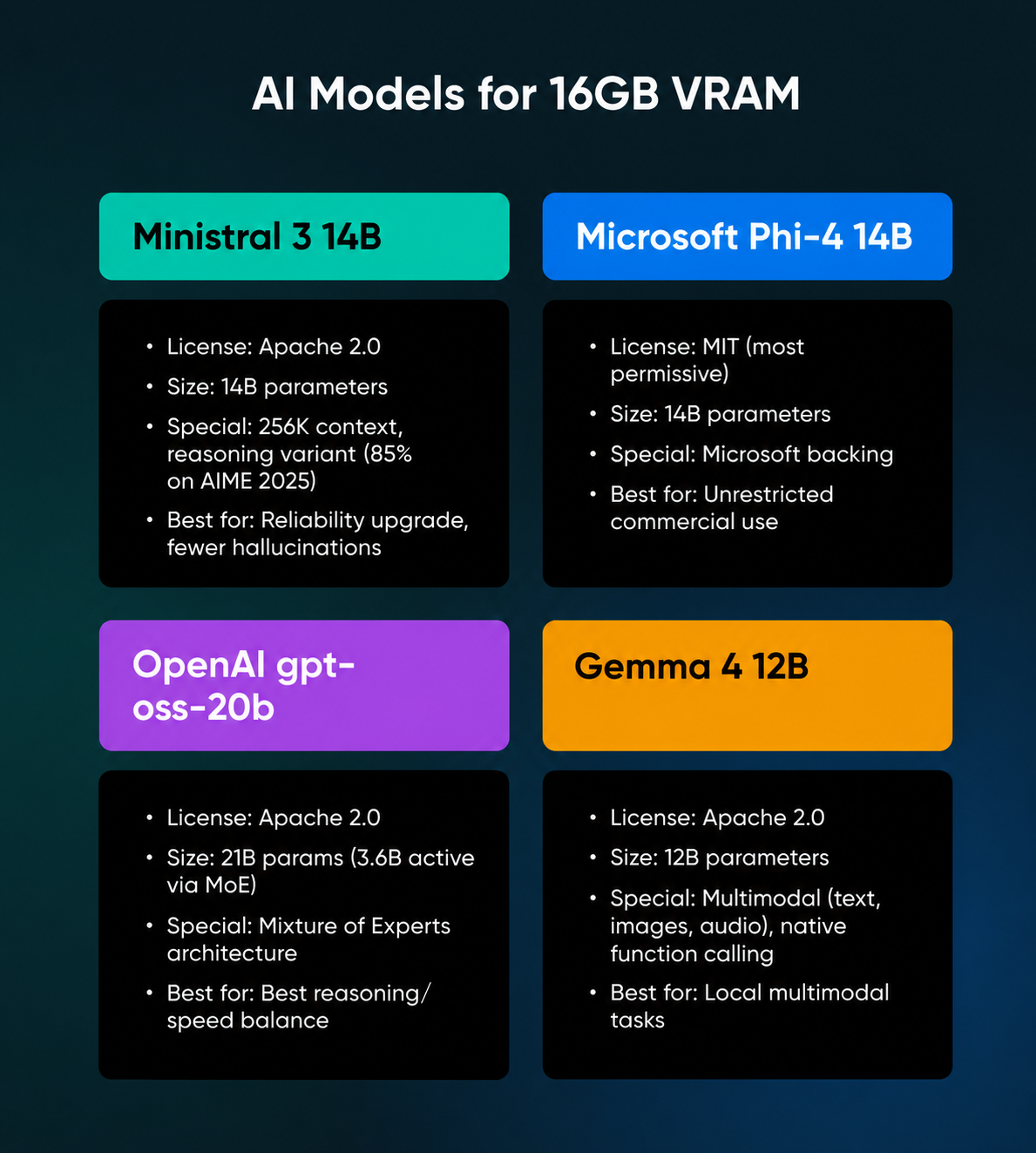
This scales up the architecture of the 8B version with the same focus on efficiency. It offers a 256K context window and a reasoning variant that hits 85% on AIME 2025 (a competition math benchmark).
✅Verdict: A genuine reliability upgrade over the 8B class; the extra VRAM cost pays off significantly in reduced hallucinations and better instruction following.
6. Microsoft Phi-4 14B
Phi-4 ships under the MIT license, the most permissive option available. No usage restrictions whatsoever; it offers strong performance on reasoning tasks and boasts Microsoft’s backing for long-term support.
✅Verdict: The legally safest choice; choose this model if your primary concern is an unrestrictive license for commercial deployment.
7. OpenAI gpt-oss-20b
With gpt-oss (August 2025), OpenAI released its first open-weight language model since GPT-2 in 2019, under an Apache 2.0 license. It uses a Mixture of Experts (MoE) architecture, meaning it has 21 billion parameters but only uses 3.6 billion active parameters per token.
✅Verdict: A clever piece of engineering that delivers the best balance of reasoning capability and inference speed in the 16GB tier.
8. Gemma 4 12B
Google’s Gemma 4 generation (April 2026) finally ships under Apache 2.0, and the 12B “Unified” variant is the multimodal pick for this tier: Google pitches the family’s audio and visual understanding, native function calling, and support for 140 languages, with the 12B–31B sizes optimized for consumer GPUs.
(A note on Llama 4 Scout, which you’ll often see recommended here: despite the “17B” in its name, that’s active parameters. The April 2025 release totals 109 billion parameters, and Meta says it fits “a single H100 GPU” — an 80GB server card rather than a 16GB consumer one.)
✅Verdict: The polished option for local multimodal tasks, allowing you to process documents, receipts, and screenshots securely on your own hardware, under a license you can ship with.
Best self-hosted AI models for 24GB+ VRAM
If you have an RTX 3090 or 4090, you enter the “Power User” tier, where you can run models that approach frontier-class performance.
9. Qwen3 VL 32B
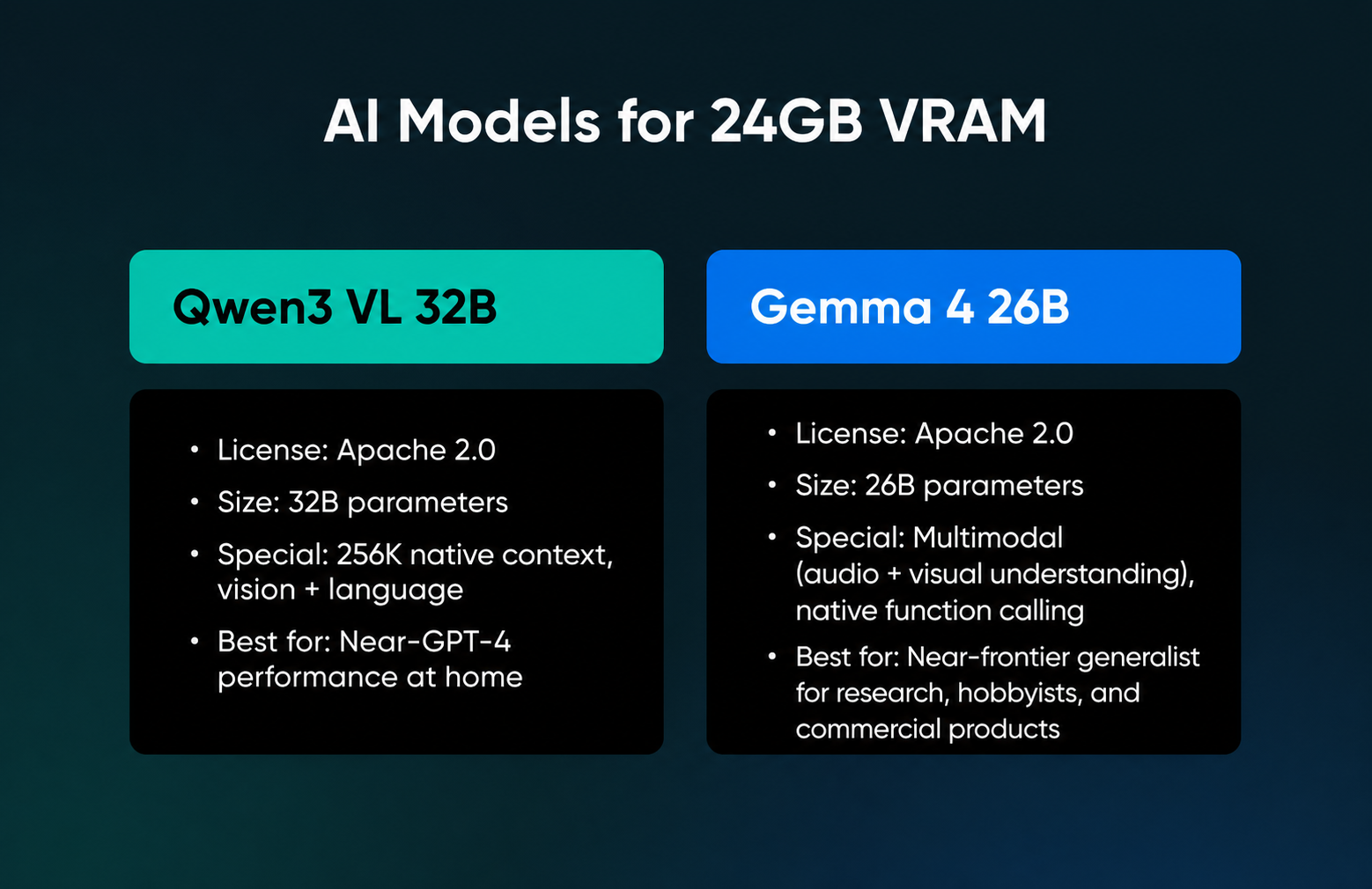
This model targets the 24GB sweet spot specifically. It offers almost everything you’d need: Apache 2.0 licensed, a 256K native context window (per Qwen’s model card), and vision and language in a single model.
✅Verdict: A strong 24GB single-GPU pick for vision and language work, though you’ll need a 4-bit build and conservative context settings to make it fit.
10. Gemma 4 26B
The larger Gemma 4 sizes are Google’s current answer to “frontier intelligence on your own hardware.” Google says quantized versions of the 26B and 31B models run natively on consumer GPUs, and its published benchmarks show the 26B beating the previous-generation Gemma 3 27B across the board. The family is multimodal (featuring audio and visual understanding plus native function calling) and, unlike every Gemma generation before it, Apache 2.0 licensed (as of the April 2, 2026 release).
✅Verdict: A high-performance generalist for researchers, hobbyists, and, now that the license is Apache 2.0, commercial products too.
Bonus: distilled reasoning models
We have to mention models like DeepSeek R1 Distill. These exist at multiple sizes and are derived from larger parent models to “think” (spend more tokens processing) before answering.
Such models are perfect for specific math or logic tasks where accuracy matters more than latency. Licensing is friendlier than you might expect: DeepSeek licenses the R1 series, including distills, under the MIT License, per its model card, though the distills themselves are built on Qwen and Llama bases.
Always read the specific model card before downloading to confirm you are compliant.
What tools should you use to deploy local models?
You have the hardware and the model. Here are three practical ways to run it:
1. Ollama
Ollama is widely considered the standard for “getting it running tonight.” It bundles the engine and model management into a single binary.
- How it works: You install it, type ollama run llama3 or another model name from the library, and you’re chatting in seconds (depending on the model size and your VRAM).
- The killer feature: Simplicity — it abstracts away all the quantization details and file paths, making it the perfect starting point for beginners.
2. LM Studio
LM Studio provides a GUI for people who prefer not to live in terminals. You can visualize your model library and manage configurations without memorizing command-line arguments.
- How it works: You can search for models, download them, configure quantization settings, and run a local API server with a few clicks.
- The killer feature: Automatic hardware offloading; it handles integrated GPUs surprisingly well. If you are on a laptop with a modest dedicated GPU or Apple Silicon, LM Studio detects your hardware and automatically splits the model between your CPU and GPU.
3. llama.cpp Server
If you want the raw power of open-source without any “walled garden,” you can run llama.cpp directly using its built-in server mode. This is often preferred by power users because it eliminates the middleman.
- How it works: You download the llama-server binary, point it at your model file, and it spins up a local web server that’s lightweight and has zero unnecessary dependencies.
- The killer feature: Native OpenAI compatibility; with a simple command, you instantly get an OpenAI-compatible API endpoint. You can plug this directly into dictation apps, VS Code extensions, or any tool built for ChatGPT, and it just works.
How do you build a complete self-hosted AI stack?
A model runner is just the engine. A complete self-hosted AI stack adds a vector database for retrieval and a workflow layer for automation, usually wired together with Docker Compose. That’s the difference between “I can chat with a model” and “my documents, automations, and agents all run privately on my hardware.”
Three layers cover most private RAG and agent setups:
- Runtime: Ollama or llama.cpp serving your model behind an OpenAI-compatible API (covered above).
- Vector database: An open-source store like Qdrant holds embeddings of your documents so the model can search and cite them, which forms the backbone of private RAG.
- Workflow layer: A low-code tool like n8n (plus PostgreSQL for state) turns the pieces into pipelines. One practical pattern: a watched folder that embeds every new document into Qdrant, so the model can answer questions about a contract minutes after you save it.
You don’t have to assemble this by hand. n8n’s Self-hosted AI Starter Kit is an open-source Docker Compose template that bundles n8n, Ollama, Qdrant, and PostgreSQL in one command, with install paths for NVIDIA GPUs, AMD GPUs on Linux, Apple Silicon, and plain CPUs.
When should you move from local hardware to cloud infrastructure?
Local deployment has limits, and knowing them saves you time and money.
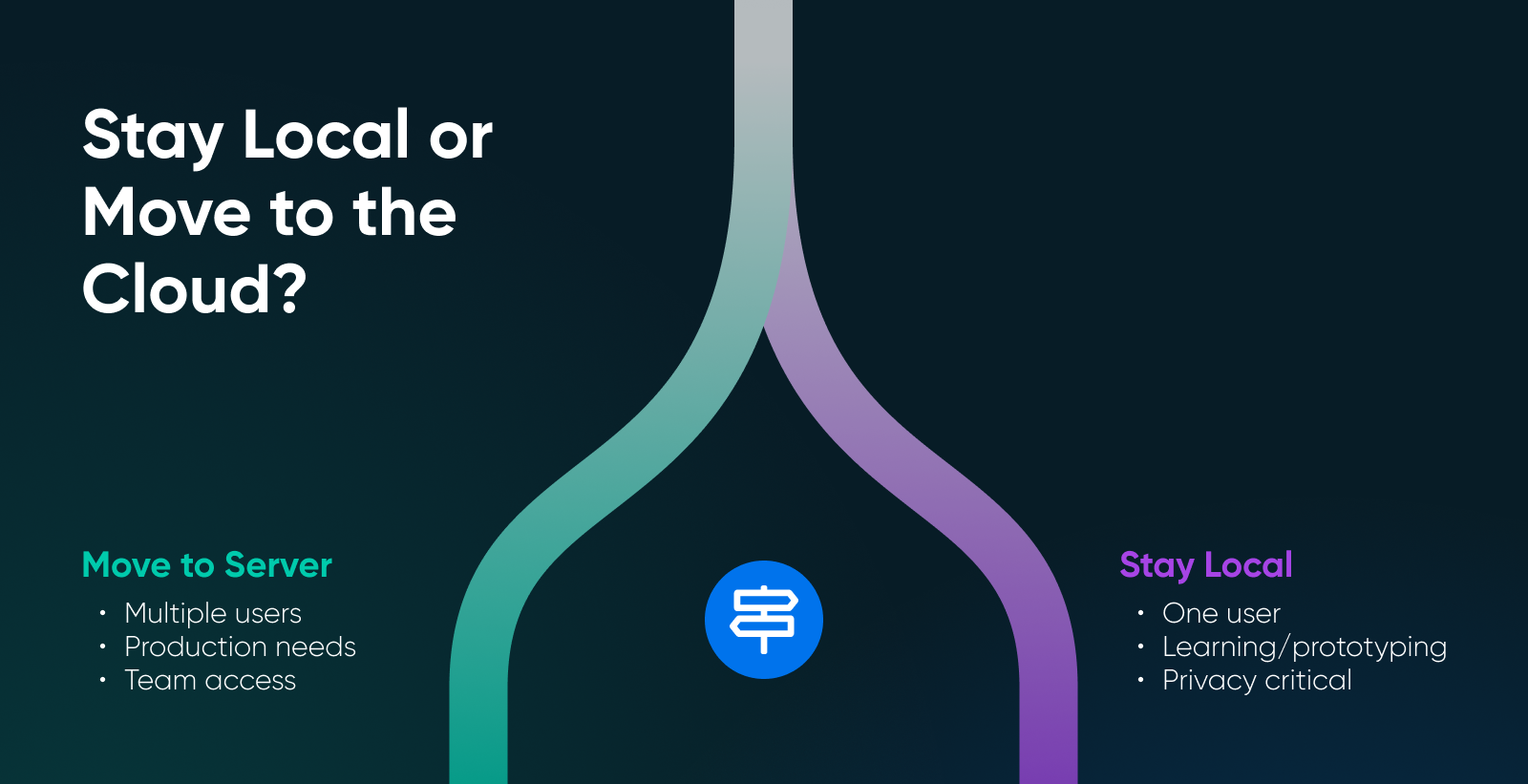
Single-user workloads run great locally, because it’s you and your laptop against the world. Privacy’s absolute, latency’s low, and your cost is zero after hardware. However, multi-user scenarios get complicated fast.
💰Reality check: do the break-even math before buying a GPU for savings alone. Hosted inference is cheap at low volume — Mistral prices Ministral 3 14B at $0.20 per million tokens on its API (Mistral model card, December 2025), so even a heavy solo user burning 1 million tokens a day spends about $6 a month at per-token rates. A multi-hundred-dollar GPU takes years to pay for itself against that. The math flips when you’re replacing a chatbot subscription (typically around $20/month), running sustained daily workloads, or when privacy is the actual point. Electricity stays a small line item: a GPU drawing 350W for 2 hours a day adds about 21 kWh a month.
Two people querying the same model might work; 10 people will not. GPU memory doesn’t multiply when you add users. Concurrent requests queue up, latency spikes, and everyone gets frustrated. Furthermore, long context plus speed creates impossible tradeoffs. KV cache scales linearly with context length — processing 100K tokens of context eats VRAM that could be running inference.
If you need to build a production service, the tooling changes:
- vLLM: Provides high-throughput inference with OpenAI-compatible APIs, production-grade serving, and optimizations consumer tools skip (like PagedAttention).
- SGLang: Focuses on structured generation and constrained outputs, essential for applications that must output valid JSON.
These tools expect server-grade infrastructure, and production inference generally needs a GPU-equipped server, so confirm the GPU spec before you rent anything. DreamHost’s dedicated servers are built around CPU, RAM, and SSD configurations, which suits the orchestration layer (n8n, Qdrant, PostgreSQL) and smaller CPU-friendly quantized models. Either way, renting a server beats exposing your home network to the internet.
Here’s a quick way to decide:
- Run local: If your goal is one user, privacy, and learning.
- Rent infrastructure: If your goal is a service + concurrency + reliability.
Start building your self-hosted LLM lab today
You run models at home because you want zero latency, zero API bills, and total data privacy. But your GPU becomes the physical boundary. So, if you try to force a 32B model into 12GB of VRAM, your system will crawl or crash.
Instead, use your local machine to prototype, fine-tune your prompts, and vet model behavior.
Once you need to share that model with a team or guarantee it stays online while you sleep, stop fighting your hardware and move the workload to a dedicated server designed for 24/7 uptime.
You keep the control that made local hosting appealing: DreamHost Dedicated hosting comes with full root and shell access, so you decide what runs on the server and what gets logged. And you also skip the upfront hardware costs and setup.
Here are your next steps:
- Audit your VRAM: Open your task manager or run nvidia-smi (on a Mac, check your unified memory under About This Mac). That number determines your model list. Everything else is secondary.
- Test a 7B model: Download Ollama or LM Studio. Run Qwen3 or Ministral at 4-bit quantization to establish your performance baseline.
- Identify your bottleneck: If your context windows are hitting memory limits or your fan sounds like a jet engine, evaluate if you’ve outgrown local hosting. High-concurrency tasks belong on dedicated servers, and you may just need to make the switch.

Ultimate in Power, Security, and Control
Dedicated servers from DreamHost use the best hardware and software available to ensure your site is always up, and always fast.
See MoreFrequently asked questions about self-hosted AI models
Can I run an LLM on 8GB VRAM?
Yes. Qwen3 4B, Ministral 3B, and other sub-7B models run comfortably. Quantize to Q4 and keep context windows reasonable. Performance won’t match larger models, but functional local AI is absolutely possible on entry-level GPUs.
What model should I use for 12GB?
Ministral 8B is the efficiency winner. And if you’re doing heavy agentic work or tool-use, Qwen3 8B has strong tool-calling and Model Context Protocol (MCP) support, making it the go-to in this weight class.
What is the best local AI model?
For most people, Ministral 3 8B: Apache 2.0 licensed, multimodal, and fast on a 12GB GPU. Coders should look at Qwen3-Coder 30B (MoE), and anyone with a 24GB+ card should try Qwen3 VL 32B for near-frontier quality.
When should I use hosted inference instead of local?
When the model doesn’t fit in your VRAM, even when quantized — when you need to serve multiple concurrent users, when context requirements exceed what your GPU can handle, or when you need service-grade reliability with SLOs and support.