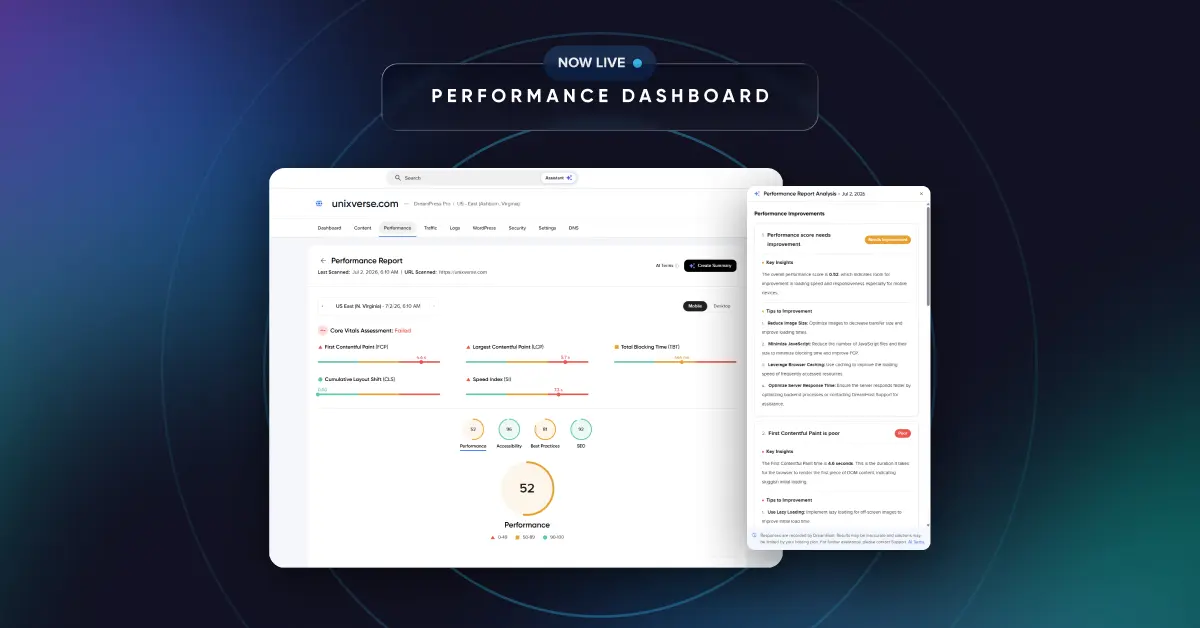





Your visitors don’t always experience your website the same way you do.
The new Performance Dashboard, now available for customers on Web Hosting, Managed VPS, DreamPress, and Dedicated Server plans, helps you see your site the way they do. Built directly into Manage Websites, it brings performance testing and AI-powered guidance together in one place, so you can understand your results, prioritize improvements, and track your progress over time.
See Your Site Through Your Visitors’ Eyes
The Performance Dashboard measures four key areas that shape how visitors experience your site:
- Performance: how fast your site loads and responds
- Accessibility: how usable it is for every visitor
- Best Practices: whether your site follows modern web standards
- SEO: how well search engines can find and understand your site
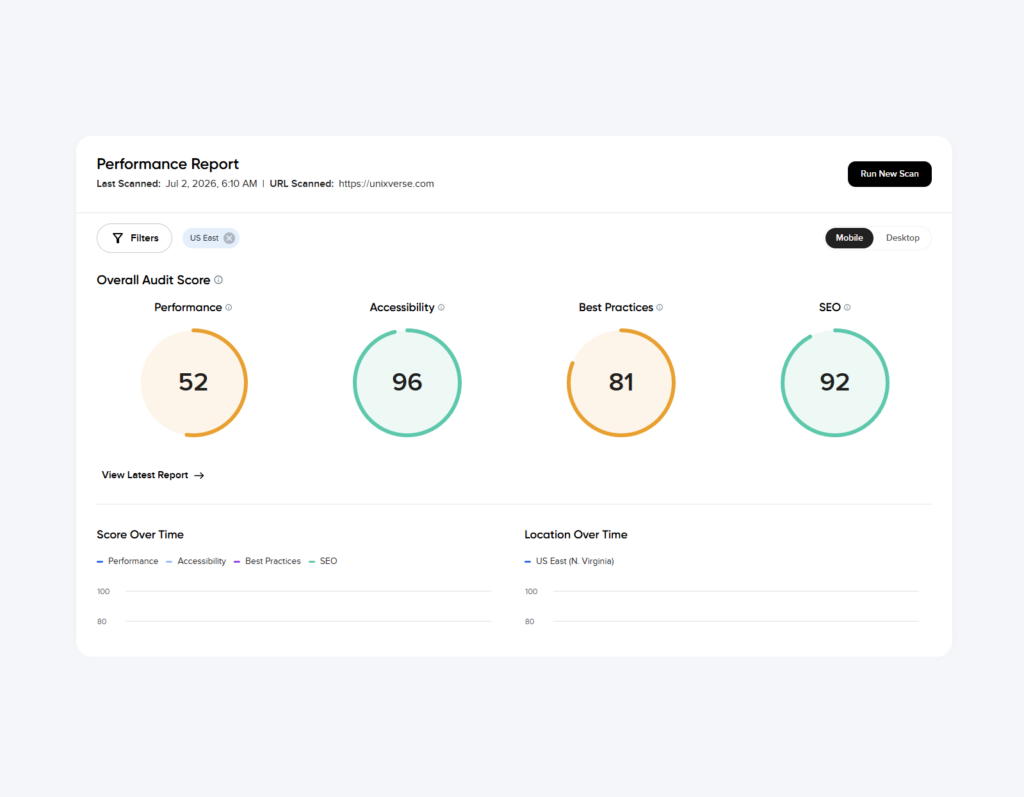
You’ll also see Core Web Vitals, Google’s measure of real-world page experience, so you’re viewing your site much the way your visitors and search engines do.
Run a scan whenever you want, compare it with previous reports, and track changes over time. You can also test your site from multiple regions, including US West, US East, and Asia Pacific, to spot issues that may only affect visitors in certain parts of the world. More testing locations are on the way.
Every scan is saved to your report history, making it easy to see whether the changes you made last week are improving your site’s performance today.
Your Scores, Explained: Meet the DreamHost Assistant
Performance data is only useful if you know what it means and what to do next. That’s where the DreamHost Assistant comes in.
Create an AI-powered summary with actionable guidance that explains your report in plain language and helps you prioritize what to tackle first.
You can:
- Ask what any metric means and get a straightforward explanation.
- Get a summary of your entire report in seconds.
- Receive guidance on which improvements to prioritize.
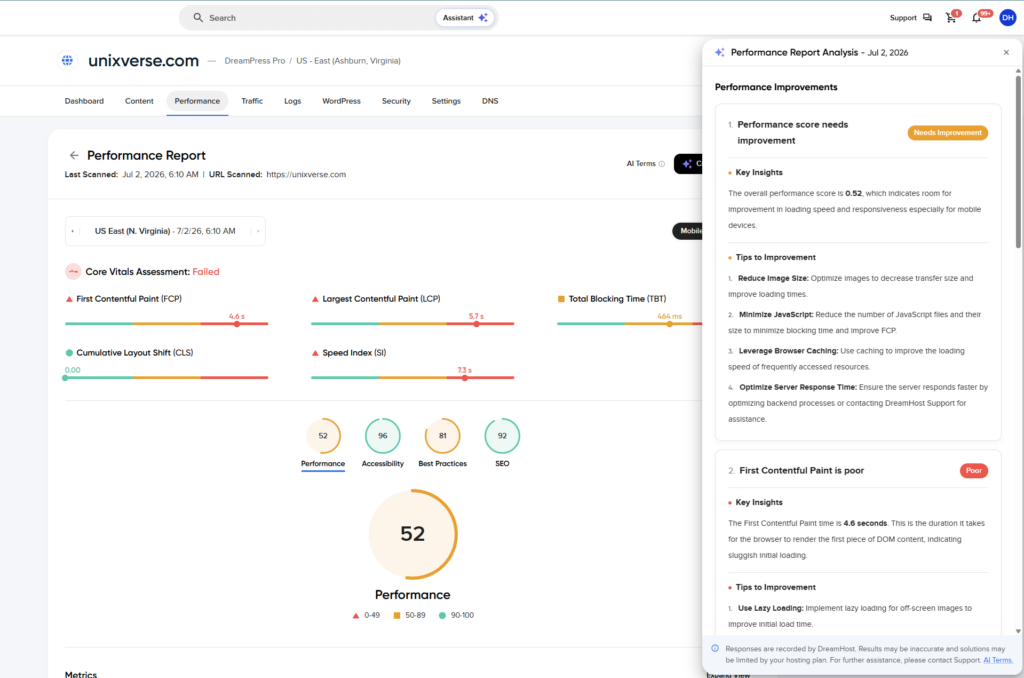
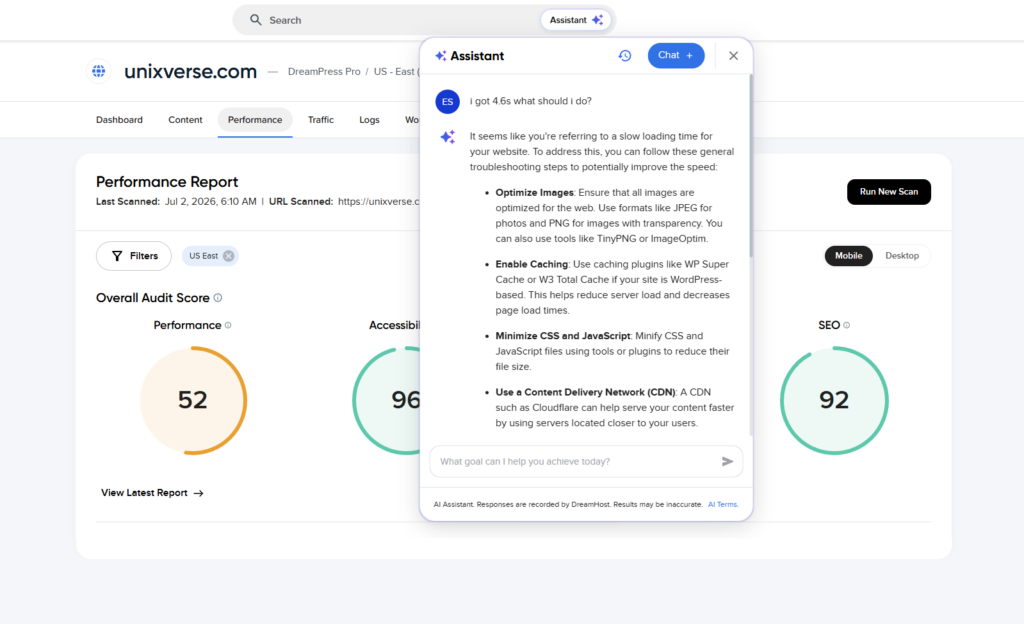
When the DreamHost Assistant identifies an issue, it surfaces recommendations with helpful context: what’s affecting your score and which fixes are likely to have the biggest impact.
Whether you’re managing your first website or fiftieth, the DreamHost Assistant helps turn technical reports into practical next steps.
Performance Monitoring, Built In
Your hosting plan determines how scans work:
- Web Hosting: Run performance scans on demand whenever you want a fresh report.
- Managed VPS, DreamPress, and Dedicated Server: Run manual scans anytime, with automatic weekly scans that keep your performance history up to date.
How to Get Started
Checking your site’s performance only takes a few clicks.
- Log in to your DreamHost panel.
- Go to Manage Websites.
- Select the website you want to check.
- Open the Performance Dashboard and run your first scan.
Your first report is only a couple of clicks away.
Included with Your Hosting Plan
The Performance Dashboard is included across our hosting plans, from Web Hosting through Dedicated Server, at no additional cost.
Performance testing, report history, and AI-powered guidance all live in one place, built directly into your DreamHost panel. Whether you’re troubleshooting a slow page, checking the impact of a recent update, or simply keeping an eye on your site’s performance, you’ll have the insights you need to make informed decisions.
If you’re not already hosting with DreamHost, the Performance Dashboard is available from day one. There’s no extra software, plugins, or add-ons required.