
The same word can mean different things in different places. “Cool” can describe a temperature or a shrug of agreement, depending on who says it and where. That’s semantics: how context gives words their meaning.
HTML has semantics, too. Some tags tell a browser exactly what kind of content they hold. Others say nothing at all. The difference matters more than most beginners expect: it shapes how screen readers, search engines, and AI systems understand your pages.
What Is Semantic HTML?
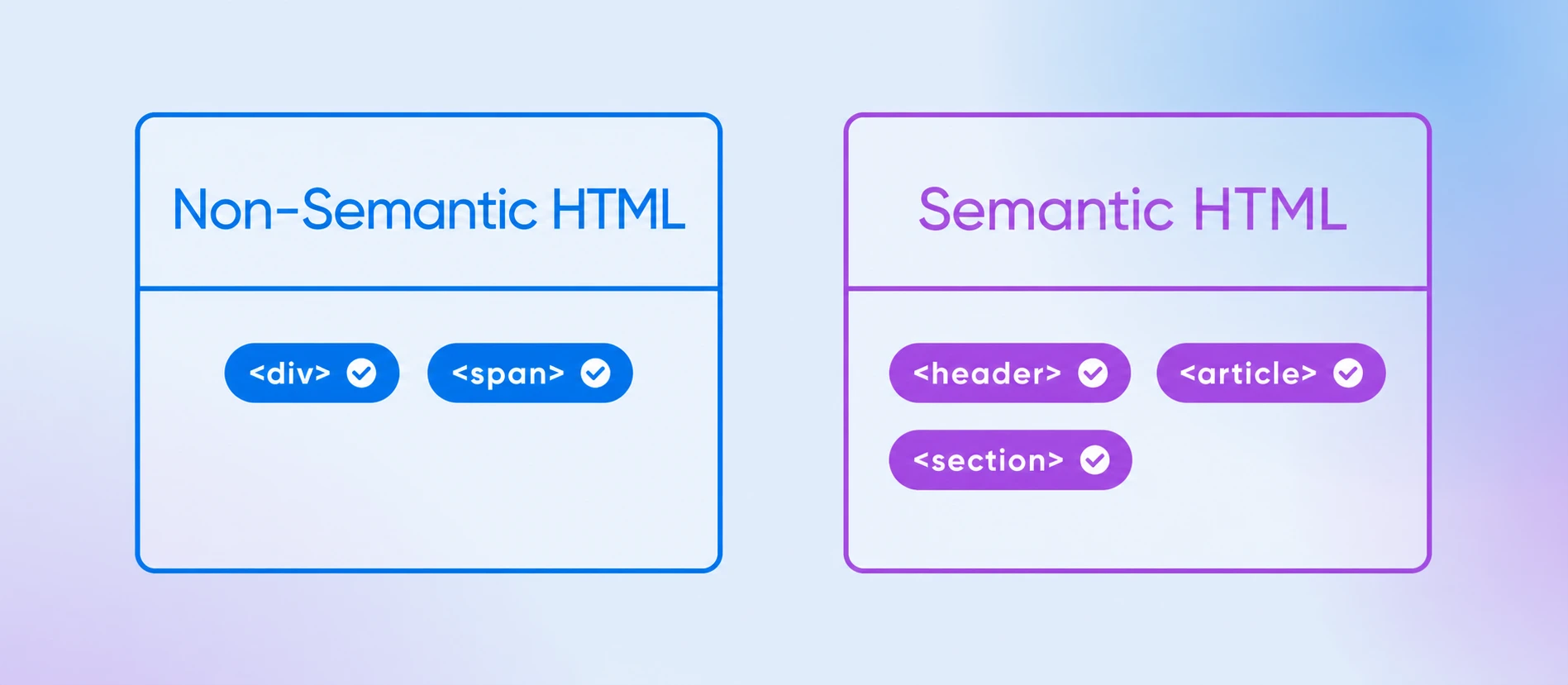
Semantic HTML is the practice of using HTML elements that describe the meaning of their content (like <article>, <nav>, and <footer>) instead of generic containers like <div> and <span>. Semantic tags tell browsers, search engines, screen readers, and AI systems what each part of a page actually is.
Semantic Markup
Semantic markup is a process of structuring HTML to emphasize the content’s meaning, rather than its appearance. This makes it easier for search engines and real users to understand the content.
A <div> is just a box. It renders fine, but nothing about it says “this is the navigation” or “this is the main article.” A semantic element carries that meaning in its name, so anything reading your page knows what it’s looking at without guessing. The reverse is just as true: CSS can style a <span> to look exactly like a page’s top-level heading, but to a screen reader or search engine it’s still meaningless inline text. Meaning belongs in your HTML; appearance belongs in your CSS.
If you’re brand new to HTML, start with our guide to learning HTML and come back — this article builds on the basics.
Is It “HTML5” or Just HTML?
Both, but “HTML” is the current name. HTML5 was the 2014 version of the language that introduced most of the semantic elements in this guide. Since then, HTML has become a “Living Standard” maintained by WHATWG: one continuously updated specification with no version numbers. That means there’s no “HTML6” on the way — the language just keeps evolving in place.
You’ll still see the phrase “HTML5 semantic elements” everywhere, and it’s not wrong — that’s the version that introduced <article>, <section>, <nav>, and friends. Just know that today they’re simply part of HTML, and browsers keep gaining support as the standard evolves.
Semantic HTML Tags (HTML5 Elements): The Essential List
Here are the semantic elements you’ll use most, and what each one is for:
| Tag | What it means | Use it for |
<article> | A self-contained piece of content that would make sense on its own | Blog posts, news stories, product cards, comments |
<section> | A thematic grouping of content, usually with its own heading | Chapters of a page: features, testimonials, pricing |
<header> | Introductory content for a page or section | Logos, site titles, taglines, top navigation areas |
<footer> | Closing content for a page or section | Copyright lines, contact details, related links |
<nav> | A block of navigation links | Menus, tables of contents, breadcrumbs |
<main> | The dominant content of the page — use only one visible per page | The article body, the product page content, the app’s working area |
<aside> | Content related to, but separate from, the main content | Sidebars, pull quotes, “related posts” boxes |
<figure> | Self-contained media referenced by the content | Images, diagrams, charts, code snippets |
<figcaption> | A caption for its parent <figure> | Image credits, chart explanations |
<details> | A widget the visitor can open and close | FAQ answers, spoilers, advanced options |
<summary> | The always-visible label for a <details> widget | The question line of a collapsible FAQ |
<time> | A date or time, with a machine-readable format | Publish dates, event times, opening hours |
<mark> | Text highlighted for relevance | Search-term matches, key phrases |
<address> | Contact information for a page or article | Author contact blocks, the page owner’s contact details (not just any street address in prose) |
<hgroup> | A heading grouped with a subtitle or tagline paragraph | A title plus the paragraph right under it |
Plenty of older elements are semantic, too. <table> means tabular data, <form> means user input, <h1> through <h6> mean headings in order of rank, with <h1> the top level. Those predate HTML5, but they follow the same principle: the tag’s name tells you what its content is.
Semantic vs. Non-Semantic HTML: A Before-and-After Example
The fastest way to understand semantic HTML is to see the same page written both ways. Here’s a simple blog layout built entirely from <div> elements — often called “div soup”:
<div class="header">
  <div class="nav">...</div>
</div>
<div class="content">
  <div class="post">
    <div class="post-title">My First Post</div>
    <div class="post-date">July 7, 2026</div>
    <div class="post-body">...</div>
  </div>
  <div class="sidebar">...</div>
</div>
<div class="footer">...</div>
It works. It renders. But every element is an anonymous box: a machine reading this page learns nothing about what any part of it means. Now the same layout with semantic elements:
<header>
  <nav>...</nav>
</header>
<main>
  <article>
    <h1>My First Post</h1>
    <p>Published <time datetime="2026-07-07">July 7, 2026</time></p>
    <p>...</p>
  </article>
  <aside>...</aside>
</main>
<footer>...</footer>
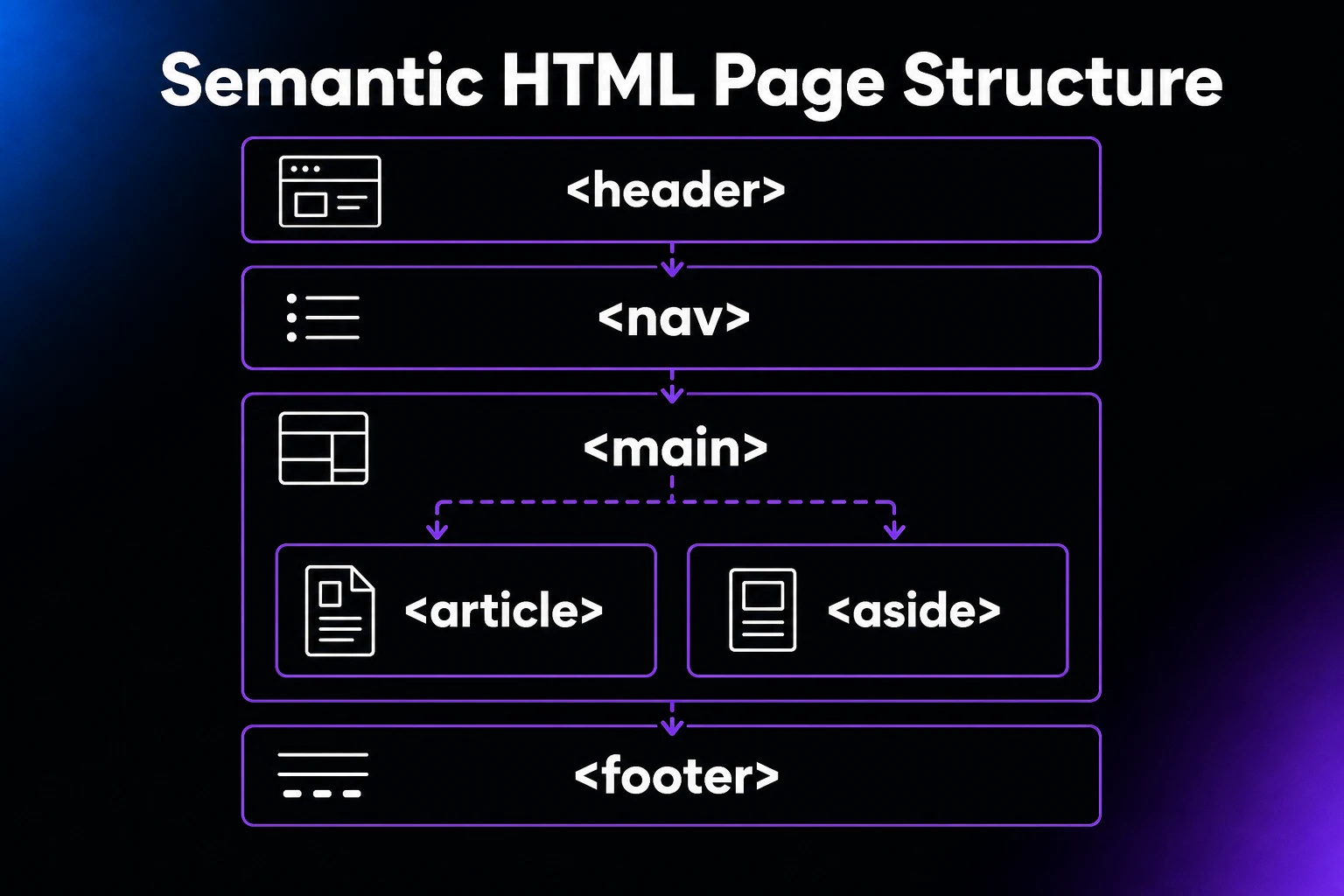
Same page, same look. But now the structure explains itself. A screen reader can jump straight to <main> or list the links in <nav>. A search engine knows the <article> is the content that matters and can read the publish date from <time>. And the next developer who opens the file understands it at a glance.
Retrofitting an existing site? You can make this swap safely. Semantic elements render just like <div>s by default (plain, unstyled boxes), so exchanging tags won’t change your layout by itself. The catch is CSS: a selector like div.header stops matching once the element becomes <header>, so keep your class names on the new elements or update selectors as you swap. And migrate template by template — you don’t have to convert the whole site in one sitting.
Why Semantic HTML Matters
Semantic HTML pays off in three big ways: accessibility, search visibility, and maintainability.
Accessibility
Screen readers navigate pages by landmarks: the regions that semantic elements create. A user can jump directly to the navigation, the main content, or the footer instead of listening to the whole page in order. Build your page from anonymous <div> boxes and those shortcuts disappear.
Those landmarks come from the implicit ARIA roles that semantic elements carry automatically:
<nav>maps to thenavigationrole<main>maps to themainrole<aside>maps to thecomplementaryrole<header>maps to thebannerrole, but only at the top level of the page<footer>maps to thecontentinforole, again only at the top level
Nesting changes the role: a <header> inside an <article> is that article’s header, not a page landmark. To see exactly what assistive technology receives, open your browser’s dev tools and inspect the accessibility tree — in Chrome it’s the Accessibility pane of the Elements panel; in Firefox it’s the dedicated Accessibility tab.
The web has a long way to go here: per WebAIM’s 2026 Million report, 95.9% of the top one million home pages had detected WCAG 2 failures. Semantic structure is one of the simplest, cheapest ways to be part of the fix. For inspiration, see our roundup of great web accessibility examples.
SEO and AI Visibility
Search engines parse your page’s structure to understand what it’s about and which parts matter. Semantic elements make that job easier: <main> and <article> point crawlers at your primary content, <nav> and <footer> help them tell the main content apart from repeated page furniture like menus and footers, and <time> gives them machine-readable dates. Clean semantics won’t rank a page by itself, but it removes guesswork from how your content gets indexed. It’s also a foundation for the rest of your SEO work. And if you want that work turned into a guided, step-by-step checklist for your site, that’s what the DreamHost SEO Toolkit is for.
The same logic now applies to AI. Tools like ChatGPT, Claude, and Google’s AI Overviews extract answers from web pages, and clearly structured markup makes your content easier to parse, quote, and cite correctly.
Maintainability and Future-Proofing
Semantic markup is self-documenting. Six months from now, <aside class="promo"> tells you far more than <div class="box3">. And because semantic elements are part of the HTML Living Standard, browsers will keep supporting and improving them, so your structure stays valid for years without rewrites.
Semantic HTML Tips and Best Practices
Five habits will get you most of the value:
1. Use the Right Tag for the Job
Before you reach for a <div>, ask whether a semantic element already describes what you’re building. Standalone piece of content? <article>. Group of navigation links? <nav>. A <div> is fine when nothing else fits — it’s the generic container of last resort, not the default.
2. Avoid Over-Nesting
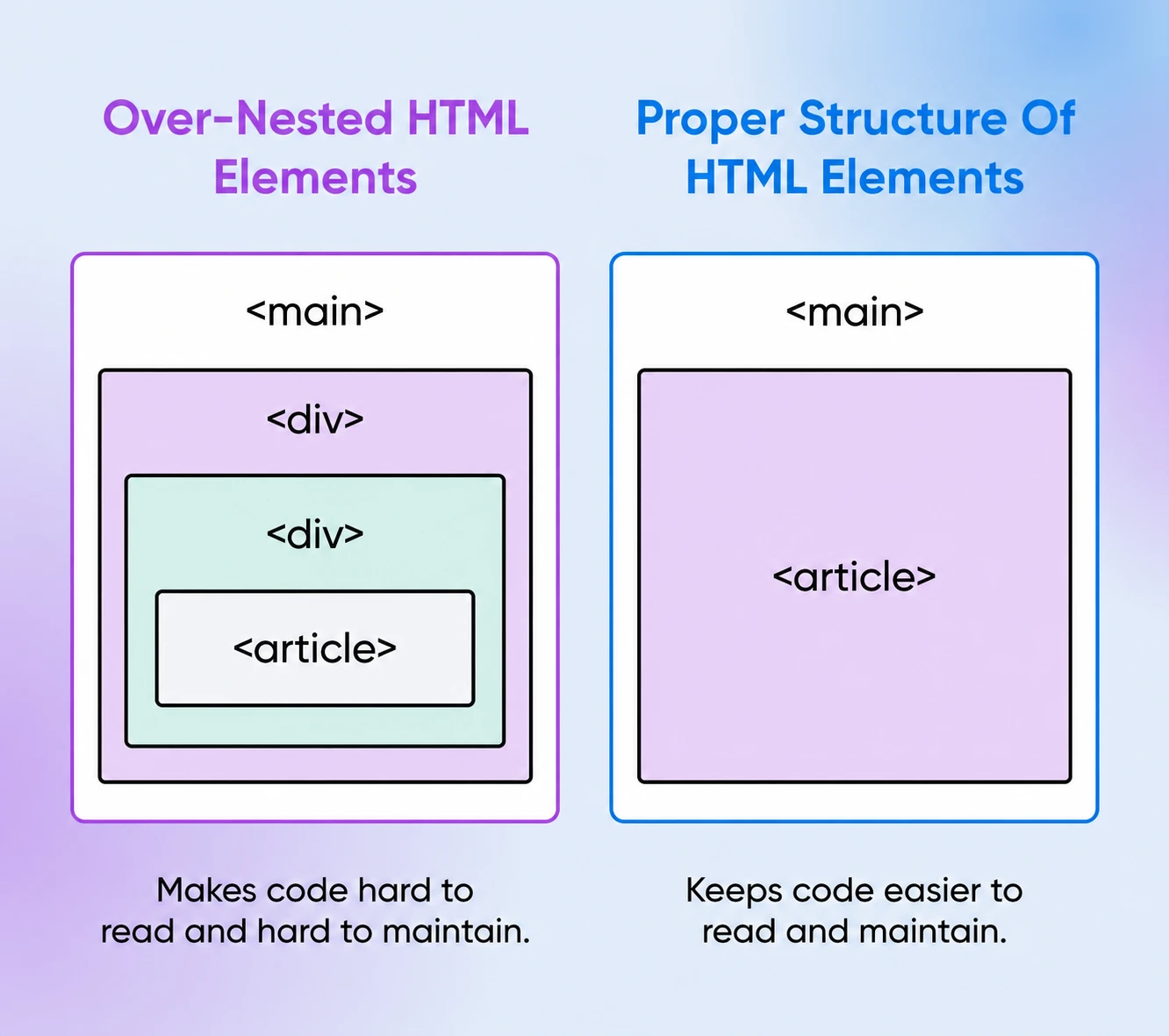
Keep your structure as flat as the design allows. Wrappers inside wrappers inside wrappers make code hard to read and hard to maintain, and they usually signal that styling problems are being solved with markup instead of CSS.
3. Be Consistent Across Your Site
If blog posts are <article> on one page, they should be <article> everywhere. Consistent structure makes templates easier to maintain and gives assistive technology a predictable map of your site.
4. Let Native Elements Do the Accessibility Work
Native semantic elements come with accessibility behavior built in, so use them before reaching for ARIA (Accessible Rich Internet Applications) attributes. A <nav> element doesn’t need role="navigation" bolted on. Add descriptive alt text to images and meaningful link text, then check your work with testing tools like WAVE, axe, or Lighthouse.
5. Audit the Markup Your Tools Generate
Most sites aren’t hand-coded. A WordPress theme, a page builder, or a JavaScript framework writes the HTML for you, and the output is often div soup. You still have more control than you’d think. Start by checking what actually ships: right-click your live page, view the source (or open the dev tools Elements panel), and look for <main>, <nav>, and <article> where they belong.
Then improve what you can. In WordPress, choose a theme that outputs semantic structure (inspect a demo page before committing), or fix templates in a child theme. In page builders, look for the container setting usually labeled “HTML tag” and set your menu wrapper to <nav> and your content column to <main> instead of the default <div>. In React, Vue, and friends, components render whatever you write, so bake the right element into each component once (like <article> for a card or <nav> for a menu) and every page that uses it inherits the fix. Re-run WAVE or Lighthouse afterward to confirm the landmarks show up.
Semantic HTML FAQs
What’s the difference between semantic and non-semantic HTML?
Semantic elements describe their content’s meaning (<article>, <nav>, <footer>); non-semantic elements are generic containers that say nothing about what’s inside (<div>, <span>). Both render the same content, but only one explains it.
Is <div> a semantic element?
No. A <div> carries no meaning — it’s a generic box for grouping and styling. That doesn’t make it bad; it makes it a last resort. Use it when no semantic element fits what you’re building.
Does semantic HTML help SEO?
It helps search engines understand and index your content accurately, which supports your SEO, but it isn’t a magic ranking switch. Think of it as removing friction: clear structure makes your content easier to crawl, interpret, and feature.
What are the most commonly used semantic HTML elements?
The structural workhorses: <header>, <nav>, <main>, <article>, <section>, <aside>, and <footer>. Learn those seven and you can structure almost any page semantically.
What is a semantic structure in HTML?
A semantic structure is a page outline built from meaningful elements: <header> up top, <nav> for menus, one <main> wrapping the primary content, <article> and <section> organizing it, and <footer> at the bottom. Machines read that outline straight from the tags.
Build Your Semantically Structured, Accessible Website With DreamHost
Semantic HTML makes your site easier to understand for every reader: human, crawler, or AI. The markup only gets seen when your site is up, though, and that part is the host’s job.
DreamHost web hosting comes with a 100% uptime guarantee, unmetered bandwidth, and 24/7 expert support, so your well-structured pages are always there when visitors (and search engines) come looking.