
Quick gut check: when someone asks to see your work, do you have a link ready to send? A portfolio website is a curated site that shows your best work, explains how you think, and makes it easy for a client or employer to hire you. If you create anything — websites, brands, digital products, or art you can hold — it gives prospective clients and employers a direct way to judge your work.
A strong portfolio sets you apart from other designers, builds your personal brand, and highlights your style, past successes, and design process: the things a bulleted skills list on a resume can’t show.
And as a bonus?
It gives you something you can show your grandma at Thanksgiving who still doesn’t quite understand what you do all day.
However, self-promotion is seldom simple. That’s where this guide comes in: 12 portfolio website examples worth studying, the six elements every design portfolio needs, and the tools to build your own, no code required.
12 Creative, Effective Portfolio Website Examples
Whether you’re launching yourself into the world of design as a freelancing solopreneur, small agency founder, or even side-hustler, this collection of digital design portfolios will help you gather inspiration for a site that’s polished, but far from pedestrian. We rechecked every site in August 2026. Two of our original picks have since gone offline, and we kept them anyway: their lessons still hold, and a portfolio going stale is its own cautionary tale.
Great Web Design Portfolios
If you design websites and other digital experiences, you know the field is crowded. These standout design portfolios broke through the noise for us. Follow their lead to create a similarly strong impression.
1. Christina Kosik
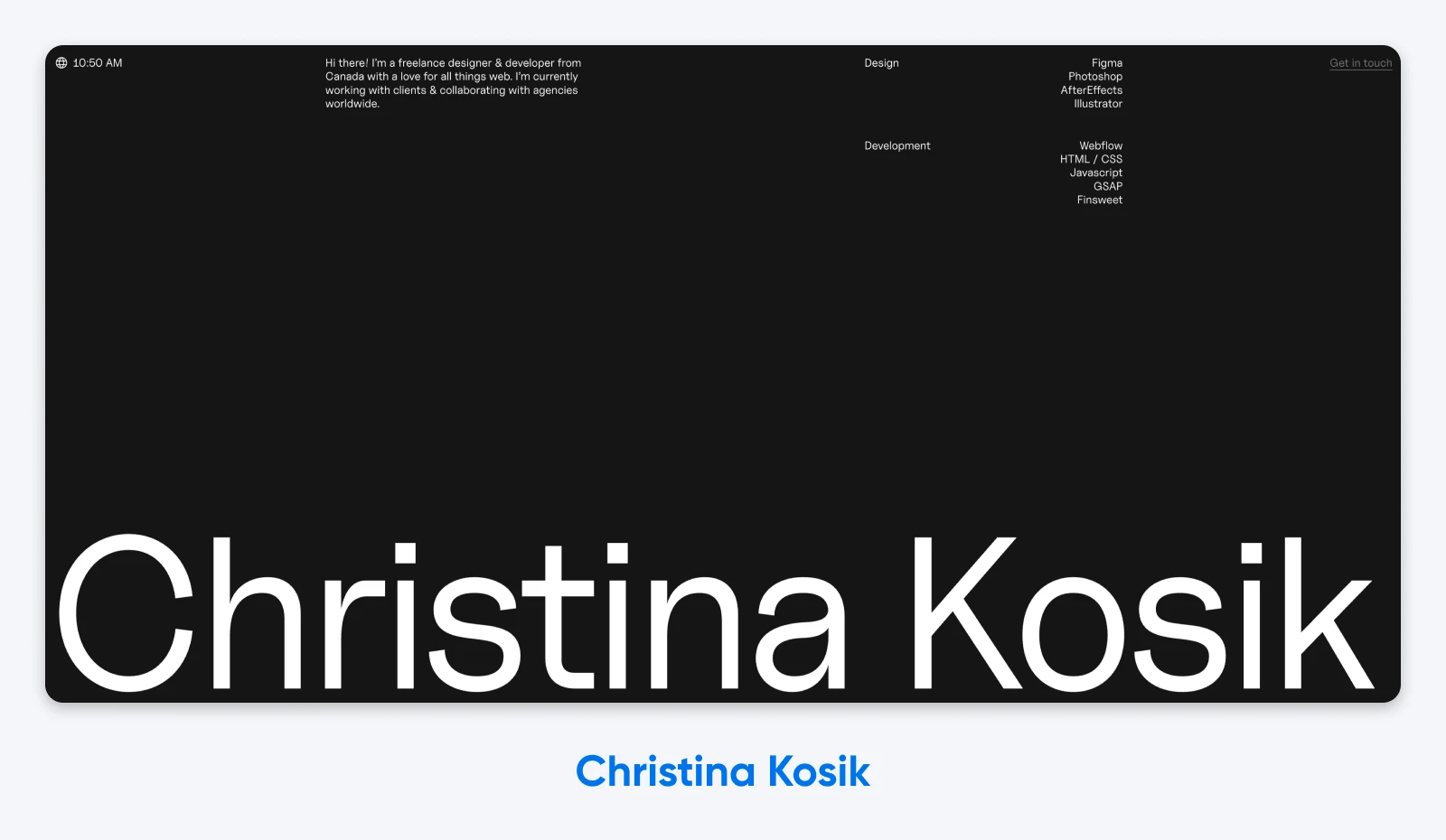
Why it works: Designer and Webflow developer Christina Kosik’s website is simple, minimal, and puts the most important information for clients upfront: her core competencies, from Figma to GSAP.
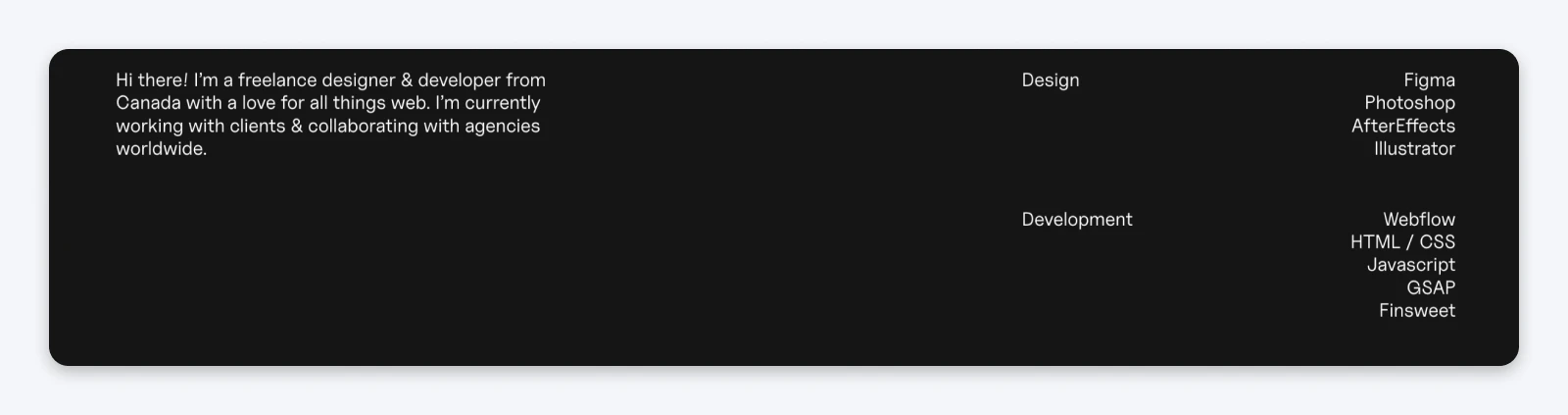
And the second-most important element of a design portfolio — the work itself — is just a short scroll away.
2. Locomotive
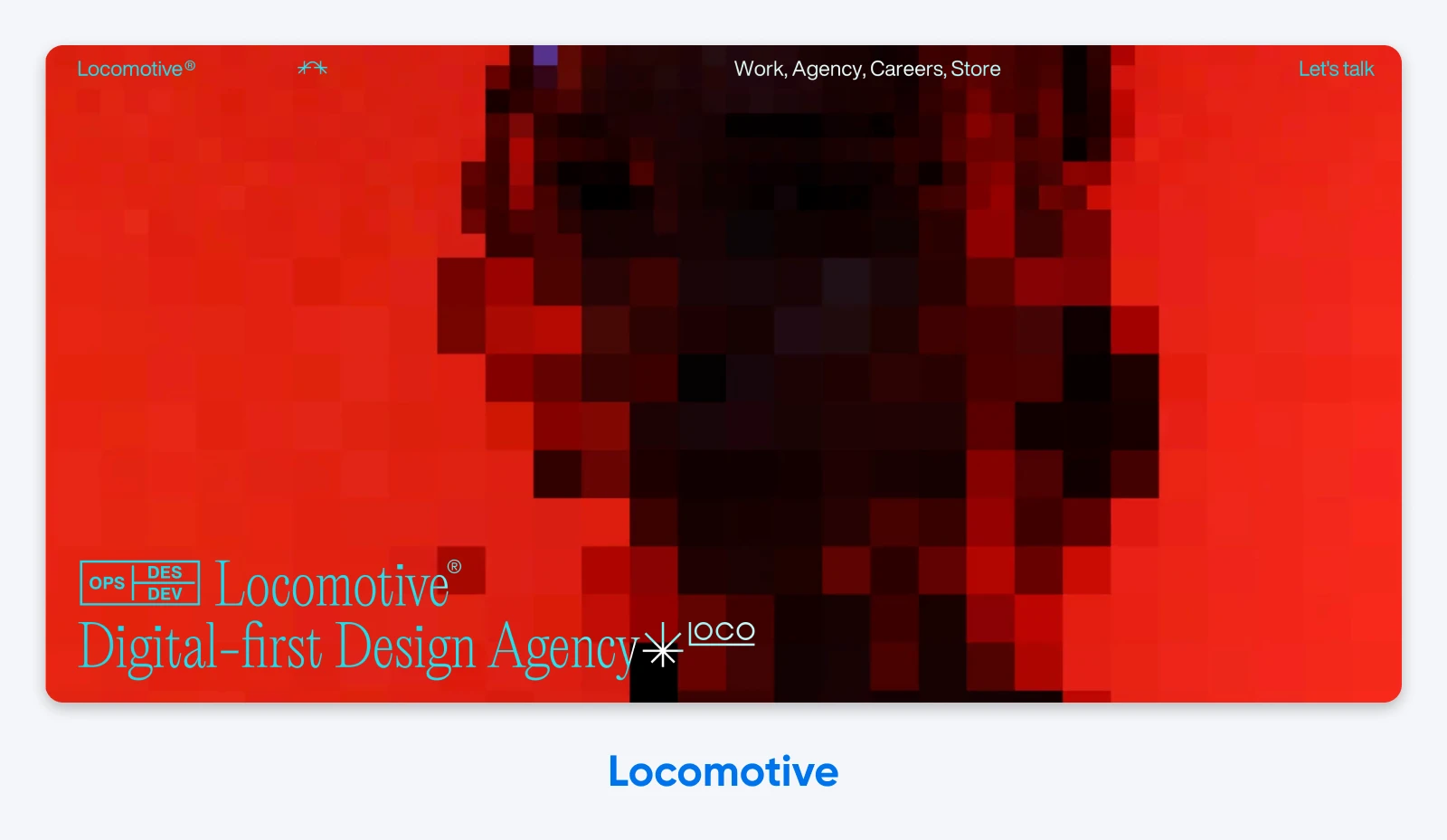
Why it works: On the flip side, we have Locomotive, a Montreal-based, digital-first design agency that hits you with colorful, flashy visuals right away. That choice immediately broadcasts the agency’s design beliefs and style: they go all-in on creative, innovative, and expressive experiences for their clients.
Powerful Brand Design Sites
Many creatives will tell you that you can’t be all things to all people. The following websites show how two very different branding specialists use their, well, branding as a “bat signal” of sorts to draw in their ideal client type.
3. RoAndCo
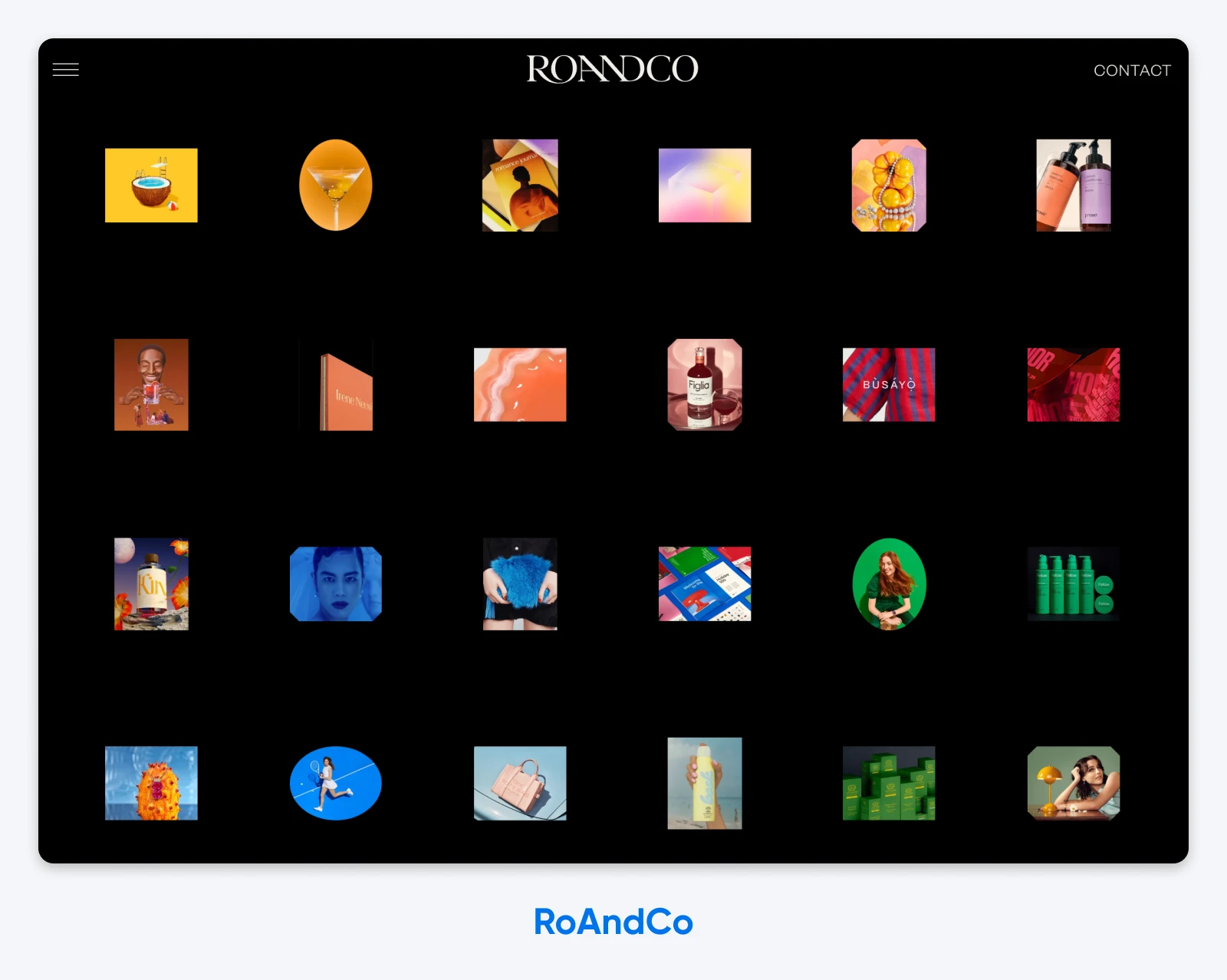
Why it works: The very first thing that RoAndCo’s portfolio does is make the studio’s role, goal, and style immediately clear. They focus on branding work, from strategy to packaging, and lean heavily into bold colors. That powerful showcase also subtly weeds out potential clients who know their own brand doesn’t align with the vibe.
4. RunWild

Why it worked: The designer behind RunWild did something unique: they chose to tell, not show, the ethos behind their business. The message landed in big, bold type: they were out to revamp, boost, and build lasting brands and partnerships. RunWild’s site has since gone offline and its domain now points somewhere unrelated, which is why there’s no link here. The tell-don’t-show approach is still worth borrowing.
Imitation-Worthy Digital Product Design Portfolios
Digital product design is a unique beast, requiring designers to bring together elements of the online and physical worlds to cater to users who live in both. Here are a few product designers who nail the nuance.
5. Dan Machado
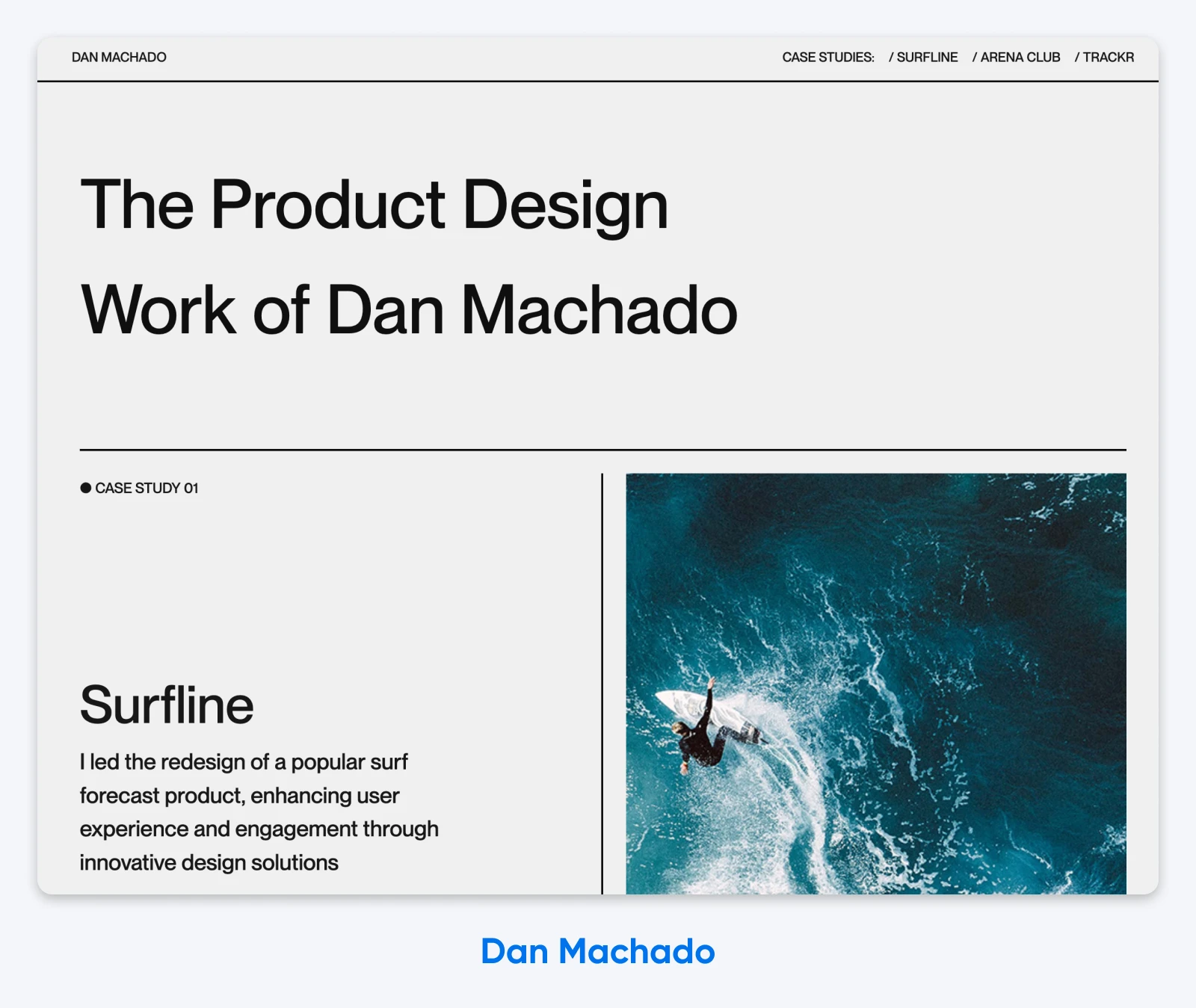
Why it works: Clear messaging, bold type, and a project list that opens with Surfline, a surf product. We immediately know who California-based Dan Machado is as a person and product designer, thanks to the design and layout of his portfolio.
6. Florence Dairo
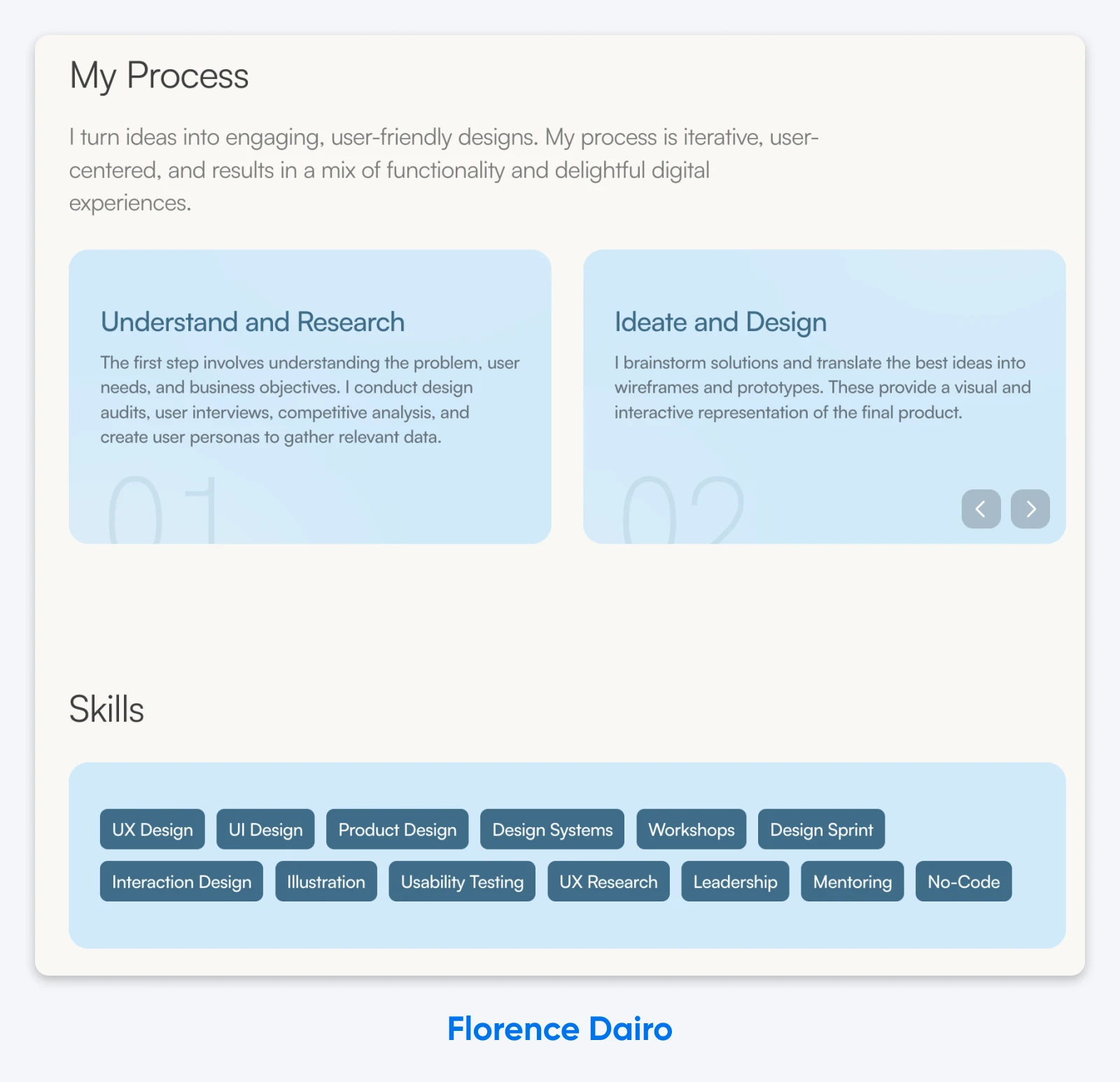
Why it works: With an impressive list of case studies followed by her process, skills, and an experience summary, Florence Dairo’s product design portfolio reads like a resume that leads visitors to a laser-focused call to action: getting in touch to collaborate.
Graphic Design Websites To Inspire
Graphic design is an expansive field, and these next few examples fully illustrate the different directions a creative could go to best show off a variety of graphic works.
7. Velvet Spectrum
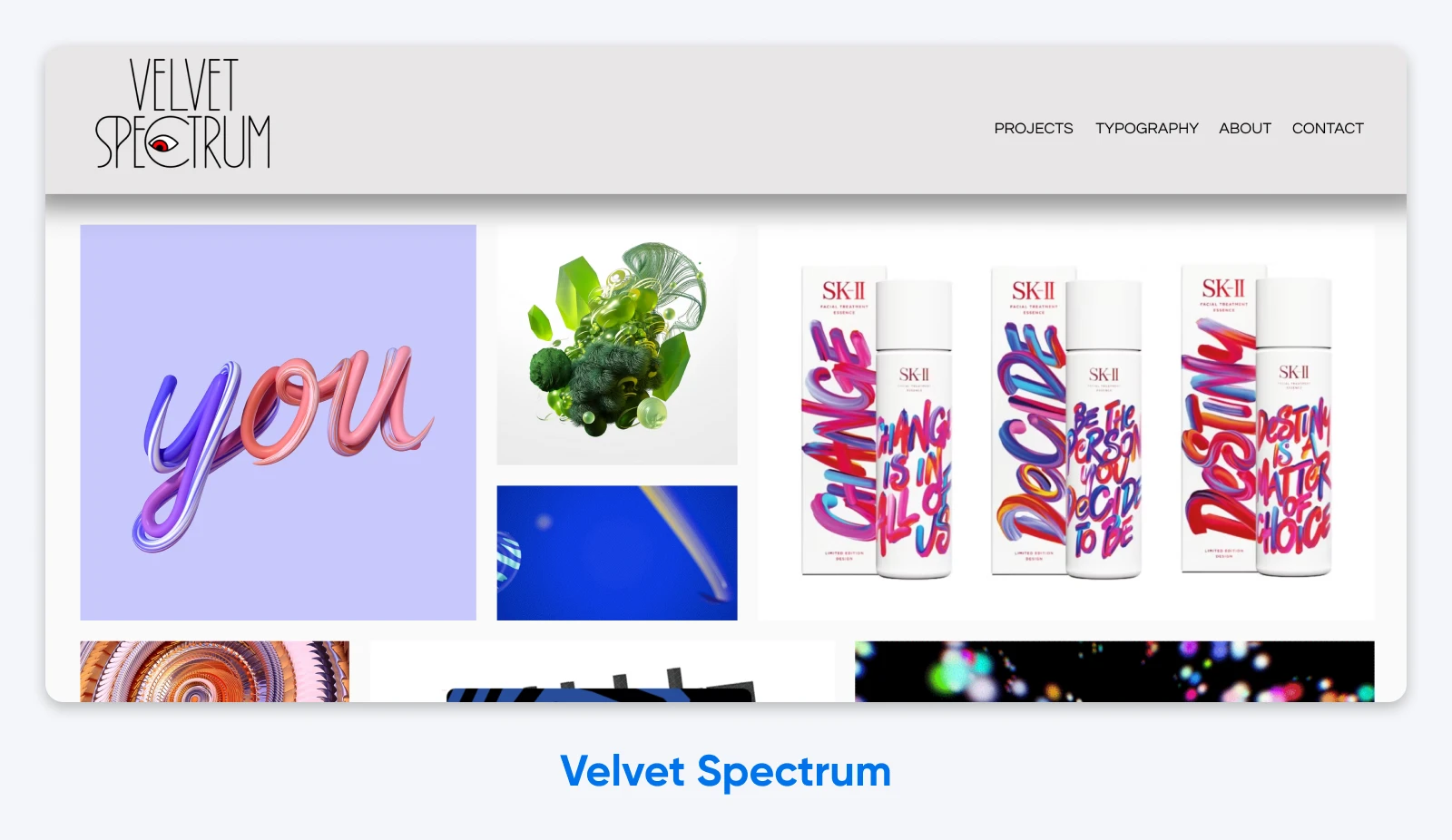
Why it works: Velvet Spectrum is the portfolio of Australian digital artist Luke Choice, and it lets the varied work speak for itself: a grid that mixes static images, 3D graphics, and animations demonstrates a wide range of skills without a paragraph of explanation. The site now leads with his specialty, 3D design and animation, which is a good reminder to update your portfolio as your work evolves.
8. Sophie Westfall
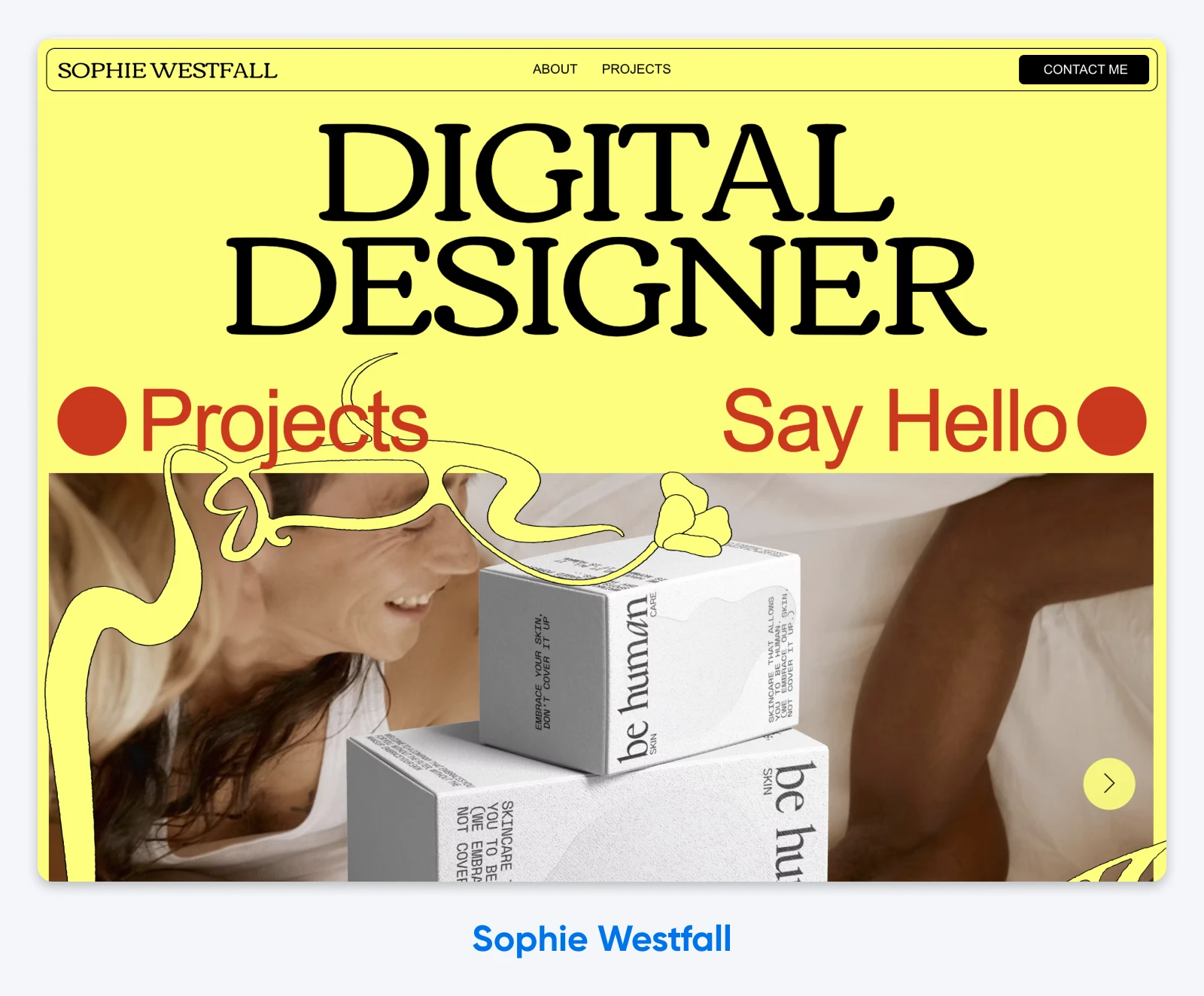
Why it works: With a graphic, bold design and clear calls to action (CTAs), Sophie Westfall’s portfolio does an excellent job directing visitors where they should go next. Since graphic design can include so many areas of expertise, it’s easy for creatives to get lost showing off their work. Sophie’s website is a stellar example of giving potential clients clear next steps, from viewing the work to getting in touch.
Eye-Catching WordPress Design Sites
The DreamHost team has been writing about WordPress for a million years (give or take), so for our creative readers who are similarly obsessed, we wanted to include some inspiration-ready portfolios from a few folks who have made WordPress design work for them.
9. Websterville Design
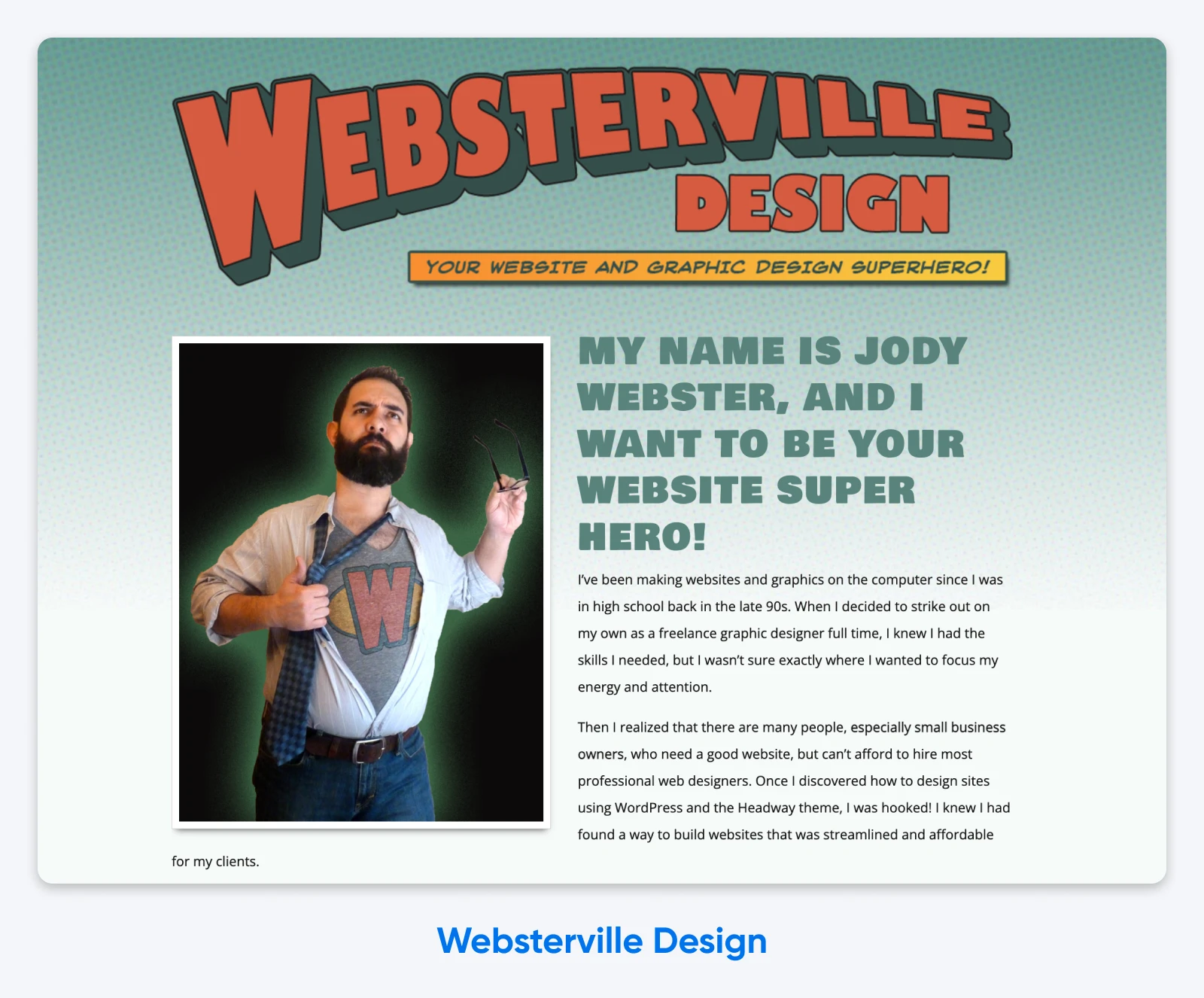
Why it worked: Websterville Design pulled no punches when it came to its niche: super (pun intended) approachable and affordable design for small businesses, built with WordPress themes. The site is no longer online and its domain is now parked, so there’s no link here, but the comic-book pitch above remains a masterclass in niching down.
10. Good Cheer Tech Studio
Why it works: Good Cheer Tech Studio knows that not everyone is looking for the most customized, powerful website on the planet. Designer Kayla Walters plainly lays out the differences between WordPress and other website-building platforms so visitors can choose their own adventure, and a “what kind of website do you really need?” quiz keeps the conversation going. Treating potential clients like smart decision-makers builds trust before anyone books a call.
Creative Sites for Displaying Physical Designs
Packaging, jewelry, furniture, home decor, print goods, art you can touch and hold — there are tons of real-world designs that need representation in the digital world to get in front of a wider audience.
Let these design portfolios encourage you to get your creations online, even if your designs are physical ones.
11. Studio Signorella
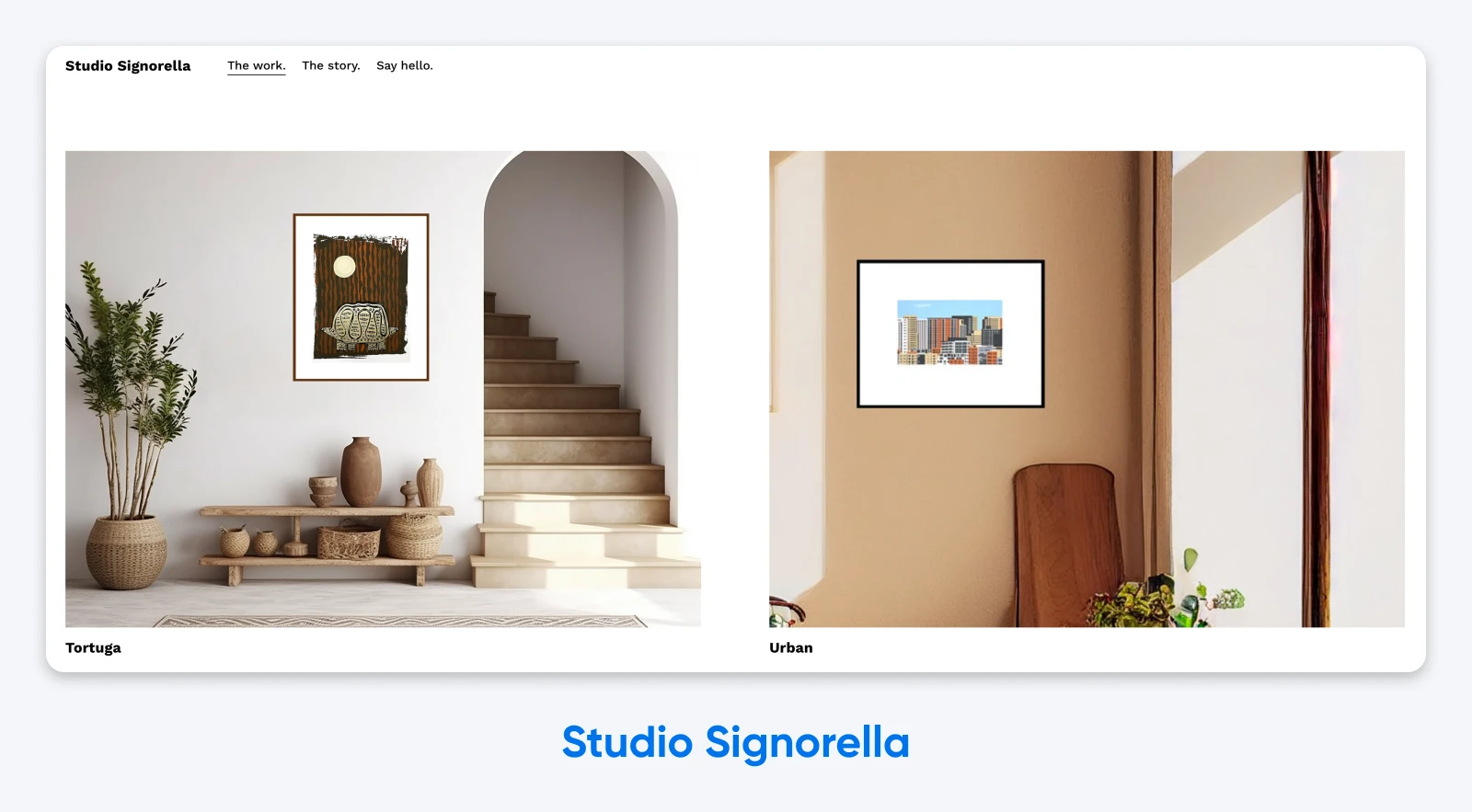
Why it works: Bright. Simple. Alluring. Studio Signorella’s portfolio perfectly reflects the style of their small-batch, handmade silkscreens, proving that the soul of your design doesn’t have to be left behind when you take it online.
12. Earth Fragments
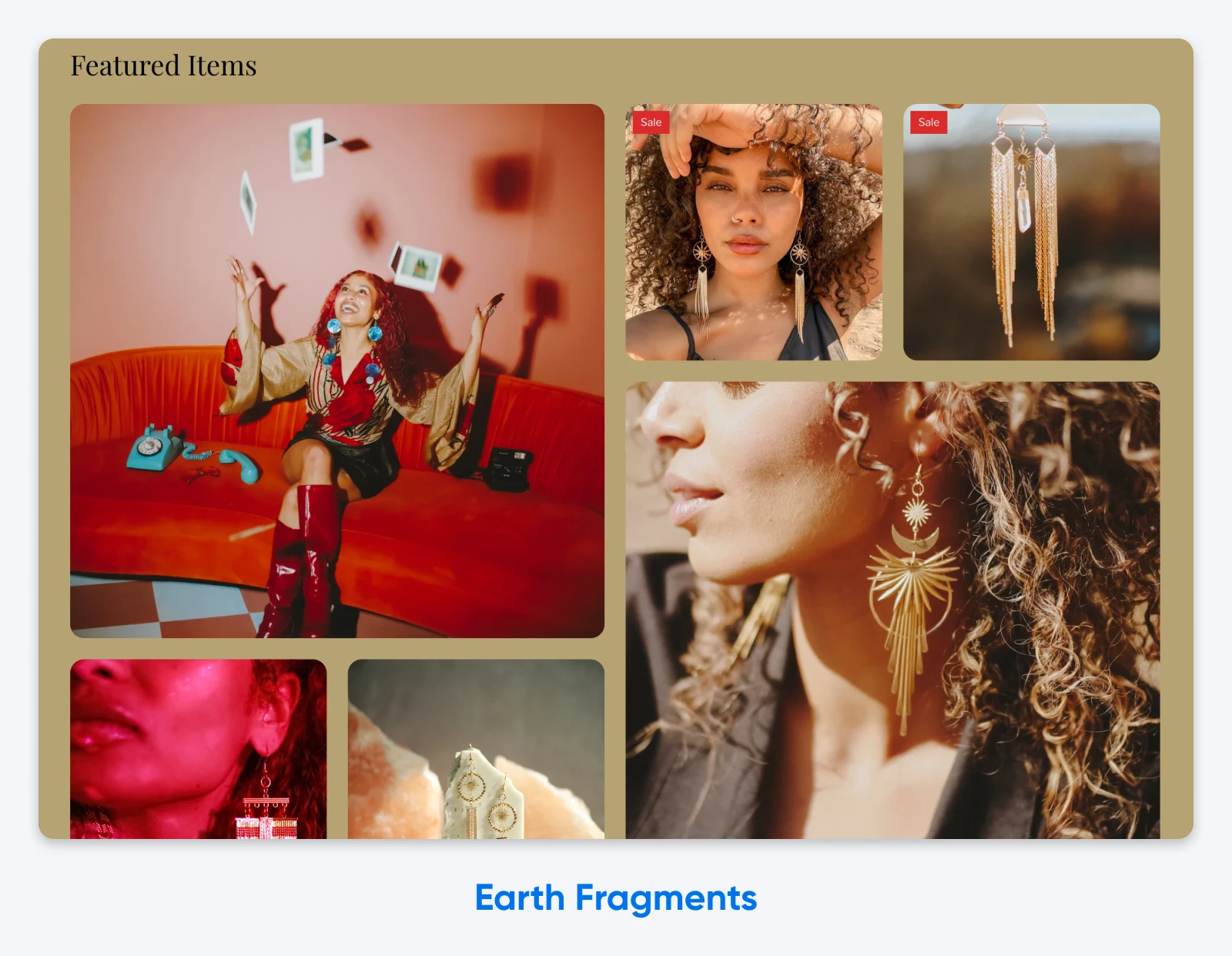
Why it works: Jewelry is hard to photograph well, and Earth Fragments nails it: the product photography in the collage above is consistent, textured, and undeniably gorgeous. It’s an excellent example of how creatives should find ways to bring their many skills together to make 3D design stand out even in a 2D space.
6 Key Elements Every Design Portfolio Should Have
Of course, a digital portfolio can’t just look great. When a potential customer, client, or employer lands on your website, here are some key things they’ll want to experience or be able to find easily.
- Rich work samples or case studies: Naturally, your portfolio should feature your work! But what about your work? We recommend a curated selection of your best projects with sharp shots or videos as well as context around their creation. If you’re in a field like product design, and case studies make more sense, remember that they should tell a story: the problem, the solution, and how you arrived at it. Focus on diversity of project and client types when you can.
- Interesting information about you: Creative work often requires a measure of understanding and intuition. Help potential collaborators know if they’ll gel with you by providing a glimpse of your background, design philosophy, and what types of work you love doing.
- Social proof/testimonials: Social proof silently signals to website visitors that they should work with you because all these other awesome people did (and loved their experience). Tap into this psychological response by including logos of clients you’ve worked with, links to press mentions, awards you’ve won, and reviews from clients and collaborators that highlight your professionalism, creativity, and impact.
- Easy form of contact: Make it frictionless to get in touch and/or start working together. Consider a simple contact form, email address, and links to social media and any other portfolio platforms you want folks to check out (Dribbble, etc.).
- Personal branding: Make sure your overall site reflects the design identity you bring to projects. Use a consistent color scheme, typography, and even tone of voice.
- Usability: The experience of using your digital portfolio should feel modern and smooth. Prioritize clear and easy navigation (this is not the time to get creative), fast loading times, and mobile-friendly design. Get it wrong and the cost is real: a confusing or sluggish portfolio sends a hiring manager straight back to the other 30 tabs they have open.
Get Started: Helpful Tools for Building Your First Portfolio Website
You don’t need to be a web developer (or tech-savvy at all, really) to build a great portfolio site. With the right tools, you can launch your digital showroom quickly.
Image Optimization Tooling
We know you want to upload those full-size, crisp, pro-level photos of your design to your website. However, optimize your images first.
This is because a digital portfolio should look great and load as quickly as possible. Large image files are one of the main things that can slow your website down, and speed affects how you’re found: Google’s page experience documentation states that Core Web Vitals, its page experience metrics, are used by its ranking systems. A slow portfolio also tests the patience of every art director who clicks your link.
To get your images portfolio ready, we recommend Squoosh.app. Here’s how to use it.
Domain Checker
Next up, think about what you want to call your portfolio site — aka, choosing your domain name. Your domain name is that part right before the “.com” (or whatever extension you choose) that identifies your site.
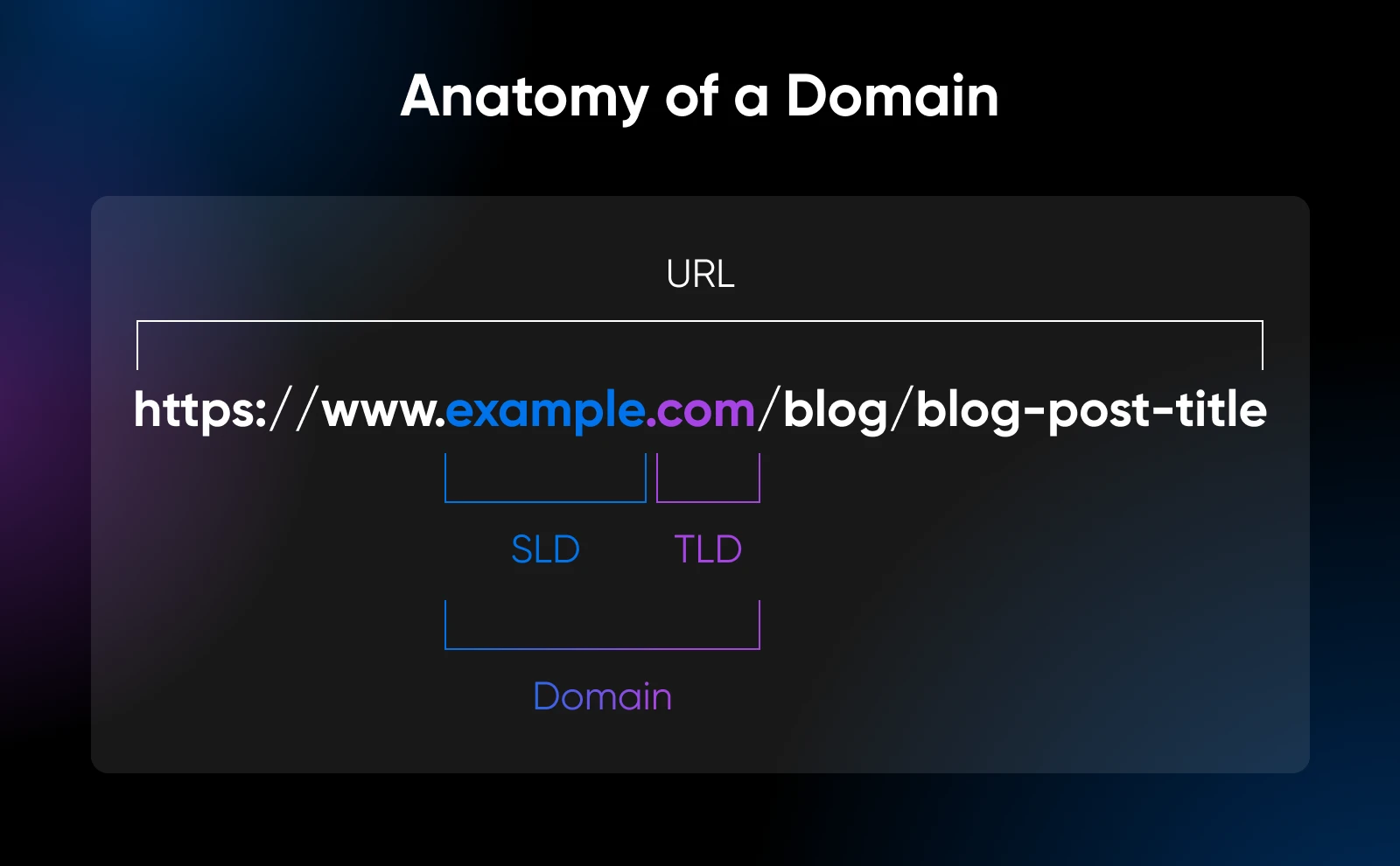
There’s a lot to consider when choosing the right domain name: how it represents you and your art, how findable it is for searchers, how easy it is to spell, and so on. And if yourname.com is taken, a .design domain says what you do right in the URL.
For help coming up with a domain that’s a little more creative than just your own name, try our business name generator to get a fresh perspective. Then, head over to our domain checker to see what’s available, and secure an affordable option before it’s gone.
Wireframe Creator
Now we finally get to start thinking about what this thing is going to look like!
This step is optional, but we usually like to do some kind of wireframe (or light sketch, or full-scale mockup, depending on how detailed you want to get) to get our design ideas out of our heads.
If you haven’t built a website before and/or you tend to be a perfectionist, we definitely recommend this step to help keep you on track so you don’t take years to hit publish on your new portfolio.

Paper and pencil, a whiteboard, or even a matrix of Post-it Notes on your office wall are all fine ways to start. That said, if you want to get digital, wireframe.cc is easy for beginners, Canva’s templates and pre-designed elements do a lot of the heavy lifting for you, and Uizard’s Wireframe Scanner uses AI to turn hand-drawn sketches into editable digital designs.
Website Builder (With Hosting)
It’s time to bring the whole thing to life.
There are practically endless tools when it comes to website building, but we’re partial to one of the original platforms in the game: WordPress.
The process of building a self-hosted WordPress site for your portfolio is detailed, but it’s worth it when it comes to its customization and power. If you’re intrigued by this option and want to try your hand at it, don’t miss our detailed walkthrough for launching your first site.
Looking for something quicker? Remixer, our agentic AI website builder, turns a plain-language description into a working portfolio site. Most sites are ready to preview within minutes, and you can build free for 30 days with no credit card required.
No time or desire to get into the nitty-gritty yourself? The pro services team at DreamHost also offers up beautiful, from-scratch websites customized to all your needs and wants.
Design Portfolio FAQs
What Should a Portfolio Website Include?
A portfolio website should include six things: curated work samples or case studies, an about section that shares your background and design philosophy, testimonials or client logos, an easy way to get in touch, consistent personal branding, and fast, mobile-friendly usability. Curation matters more than volume: show the kind of work you want to be hired for.
How Do You Make a Digital Portfolio?
Pick a handful of your strongest projects, write a sentence or two of context for each, and register a domain name. Then build the site itself: WordPress if you want full control, or an AI builder like Remixer if you want it live fast. Optimize your images before uploading, publish, and put the link everywhere your name appears.
What’s the Best Website Builder for a Design Portfolio?
For most designers, we’d pick self-hosted WordPress: you own the site outright, control every pixel of the design, and can grow it into a full business site later. The trade-off is setup time. If you’d rather be live this week, DreamHost’s Remixer builds a portfolio from a plain-language description, with hosting included in the plan.
How Many Projects Should a Design Portfolio Have?
Fewer than you think. We recommend roughly 4 to 10 strong projects: a tight selection of excellent work makes a better impression than a long archive padded with filler. If a project doesn’t represent the work you want more of, cut it.
Do You Need a Portfolio Website if Your Work Is on Behance or Dribbble?
Yes. Platform profiles are useful discovery channels, but you don’t control their layout or algorithms, and your work sits a click away from everyone else’s. A portfolio on your own domain is the one showcase you fully control, and it’s where you send the clients you most want to win.
Building your design portfolio site doesn’t need to be overwhelming. Focus on the essentials, use the right tools, and remember that done is better than perfect.

Unbeatable WordPress Hosting
Reliable, lightning-fast hosting solutions specifically optimized for WordPress.
See More