
If you haven’t looked at the now-famous (or perhaps infamous) 2026 martech supergraphic and gasped at the 15,505 products at our fingertips (per chiefmartec, May 2026), you’re handling the choice overload better than most of us.
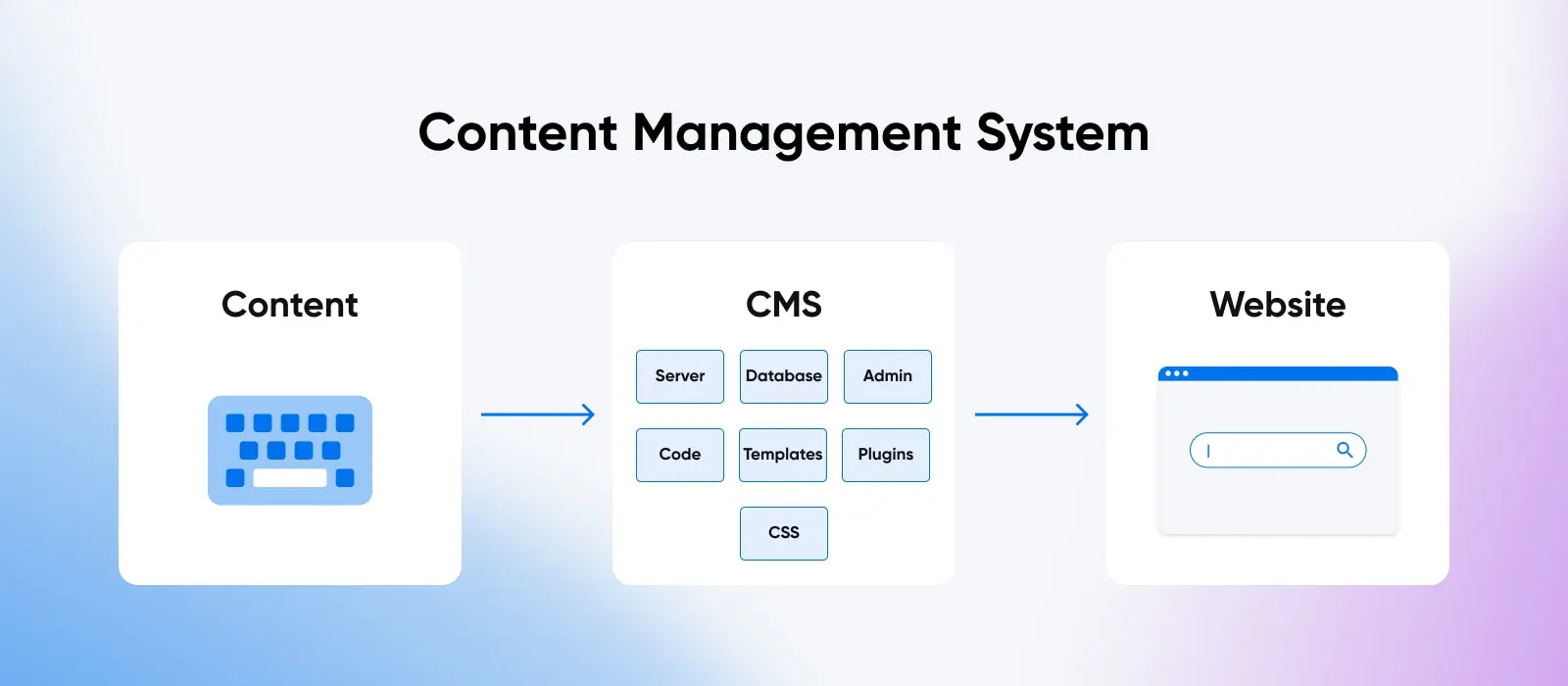
A content management system (CMS) is software that lets you create, edit, organize, and publish digital content — most often website pages and blog posts — without writing code. The CMS stores your content in a database and controls how that content is assembled and displayed, so anyone on your team can update the site from a visual interface.
Hundreds of these solutions fall into one very important category for businesses and the marketers who help make them successful: content management systems (CMSs).
If you’re not yet working with a CMS, or haven’t found one that makes life easier and business better, this is the guide for you.
Here, we’ll dive deep into:
- The ins and outs of content management systems
- Why businesses should invest in CMS
- The best CMS features to shop for
- Top content management systems on the market
- How to get started with a CMS
What is a content management system?
Content management system software typically gives business users an approachable interface where they can create, publish, manage, and store content — without having to touch a line of code — according to their content marketing strategy.
For content creation, most modern CMS platforms provide a WYSIWYG editor (pronounced wiz-ee-wig), which stands for “what you see is what you get.”
WYSIWYG Editor
WYSIWYG is an acronym that stands for ‘what you see is what you get.’ In web design, this typically refers to a web-building interface that allows users to edit their website using an interface that instantly shows the end result.
WYSIWYG editors enable folks who work with content to create and format posts and pages without using code. They also display content very close to how it will look once it’s live on the website. This is a vast improvement over the pre-CMS days, when content was hosted via static HTML files that had to be uploaded to the server every time a change was needed.
CMSs typically consist of two core elements:
- Content Management Application (CMA): The part content administrators interact with (like the WYSIWYG editor) to add and manage content.
- Content Delivery Application (CDA): The back-end functionality that stores and displays content to website visitors.
Modern CMSs enable multiple people to work on the same content project, at the same time, with helpful collaboration settings and override preventions. In addition, most CMS platforms ship with security features such as user roles and permissions, version history, and regular software updates. Those help, but they don’t make a site secure or compliant on their own: your team still owns configuration, maintenance, hosting security, and whatever regulatory requirements apply to your business. Real-time content updating also helps keep your team abreast of updates and improvements.
One significant thing to note is that there are several different types of CMS software. While they’re all similar in their general functionality, each has different features and target audiences.
Web content management system (WCMS)
WCMSs are built to make it easy to create and maintain content and graphics on websites — taking things like various browser capabilities, screen sizes, and website-specific compliance and regulation issues into account.
When someone mentions CMS, WCMS is what they’re most often referring to. In this article, unless otherwise specified, we’ll also be talking about web-focused CMS tools.
A WCMS is ideal for a brand that focuses on its website as its primary marketing channel.
Component content management system (CCMS)
A CCMS is a solution that manages content in components such as singular words, paragraphs, graphic elements (photos, video, etc.), and so on. These components are labeled with unique metadata so that they can be stored in an organized manner, found in a search, and easily reassembled and reused across different publications and web pages.
Since CCMS platforms make content recycling so easy, they’re most helpful for documentation-heavy teams that reuse content components at scale — think product manuals, technical docs, and multi-channel publishing.
Headless content management system
A Headless CMS disconnects how digital content is presented, known as the front-end or presentation layer, from how content is managed, known as the back-end or management layer. This makes it easy for content managers and marketers to format and deploy content to different digital channels.
A headless CMS is ideal for businesses that publish the same content across many channels (websites, apps, digital displays, and beyond) and for developers who want to build the front end in whatever framework they prefer. Strapi, an open-source, Node.js-based headless CMS, turns your content model into REST and GraphQL APIs, self-hosted or on its cloud service. If publishing is the business itself, Ghost is an open-source platform built for publishers, with newsletters and paid memberships built in. And if selling online is the whole point, a dedicated ecommerce platform such as Shopify — used by 5.3% of all websites, per W3Techs, July 2026 — may fit better than a general-purpose CMS.
Content delivery platform (CDP)
A CDP is actually a content hub versus a CMS. However, since they’re often used alongside CMSs, they’re absolutely worth including here. A CDP gathers different kinds of content from various sources and stores it all in a single location. Businesses can connect to CDPs via an application programming interface (API) to deliver content to custom or out-of-the-box CMS platforms.
API
An Application Programming Interface (API) is a set of functions that allows applications to access data and interact with external components. An API is essentially a courier that delivers messages from a client to a server and vice versa.
CDPs are a great fit for organizations with a lot of different content from many different sources, which all need to be shared across several internal and external platforms. Big content distributors, such as media companies and enterprises, can get a lot of use out of CDPs.
Dynamic vs. static content management
One more distinction worth knowing: most CMS platforms are dynamic, meaning pages are assembled on request from content stored in a database. That’s what makes search, logged-in user accounts, and personalized content possible, and every platform covered in this guide (WordPress, Joomla!, Drupal, and HubSpot Content Hub) works this way. (So does this very article: WordPress assembles it from a database each time the page loads.) A static site, by contrast, is a set of prebuilt files that look the same for every visitor. Plenty of the web still runs like that: 30.4% of websites use none of the CMSs W3Techs tracks (July 2026). Static site generators offer speed and simplicity for sites that rarely change, but if you need per-user content or frequent updates from a visual editor, a dynamic CMS is the better fit.
Key CMS features
While a CMS platform is undoubtedly the core of an effective marketing website, thanks to the power and functionality of modern solutions, a CMS can also be core to your entire online presence. You can use it to build everything from a personal blog or portfolio to a fully fledged online store, membership site, online course, and beyond.
To simplify things, think of creating a website like building a house. The CMS is akin to the essentials, such as the foundation, walls, plumbing, and electric. It ensures that the basics are in place so you can focus on furnishing it, decorating the interior, and making it habitable. In other words, populating your site with content, changing its appearance, and making it easy to interact with.
While every CMS is different, here are some essential features and functionality we recommend prioritizing when choosing your website solution:
- Ease of Use: A big selling point for CMS is its ease of use. As a marketer, you shouldn’t need to understand coding to build an engaging digital experience via a CMS platform.
- Extensibility and Flexibility: With the CMS providing the basics, you should be able to build on the flexible foundation through add-ons that deploy dynamic, unique functionality. Your CMS should enable you to extend core features by installing plugins or introducing your own custom code.
- Powerful Content Handling: Today, content is more than just the written word. You also need images, videos, forms, and document management to make your content engaging. Your CMS should support all of these types of content.
- Content Management Workflows: Easy editing, fast styling, quick content updates, version control and backup, scheduling, searching, storage, and more — a practically unimaginable variety of content management features and flows should live at the center of your CMS.
- Drag-and-Drop Design: Most modern CMSs make it easy to use your mouse to drag design components into place for real-time content design.
- Permission Control: It’s crucial for security and consistency that you can assign user roles to ensure everybody can access the content and functionality necessary to do their jobs (and no more).
- Support: Whether it’s in the form of documentation or a real-life support team, it’s always ideal to work with a CMS that doesn’t leave you out on your own if something goes wrong.
- Scalability: Most sites grow over time, both in how much content they include and how many visitors they receive. As such, you want a CMS that’s built to be scalable along with your site’s needs.
- Open API: An open API makes it possible to pull content from your CMS to reuse it on external websites, mobile apps, social media sites, etc., as well as internal platforms like enterprise resource planning (ERP) software, customer relationship management (CRM) software, etc.
- Templates: Choose a CMS platform with several premade templates that can be easily applied to change the look and behavior of your site.
- Search Engine Optimization: An SEO-friendly CMS will feature customizable page titles, meta descriptions, smart URLs and navigation, alt text, redirects, and quick page load time to help your ranking on Google and other search engines.
- AI Assistance: Many platforms now build in AI features, from content drafting to image generation to guided site setup. You don’t have to use them, but it’s worth checking what’s included before you commit.
4 top content management systems for creating websites
Let’s explore today’s go-to CMS solutions for creating a website and managing content. The short answer: WordPress is the best pick for most sites and beginners, HubSpot Content Hub fits inbound marketing teams that already live in HubSpot, Joomla! suits complex community-driven sites, and Drupal is the developer and enterprise choice. Here’s how the four compare at a glance:
| CMS | Technology and deployment | Ease of use | Best for | Pricing model | Hosting |
|---|---|---|---|---|---|
| WordPress | PHP + MySQL/MariaDB, self-hosted | Beginner-friendly | Most sites, beginners, and content-focused teams | Free, open source | Any PHP/MySQL host — DreamHost WordPress hosting or DreamPress |
| HubSpot Content Hub | Hosted platform, run by HubSpot | Marketer-friendly | Inbound marketing teams already using HubSpot | Free tools; paid tiers | Included with the platform |
| Joomla! | PHP + MySQL/MariaDB, self-hosted | Moderate learning curve | Complex sites and online communities needing more built-in control | Free, open source | DreamHost web hosting or DreamHost VPS hosting |
| Drupal | PHP (Symfony) + a database, self-hosted | Developer-focused | Developers, enterprises, and government sites | Free, open source | DreamHost web hosting or DreamHost VPS hosting |
WordPress

WordPress needs very little introduction.
WordPress started as a continuation of the b2 platform, which was developed primarily with bloggers in mind. However, in the years since its 2003 launch, the platform has completely evolved into a full-fledged CMS.
WordPress is the most popular CMS option by a wide margin (running 41.2% of all websites, or a 59.1% share of the CMS market per W3Techs, July 2026), powering sites for brands like Sony Music and Meta’s Newsroom.
So, how and why has it become so popular? One significant reason is that WordPress has remained a community-run and open-source CMS. In fact, being open, user-friendly for beginners, and extensible have stayed key factors ever since the project launched in 2003.
In short, WordPress is usually the easiest option here for beginners, especially when your host handles installation. You can publish quickly, but choosing themes and plugins (and keeping them updated) still takes time. The vast number of available plugins and themes to easily change your WordPress site’s appearance also makes it a particularly enticing option. For an extensive list of reasons to go with this solution, don’t miss our guide to why to use WordPress.
Despite the enormous popularity of WordPress, it naturally has a few downsides.
For example, while WordPress core has an active security process, it’s a frequent target for bots and attackers. Poorly coded plugins and themes can also introduce security vulnerabilities if you’re not careful.
All in all, WordPress is a solid choice, especially for less-technical, content-focused users. It’s a simple solution for marketers that also offers a lot of power under the hood for developers wishing to get involved with the technical aspects and increase functionality.
WordPress is free to download. The open-source software from WordPress.org costs nothing; you pay separately for hosting and a domain name. (WordPress.com is a separate, hosted service — learn more about the differences here.)
“Free” isn’t the whole budget, though. For any open-source CMS, plan for web hosting (unmanaged plans typically run roughly $5–$20/month), a domain name (typically $10–$20/year), any premium themes or plugins you add, and the time someone spends on updates and backups. Check current plans on the DreamHost hosting page rather than budgeting from a stale number.
For a fast and secure website experience for your team and customers alike, DreamHost WordPress hosting is optimized specifically for businesses running on WordPress.
HubSpot Content Hub

HubSpot, the prolific inbound marketing, sales, and customer service platform, offers Content Hub — its content management product, formerly known as CMS Hub until HubSpot renamed it in April 2024.
Content Hub covers the features you’d expect from a fully featured content management system (including a drag-and-drop website builder, blogging and collaboration tools, and file management) plus a growing set of AI-assisted content tools. It’s easy for marketers to use, and because it’s a hosted platform, HubSpot handles the hosting, security, and maintenance for you.
In addition, Content Hub users can integrate the rest of HubSpot’s stable of features, from marketing automation, email marketing, CRM, lead forms, chat, reporting, and more, all with no integrations with third-party solutions required.
Content Hub is best for companies already using HubSpot — or those that could make use of all the accompanying marketing, content, sales, and support tools the platform provides.
Pricing ranges from free tools up to Content Hub Enterprise, which starts at $1,500/month (per HubSpot’s pricing page, 2026), with hosting and themes included.
Joomla!

The name Joomla! comes from the Swahili term for “all together,” which references the platform’s open-source community. In contrast to WordPress, Joomla! is a slightly more developer-focused CMS, though it still features a user-friendly interface.
Joomla! has cultivated a vast user community that regularly creates extensions and themes to help bolster the platform’s core functionality. This makes it a good choice if you think WordPress isn’t offering the level of control you require.
The platform’s flexibility also makes Joomla! an excellent choice for more complex websites, such as e-commerce sites, social media networks, and online communities. Naturally (and as we touched on), Joomla! also enables you to download themes and extensions to your site.
Considering the additional complexity of the CMS, it might not be the best option if you have little experience or resources to handle website development.
The learning curve may be steeper with Joomla! if you’ve primarily used a more end-user-focused CMS in the past. However, developers may find it affords them more freedom and flexibility than WordPress’ out-of-the-box configuration.
Joomla! is also completely free to download and use, with no paid plans. While fewer hosts support Joomla! out of the box than WordPress, there are still many who tweak their servers to support the CMS. DreamHost is one of them: you can run Joomla! on DreamHost web hosting or DreamHost VPS hosting.
Drupal

If Joomla! is a step up in terms of complexity from WordPress, Drupal represents another leap.
Initially released in 2001, Drupal is the most technically advanced CMS on this list, which makes it an ideal choice for businesses with development resources that want complete control over their sites, and who need less technical guidance.
As you can probably imagine, Drupal is best suited for advanced and ambitious websites. It’s an extremely versatile platform that lets web development pros create almost any type of site. It’s also one of the most powerful CMS options available, with a strong security track record and a performance-focused architecture out of the box.
Because of this, Drupal is a great choice for enterprises with a development team on hand, a need for consistently high speeds and reliability, and the budget to match. It’s also commonly used by governments. The platform also offers extensibility in the form of modules and themes.
Like the previous offerings, Drupal is entirely free to use and based on open-source technology. It will require some tinkering to install and learn the ropes, but getting the level of complexity and freedom the CMS offers can be worth it.
And yes, you can run Drupal on DreamHost. Drupal runs anywhere PHP and a database are available, so DreamHost web hosting covers most Drupal sites, while DreamHost VPS hosting gives high-traffic Drupal builds dedicated resources.
How to set up a CMS website (and choose CMS hosting)
The high-level process of creating your own website using a content management system will look a little something like this:
- Choose your CMS based on which best delivers on your needs, based on the above suggestions and feature shopping list. Think about the exit, too: open-source platforms like WordPress, Joomla!, and Drupal let you export your content and take it elsewhere, while proprietary platforms vary in how much you can take with you. A CMS-to-CMS migration is doable, but it means remapping content types, rebuilding templates, and setting up redirects, so choose with the long term in mind.
- Select a web hosting provider to deliver your website’s content and files to the internet. DreamHost VPS hosting is worth considering if security, speed, performance, and uptime are priorities for your business. (More on matching hosting to your CMS below.)
- Get your domain name and registrar set up. Be sure to check if your hosting provider will help or even give you a free domain name as part of your package.
- Install your Content Management System — most platforms provide instructions on how to do this manually. Beware that manual installation will require working with code. Often, your hosting provider can also help with installation.
- Get the CMS set up to your liking by adding fellow teammates, adjusting built-in settings, and adding plugins to extend functionality.
- Start creating and publishing content!
Which hosting fits which CMS?
WordPress, Joomla!, and Drupal all run on the same standard stack (PHP plus a MySQL or MariaDB database), so any hosting plan that supports PHP and MySQL can run all three. DreamHost web hosting does, and it’s the right starting point for most new sites. A few pointers as your needs grow:
- Growing traffic or custom server needs: A virtual private server gives your site dedicated resources. DreamHost VPS hosting fits high-traffic WordPress, Joomla!, or Drupal sites.
- WordPress without the maintenance: DreamPress, DreamHost’s managed WordPress hosting product, adds fully managed performance, 1-click staging, and automated daily backups.
- Multiple CMS sites: You can often run several sites on one plan; hosts separate them with virtual hosts, so each site gets its own domain and directory on the same server. Limits are plan-specific: DreamPress tiers include 1, 2, or 3 websites, for example (per DreamHost’s plan pages, 2026), so check website count and resource limits before stacking sites on one account.
- Migrating an existing site: Open-source CMSs let you export your files and database and move hosts. DreamHost includes free WordPress migrations with its WordPress plans.
FAQs about content management systems
Should you build your own content management system?
For most businesses, no. Open-source platforms like WordPress already provide editing, security updates, and thousands of extensions for free, and building a custom CMS means paying developers to recreate (and maintain) all of that. A custom build only makes sense for truly unique requirements backed by a dedicated development team.
Which CMS is best for developers?
Drupal offers the deepest control of the major open-source platforms, which is why developers and enterprises favor it. For API-first projects, a headless CMS such as Strapi lets developers model content once and build the front end in any framework they choose.
Which CMS is best for inbound marketing?
HubSpot Content Hub is the strongest fit for teams already using HubSpot, since content, CRM, email, and automation live in one platform. WordPress plus marketing plugins is the flexible, lower-cost alternative for teams that want to own their own stack.
What is CMS hosting?
CMS hosting is a hosting plan that meets a content management system’s technical requirements — for WordPress, Joomla!, and Drupal, that means PHP and a MySQL or MariaDB database. DreamHost web hosting supports all three, and DreamPress adds managed WordPress performance.
Is a CMS the same as a website builder?
No. A website builder is an all-in-one hosted tool focused on assembling a site visually, usually with limited portability. A CMS is software for creating and managing content at scale; open-source CMSs can be hosted anywhere and extended with plugins or custom code.
It’s time to get started with a CMS
The days of having to work with code just to update any little piece of content on your website or launch new marketing campaigns are long gone, thanks to the rise of the CMS.
Today, these user-focused platforms enable marketing and business teams to create and publish content much more easily while extending their website’s capabilities to suit their unique content requirements.
Ready to choose? For most sites, that means WordPress on DreamHost WordPress hosting, or DreamPress if you’d rather not handle maintenance yourself. Running Joomla! or Drupal? DreamHost web hosting covers the standard PHP stack all three use, and DreamHost VPS hosting is there when traffic grows. And if a hosted platform like HubSpot Content Hub won you over, hosting is already part of the deal.

Do More with DreamPress
DreamPress plans include fully managed performance, Bunny CDN, 1-click staging, and automated daily backups — WordPress hosting without the maintenance.
Check Out Plans