TL;DR: The scariest website vulnerabilities of the past year didn’t come from WordPress core. They came from plugins, themes, and unpatched server software like OpenSSH and PHP on Ubuntu. Patchstack’s vulnerability database logged 10,230 plugin vulnerabilities and 1,009 theme vulnerabilities for 2025, against just 2 in WordPress core. Every one of those bugs is still dangerous in 2026 on a site that hasn’t patched.
Below are 10 notable vulnerabilities disclosed in 2025, including how each one worked and what site owners and developers should take away. The bottom line: consistent updates, careful role management, and attention to security advisories are what keep your hosting stories from turning into horror stories.
It always starts the same way.
A late-night ping. A panicked client. A WordPress site that was working fine yesterday, but is now coughing up error logs and redirecting visitors to a sketchy pharmacy domain. In your mind, all you can hear is the screeching violins from a horror soundtrack.
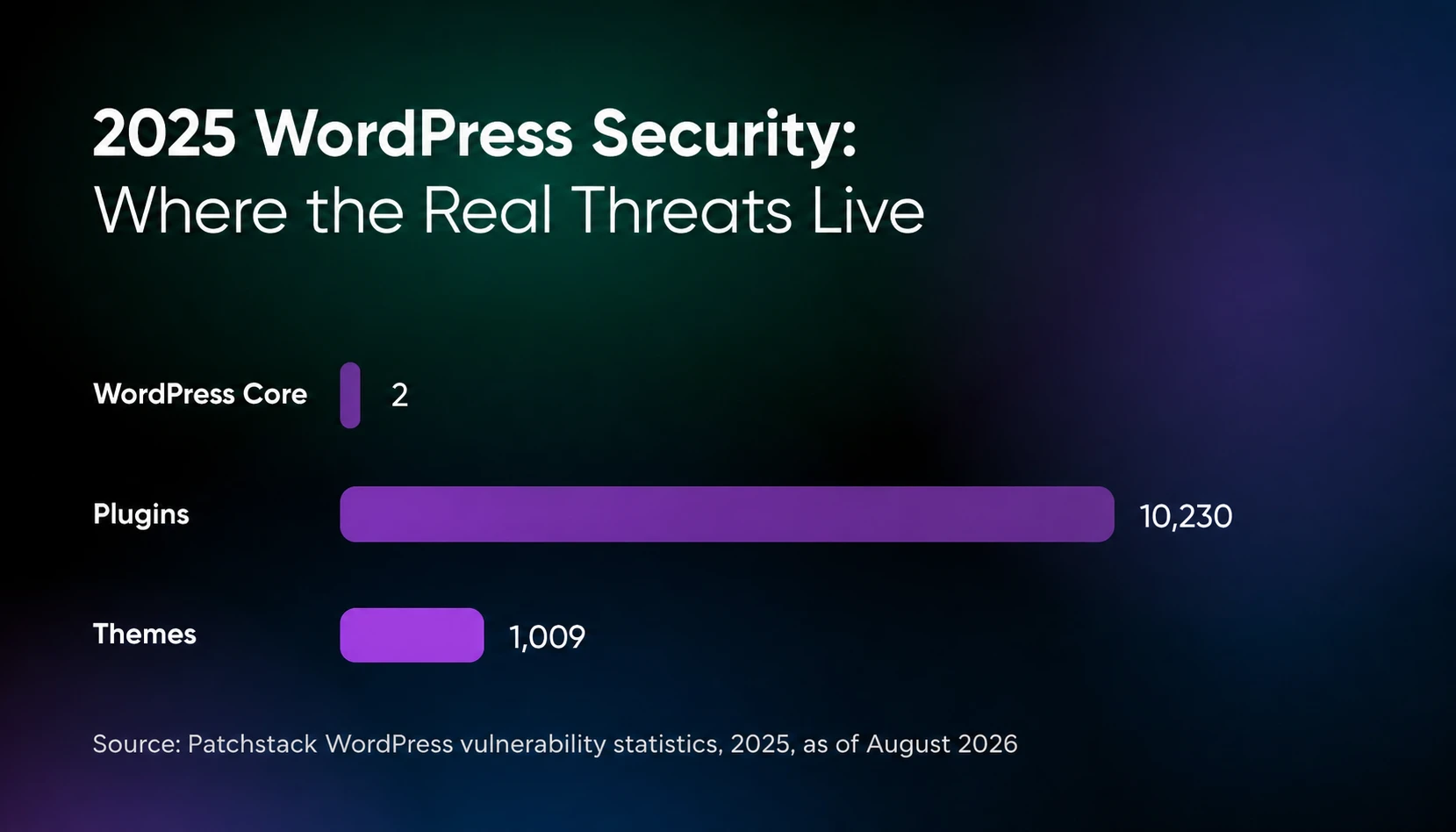
Most scary hosting tales aren’t caused by the ghosts and monsters of spooky season fame. They come from vulnerabilities left unpatched just a little too long. The real danger lives in the plugins, themes, and server software that power your site — WordPress core itself recorded just two published vulnerabilities in all of 2025, per Patchstack’s database.
That’s why we’re here, flashlight in hand, to walk you through 10 vulnerabilities that sent shivers down developers’ spines. These aren’t cautionary tales meant to scare you away from the web. They’re field notes from the front lines: lessons you can use to keep your hosting stories from turning into horror stories.
What do the threats to WordPress plugins and Ubuntu packages look like in 2026?
Plugins and themes accounted for almost all recorded WordPress vulnerabilities in Patchstack’s 2025 statistics. For 2025, Patchstack’s WordPress vulnerability statistics list 10,230 plugin vulnerabilities (91% of the year’s total) and 1,009 theme vulnerabilities (9%), and exactly 2 in WordPress core (figures as published on Patchstack’s statistics page, checked August 2026). Only one of those core vulnerabilities had been identified by mid-2025, when the chart below was drawn, per Patchstack’s mid-year report.
Volume is only half the story. Patchstack’s 2025 mid-year vulnerability report counted 6,700 new vulnerabilities across plugins, themes, and core in the first six months of 2025, classified 41% of them as exploitable in real-life attacks, and found that 57.6% could be exploited by a complete outsider with no login or stolen credentials at all.
The server layer needs the same attention. Canonical publishes Ubuntu Security Notices (USNs) continuously for supported releases, and many of them cover software your hosting stack depends on. In 2025 alone, those notices included an OpenSSH directive that failed to disable forwarding as documented and a PHP flaw that could crash the interpreter (both covered below).
So what should site owners take away from those numbers? Three things:
- You can’t rely on core for protection – Nearly all of the recorded 2025 WordPress vulnerabilities were in third-party code. Keeping WordPress itself updated is table stakes, not a security strategy.
- Exploitability is high – Patchstack classified 41% of the vulnerabilities found in the first half of 2025 as exploitable in real-life attacks, and most required no authentication at all.
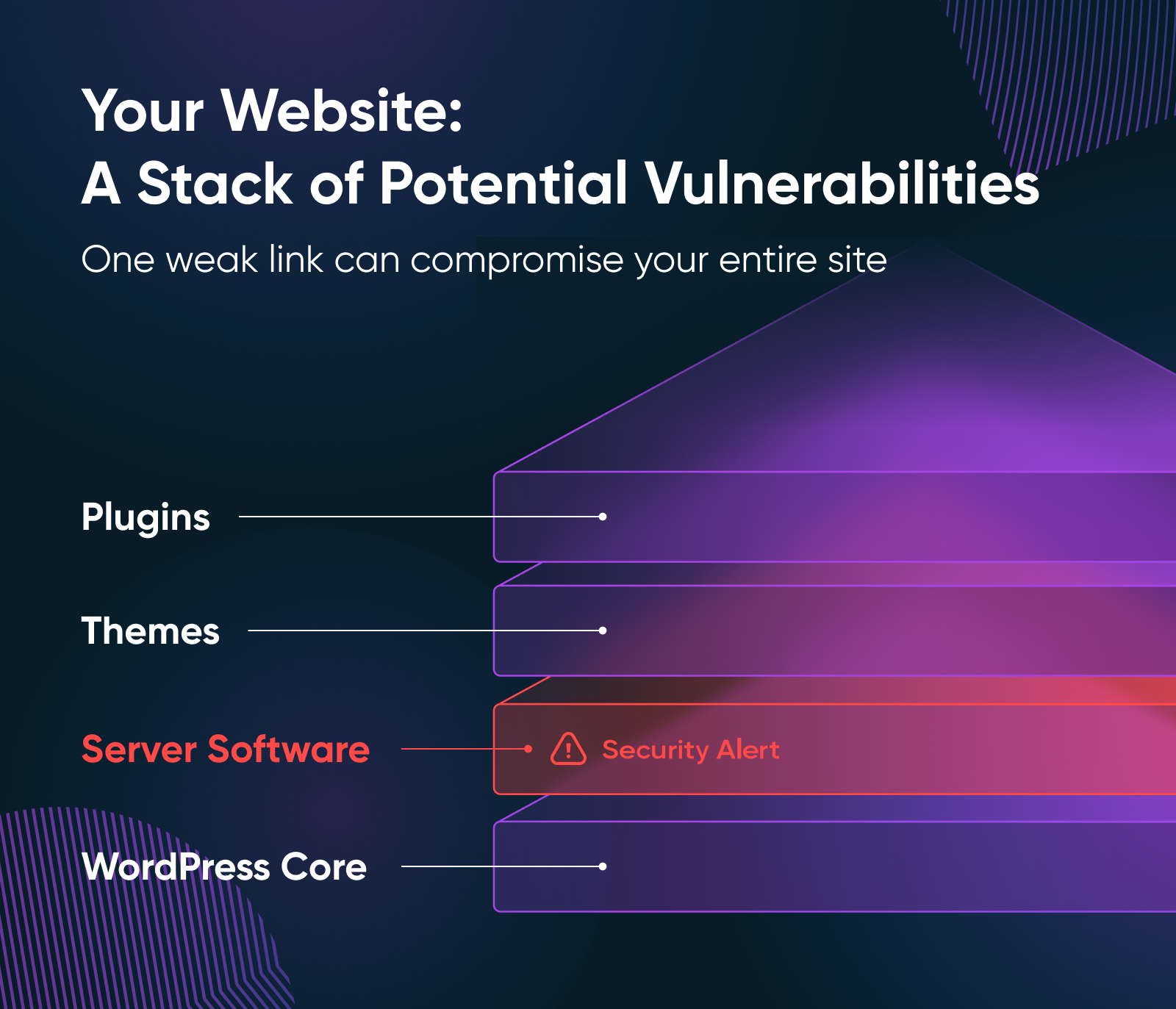
- OS vulnerabilities compound the risk – Even if every plugin is patched, outdated Ubuntu packages widen the attack surface underneath your site.
The 10 scary tales: what went wrong (and what can we learn from it)?
Below are real WordPress and Ubuntu vulnerabilities disclosed in 2025. They aren’t ancient history: they can still expose sites that run affected versions and meet the relevant exploit conditions.
1. Post SMTP
What happened: Versions 3.2.0 and earlier of the Post SMTP plugin contained an authentication bypass (CVE-2025-24000). Patchstack scored it 8.8, flagged it as high priority, and warned that flaws in this class let a malicious actor perform actions reserved for higher-privileged users — potentially all the way to admin access. The fix shipped in version 3.3.0.
Post SMTP’s WordPress.org listing highlights detailed email logs as a feature. Combined with Patchstack’s high-priority rating and the potential for higher-privileged actions, that makes strict authorization around the plugin essential.
Post SMTP is also popular: its WordPress.org listing counts over 400,000 website owners using it. Bugs in widely installed plugins attract attackers fast.
Key takeaway: Being logged in is not the same as being authorized. Privilege checks must match the sensitivity of the endpoint they guard.
2. Essential Addons for Elementor
What happened: Versions 6.0.14 and earlier of Essential Addons for Elementor had a reflected cross-site scripting (XSS) vulnerability (CVE-2025-24752): input wasn’t properly neutralized before being embedded into page output, so a crafted URL could run a script in a visitor’s browser.
This plugin serves more than 2 million active users, per its WordPress.org listing, so a flaw like this has enormous potential reach. Reflected XSS can enable phishing, credential theft, or defacement if an attacker tricks a user into clicking a crafted link.
Key takeaway: Popular plugin + simple input vector = widespread risk. A large install base magnifies even “just XSS” vulnerabilities.
3. WPForms Lite
What happened: WPForms versions up to and including 1.9.5 were vulnerable to stored cross-site scripting via the start_timestamp parameter (CVE-2025-3794). Authenticated users with Contributor role or above could inject scripts that persist and run whenever anyone views the compromised page.
Because Contributor access is often granted (and then forgotten) on sites with multiple authors, the risk was real. Stored XSS doesn’t end when a victim closes the tab: the payload lives in your database until someone finds and removes it, and it can steal cookies or session data from every user who loads the injected page.
Key takeaway: Stored XSS via lower-privileged roles is dangerous. Audit who has accounts on your site — even “trusted” users widen the attack surface.
4. GiveWP
What happened: GiveWP versions 3.19.3 and earlier contained a PHP object injection vulnerability (CVE-2025-22777) caused by deserialization of untrusted data: crafted input could inject PHP objects into the application.
GiveWP is one of the most popular donation plugins, with more than 100,000 active installs per its WordPress.org listing. A plugin that handles donor data and payment flows is exactly where you don’t want attacker-controlled objects landing. For a nonprofit, that’s a trust disaster on top of a technical one.
Key takeaway: Complex plugins like donation platforms handle sensitive data, which makes them prime targets. Always patch them quickly.
5. AI Engine Plugin
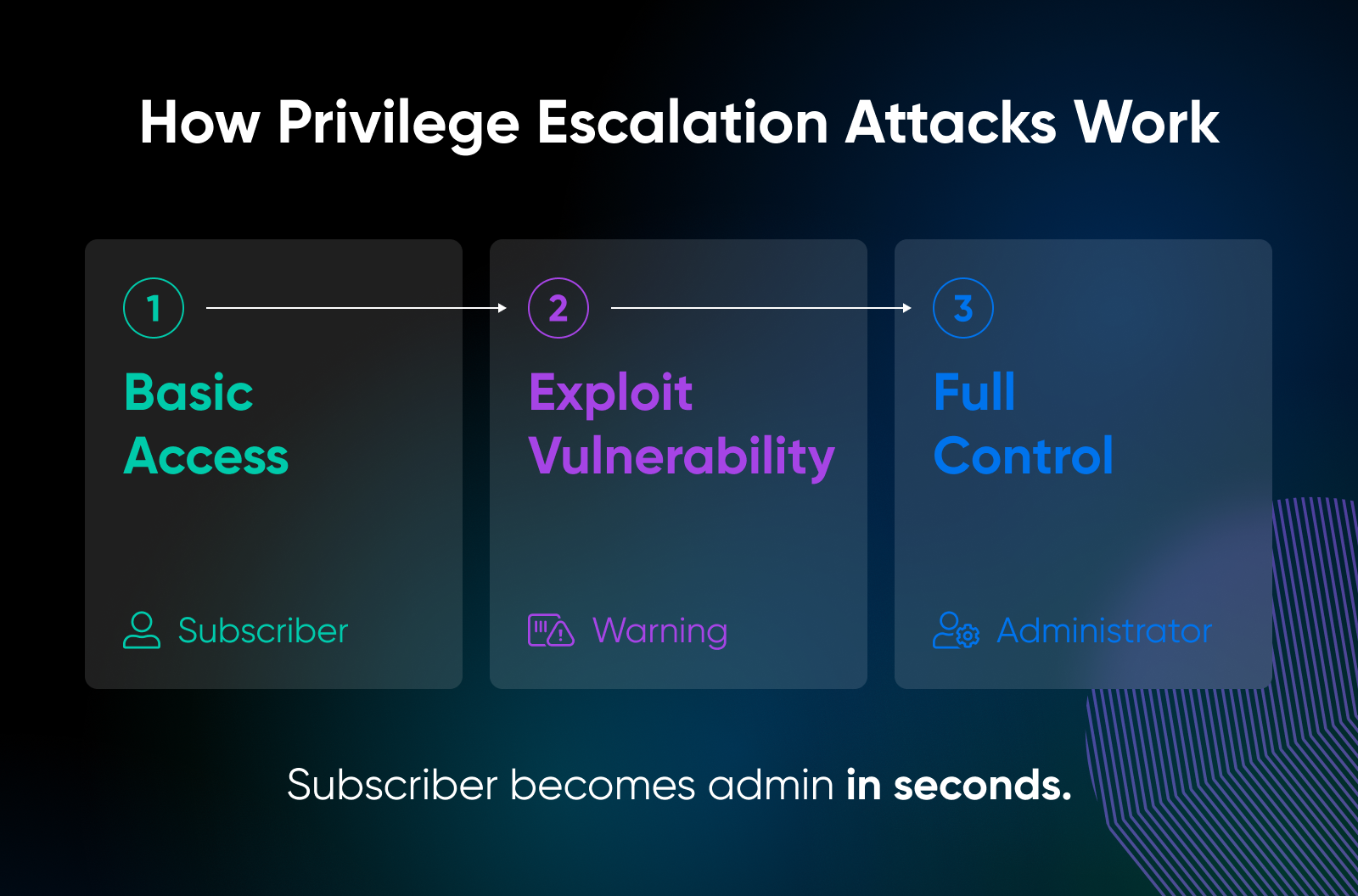
What happened: AI Engine versions 2.8.0 through 2.8.3 were missing a capability check on the function guarding the plugin’s MCP module (CVE-2025-5071). MCP, the Model Context Protocol, is the interface that lets AI agents take actions on your site. With that check missing, any subscriber-level user could access the MCP and run commands like wp_create_user, wp_update_user, and wp_update_option — a straight path to privilege escalation.
Privilege escalation vulnerabilities are among the most devastating because they subvert the trust model: anyone who could register a basic account could hand themselves the keys. And AI Engine connects WordPress to OpenAI, Anthropic, Google, and other AI providers.
Key takeaway: New plugin categories bring old vulnerability classes. Treat AI integrations with the same suspicion as any other code with admin-level power, and make role audits part of every monthly maintenance routine.
6. B Blocks Plugin
What happened: bBlocks (recorded as “B Blocks” in the CVE), a Gutenberg block plugin, shipped a registration function with missing authorization and improper input validation (CVE-2025-8059). In versions 2.0.6 and earlier, unauthenticated visitors could create a new account and assign it the administrator role. No login, no existing foothold, nothing.
Any attacker who knew the endpoint could spin up a brand-new admin account. From there, they could install backdoors, export the database, or inject SEO spam links across the site.
Key takeaway: Unauthenticated privilege escalation is as bad as it gets. Check your user list regularly, even when you think everything is patched: a surprise administrator is the loudest alarm there is.
7. Motors Theme
What happened: The Motors theme, a commercial theme sold for car dealership sites, didn’t properly validate a user’s identity before updating their password. In versions 5.6.67 and earlier, unauthenticated attackers could change any user’s password, including an administrator’s, and log straight into the account (CVE-2025-4322).
Attackers didn’t need to be clever here. They could simply walk in through the front door with a password they set themselves, on a site advertising inventory, payments, and customer leads.
Key takeaway: Themes can be as dangerous as plugins. If you bought a theme years ago and haven’t updated it, that theme may be your weakest link.
8. Database for Contact Form 7 / WPForms / Elementor Forms
What happened: The Database for Contact Form 7, WPForms, and Elementor Forms plugin, an add-on that stores form submissions, allowed unauthenticated PHP object injection in versions 1.4.3 and earlier (CVE-2025-7384). Untrusted input was deserialized in the plugin’s get_lead_detail function, and a “POP chain” in Contact Form 7 (a plugin likely installed alongside it) let attackers turn the object injection into arbitrary file deletion. Delete wp-config.php, and the result is denial of service — or remote code execution.
Because this plugin extends three of the most popular form builders, the exposure multiplied across exactly the kind of sites agencies manage in bulk.
Key takeaway: Small “helper” add-ons deserve the same patch urgency as the big plugins they extend. An attacker doesn’t care which plugin opened the door.
9. OpenSSH on Ubuntu
What happened: Canonical patched several OpenSSH flaws on Ubuntu in 2025. USN-7270-1 (February 2025) fixed two: with the non-default VerifyHostKeyDNS option enabled, an attacker could impersonate a server by bypassing the identity check (CVE-2025-26465), and a flaw in the transport-level ping facility could be used to drain resources on clients and servers, a denial-of-service risk affecting Ubuntu 24.04 LTS and 24.10 (CVE-2025-26466). Two months later, USN-7457-1 fixed a bug where the DisableForwarding directive failed to disable X11 and agent forwarding, contrary to its own documentation (CVE-2025-32728).
OpenSSH is one of the most foundational packages on an Ubuntu server, and a directive that doesn’t do what its name promises is its own kind of horror: your config file says you’re safe when you’re not.
Key takeaway: Don’t assume critical packages are invulnerable. Even mature software like OpenSSH needs constant patching, plus a config review after every advisory that touches it.
10. PHP on Ubuntu
What happened: A vulnerability in PHP’s SOAP extension meant an oversized XML namespace prefix (over 2 GB) could trigger a null pointer dereference and crash PHP, affecting the availability of the server (CVE-2025-6491). It affected PHP 8.1 before 8.1.33, 8.2 before 8.2.29, 8.3 before 8.3.23, and 8.4 before 8.4.10. Canonical shipped the patch to Ubuntu 25.04, 24.04 LTS, and 22.04 LTS in USN-7648-1 (July 2025).
Plenty of WordPress plugins and themes depend on PHP’s SOAP and XML functions for integrations like payment gateways, CRMs, and marketing automation. A crash at the interpreter level takes the site down no matter how clean your WordPress code is.
Key takeaway: Server software flaws are just as threatening as WordPress bugs. If your PHP process dies, your site dies with it.
What these tales teach us
Taken together, these 10 cases tell a consistent story: the scariest vulnerabilities of the past year weren’t exotic zero-days in WordPress core. They were the everyday cracks in the walls: outdated plugins, neglected themes, and unpatched server software.
Three lessons stand out:
- Plugins and themes dominate the disclosed vulnerability count. They accounted for nearly all of 2025’s disclosed WordPress vulnerabilities, and their large install bases make them prime targets.
- Privilege escalation is everywhere. From Post SMTP to AI Engine to bBlocks, attackers are hunting for shortcuts to admin rights. Once they have those, everything else is secondary.
- OS-level bugs matter as much as application bugs. The OpenSSH and PHP flaws remind us that keeping Ubuntu packages current is just as important as updating WordPress itself.
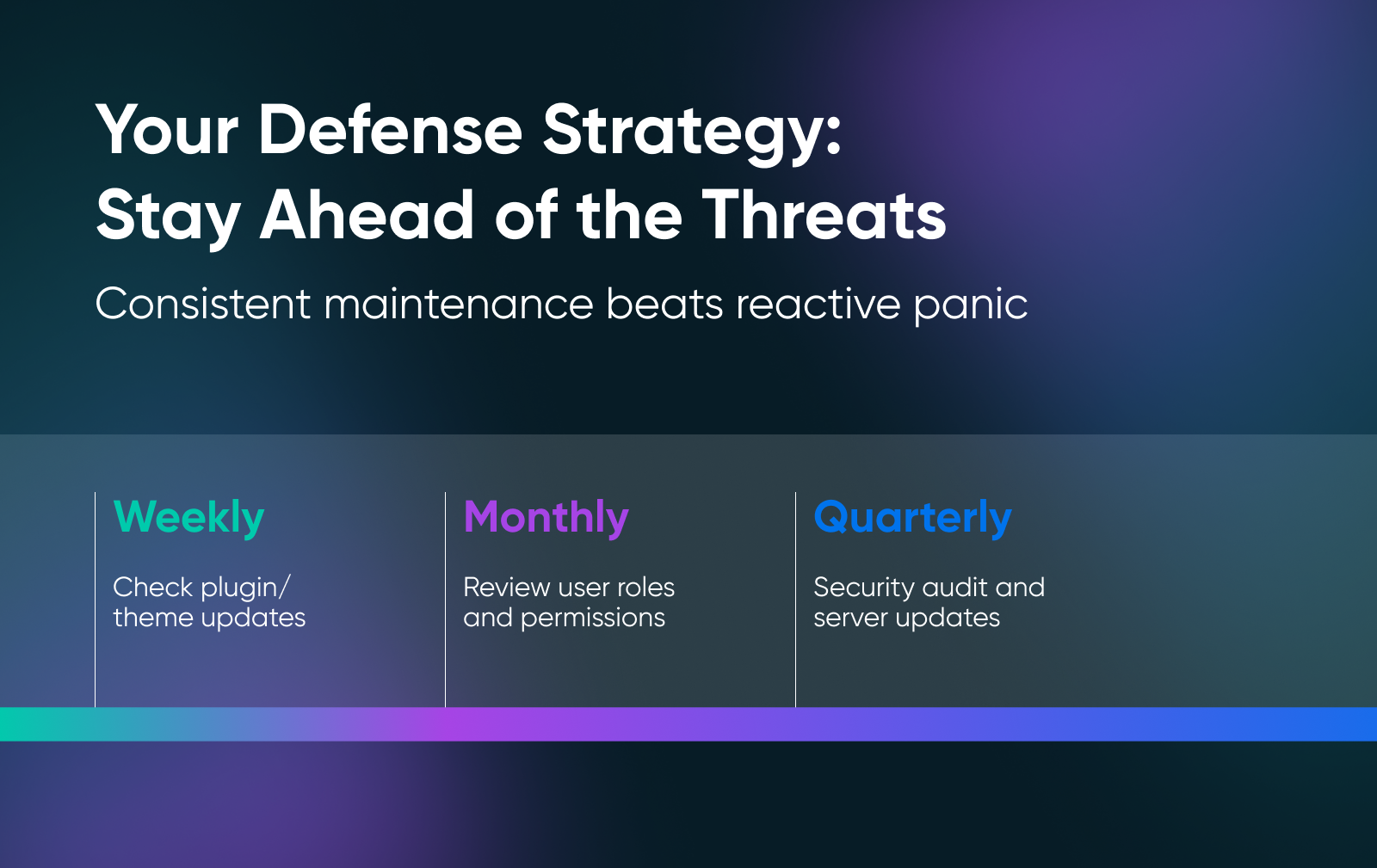
The takeaway isn’t to fear your software stack. Respect it and take care of it: every plugin, theme, or server package you install widens the surface area for attack, and the difference between a scary hosting tale and a routine patch cycle is how quickly you spot and close those gaps. For a practical checklist, start with our 20 WordPress security tips.
Security doesn’t have to be terrifying. With consistent updates, careful role management, and attention to advisories, you can keep the monsters at bay.
WordPress and hosting security FAQs
Where do most WordPress vulnerabilities come from?
Plugins and themes. Patchstack’s WordPress vulnerability statistics for 2025 attribute 91% of disclosed vulnerabilities to plugins and 9% to themes, with only 2 recorded in WordPress core. The safest posture is fewer, better-maintained plugins, updated promptly.
Can a firewall or WAF protect my site from plugin vulnerabilities?
Partly. A web application firewall (WAF) filters requests before they reach your site and can block known exploit patterns, which buys you time between a disclosure and your next update. It can’t fix vulnerable code, though, so treat a WAF as a layer in front of updates, never a replacement for them. Our guide to web application firewalls explains how to set one up.
What security does DreamHost include with hosting?
Every DreamHost plan ships with free Let’s Encrypt SSL certificates, automated backups, DDoS protection and mitigation, 24/7 server and network monitoring, and web application and network firewalls, with no additional setup or fees. The full list is on our website security page.
What is DreamShield?
DreamShield is DreamHost’s paid security add-on. It automatically scans your website daily, detects and blocks malware, and alerts you by email and in the DreamHost panel when something is wrong. Each DreamShield plan covers a single domain or subdomain, and it protects websites fully hosted on a DreamHost hosting plan.
Do I still need to update plugins on managed hosting?
Yes. Managed hosting responsibilities vary, so check whether your plan updates third-party plugins and themes. If it doesn’t, you or your maintenance provider must update them. Most of the vulnerabilities in this article lived in plugin code that only an update could fix. Here’s how to tell whether your WordPress hosting has good security.

Unbeatable WordPress Hosting
Reliable, lightning-fast hosting solutions specifically optimized for WordPress.
See More