
Running a website can be a bit like hosting a haunted-house party: invite people to a kooky mansion, and no one shows up (poltergeists notwithstanding). To make it a success, you need to provide a safe, welcoming environment for your guests.
That’s essentially the job of Really Simple Security, the plugin you probably still know by its old name, Really Simple SSL. It’s a WordPress plugin that detects your SSL certificate (or generates a free one from Let’s Encrypt) and redirects traffic to HTTPS. The paid Pro version adds a mixed content scanner and fixer.
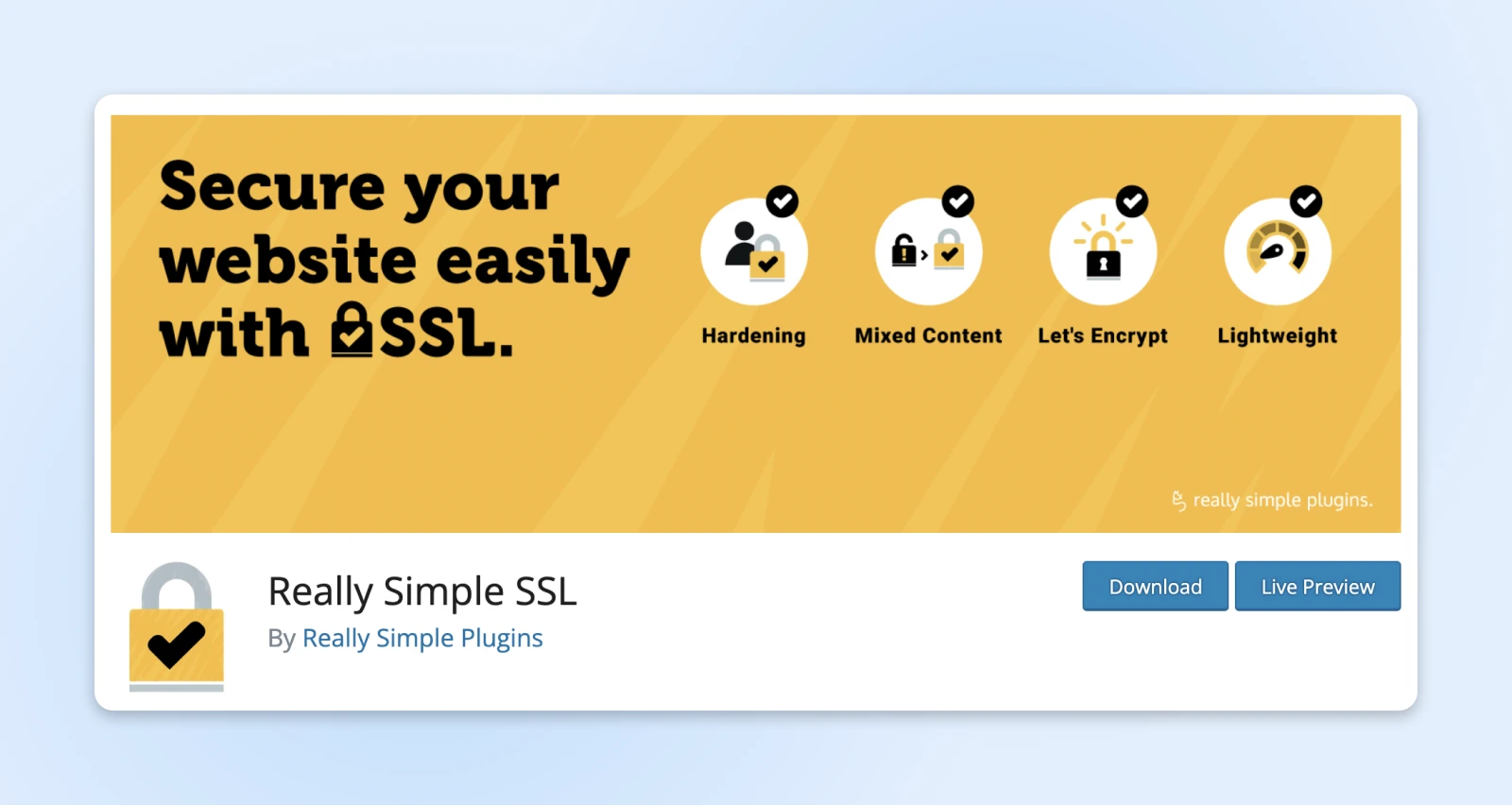
This super-popular WordPress plugin (3+ million active installations, per WordPress.org as of August 2026) still makes the HTTPS upgrade the easy part. And since its September 2024 rename to Really Simple Security with version 9.0, the free version bundles a full set of security tools on top: two-factor authentication, login protection, vulnerability alerts, and WordPress hardening.
In this quick guide, we’ll take a look at what Really Simple Security can do, what changed with the rename, how to install the plugin, and some of the alternatives to consider. Let’s get the party started!
What is SSL, exactly?
SSL/TLS
SSL stands for secure sockets layer. SSL is a protocol for maintaining a secure connection and protecting sensitive data to keep internet users safe during online transactions, login sequences, and more. Transport layer security (TLS) is the successor to SSL that’s in place today and handles vulnerabilities even more effectively.
Secure Sockets Layer, or SSL, is basically the secret handshake of the internet. It’s a cryptographic protocol that ensures that hosting servers and web browsers can talk to each other without any uninvited creeps eavesdropping on the conversation.
On a more technical level, SSL works like this:
- When you visit a website, the hosting server “shakes hands” with your web browser.
- The browser then asks the server for an ID.
- In response to incoming requests, the server produces a valid certificate to prove its identity.
- After the certificate has been checked, the server and browser open a secure connection via HTTPS.
- Once the connection is established, all data that’s transferred between the server and the browser is encrypted.
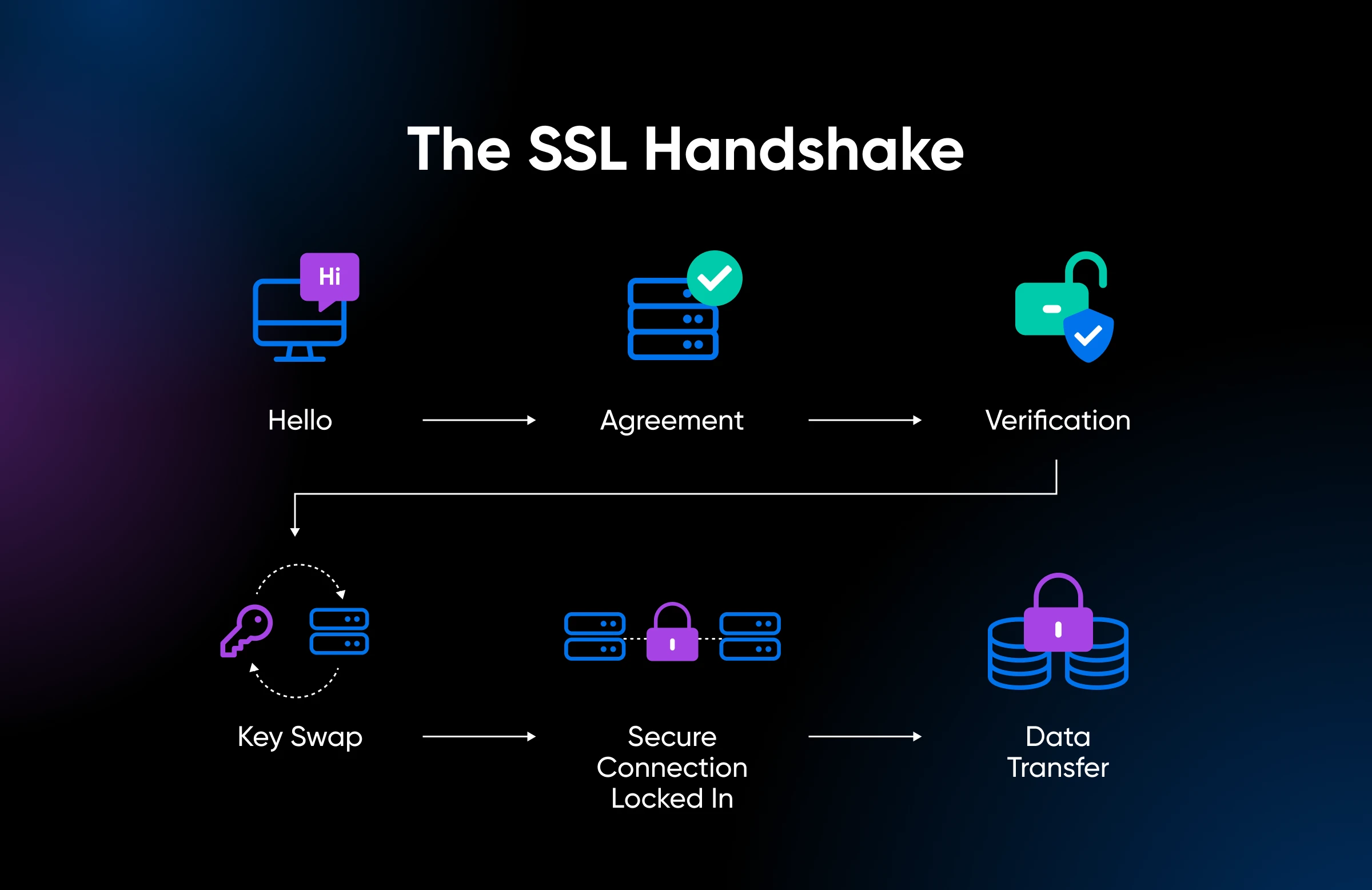
This process ensures that sneaky hackers can’t set up a fake server or spy on your connection to steal any personal information. Skipping it has visible costs, too: most modern browsers mark non-HTTPS websites “Not Secure,” and serving pages securely is one of the questions in Google’s page experience self-assessment, which describes the kind of experience its core ranking systems look to reward.
Fun fact: TLS (Transport Layer Security) is SSL’s successor and the protocol actually securing connections today, but the old name stuck. When anyone (us included) says “SSL certificate,” it’s almost always TLS doing the work.
What is Really Simple Security (formerly Really Simple SSL)?
Really Simple Security (formerly Really Simple SSL) is a WordPress plugin that configures HTTPS and hardens your site. The free version installs an SSL certificate, redirects traffic to HTTPS, detects vulnerable plugins and themes, adds two-factor authentication and login protection, and applies core hardening — all from a guided setup wizard.
Quick history for anyone confused by the two names: the plugin launched in 2015 as Really Simple SSL and was renamed Really Simple Security in September 2024 with version 9.0, when its free feature set grew from SSL setup into a broader security toolkit. Same plugin, same listing on WordPress.org — bigger job description.
More specifically, the plugin installs a free SSL certificate, if required, and configures your site to use HTTPS. (With our DreamHost hosting plans, we do this for you.)
In addition to the initial set-up process, Really Simple Security can run a security health check on your hosting server and help you mitigate WordPress’s weaknesses.
It can even notify you about vulnerabilities that pop up in the plugin, theme, and WordPress core updates.
When Really Simple Security is a good fit
What makes Really Simple Security the standout choice? There are five main reasons:
- It’s the simplest solution: This plugin lives up to its name. There are multiple ways to set up SSL and HTTPS, but none are as easy and straightforward as using Really Simple Security.
- Intelligent automation: When you set up HTTPS manually, there’s always a chance of introducing the occasional typo. Really Simple Security helps you avoid this issue by automating much of the process. The automation also extends to troubleshooting mixed content errors and other common issues that arise when you implement SSL/HTTPS.
- SSL-first, security second: Many full-featured security plugins include SSL setup as an option. Really Simple Security comes at it from the other direction: it nails the WordPress HTTPS migration first, then layers on hardening, login protection, and vulnerability alerts as you need them.
- Light on performance: While sprawling security plugins sometimes add weight to your site, Really Simple Security is built modularly. Per the developer, features you leave disabled load no code at all, so a site that only wants SSL and redirects carries none of the heavier security machinery.
- Outstanding reviews: Really Simple Security holds a 4.9-star average rating from 8,862 reviews in the official WordPress Plugin Directory (as of August 26, 2026), and the team resolved 10 out of 10 support forum issues in the past two months.
These features are pretty compelling, aren’t they? With more than 3 million active installations (per WordPress.org, August 2026), plenty of site owners agree.
Really Simple Security use cases
Not sure whether you need an SSL plugin? To make the answer crystal clear, let’s run through the main use cases for Really Simple Security:
- New WordPress sites: If you’re starting from scratch, Really Simple Security can help you make your site secure. The plugin ensures HTTPS is properly configured, helping you to avoid common pitfalls.
- Upgrading existing sites to HTTPS: If your existing site doesn’t yet run SSL/HTTPS, you should upgrade: visitors’ data travels unencrypted otherwise, and most modern browsers flag the site as “Not Secure.” Really Simple Security automates the transition, so content like images and links are loaded properly via the secure HTTPS protocol.
- Sites with mixed HTTP/HTTPS content: Some WordPress sites end up with an ugly mixture of HTTPS and HTTP content because of site migrations, plugin conflicts, or manual HTTPS setups. This can create security vulnerabilities and even break your site. Luckily, Really Simple Security has a mixed content fixer.
- Multisite networks and subdomains: Maintaining HTTPS across multiple subsites or subdomains can be complicated. Really Simple Security is multisite-compatible, with a dedicated network settings page that controls settings for your entire network at once.
How to set up Really Simple Security
Assuming your site falls into one of these categories above, you should install Really Simple Security. Here’s your jargon-free quickstart guide:
1. Install the plugin
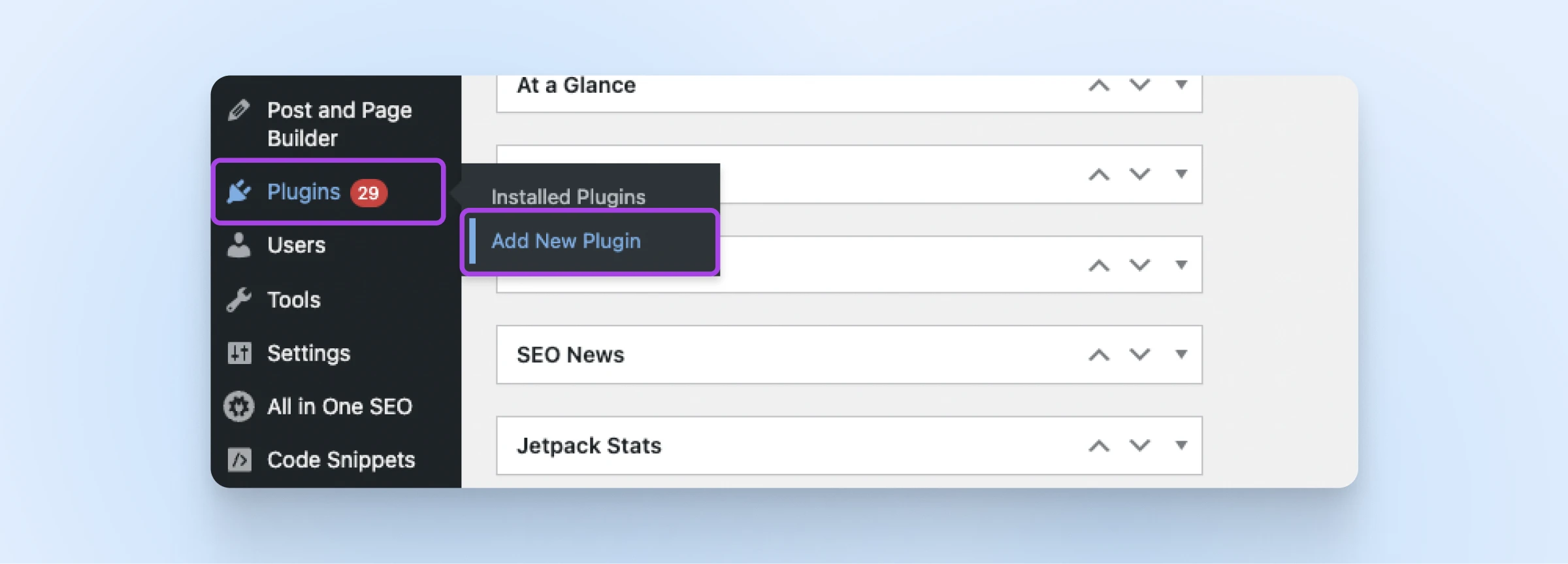
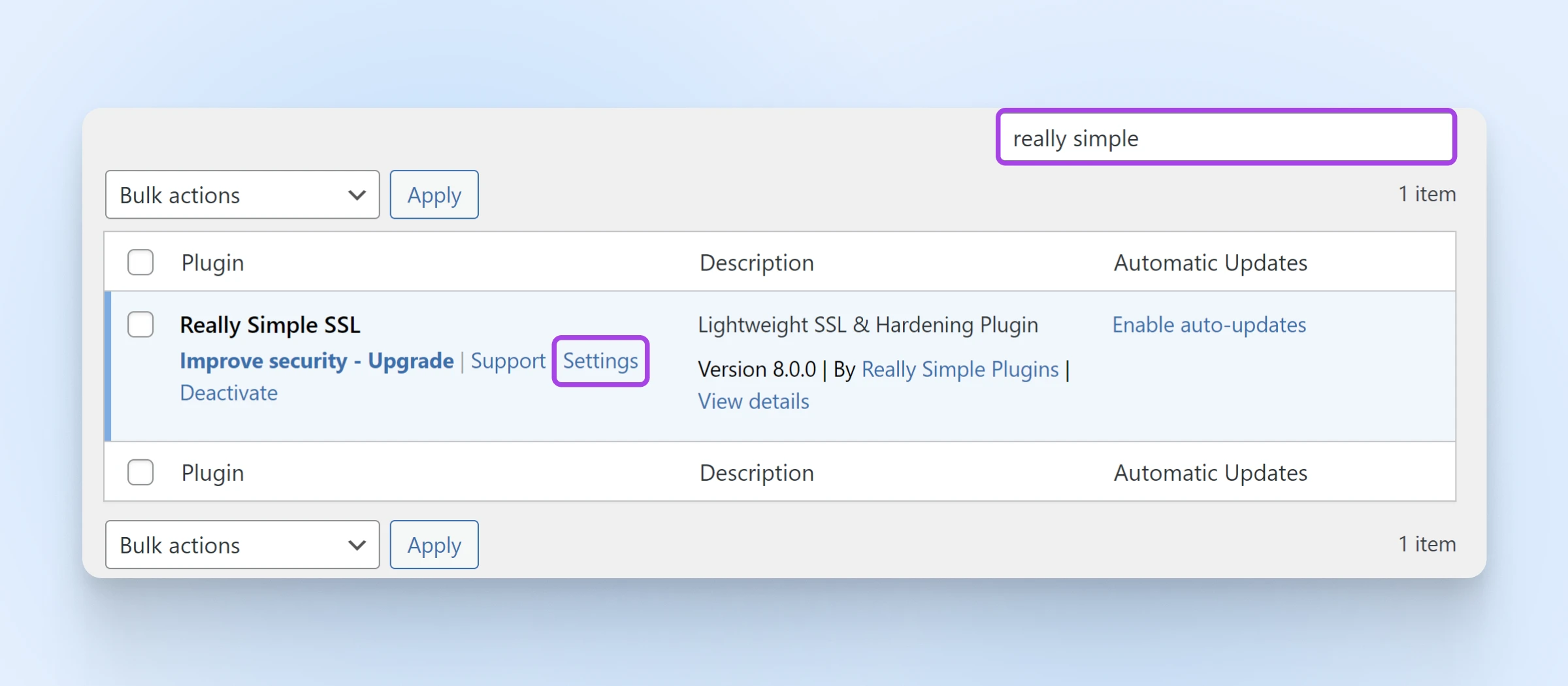
To get started, log in to your WordPress Dashboard and navigate to Plugins > Add New Plugin via the side menu.
Next, search for really simple ssl in the search box in the top-right (the old name still works and finds the renamed plugin). This is the one you’re looking for — it now appears as Really Simple Security:
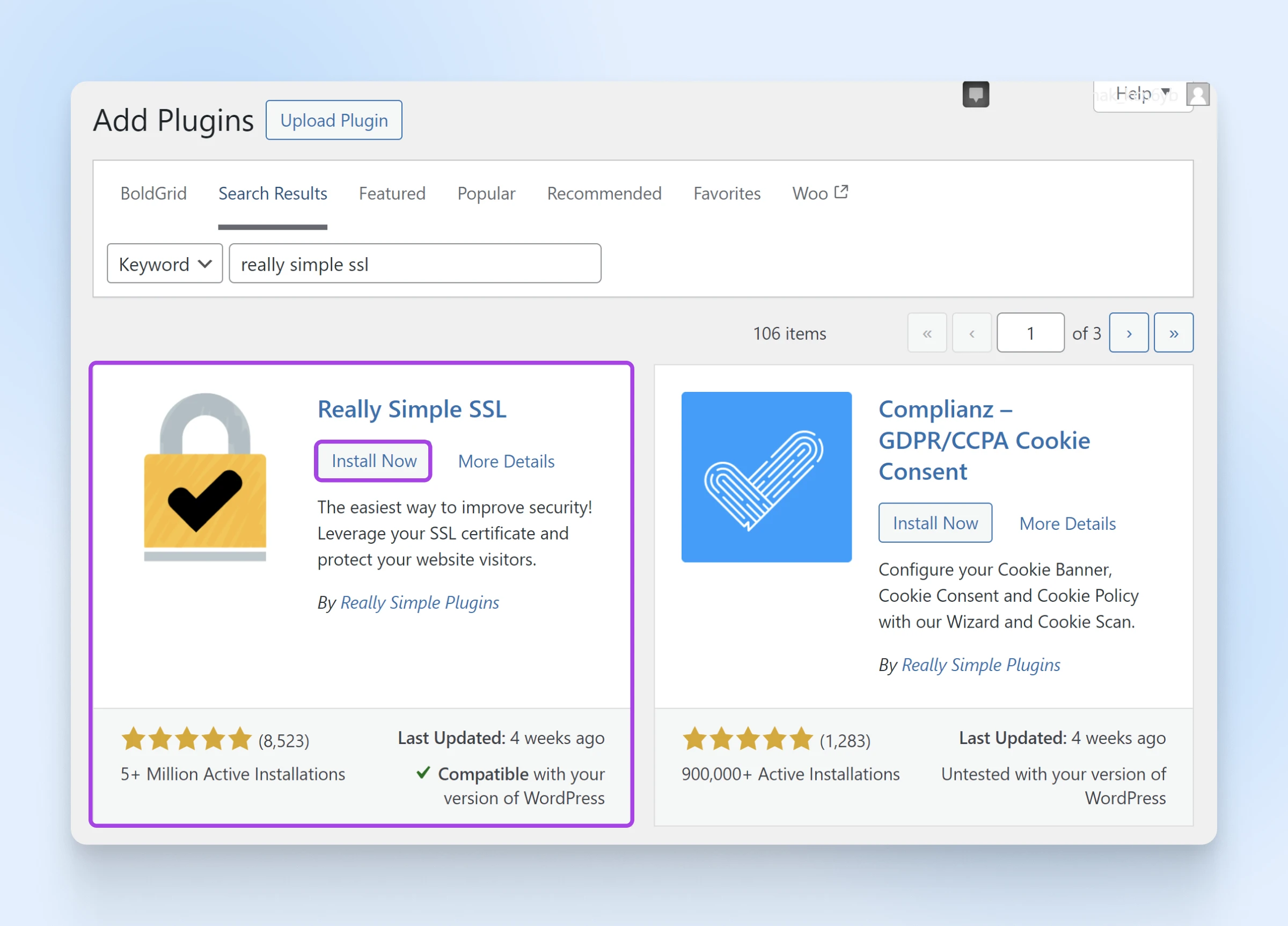
Heads up: the screenshots in this guide show the plugin’s previous “Really Simple SSL” branding. The flow works the same today, but you’ll see the new name throughout, and settings now live under a dedicated Security menu.
Tap Install Now, and then Activate.
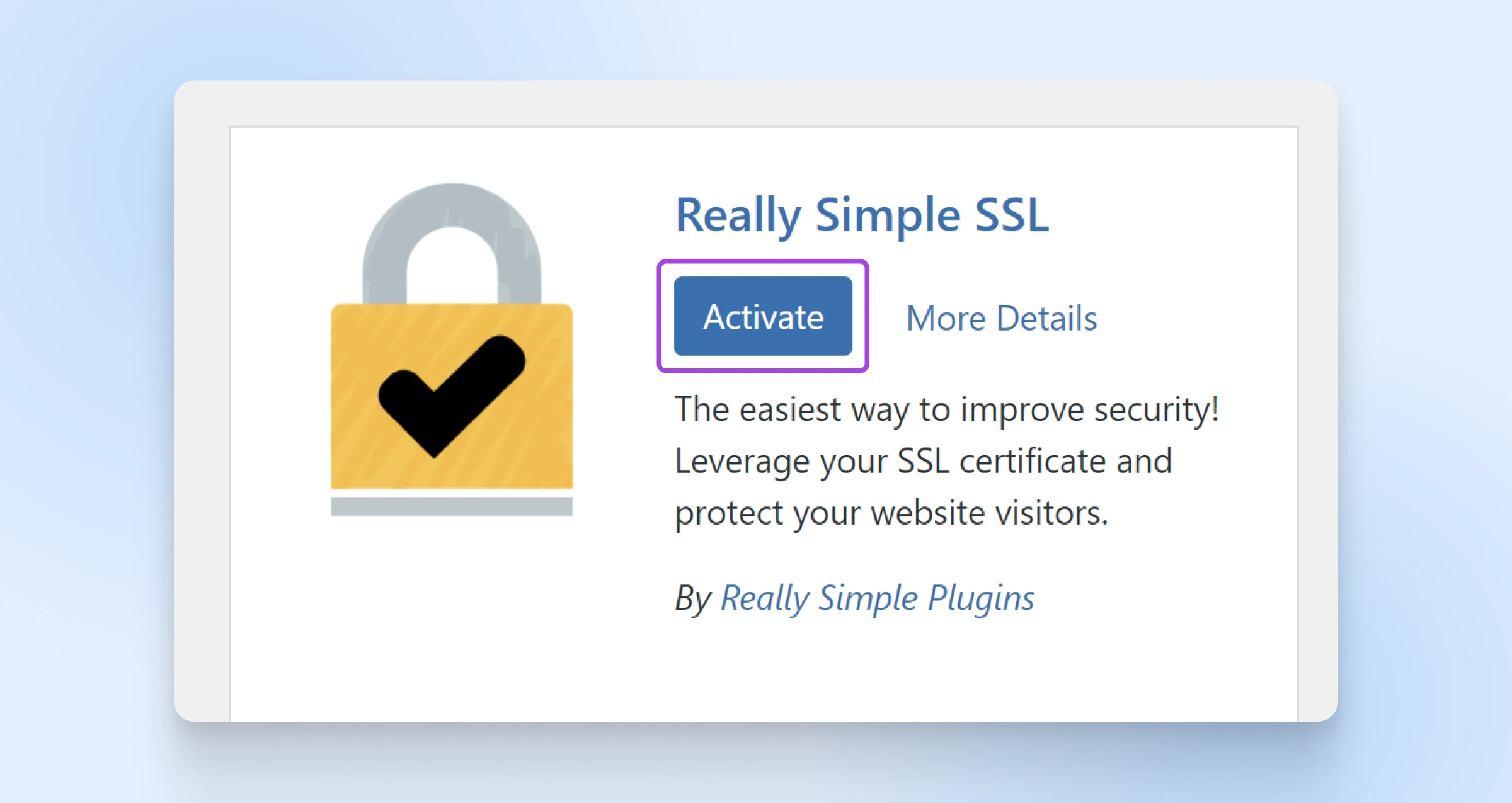
2. Basic configuration
Once Really Simple Security is activated, its setup wizard launches automatically and scans your site configuration.
Many web hosts today, including DreamHost, provide SSL certificates. If this applies to your hosting plan, you can simply walk through the setup process:
If the wizard doesn’t open on its own, look for the new Security item the plugin adds to your lefthand navigation menu and select Security > Settings.
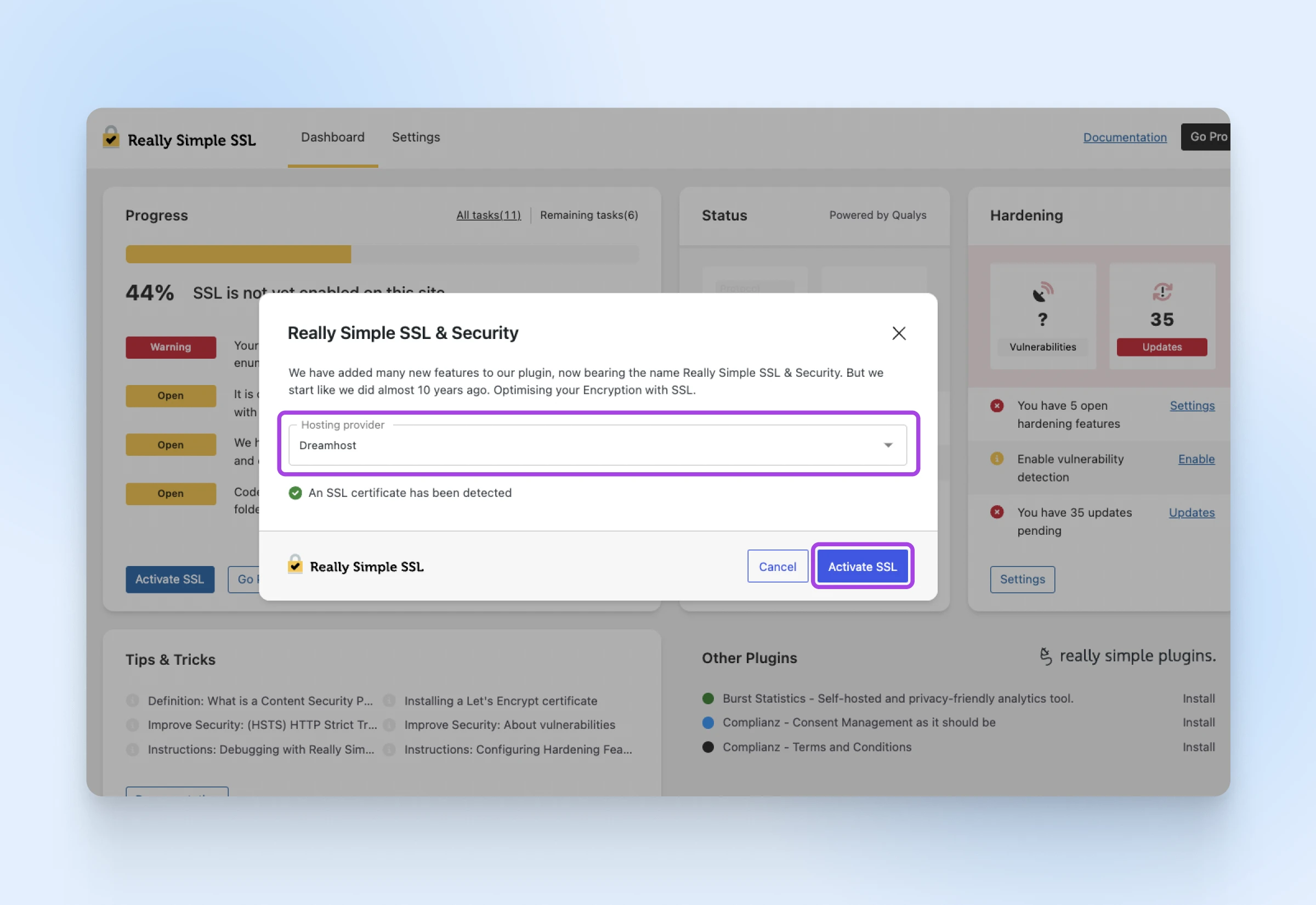
Optionally, pick your web host from the hosting-provider dropdown at the top of the wizard — it tailors the instructions to your host.
Then click the blue Activate SSL button in the setup wizard.
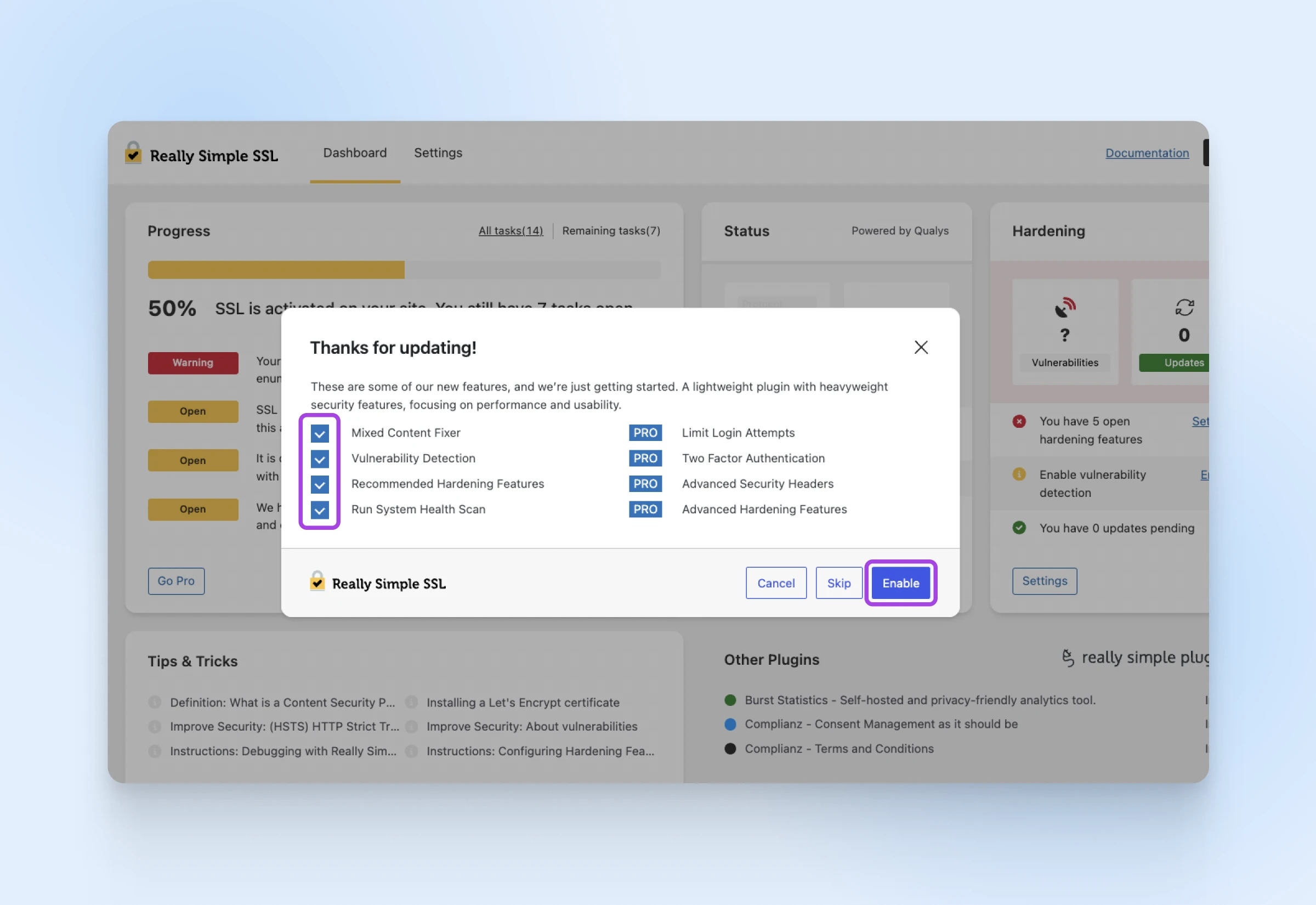
Choose whether you want Really Simple Security’s additional hardening features. When you’re done, click Enable (or you can choose to Skip at this time).
Now, enter your email address (you need to complete email verification to access certain options).
Choose whether you want to install the optional security and privacy plugins.
Complete the process by clicking Finish.
And just like that, you’re done! Your website should now be secure with HTTPS — we’ll verify it properly in the next step.
Setting up an SSL certificate
Unfortunately, not all web hosting providers give you SSL as a standard feature. But fear not, dear friend! Really Simple Security allows you to generate a free certificate via Let’s Encrypt. Two prerequisites worth knowing before you start: the Let’s Encrypt wizard needs PHP 7.1 or newer, plus the cURL PHP extension enabled. Your host can sort out both if you ask.
Here’s how to do it:
- After the initial scan, Really Simple Security will inform you that “No SSL certificate has been detected.” Click on Install SSL Certificate.
- The plugin will dive deeper to check whether your site is ready for SSL. Assuming you meet the criteria, you can click Save and Continue.
- To register your SSL certificate, the plugin will then ask you for a contact email address and a few other details. Fill these out, and then click Save and Continue.
- Next, the plugin will ask you to add information about your hosting management software (e.g., cPanel). Fill out the form, and smash that Save and Continue button.
- In some cases, you might be asked to verify your DNS records by adding a TXT record. The wizard requires this DNS method for multisite installations and subdomains, and it will guide you through any steps you need to take.
- Really Simple Security will generate your SSL certificate. It might install automatically. Otherwise, follow the steps provided by the wizard to install your certificate manually.
Et voilà! You should be ready to transition to SSL.
Keep in mind that some hosts don’t allow you to generate and install SSL certificates so easily. If you’re encountering problems along the way, check the plugin’s Let’s Encrypt installation guide for host-specific requirements and manual installation steps.
3. Security checkup
Once you’ve completed the installation process, it’s worth checking that SSL is working properly.
Start by typing in the URL of your website, with https:// at the beginning. Then click on the View site information icon to the immediate left of the address bar.
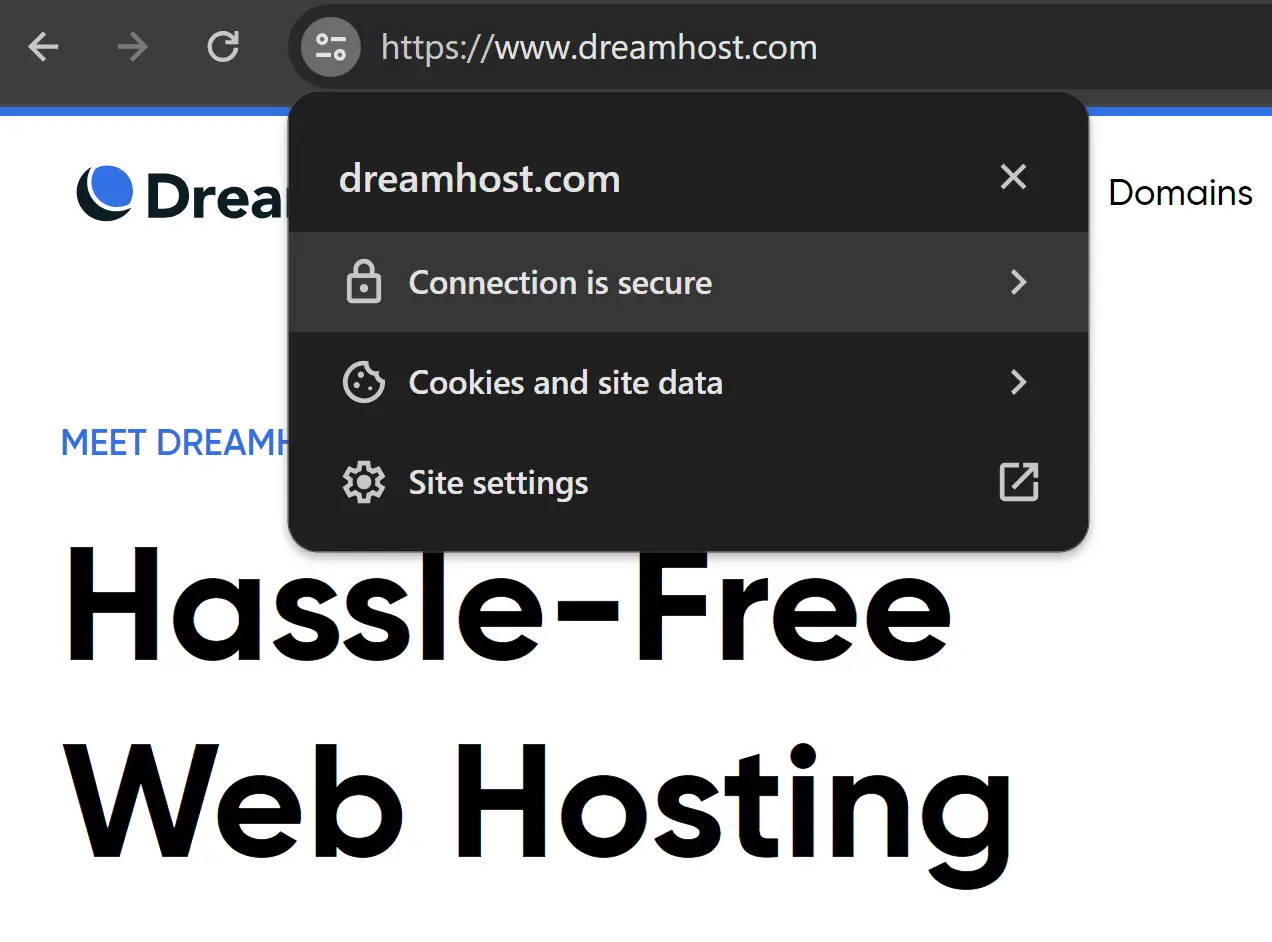
Click Connection is secure and you should see a “Connection is secure” message.
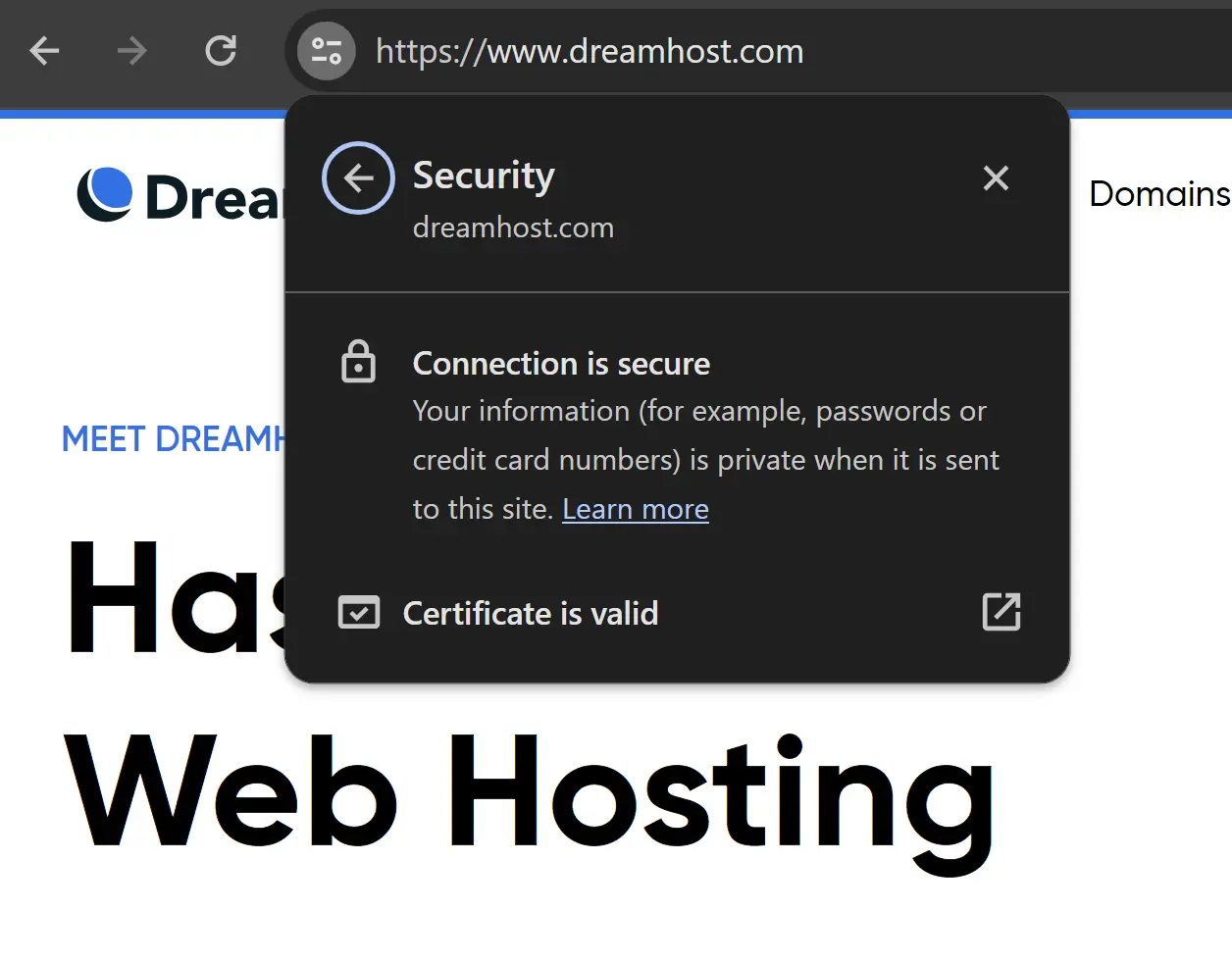
If you encounter problems here, it might be because of mixed content errors.
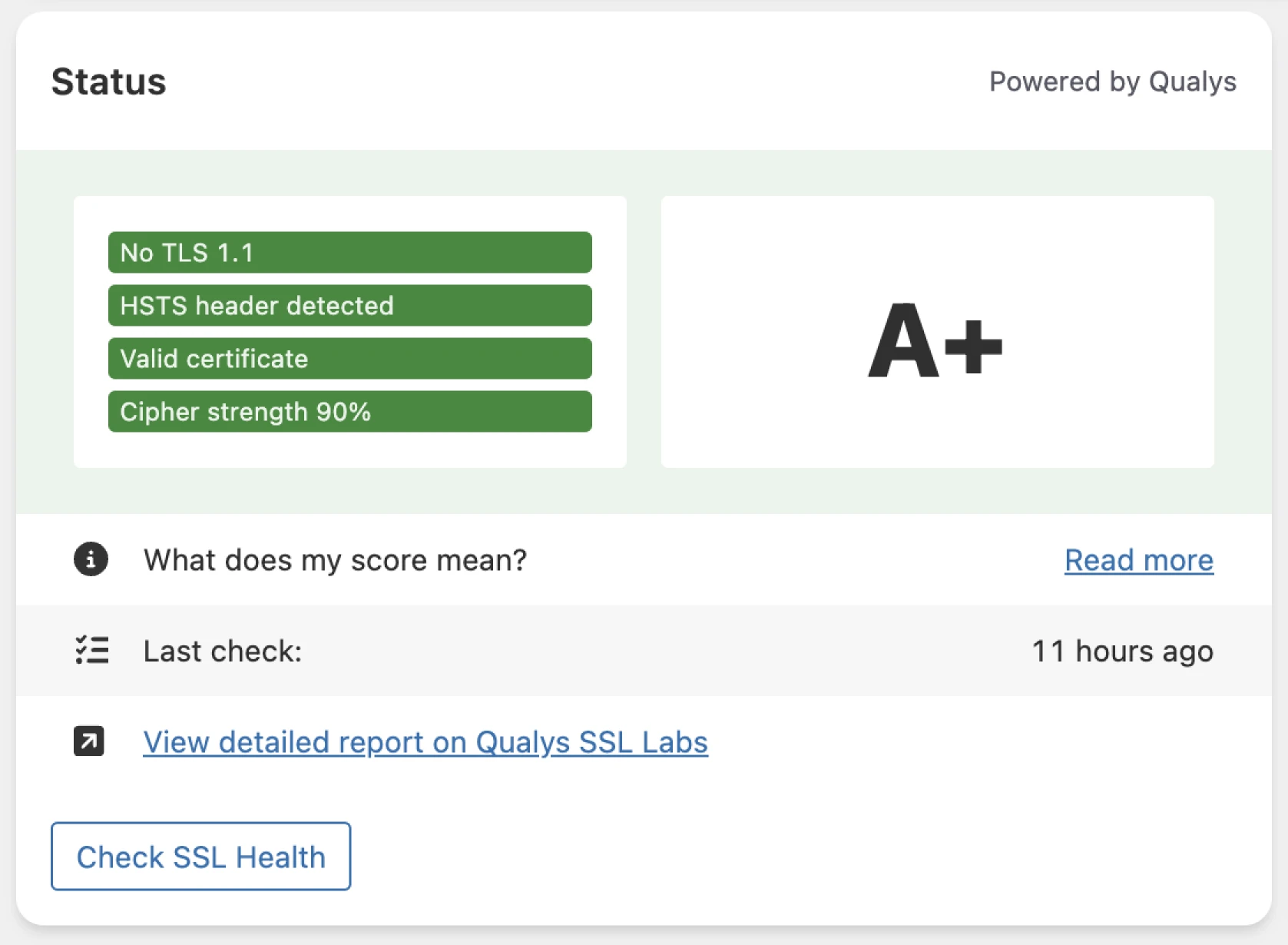
All good? Next, open the plugin’s dashboard under Security > Dashboard in your admin sidebar. Here, you can run a quick SSL health check.
While you’re there, you can also check for any security issues in the vulnerabilities overview on the plugin’s Security dashboard.
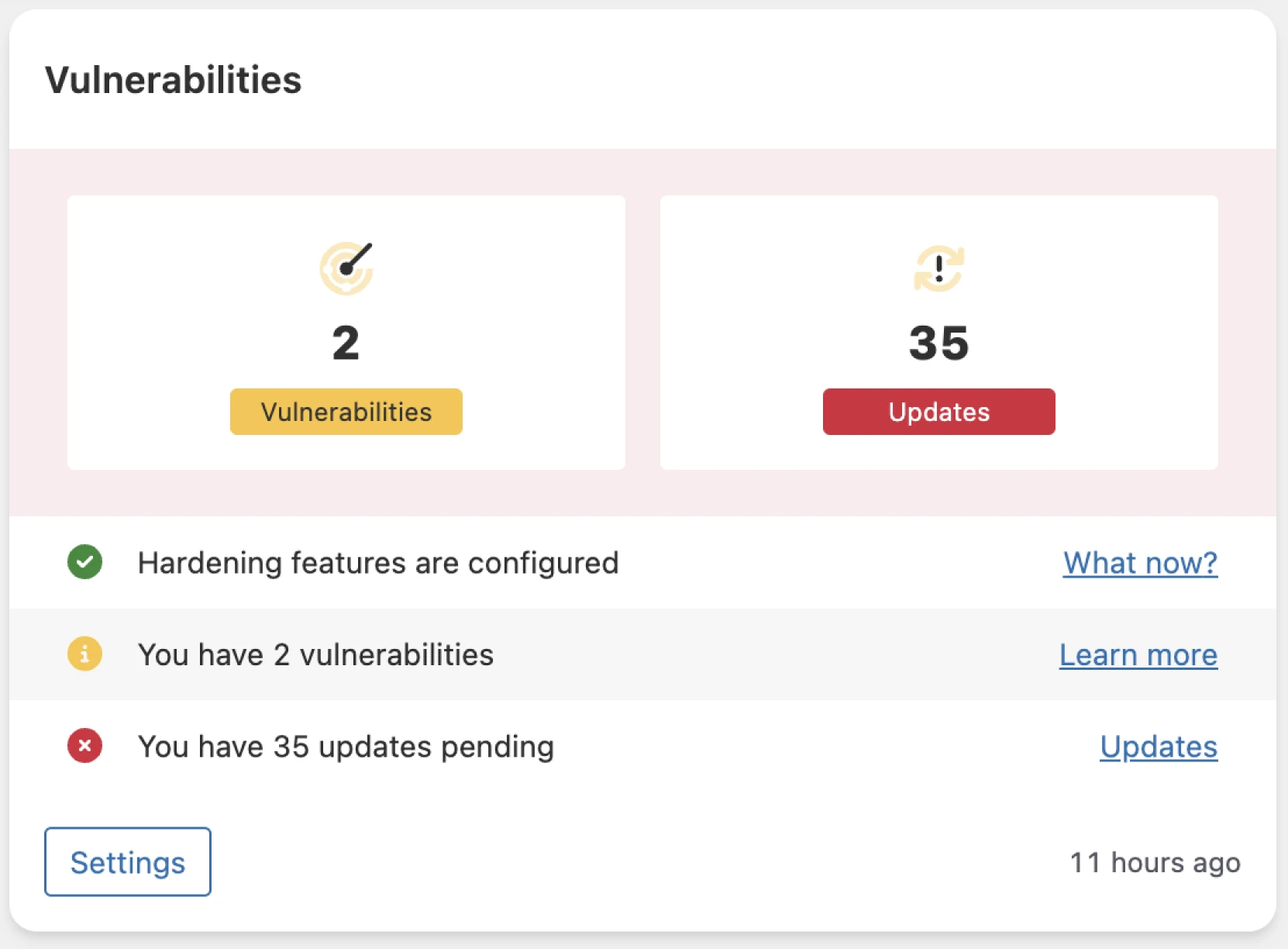
Follow the instructions in our WordPress security guide to fortify your site!
Really Simple Security alternatives
As you can tell, we love Really Simple Security. There are other options, though. Here are some of the key alternatives:
- Cloudflare: This CDN (content delivery network) comes with SSL capabilities. Just avoid its “Flexible” mode, which encrypts traffic between visitors and Cloudflare but leaves the connection between Cloudflare and your server on plain HTTP. Cloudflare’s own docs say to use Full or Full (Strict) if your site handles logins or personal data.
- Manual installation: For advanced users who want total control, configuring SSL manually might be a better option.
- Other WordPress SSL plugins: Plugins like SSL Zen and WP Encryption also generate free Let’s Encrypt certificates and send email reminders before certificates expire. The catch: SSL Zen’s free version leaves renewal to you. Let’s Encrypt certificates last 90 days, and you re-verify and reinstall each time, with automatic renewal reserved for the paid version. WP Encryption keeps automatic installation and wildcard certificates behind its Pro plan, too. If you want a free guided setup, Really Simple Security remains our pick. Installation may still require manual steps, so confirm certificate renewal with your host.
Really Simple Security FAQs
Still have questions? We have answers! Here are the questions we hear most about Really Simple Security:
Is Really Simple Security free?
Yes. SSL setup, WordPress hardening, vulnerability detection, login protection, and two-factor authentication (via email codes) are all free. Really Simple Security Pro adds a firewall, a mixed content scanner and fixer, security headers, automated vulnerability measures (force-update and quarantine), extra 2FA methods like authenticator apps, and premium support.
Is Really Simple SSL the same as Really Simple Security?
Yes. The plugin was renamed with version 9.0 in September 2024, when it grew from an SSL helper into a full security plugin. It keeps the same listing on WordPress.org, and existing installs update normally.
Is Really Simple Security safe after the 2024 security flaw?
Yes. The critical authentication-bypass flaw (CVE-2024-10924) affected versions 9.x below 9.1.2; per Tenable, it was publicly disclosed on November 13, 2024, and the 9.1.2 patch was published on November 14, 2024. The plugin remains actively maintained — version 9.8.0 shipped on August 25, 2026. Keep automatic updates on, which is sound advice for any security plugin.
Will Really Simple Security break my site?
It shouldn’t. But it’s worth backing up your site before you install the plugin. If you have problems, try clearing your browser cache, and make sure you don’t have conflicting redirect rules in your .htaccess file.
Do I need Really Simple Security if my host already provides SSL?
Not necessarily, but it can still help. A certificate alone doesn’t force visitors onto HTTPS or clean up mixed content, and the plugin handles both, plus the free security extras. At DreamHost, every hosting plan includes free Let’s Encrypt certificates that install and renew automatically, so the certificate part is already done for you.
Which is safer: TLS or SSL?
TLS. Transport Layer Security is SSL’s successor and the protocol securing connections today; the industry simply kept using the name “SSL.” You don’t have to choose between them: a modern “SSL certificate,” including the free Let’s Encrypt kind, uses TLS under the hood.
Make WordPress more secure
Adding SSL to your site is highly recommended, and Really Simple Security makes it super easy. With the right hosting provider, you can upgrade your site in minutes.
At DreamHost, all our web hosting plans come with unlimited free Let’s Encrypt SSL certificates that install and renew automatically. And on DreamPress, our managed WordPress hosting, WordPress itself comes pre-installed and optimized, too.
We also offer daily automated backups, a 100% uptime guarantee, and 24/7 expert support.
Want to try it for yourself? Sign up today to give your WordPress site the hosting it deserves.

Protect Your Website with DreamHost
Our automatic updates and strong security defenses take server management off your hands so you can focus on your customers.
Check Out Plans