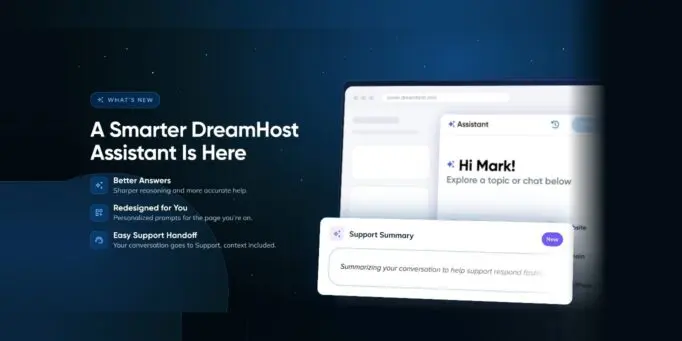
TL;DR: DreamHost Assistant has a new look, more helpful answers, and a Support Summary that makes it easier to share context with our Tech Support team.
Websites have a habit of raising technical questions right when you’re in the middle of getting something done. Figuring out what to ask is sometimes half the battle. The latest updates to DreamHost Assistant help you find your next step and get back to your website sooner.
A Head Start on the Right Direction
DreamHost Assistant now opens with a clean topic grid and greets you by name. You choose a topic, and you’ll see suggested questions to help you get started.
The suggestions change based on where you are in the DreamHost panel. You can open the Assistant from Manage Email to see email-related questions, and open it from Manage Domains to see questions about domains. You’ll find the same tailored experience across Websites, Hosting, WordPress and Billing.
Responses have also been redesigned so they’re easier to scan and follow.
A Smart Assistant Under the Hood
A newer, more capable AI model now powers DreamHost Assistant, improving how it reasons through questions and responds.
Our team can also update the Assistant’s guidance without waiting for a full product release. If we find an answer that needs clarification or correction, we can address it quickly.
Send DreamHost Tech Support the Backstory
Some issues need a closer look from our Tech Support team. The new Support Summary helps you bring them into the conversation without having to explain everything again.
After working through an issue with DreamHost Assistant, you can:
- Choose a recent Assistant conversation.
- Generate and review a summary.
- Edit the summary if needed.
- Add it to the Contact Support form.
The summary follows your request into a support ticket, live chat or callback. It’s clearly labeled so our team can see what the Assistant generated and what you added.
With the backstory already in place, Tech Support can spend less time gathering details and more time working on your issue. DreamHost Assistant can help with the first round of questions, then bring in Tech Support with the right context when you need more help.
This feature also lays the groundwork for future summaries to include relevant information about your website or account, giving the support team more context before the conversation begins.
Go Ahead, Try DreamHost Assistant
The updated Assistant is available now in the DreamHost panel. Open it while managing your website, hosting, email, domains, WordPress or billing to see questions related to the task at hand.