How To Create a Professional Service Business Website That Converts
A 38-page playbook for landscapers, contractors, HVAC pros, caterers, and every other service business owner who wants a website that earns trust, captures leads, and survives the comparison shopping round.
Get the Free eBook
Instant PDF download. No strings attached.
Your Website Is the Comparison Shopping Round.
69% of consumers say a local business needs a website to be credible, and a business website delivers a 41% trust lift — the strongest credibility signal outside of online reviews. For service businesses, the site isn't what closes the sale. It's what gets you to the round where the sale is possible.
- Why service business websites need a fundamentally different playbook than online stores
- The five or six essential pages every service site needs — and exactly what goes on each
- How to layer trust signals through every page (not stuff them onto a credentials page)
- Forms, scheduling, lead magnets, and CRM workflows that actually fill your pipeline
69% of consumers say a local business needs a website to be credible.
Business websites deliver a 41% trust lift — the single strongest credibility signal outside of online reviews. But the website alone isn't enough; the trust signals on it are what actually move prospects from comparison-shopping into your contact form.
The Numbers Behind the Service Business Site
Who Should Read This eBook?
You might be the best landscaper, HVAC pro, plumber, or baker in your area — but being an expert in your trade doesn't make you an expert at building a website. And small business owners have small businesses to run.
Service businesses sell a promise: that you'll show up, do the job right, and be worth the money. Your site can't add to a cart for you. It has to build trust through dozens of small signals — photos, copy, credentials, contact details, and how fast everything loads.
This guide closes that gap. No $20,000 agency engagement, no marketing team, no design background required — just the right structure, the right content, and a platform you can update yourself.
You run a local service business
Landscaping, HVAC, plumbing, catering — you're great at the work but your website isn't pulling its weight.
Most of your prospects find you on mobile
Around 57% of local searches start on a phone. If your site is hard to use there, you lose half your audience before they ever read a word.
You're losing leads to the comparison stage
You get traffic, but the calls and quote requests don't follow. The gap is almost always trust signals and friction.
Six Chapters. One Site That Earns the Job.
Service Business Website Strategy
Before you pick a template, decide what your site needs to do. Define your goal, understand your client's decision journey, and write a unique value proposition specific and provable enough to put above the fold.
- Pick the single action you want every visitor to take — call, book, request a quote
- Map the five-stage client decision journey (problem → research → comparison → contact → decision)
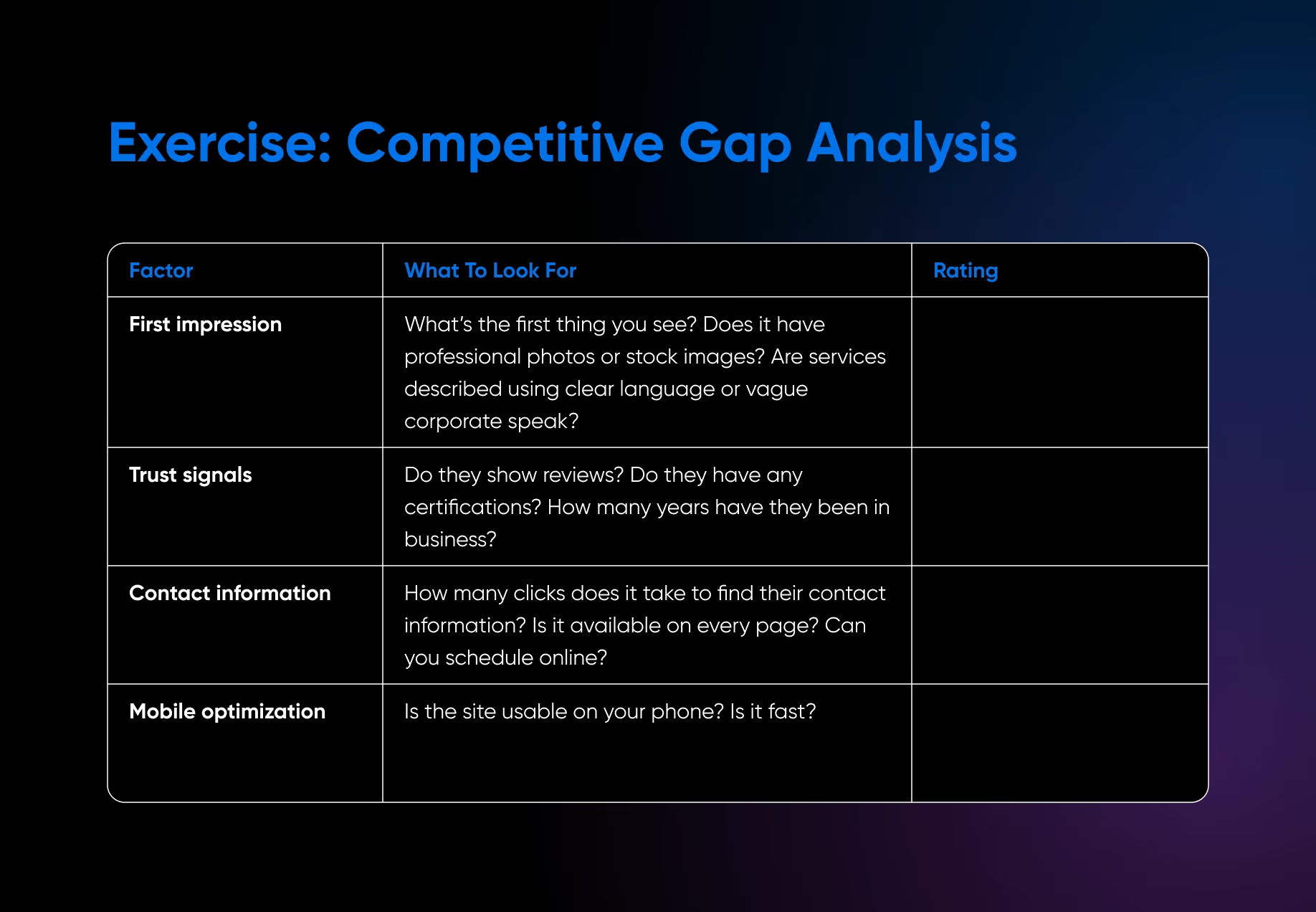
- Run a competitive gap analysis on the top five sites in your search area
- Write a UVP with specific numbers and provable evidence instead of "quality work"
Essential Pages and Site Structure
A small service business rarely needs more than five or six pages — as long as each one does a specific job and moves visitors seamlessly from curiosity to contact without hitting a dead end.
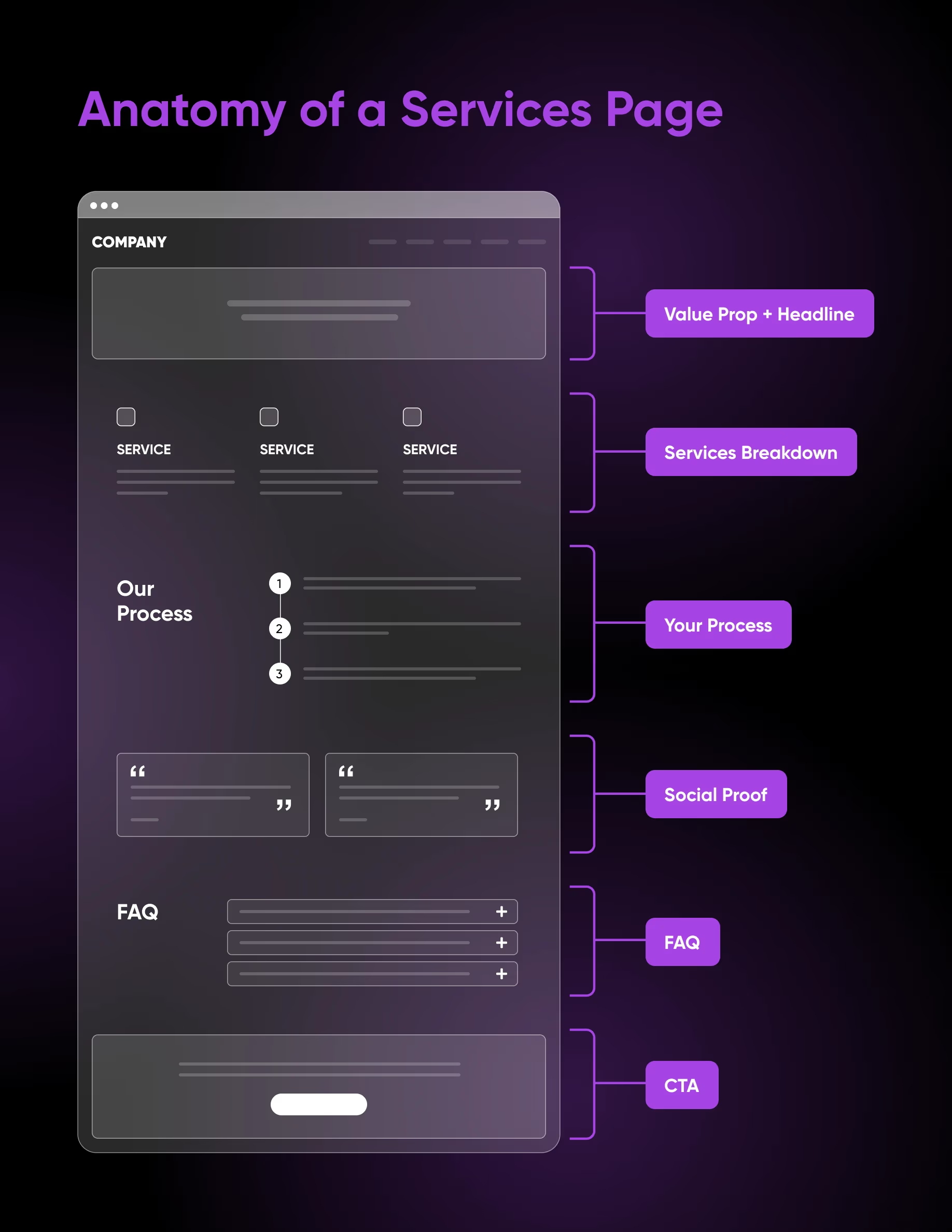
- Homepage anatomy: hero, services overview, social proof, CTAs, and a footer that closes the loop
- Service pages built around problem framing, your approach, project photos, and pricing guidance
- About pages with origin story, team bios, credentials, and service area for local SEO
- Contact pages stripped of every form field that isn't essential to start a conversation
Trust Signals and Credibility
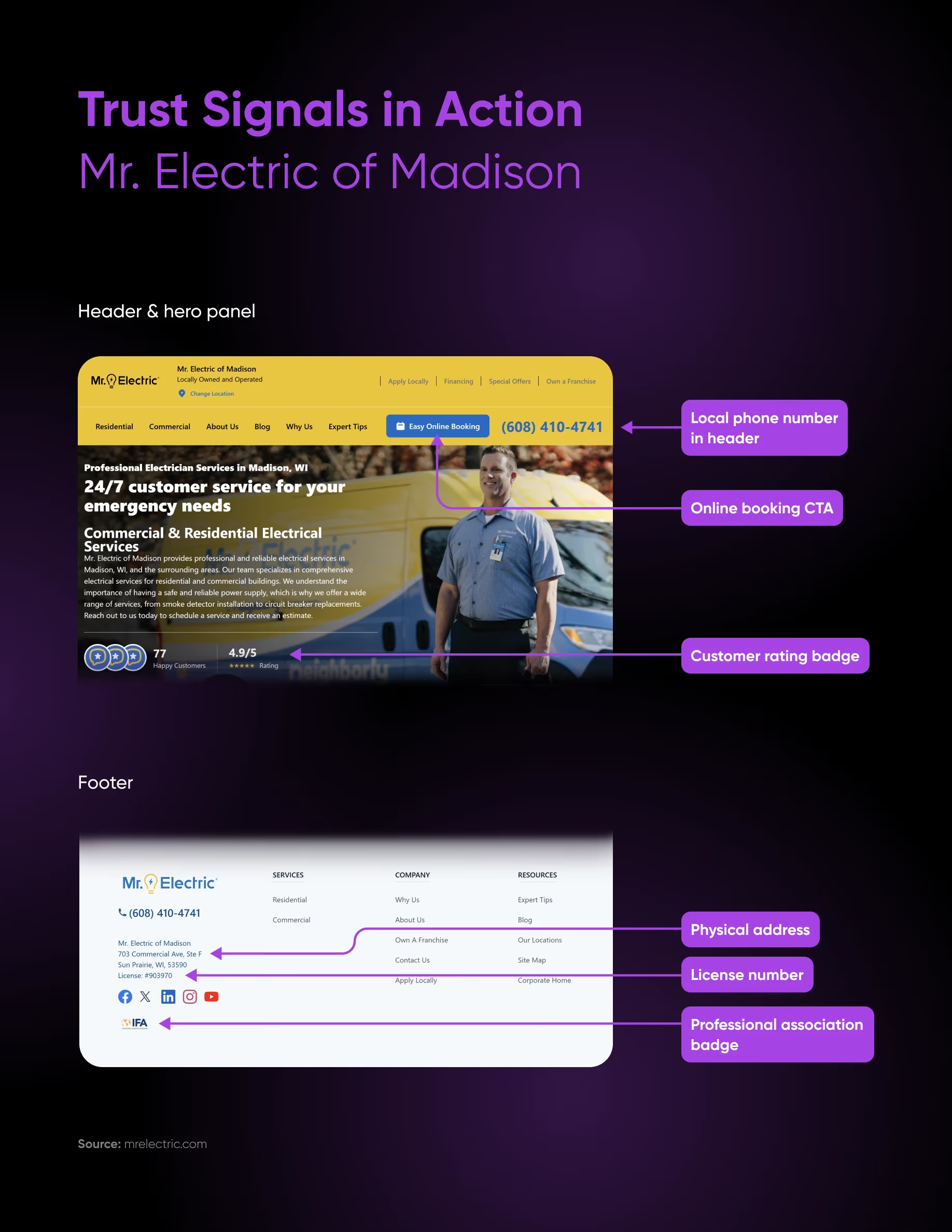
Credibility isn't a 'Trust Us' page. It's layered through every element of the site — from your TLS certificate and domain-based email address to the licenses and testimonials displayed where prospects will actually see them.
- Display licenses, certifications, awards, and memberships on every relevant page (not a credentials page)
- Place testimonials by intent: homepage outcomes, service-page specifics, contact-page experience
- Add a free TLS certificate — required for forms, ranks better in Google, signals legitimacy
- Switch from gmail.com to [email protected] — one of the cheapest credibility upgrades you can make
Lead Generation Systems
Traffic without conversion doesn't help your business. The forms, scheduling tools, lead magnets, and CRM workflows in this chapter are how you turn 10,000 visitors a month into actual booked jobs.
- Form design: around six fields, descriptive CTAs, and a confirmation message that sets expectations
- Embed a scheduling tool to collapse phone-tag into a single interaction with calendar integration
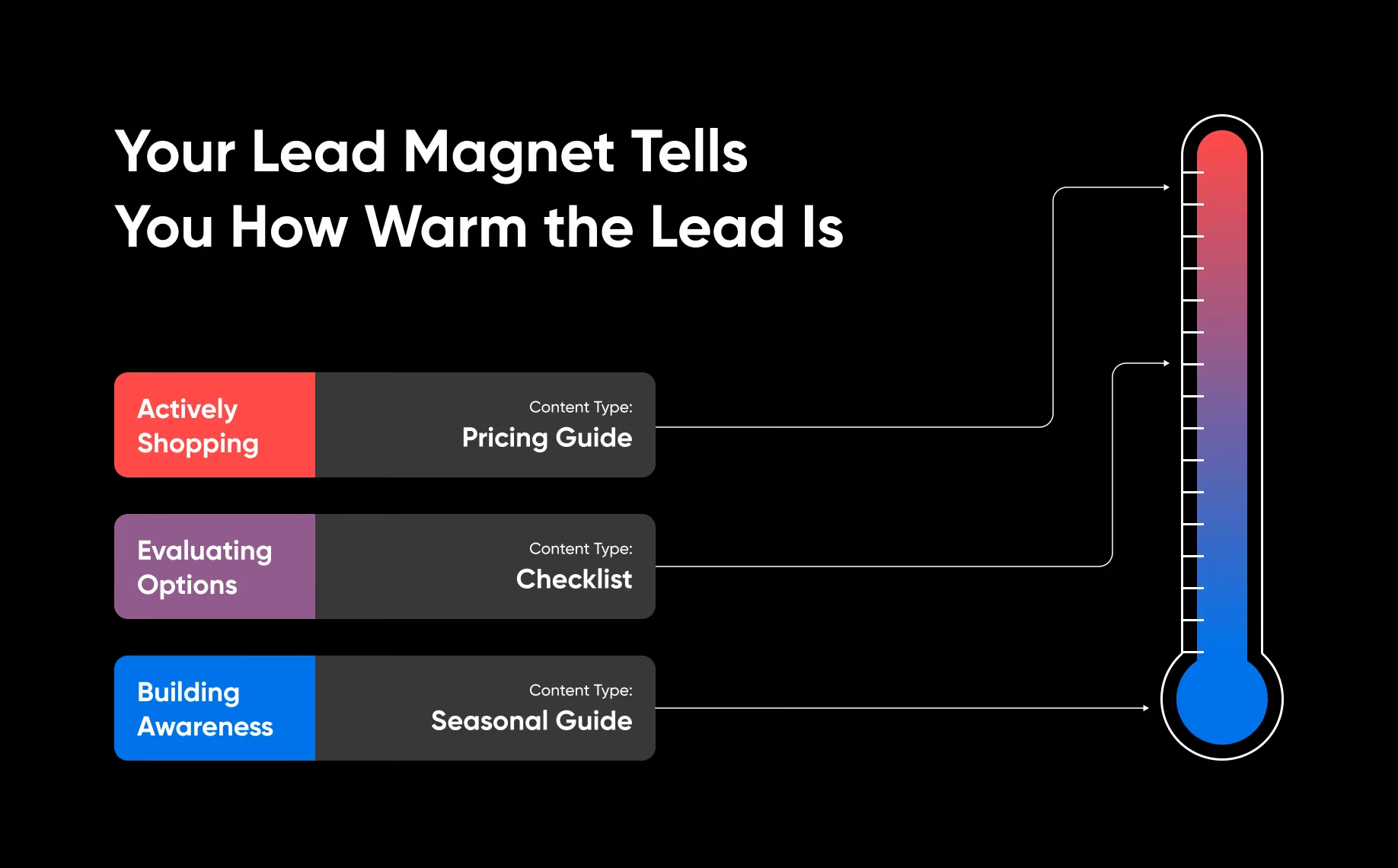
- Lead magnets that signal intent: pricing guides (hot), checklists (warm), seasonal guides (cool)
- Connect every form directly into a CRM so no lead falls through the inbox cracks
Platform and Tool Selection
WordPress vs. site builders, plugin selection, CRM, payment processing — the platform decisions that look small at launch but compound for years. Pick the stack you can grow into instead of out of.
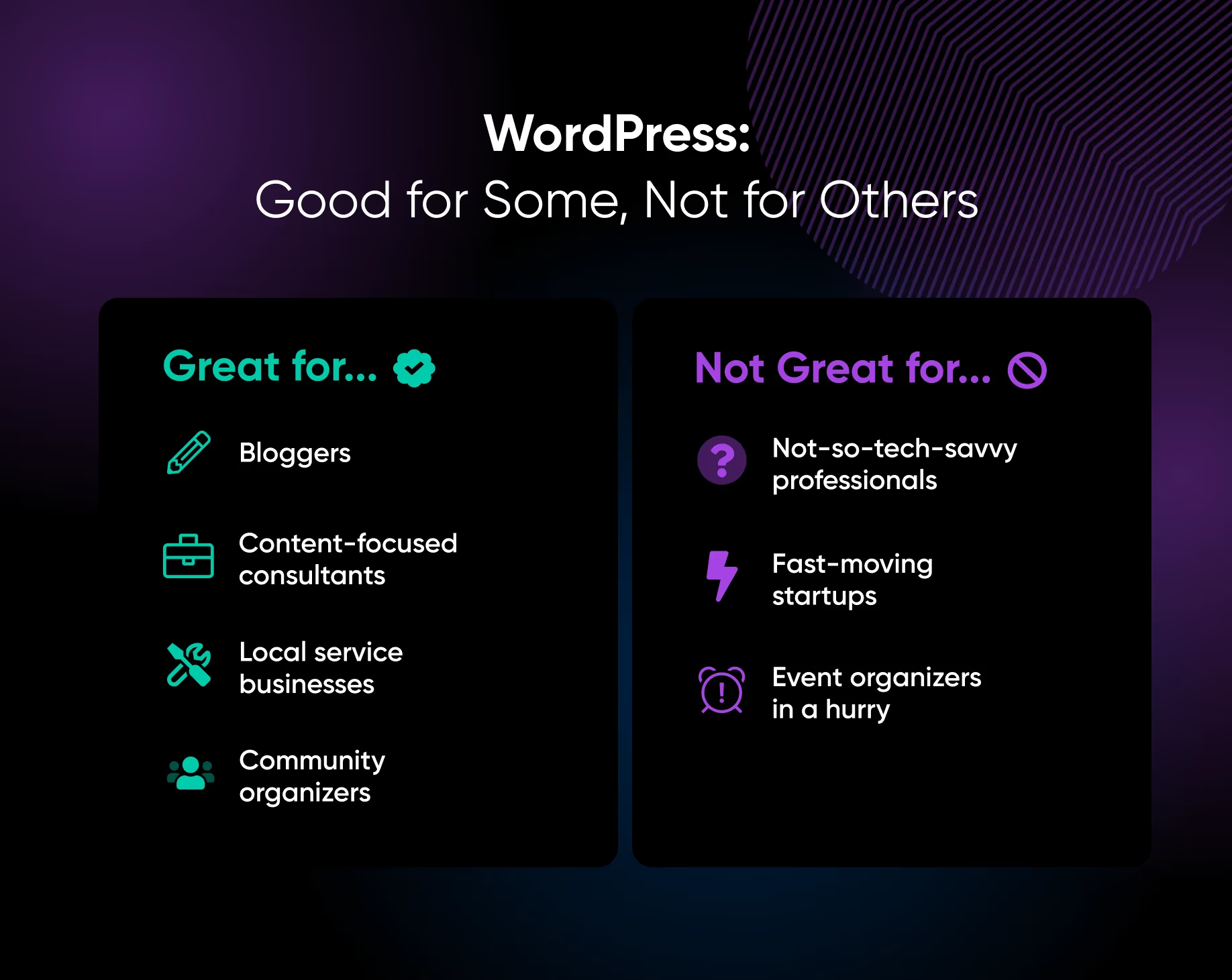
- WordPress vs. Squarespace/Wix/Webflow: customization, SEO, ownership, and migration trade-offs
- Essential WordPress plugin categories: SEO, forms, scheduling, caching, security, backups, analytics
- Choose a CRM that fits your lead volume — Zoho, HubSpot free tier, or a disciplined spreadsheet
- Pick a payment processor that supports recurring billing and invoicing as your services scale
Mobile and Performance Optimization
Around 57% of local searches start on mobile, and 53% of mobile visitors leave a site that takes longer than three seconds to load. If your site doesn't work on a phone, more than half your potential clients never see what you offer.
- Design mobile-first: 44×44 px tap targets, 16 px body text, thumb-zone CTAs, single-column layouts
- Compress every image with WebP — up to 34% smaller than JPG without losing quality
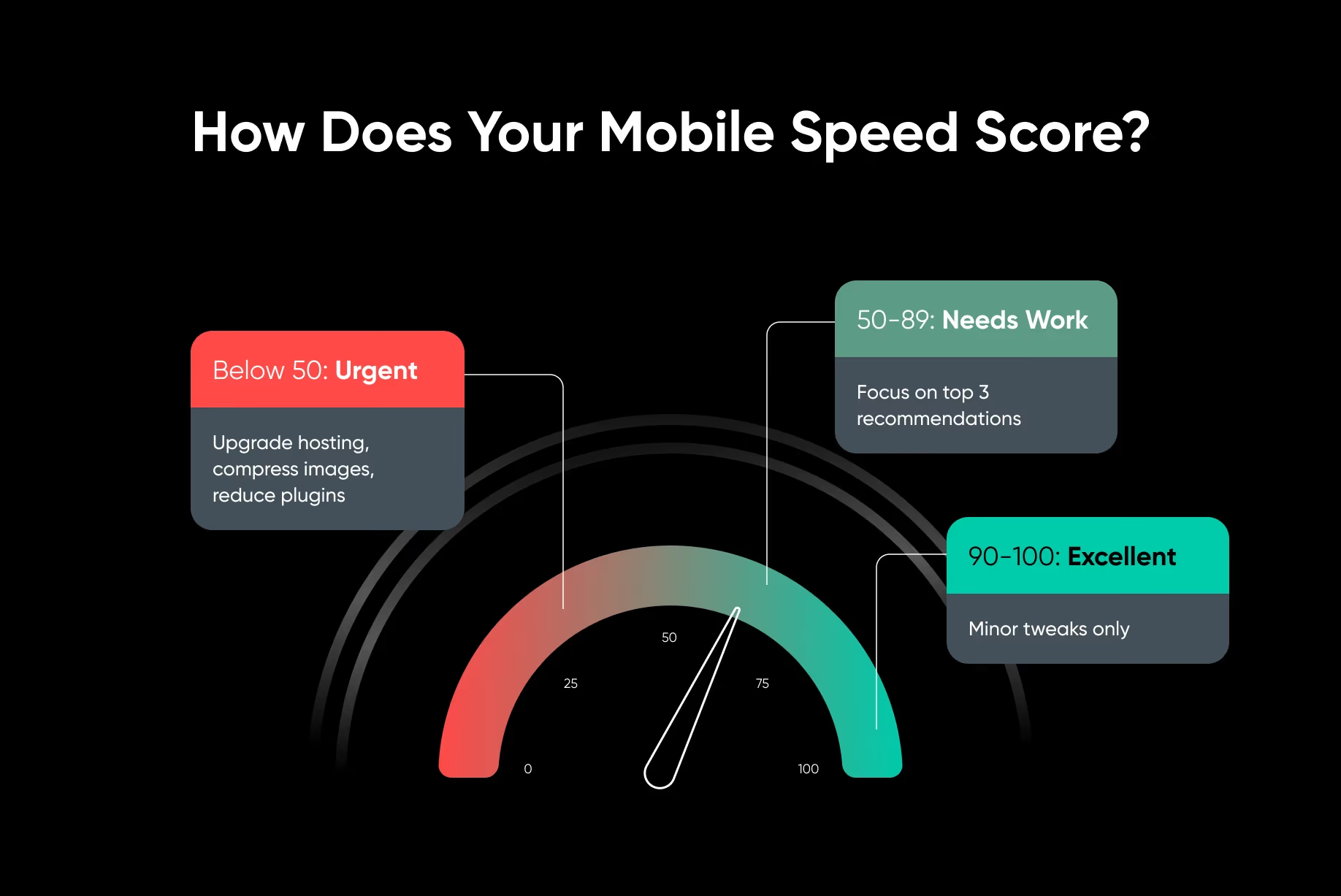
- Run Google's PageSpeed Insights and chase the mobile score, not the desktop one
- Choose managed WordPress hosting with server-level caching — the biggest single speed lever you have
The Launch Checklist
The full checklist runs 30+ items. Here's the shape of it: define the goal, design the pages around it, layer the trust, and tune for mobile. Then maintain the thing instead of letting it rot.
Step 1
Set the Strategy
- Write down the action you want every visitor to take
- Run the competitive gap analysis on five competitors
- Define a UVP with specific numbers and provable evidence
- Decide on essential pages and site structure
Step 2
Build the Pages
- Homepage with hero, services overview, testimonials, CTAs
- A dedicated services page for each major offering
- About page with origin story, team, credentials, service area
- Contact page stripped to the essentials — name, email, phone, message
Step 3
Layer the Trust
- Set up a TLS certificate and a professional [email protected] email
- Display licenses, certifications, awards on every relevant page
- Pull testimonials onto the site with full names and locations
- Add review-site links (Google, Yelp) for verification
Step 4
Ship and Maintain
- Test forms, scheduling, and click-to-call on a real phone
- Hit a mobile PageSpeed score of 90+ before launch
- Weekly: test forms, respond to leads. Monthly: update plugins, add testimonials
- Quarterly: PageSpeed audit, competitor review, pricing refresh
38 pages. 6 chapters. One site that earns the job before the call.
Strategy, structure, trust, lead capture, platform, and performance — every layer your service business website needs to stop losing the comparison round and start booking the work.