Content Repurposing: Write Once, Publish Everywhere
A small business's guide to getting the most out of your content assets. Turn one piece of work into 15+ assets across LinkedIn, Instagram, YouTube, Pinterest, and email.
Get the Free Guide
Instant PDF download. No strings attached.
One Piece of Work, Multifold Returns
The average blog post takes 3 hours and 48 minutes to write, and earns its peak traffic in the first 48 hours. After that it sits in an archive beside 600 million other blogs. Content repurposing solves that problem: one piece of research, extracted across every channel where your next client is already spending time.
- The hub-and-spoke model — one comprehensive piece at the center, derivative posts branching out and pointing back
- A four-question filter for deciding which pieces are worth repurposing in the first place
- Channel-by-channel playbooks for LinkedIn, Instagram, YouTube, Pinterest, and email
- A documented Extract / Produce / Schedule workflow you can hand off so it runs every time
Only 35% of marketers actively repurpose content. The other 65% are creating brand new material for every channel from scratch, or going quiet on channels they cannot keep up with.
Adobe's survey of 517 small business owners found that 70% of those who repurpose content save up to five hours per week and report an 11% to 25% increase in engagement. For a solo operator or a small team, those additional hours are enough to start showing up consistently.
The Numbers Behind Repurposing
Who Should Read This eBook?
Five years ago, before AI was a thing, you could skip repurposing or distribution and still get results. But today, distribution is the moat. If you run an established business that already creates content like blog posts or client emails, repurposing helps you extract more value without added effort.
Multiply your time across every channel your audience uses, and there simply isn't enough time to create fresh content for every platform from scratch. Something either gets neglected, or you burn out trying to keep up with all of it. Content repurposing solves that problem.
By the end of this guide you'll walk away with a framework for identifying which content is worth building and repurposing, a channel-by-channel playbook for adapting one piece across LinkedIn, Instagram, YouTube, Pinterest, and email, and a documented workflow you can hand off so the same process runs every time something gets published.
You already create content
Blog posts, client emails, recorded calls, proposals. You are sitting on a goldmine of core content ready to be repurposed.
You publish across multiple channels
LinkedIn, Instagram, YouTube, Pinterest, email. There isn't enough time to create fresh content for every platform from scratch.
You want a documented workflow
Not theory. A repeatable Extract / Produce / Schedule system you can hand off, so the same process runs every time something gets published.
The Content Repurposing Playbook
The Content Repurposing Framework
Before extracting anything, you need to know the difference between core content (a long-form asset built around one complete argument) and derivative content (what you extract from core). The hub-and-spoke model puts one comprehensive piece at the center and branches derivatives out across every channel, each linking back. The hub builds authority as that traffic accumulates and compounds.
- Core vs. derivative: format, length, lifespan, and how each one actually gets used
- The hub-and-spoke model: one article becomes 15+ assets, each routing readers back to the source
- Foundational content types worth repurposing: long-form articles, client emails, case studies, proposals, recorded calls
- The four-question filter for deciding what to repurpose: pre-purchase questions, point of view, format-survival, proven engagement
Blog Post to Everything Else
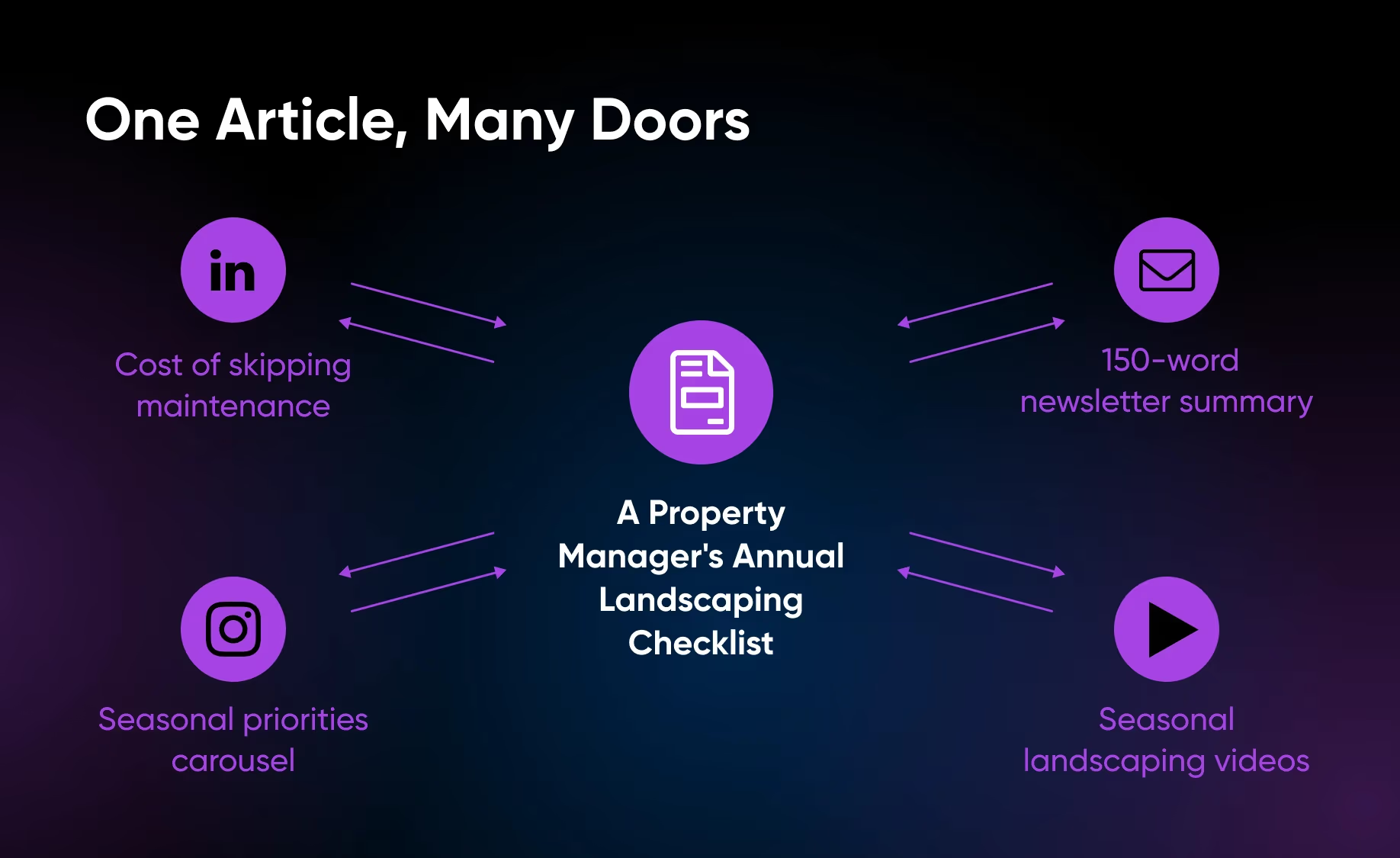
A 2,000-word blog already contains everything you need to fill a week of distribution across five different formats. Every H2 represents a discrete argument that can become a social post, a newsletter section, a video script, a podcast talking point, or an infographic — without writing anything new.
- Blog → social posts: lift each H2 as a standalone argument (Lenny Rachitsky atomizes newsletters into native posts on X and LinkedIn)
- Blog → email newsletter: compress 1,500–3,000 words into a single self-contained section with a link back
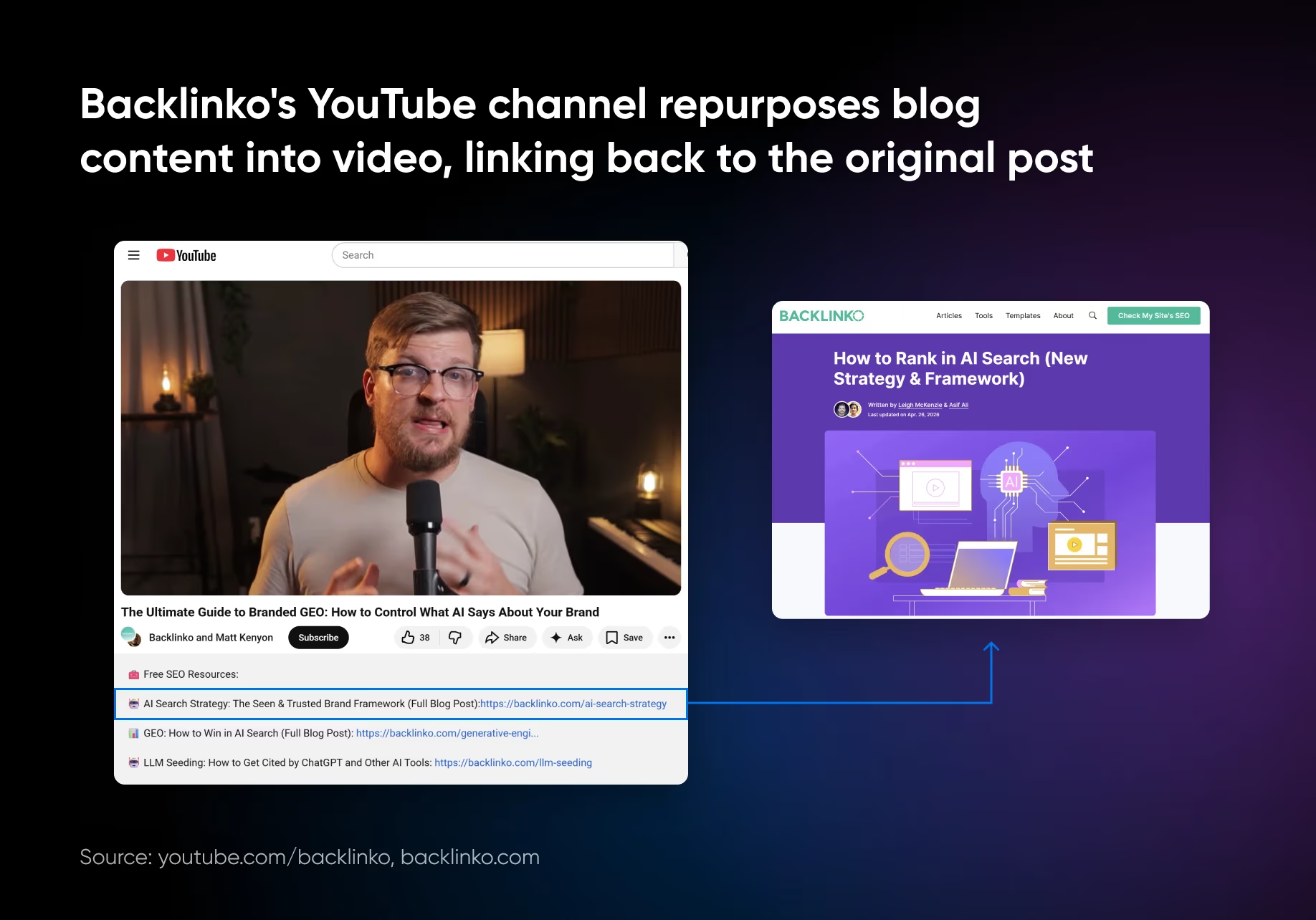
- Blog → video script: switch to spoken language, strip dense lists, identify one visual per key point (Backlinko's YouTube model)
- Blog → podcast & infographic: cleanly map sections to talking points, or convert lists and comparisons to visuals when the content has a "shape"
Long-Form to Short-Form (and Back Again)
Long-form pays off the most when you treat it as raw material rather than a finished product. One ebook chapter, one 60-second clip from a webinar, or one podcast quote can reach an audience the original never would. And it works in reverse too: a high-engagement social post is a clear brief for the next long-form piece.
- eBook → blog series: turn each chapter into a standalone post that ranks for a specific search and CTAs back to the full download
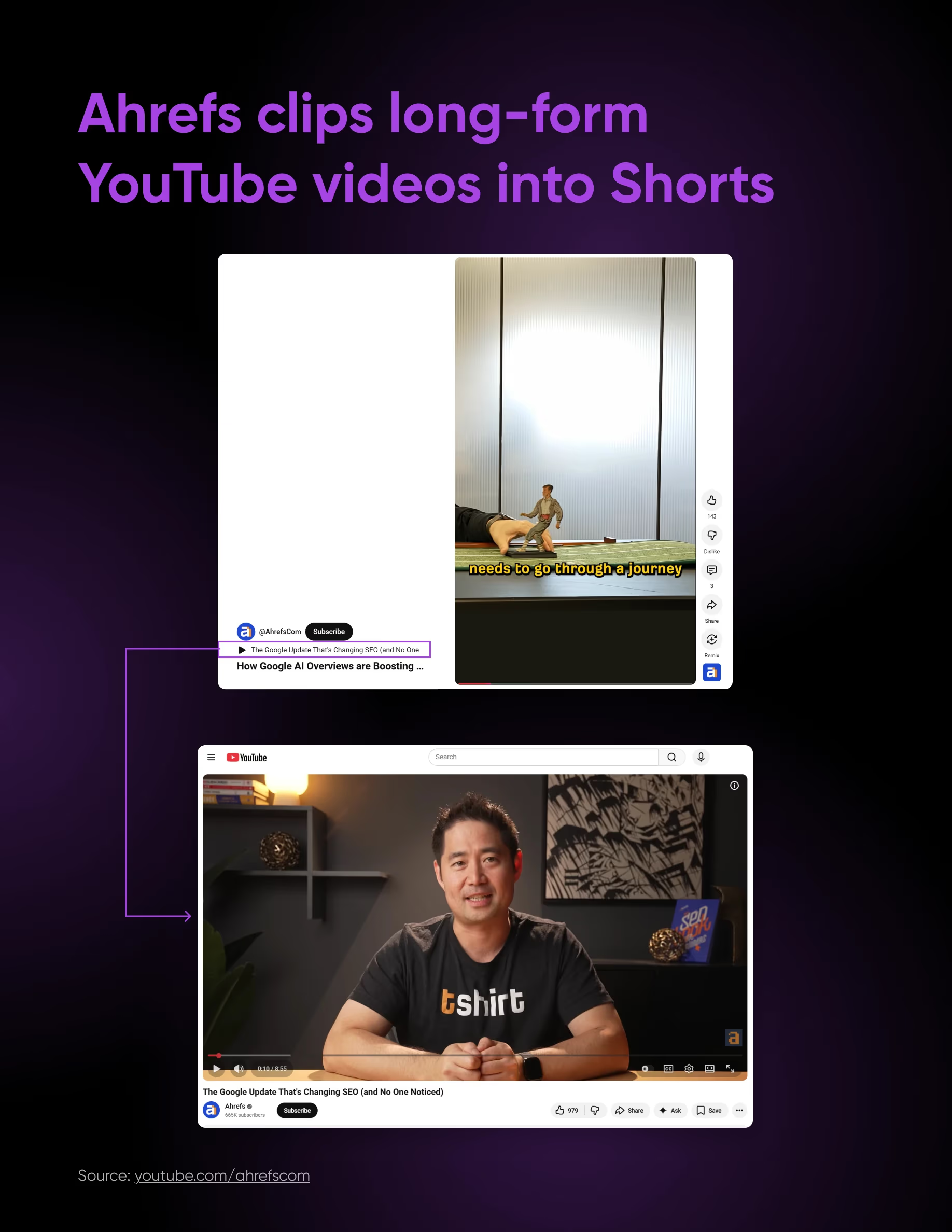
- Webinar → social clips: 8–10 clippable moments per 60 minutes, cut to 45–90 seconds with captions, scheduled one per week
- Podcast → quote graphics: pull arguable claims into Instagram carousels, the way Mel Robbins generates thousands of likes per quote
- Social posts → blog roundup: the highest-comment posts each month are pre-validated briefs for your next long-form piece
Platform-Specific Repurposing
Each platform has a different distribution logic, audience expectation, and format hierarchy. Repurposing without understanding those differences is just cross-posting. The same source content needs different packaging to perform on LinkedIn vs. Instagram vs. YouTube vs. Pinterest vs. email.
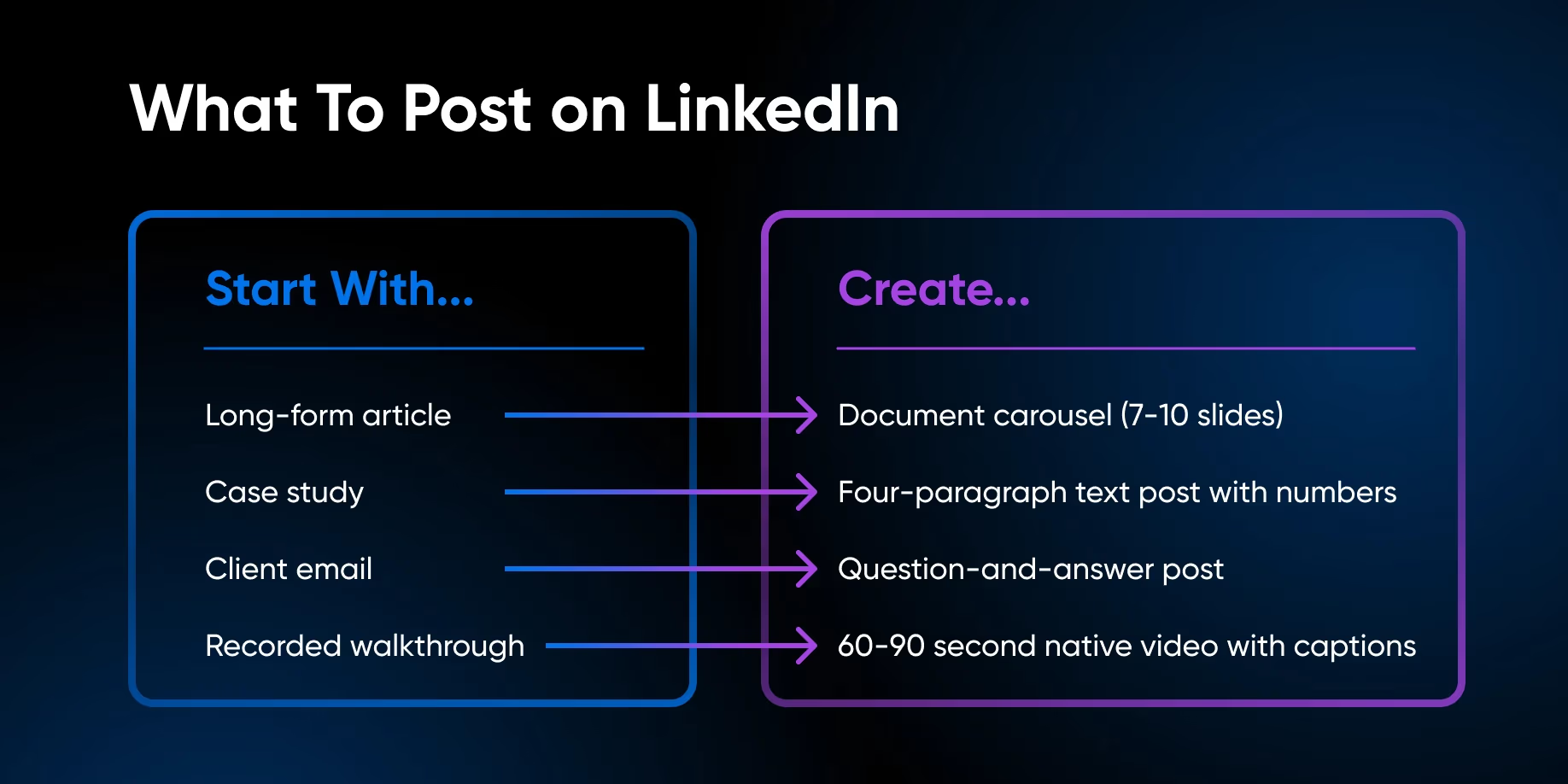
- LinkedIn: personal profiles get 9x more engagement than company pages; document carousels and case-study text posts win
- Instagram: Reels for reach (1.36x more than carousels), carousels for engagement and saves; static images keep declining
- YouTube: long-form for search (second-largest engine), Shorts for discovery; title to match how people actually search
- Pinterest: ~3.76 month content half-life vs. minutes on X; pin titles must match search intent, not internal article titles
- Email: still the highest-ROI channel ($36–$42 per $1); rewrite each piece as a self-contained newsletter issue
Your 30-Day Content Repurposing Calendar
Once your source piece is published, your repurposing pipeline runs over the next four weeks. One piece of research produces 15+ assets across every channel where your next client is already spending time. Here's exactly what to publish, and when.
Week 1
Anchor the Source Piece
- Source piece published (blog, website, or PDF)
- LinkedIn text post sharing the core argument (1,500–2,000 characters)
- Email newsletter linking to the piece with a one-paragraph explanation of the most surprising finding
Week 2
Distribute Visuals
- LinkedIn native document carousel (full framework, 8–10 slides)
- Pinterest infographic (step-by-step process, vertical format, keyword-optimized)
- Instagram carousel (top three insights, designed for saves, 7–9 slides)
Week 3
Push Short-Form Video
- YouTube Short (60 seconds on the most surprising finding, posted natively)
- Instagram Reel (same insight, different framing optimized for discoverability)
- Second LinkedIn post: a case study or specific example from the source piece, text only
Week 4
Capture Search & Nurture
- Email nurture sequence begins (five-part series, one email per day)
- Pinterest infographic number two (the checklist or filter from the source piece)
- YouTube long-form video (full walkthrough of the framework, aimed at a searchable question)
44 pages. 6 chapters. One repurposing system.
Extract once. Produce systematically. Schedule across the week. The workflows feel dense at first, but the execution becomes purely mechanical once you lay the foundation — and then it's just a daily habit, turning every piece you publish into raw material for fifteen more.