
Your web host holds your website, your backups, and your customers’ data. So how did you vet that company before handing it all over? If the honest answer is “I read their marketing,” you’re in good company. Until recently, there was nothing better to check.
The Secure Hosting Alliance (SHA) exists to fix that. It’s an initiative of the Internet Infrastructure Coalition (i2Coalition) that sets specific, verifiable standards for how hosting providers handle security, transparency, reliability, and government data requests — and certifies the providers that meet them. DreamHost helped form the SHA at its launch and is certified under its Trust Seal program.
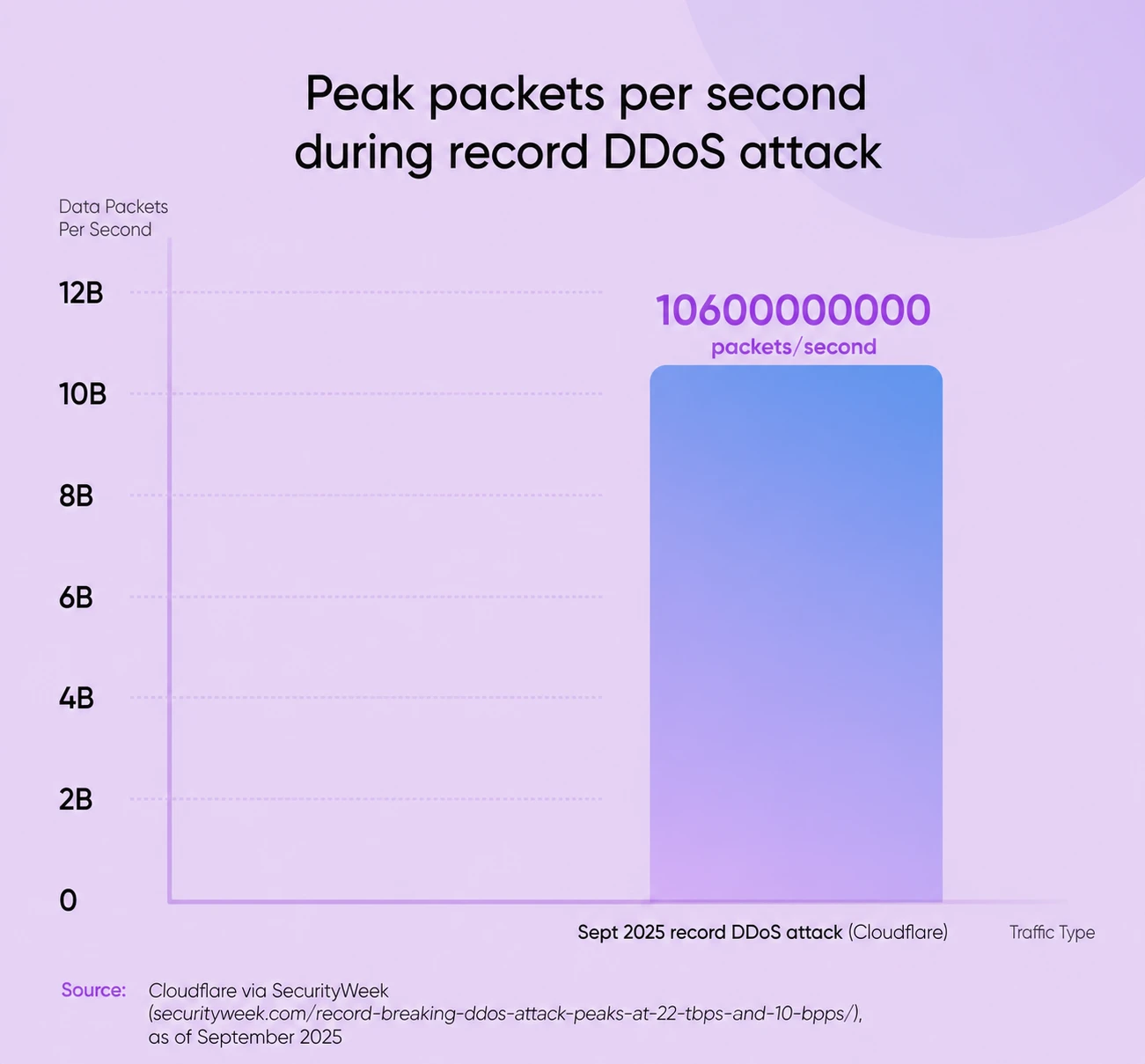
The threats that make this necessary keep growing. In September 2025, Cloudflare reported blocking the largest DDoS attack on record at the time: it peaked at 22.2 terabits per second and 10.6 billion packets per second, and was traced to more than 404,000 unique source IP addresses.
DDoS Attack
DDoS means Distributed Denial of Service. It’s an attack that tries to make a system or network unavailable by flooding it with traffic from multiple sources.
Hosting companies are high-value targets because a single compromised provider can expose thousands of customer websites at once. And for every established hosting provider working to maintain high standards, there are operators racing to the bottom on price, cutting corners on security, and putting their customers at risk.
Here’s the problem that keeps us up at night: how does a small business owner know which hosting provider they can actually trust?
Traditional signals don’t work anymore. Marketing claims are easy to make, and testimonials can be manufactured.
Even price isn’t a reliable indicator: expensive doesn’t guarantee quality, and cheap doesn’t always mean cutting corners. The SHA gives customers a standardized way to check whether a provider meets its security and operational standards.
Until the SHA, every hosting company faced these challenges alone. We each built our own security protocols, developed our own abuse response procedures, and tried to stay ahead of threats independently.
But the internet doesn’t work in isolation, and neither should the companies that host it. That’s why DreamHost joined the Secure Hosting Alliance as a founding member, and why we spent months in working groups helping build something bigger than any single company could create on its own.
Related Post: [STUDY] 12% of Small Businesses Say They’ve Paid a Ransom Demand
The Verification Vacuum and Why Trust Matters More Than Ever
Too many hosting providers prioritize short-term profits over long-term reliability. They offer rock-bottom prices, make promises they can’t keep, and often lack the infrastructure or expertise to handle security threats. Some disappear entirely when problems arise, leaving customers with no recourse.
These kinds of providers persist because the hosting market has spent decades competing primarily on price. When customers can’t easily verify quality differences between providers, price becomes the deciding factor. This creates a race to the bottom that rewards the cheapest option, not the most secure or reliable one.
The consequences for businesses are real and devastating:
- Lost data means lost revenue, lost customer trust, and sometimes lost businesses entirely.
- Extended downtime during a critical launch or sales period costs you revenue at the exact moment you can least afford to lose it.
- Security breaches expose customer information, creating legal liability and reputational damage that takes years to recover from.
- Poor abuse response gets your site caught in spam blacklists or malware warnings, driving visitors away and potentially hurting your search visibility.
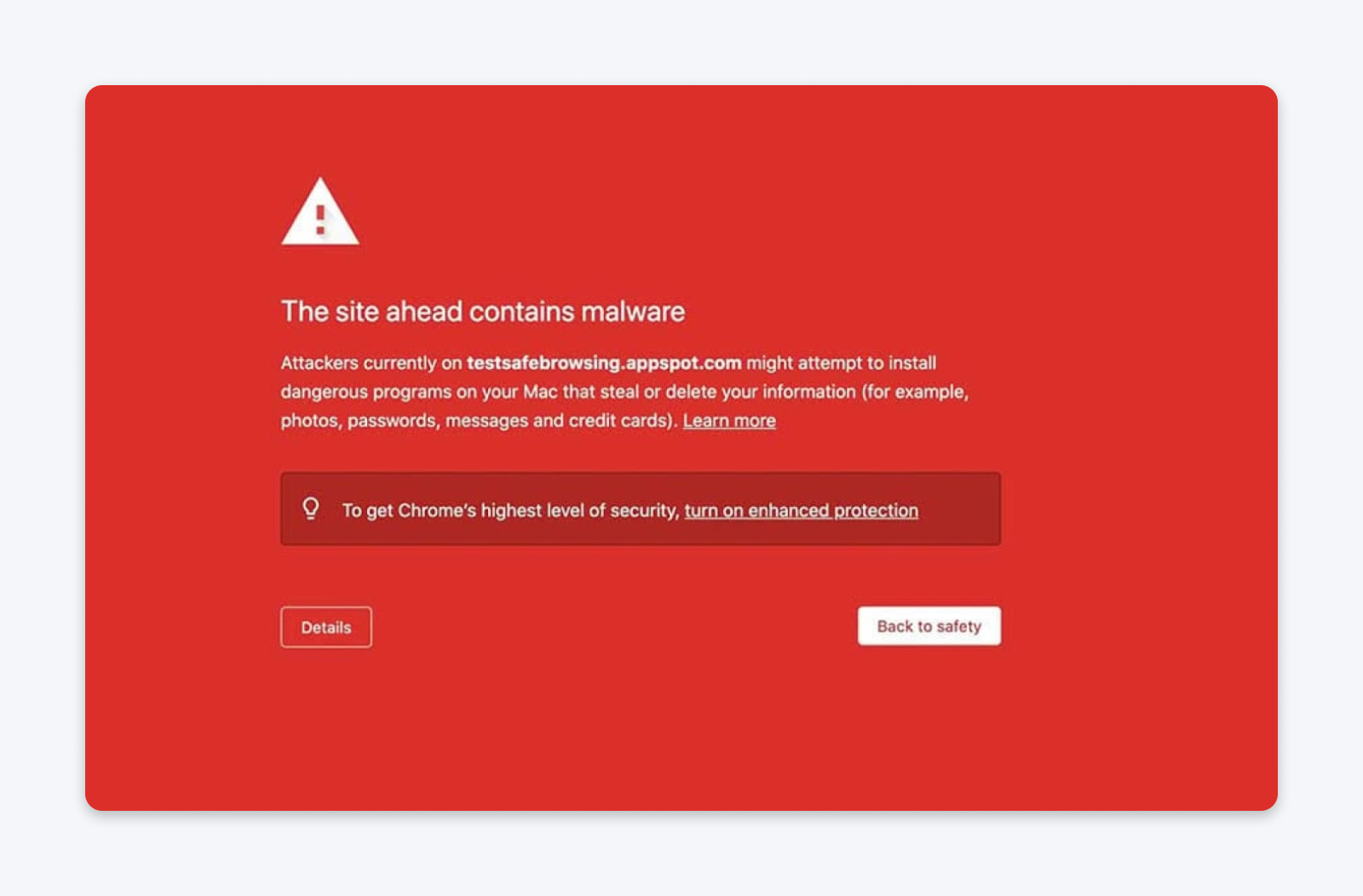
But how do you, as a business owner, know if a hosting provider has genuine abuse mitigation procedures or just marketing copy? How do you verify they’ll respond to abuse reports, maintain your uptime, and handle government data requests lawfully?
The Secure Hosting Alliance’s certification program gives you another independent check: a published standard covering transparency, infrastructure misuse protocols, network reliability, and government request handling.
Other industries have solved this problem: you look for security badges when shopping online, trust seals from payment processors, and certifications from financial institutions. Healthcare providers display their accreditations.
But hosting? We’ve been operating in a trust vacuum, asking customers to take our word for it.
That had to change. The hosting industry needed a way to make trustworthiness visible and verifiable — not just claimed, but demonstrated and independently certified.
The Secure Hosting Alliance: A Collaborative Approach
The i2Coalition officially launched the Secure Hosting Alliance on February 10, 2025, with 23 hosting providers and affiliated companies on board, DreamHost among them. The i2Coalition’s own story began during the 2011 fight against SOPA and PIPA legislation; formally founded in 2012, it’s the voice for the companies that build the internet’s infrastructure.
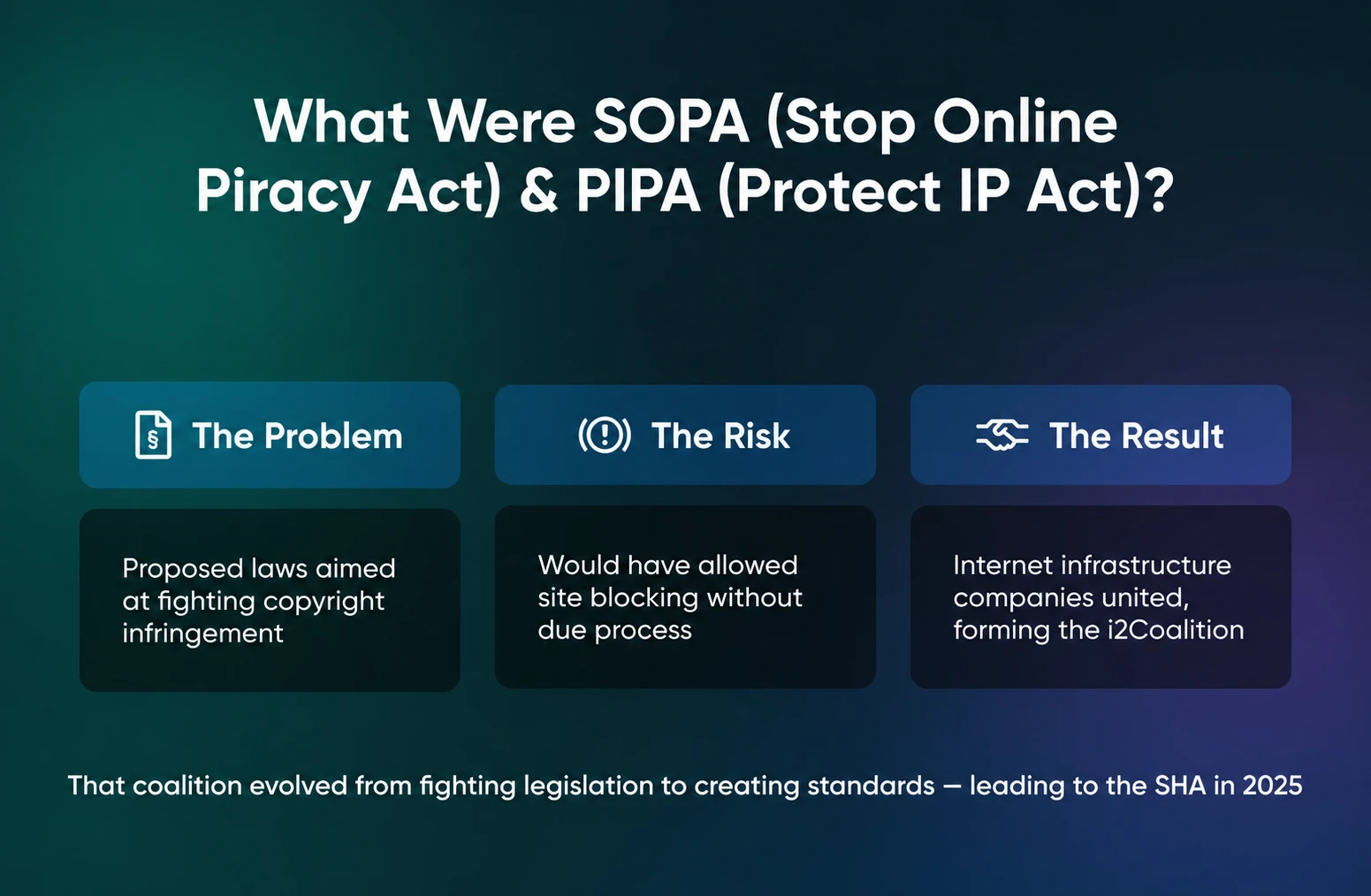
The SHA extends the coalition’s work beyond reactive policy defense into proactive industry improvement. Rather than waiting for problems to force change, member companies came together to establish standards defining what responsible hosting actually means.
Certification is already real, not aspirational. As of August 2026, the SHA’s public accreditations page lists 19 certified hosting providers and brands. DreamHost is one of them.
The SHA’s 5 Goals
The SHA exists to change how the hosting industry operates. Its five published goals address the industry’s most pressing challenges.
1. Develop a cooperative approach to fraud prevention and abuse response.
Security threats don’t respect company boundaries. When one hosting provider gets exploited for phishing or malware distribution, it damages trust in the entire industry.
The SHA creates channels for member companies to share threat intelligence, coordinate takedown responses, and work effectively with law enforcement. This collaboration makes all of us more effective at protecting customers.
2. Establish common industry standards for privacy, security, and transparency.
For too long, “secure hosting” has meant whatever each company wanted it to mean. The SHA’s certification program defines specific, measurable standards around transparency, infrastructure misuse protocols, network reliability, and government request handling that customers can rely on. These are concrete operational requirements that certified providers must demonstrate and maintain.
More About Secure Hosting
Secure hosting is web hosting configured and managed to reduce security risks to a website, its data, and its visitors. The label isn’t standardized or a guarantee: hosts typically provide server-level protections like SSL certificates, firewalls, malware scanning, and backups, while you stay responsible for safeguards like software updates, strong passwords, and two-factor authentication.
3. Create a unified language and taxonomy for the web hosting industry.
When every company uses different terms to describe similar services or security measures, customers can’t make meaningful comparisons. Standardized terminology makes it easier for customers to understand what they’re buying.
It also helps the industry coordinate on shared challenges, because clear definitions enable better communication between providers, law enforcement, and regulators.
4. Contribute to legislative and regulatory discussions with informed industry perspectives.
Lawmakers and regulators often lack technical understanding of how hosting infrastructure actually works. When they try to solve legitimate problems, like online abuse or data protection, without industry input, they risk creating regulations that sound good but don’t work in practice. The SHA gives policymakers access to collective industry expertise.
5. Build a community of responsible providers.
The SHA also runs community-building activities, including virtual and in-person meetups at industry conferences. Those working relationships are what make the other four goals function day to day: threat intelligence gets shared between people who actually know each other.
These five goals work together to create an environment where responsible hosting providers can thrive — customers can make informed choices, and the entire internet infrastructure becomes more resilient.
The Trust Seal: Making Trustworthiness Visible
The SHA Trust Seal is where all this work becomes tangible for customers. It’s the visible symbol that a hosting provider has been independently verified to meet the SHA’s operational, security, and ethical standards.
Think of it like the security badges you see when checking out online, or the certifications displayed in a doctor’s office.
The Trust Seal signals a verified, ongoing commitment to security, lawful compliance, and reliable service. Certification requirements are structured around transparency, infrastructure misuse protocols, network resource reliability, and government request handling.
The Four Pillars of SHA Certification
SHA certification evaluates hosting providers across four critical operational areas:
| Pillar | What It Requires | Why It’s Important |
| Transparency | Clear, publicly accessible policies including Acceptable Use Policy, terms of service, and documented operational procedures. | Customers know exactly what rules apply, what to expect, and how the provider operates. |
| Infrastructure Misuse Protocols | Documented contacts and response procedures with prioritized handling of confirmed abuse reports and security threats. | When security issues arise, they get addressed quickly and professionally rather than ignored or delayed. |
| Network Resource Reliability | Proactive monitoring, comprehensive recovery planning, and capacity management to ensure consistent uptime. | Your website stays online when you need it, backed by documented disaster recovery and redundancy. |
| Government Request Handling | Lawful, well-documented procedures for handling data requests that protect user rights while meeting legal obligations. | Your data gets the due process protection it deserves, with clear policies on when and how information is disclosed. |
Why DreamHost Joined the SHA
When we first heard about the Secure Hosting Alliance and its goals, our immediate reaction was straightforward: “None of this is new for us.” The alliance was advocating for hosts to adopt policies that reflect how DreamHost has done business for more than 25 years. Signing on was a no-brainer. But that’s only part of the story.
We joined the SHA as a founding member for three reasons:
1. Security threats require collaborative solutions, not individual heroics
When malware spreads through compromised hosting accounts or phishing campaigns exploit lax security at one provider, it damages customer trust across all hosting services.
Even when a provider meets strong security standards, customers need a credible way to distinguish it from a less trustworthy operation.
The SHA’s published goals include a cooperative approach to fraud prevention and abuse response, supported by community-building activities for participating providers.
2. Independent ownership gives us the freedom to prioritize industry health
DreamHost has always been independently owned. We’re privately owned, with no parent company. That independence means we can participate in initiatives like the SHA because they’re the right thing for the industry and our customers.
Many hosting providers operate as subsidiaries of larger technology conglomerates or private equity portfolios. Those ownership structures create pressure to focus on individual company performance rather than industry-wide improvements. We don’t face those constraints.
3. Charter member status gave us a voice in defining “secure hosting”
Standards created without input from companies that actually operate hosting infrastructure tend to be either too vague to mean anything or too rigid to work in practice. The SHA brought hosting providers and affiliated companies together to define measurable responsible-hosting standards.
We hammered out requirements that would be both rigorous and achievable.
What specific response time should abuse reports require? How do you document government request handling procedures in ways that protect customer privacy while remaining legally compliant? What does “proactive monitoring” mean in concrete terms?
The SHA transforms “trust us” into “verify us.”
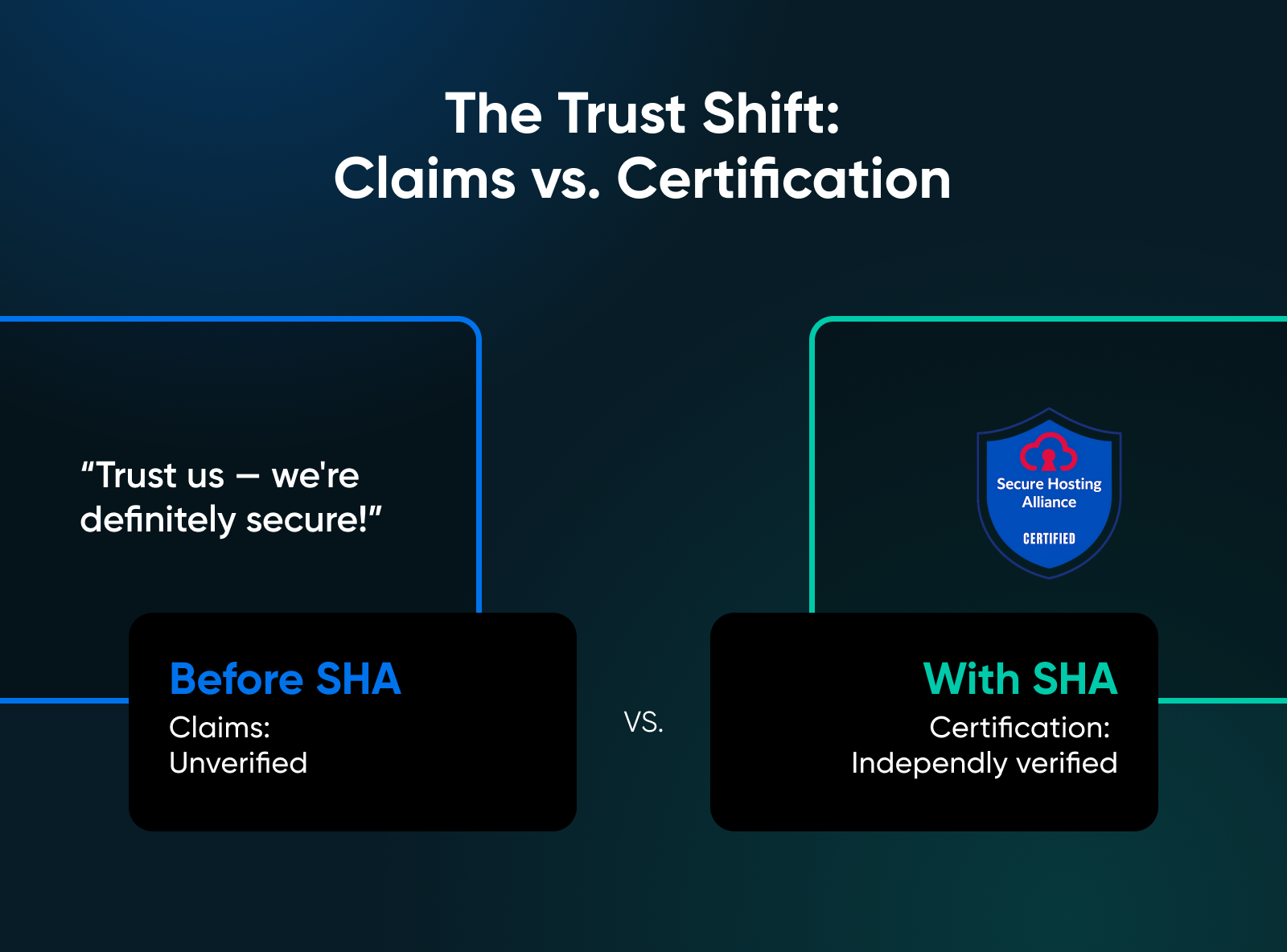
Instead of comparing marketing promises, customers can compare certifications. Instead of hoping a provider follows good security practices for WordPress hosting, they can verify it through a SHA certification.
DreamHost earned SHA certification in October 2025, validating practices we’ve maintained throughout our history. But the certification itself isn’t the achievement we’re most proud of. It’s the shared, measurable standards behind the certification that give customers something concrete to check. That’s the real value of the Secure Hosting Alliance.
Related Post: DreamHost Achieves Secure Hosting Alliance Certification
Looking Ahead to the Future of Secure Hosting
The SHA Trust Seal isn’t a finish line, but a starting point for continuous improvement in how the hosting industry protects customers and maintains trust.
The SHA’s cooperative approach gives participating providers a structure for improving fraud prevention and abuse response across the industry.
Hosting security has always required collaborative solutions. Individual companies, no matter how large or well-resourced, can’t solve industry-wide challenges alone.
When you see the SHA Trust Seal on a hosting provider’s website, you’re seeing proof of ongoing accountability. You’re seeing transparent policies, responsive abuse handling, reliable infrastructure, and lawful data protection.
The SHA provides standards, certification, and ongoing accountability. The rest is up to us — hosting providers willing to meet those standards, and customers willing to prioritize verified trustworthiness over the lowest price.
Learn more about the Secure Hosting Alliance and its certification program at hostingsecurity.net. And if you want to see what those standards look like in practice, our website security page spells out exactly what ships with every DreamHost plan: free SSL certificates, automated backups, DDoS protection and mitigation, and web application and network firewalls, with no additional setup or fees.
FAQs About the Secure Hosting Alliance and DreamHost
Is DreamHost SHA certified?
Yes. DreamHost earned Secure Hosting Alliance certification on October 8, 2025, as a charter member of the SHA’s certification program, and DreamHost appears on the SHA’s public accreditations list.
Who owns DreamHost?
DreamHost is a privately owned, independent company, and has been for more than 25 years.
Does DreamHost have DDoS protection?
Yes. DDoS protection and mitigation are included with every DreamHost plan at no extra cost, alongside free SSL certificates, automated backups, 24/7 server and network monitoring, and web application and network firewalls.
What are the four pillars of SHA certification?
Transparency, infrastructure misuse protocols, network resource reliability, and government request handling. A certified provider must publish clear policies, respond to confirmed abuse reports, monitor and plan for uptime, and handle law enforcement data requests lawfully and with due process.
How do I check whether a hosting provider is SHA certified?
Look the provider up on the accreditations page at hostingsecurity.net. Certified providers can also display the SHA Trust Seal on their websites, but the SHA’s own list is the authoritative check.

