
Most teams publish a blog post, share the link once, and move on. They’ve already done the hard part — the research, the structure, the argument — and left several more pieces of content sitting unwritten.
Blog post repurposing is the practice of turning one published article into several standalone pieces of content: social posts, an email newsletter, a video script, a podcast episode, and an infographic. A well-structured 1,500–2,000-word blog post already contains everything you need to repurpose it into a week’s worth of distribution across those five formats. Here’s what you can pull out of a single post before writing anything new.
1. Blog to social posts
Every H2 in a blog post represents a discrete argument. Lift that argument out, strip the surrounding context, add the specific stat or example, and you have a standalone social post for LinkedIn or X.
Take Lenny Rachitsky’s newsletter. The X post below shows the shape this can take: one framework or data point, formatted for the feed without a link back to the full edition. Readers who want the full context can subscribe.
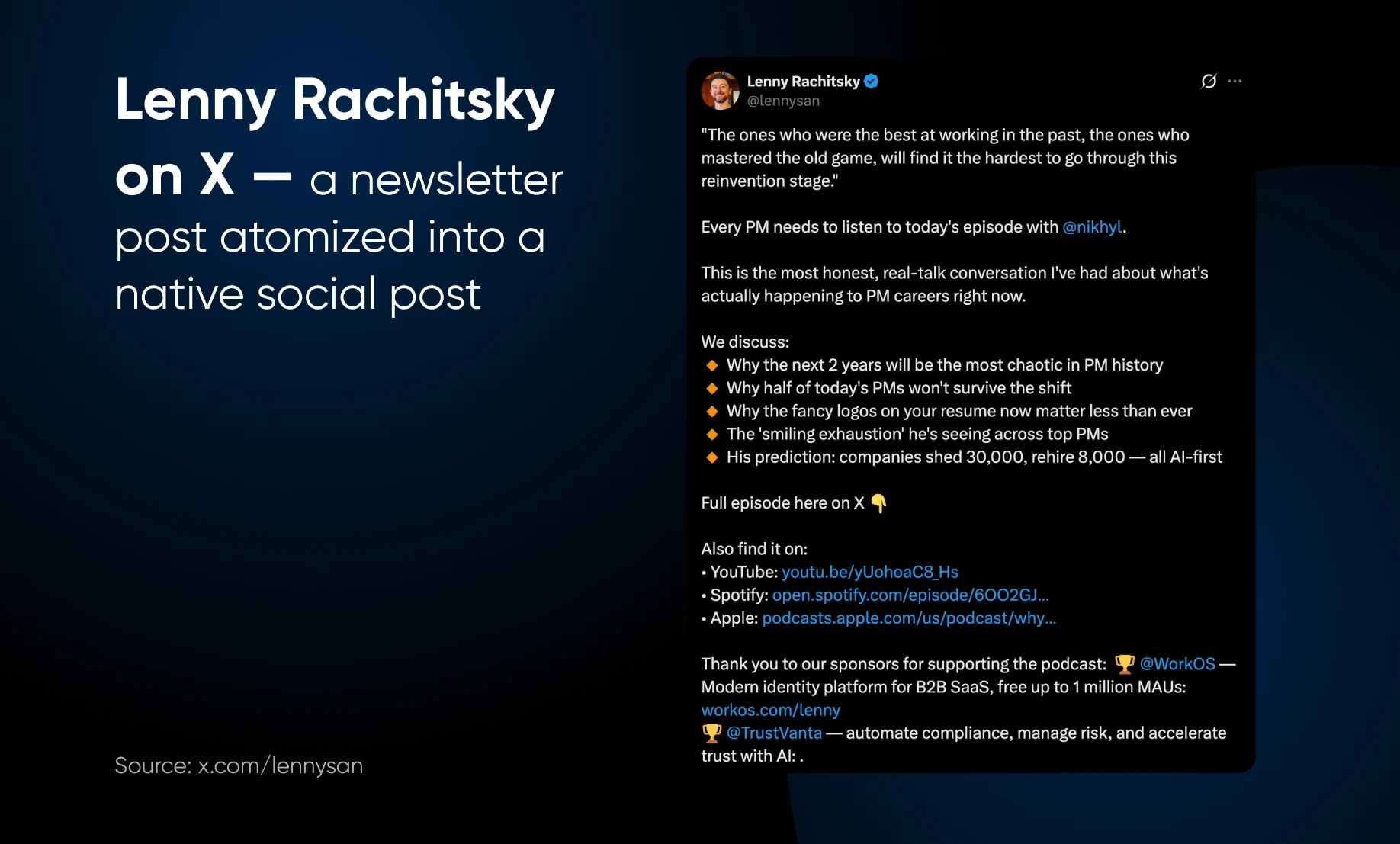
Wes Kao runs the same play with her executive communication newsletter, where blog-length arguments about managing up get compressed into two-sentence observations that perform well on their own.
A six-section blog post is six weeks of social content. 🤯
| Workflow: Read each H2 and find the single strongest claim. Write it as one sentence as a hook, add a number or example that backs it, and end with a question or a stated position. |
2. Blog to email newsletter
Blog readers usually arrive in search mode, looking for something specific. Newsletter readers are often browsing. Same content, different job — and that job is compression and reframing.
Think of newsletters like Morning Brew, which promises to make readers “smarter in just 5 minutes.” Your repurposed post has the same job: enough value to stand alone, with a clear path to the full article for readers who want depth.
The title in the email and the headline of the corresponding article often carry the same core argument, just written for different contexts.
Morning Brew has, luckily, taken no steps to copyright this format. You can take it. Give your readers a reason to care about the full post, in 300 words or less.
| Workflow: Write the subject line first and capture the blog’s core argument in under ten words. That becomes the newsletter opener. The blog intro becomes the problem setup. Each H2 becomes one bullet point. The conclusion becomes one editorial sentence with your take. Keep the whole thing under 300 words and link back to the full post. |
3. Blog to video script
A blog post is written to be read in silence. A video script needs to be heard, which means shortening sentences, removing parentheticals, and cutting qualifications that read fine on screen but sound awkward.
Backlinko is a good example of this in practice. Their YouTube channel covers many of the same search and marketing topics as the Backlinko blog. A written guide like their “How to Rank in AI Search” article and the channel’s AI-search videos work the same territory in different formats, each reaching its own audience.
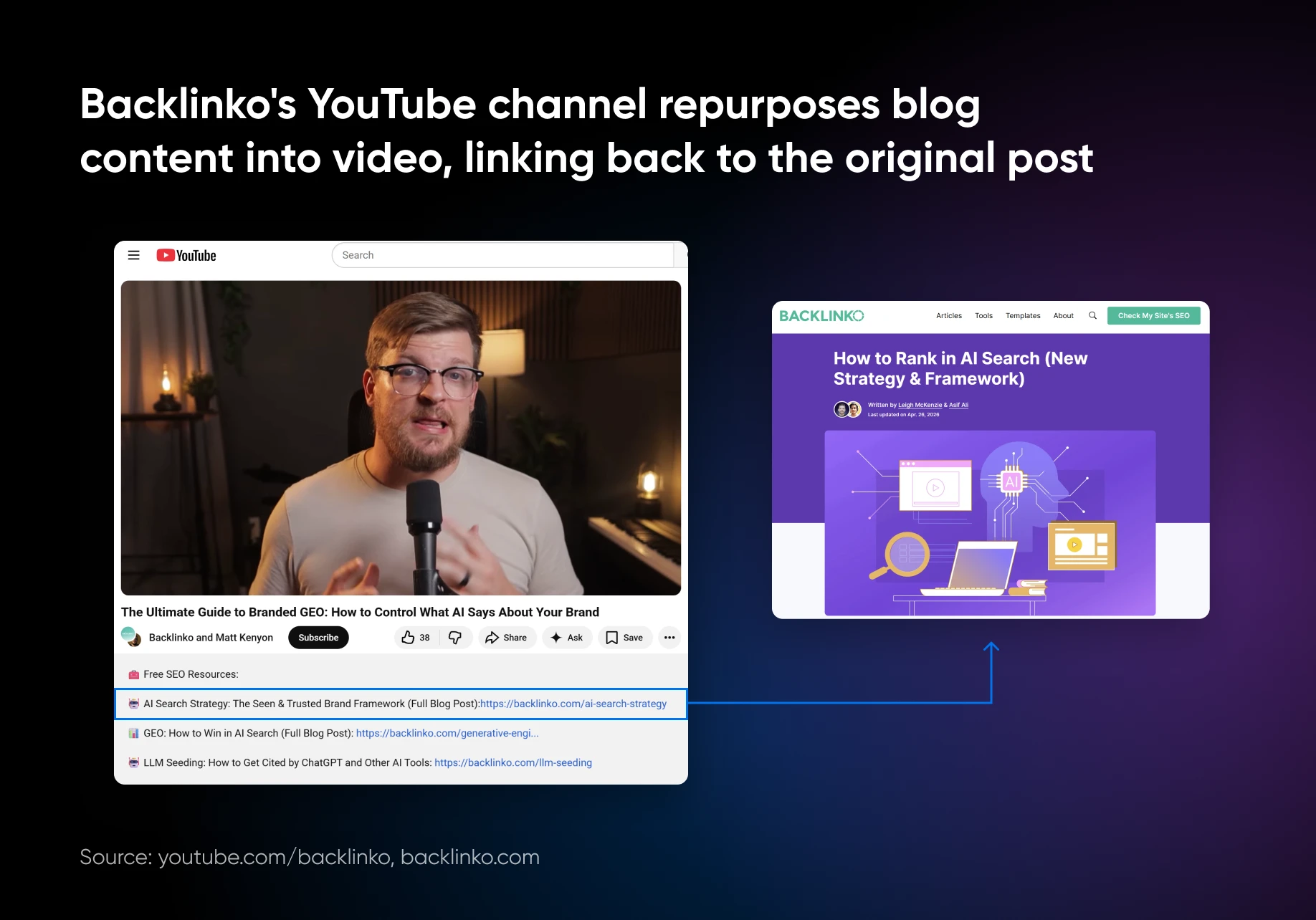
Three things break when you move a blog post to a video script, and they all break at once if you don’t catch them first.
- Switch from written to spoken language — shorter sentences, natural contractions, no hedging like “it’s worth noting that.”
- Strip any section that requires reading to process — tables, dense comparisons, and long lists don’t translate to video.
- Identify one concrete visual per key point so there’s something to show besides a talking head.
Pick one insight with the strongest visual component and build the entire script around that single point.
| Workflow: Paste the blog post into a document and read every sentence aloud. Strike anything that requires a second read to follow. Then, rewrite complex sentences as shorter ones. Remove passive constructions throughout. A 900-word script runs six to seven minutes at 130 to 150 words per minute. |
4. Blog to podcast
A blog post maps cleanly to either a solo breakdown or a structured interview. For a solo episode, the intro becomes the cold open, each section becomes a talking point, and the conclusion becomes the episode takeaway.
For an interview, the blog’s arguments become the question framework, and the guest responds to each. Intercom does this explicitly. A blog post by Senior Product Designer Pranava Tandra on restructuring Intercom’s information architecture became a direct episode of the Intercom on Product podcast, with the episode covering the same project in conversation form.
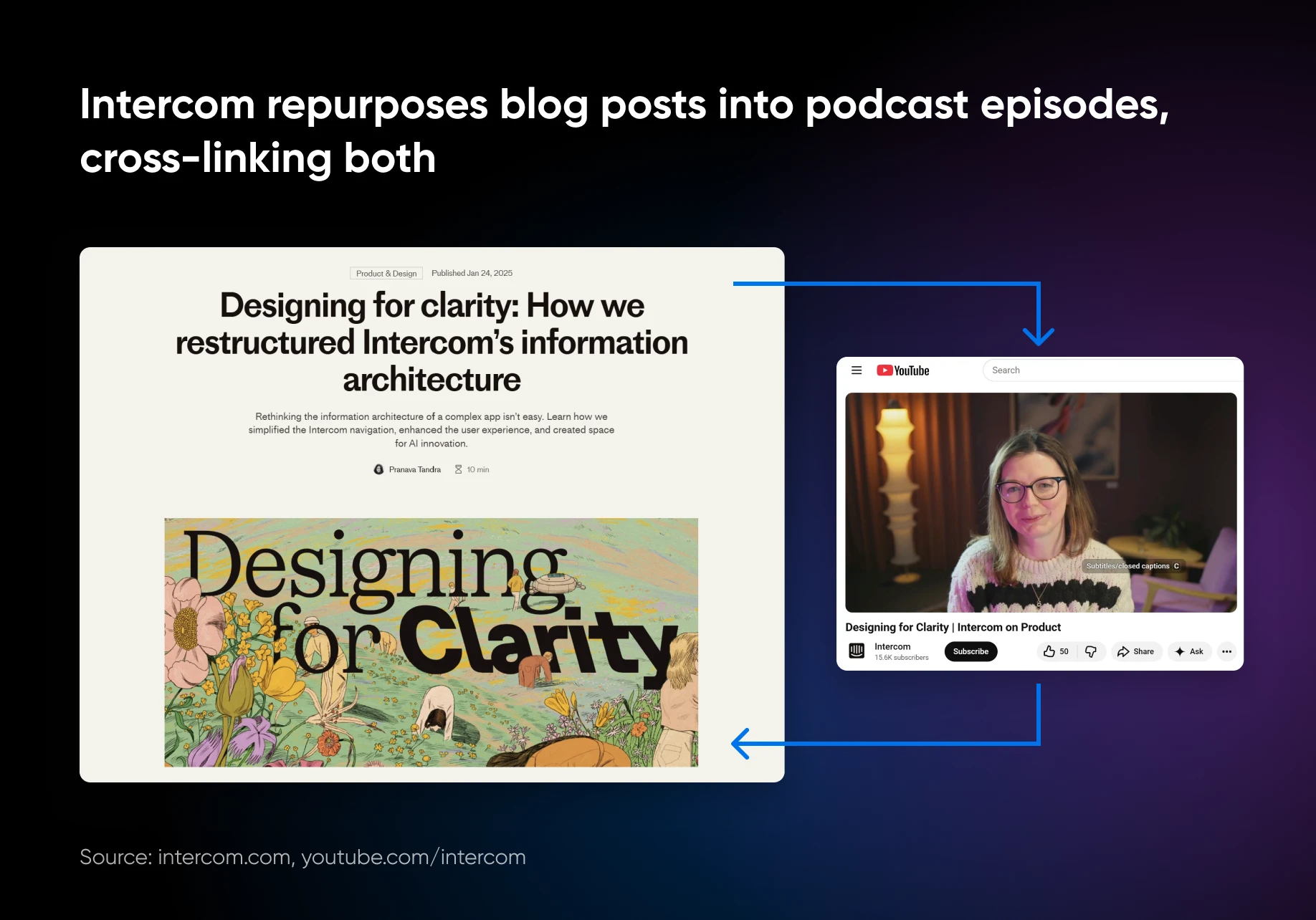
The blog covers the written argument. The episode gives Pranava Tandra and a co-host room to discuss the trade-offs that didn’t make it into the article, the stuff that’s easier to talk through than write out cleanly.
| Workflow: Read the post and mark every moment where you thought “I could say more here.” Those are your talking points. Record with notes, not a script. The episode should take the argument somewhere the blog post couldn’t — trade-offs, context, a detail cut for length, etc. If you’re reading sentences aloud, it will sound more like a radio play than a podcast. |
5. Blog to infographic
Infographics work brilliantly when the content is sequential, comparative, or statistical.
For example, process posts map to flowcharts, list posts become visual checklists, and data-heavy posts become chart sets. If the content doesn’t fit one of those three structures, an infographic will feel forced.
The test for whether a blog post can become an infographic is whether the content has a shape.
- A numbered list has a shape. It becomes a vertical checklist or a step-by-step flow.
- A comparison section can become a side-by-side table.
- A post with three distinct causes and three distinct effects can be turned into a cause-and-effect diagram.
What doesn’t work is a post built around narrative reasoning or a nuanced argument. For such posts, a podcast or video would be a better medium for repurposing.
| Workflow: Scan the blog for anything that exists as a list, step sequence, or standalone stat. If four or more items from the post can be shown in a single image that a reader understands in under 90 seconds, build the infographic. If understanding the visual requires reading the article first, don’t do an infographic. |
Make your blog post work harder
All five formats come from the same source material, so the research you did once reaches five audiences through five different doors.
Start with social and email because they’re fastest. An AI assistant like DreamHost’s Content Builder can rough out a first pass of either; the argument and the voice still need to be yours. The infographic and video fall out of the structure that’s already there.
Save the podcast for last — it’s the most work, but it reaches people the other four might miss, since no two channels pull exactly the same audience.
Done well, a single post stops being a thing you published and becomes a thing you mine. The next article you write is actually five pieces of content, and you already know where they’re hiding.
Blog post repurposing FAQs
How many pieces of content can one blog post become?
At least five: standalone social posts, an email newsletter, a video script, a podcast episode, and an infographic. Each H2 in a well-structured post holds one discrete argument, so a six-section post can supply six social posts before you touch the other formats.
Which format should you repurpose a blog post into first?
Social posts and the email newsletter. They need the least production time because the arguments are already written; the work is compression and reformatting. Save video, infographics, and especially podcasts for later, since they require scripting, design, or recording.
Do you have to rewrite a blog post to repurpose it?
You don’t have to rewrite the argument from scratch; you’ll usually trim, reframe, or rewrite parts for each format. Lift the strongest claim from each section for social, compress the intro for email, and rework sentences for speech. The research stays the same.
How long should a repurposed email newsletter be?
Under 300 words. Capture the blog’s core argument in the subject line, turn the intro into the problem setup, give each section one bullet point, and close with one editorial sentence that links to the full post.
Which blog posts make good infographics?
Posts with a shape: numbered lists, step sequences, comparisons, or standalone stats. If four or more items can sit in a single image a reader grasps in under 90 seconds, build it. Narrative or nuanced arguments repurpose better as video or podcast.

Stop Creating Content From Scratch
The average blog post takes nearly 4 hours to write — and 70% of marketers who repurpose content save up to 5 hours every week. This 44-page guide turns one piece of work into 15+ assets across LinkedIn, Instagram, YouTube, Pinterest, and email with a documented Extract / Produce / Schedule workflow.
Get The Guide