A lot of service business websites treat lead generation almost like decoration: they have a contact page, maybe a form prospective customers can fill out — but that’s about all the thought that’s gone into it.
Lead generation for service businesses comes down to three website systems: short contact forms that are easy to complete, online booking tools that let prospects schedule without phone tag, and lead magnets that capture visitors who aren’t ready to reach out yet. Get all three right, and your website has a next step for every visitor.
Websites that consistently generate leads don’t wait politely for visitors to figure out what to do next. They give people low-friction ways to reach out when they’re ready — and something to hold onto when they’re not. Because your visitors will land at every point on that spectrum: comparing options, pricing out projects, trying to figure out if they even need what you offer. Your website needs a plan for all of them.
In this guide, we’ll look at each of those three systems in practical detail, plus the trust signals that make visitors willing to use any of them.
How to get more form submissions on your service business website
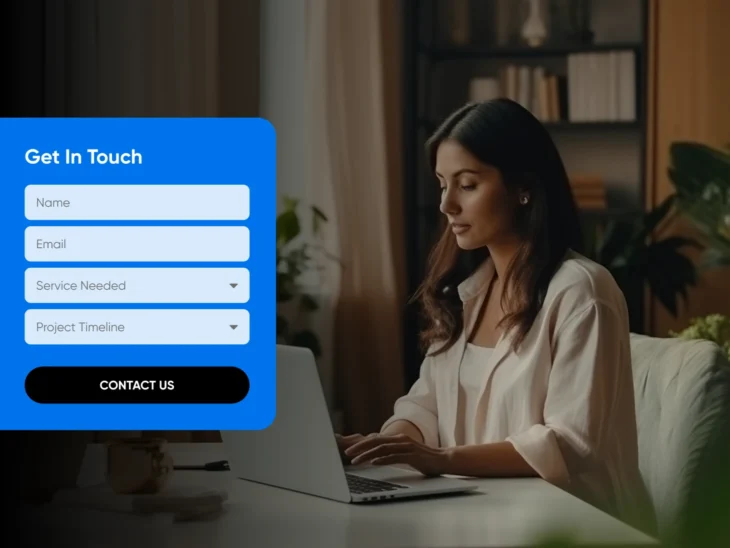
Keep your contact form to around half a dozen fields: enough information to have a productive first conversation without creating friction that causes visitors to abandon ship. Many businesses that use contact forms on their websites make the same mistake: they make them too long. If a form has 15 fields and feels like a tax return, potential customers are likely to give up before they reach the end, and contact forms can’t afford the loss: per Zuko Analytics’ 2025 form benchmark data, only 38% of users who interact with a contact form end up successfully submitting it. Half a dozen is our recommendation, not a law of nature. Form-length studies compiled by Venture Harbour (updated April 2026) find shorter forms generally convert better, but cutting fields prospects actually expect can hurt conversions.
Consider these fields on your form, but keep in mind that all businesses are different, and you may not need all of these:
| Field | Format | Best Practices |
| Name | Text field | Use one field, not separate areas for first and last names |
| Phone and/or email | Text field | Let visitors choose their preferred contact method |
| Service needed | Dropdown | Having a dropdown menu with your major services creates less friction than asking visitors to type this in, but it may create a barrier for potential customers who need a service that’s a close but not exact match to what you offer |
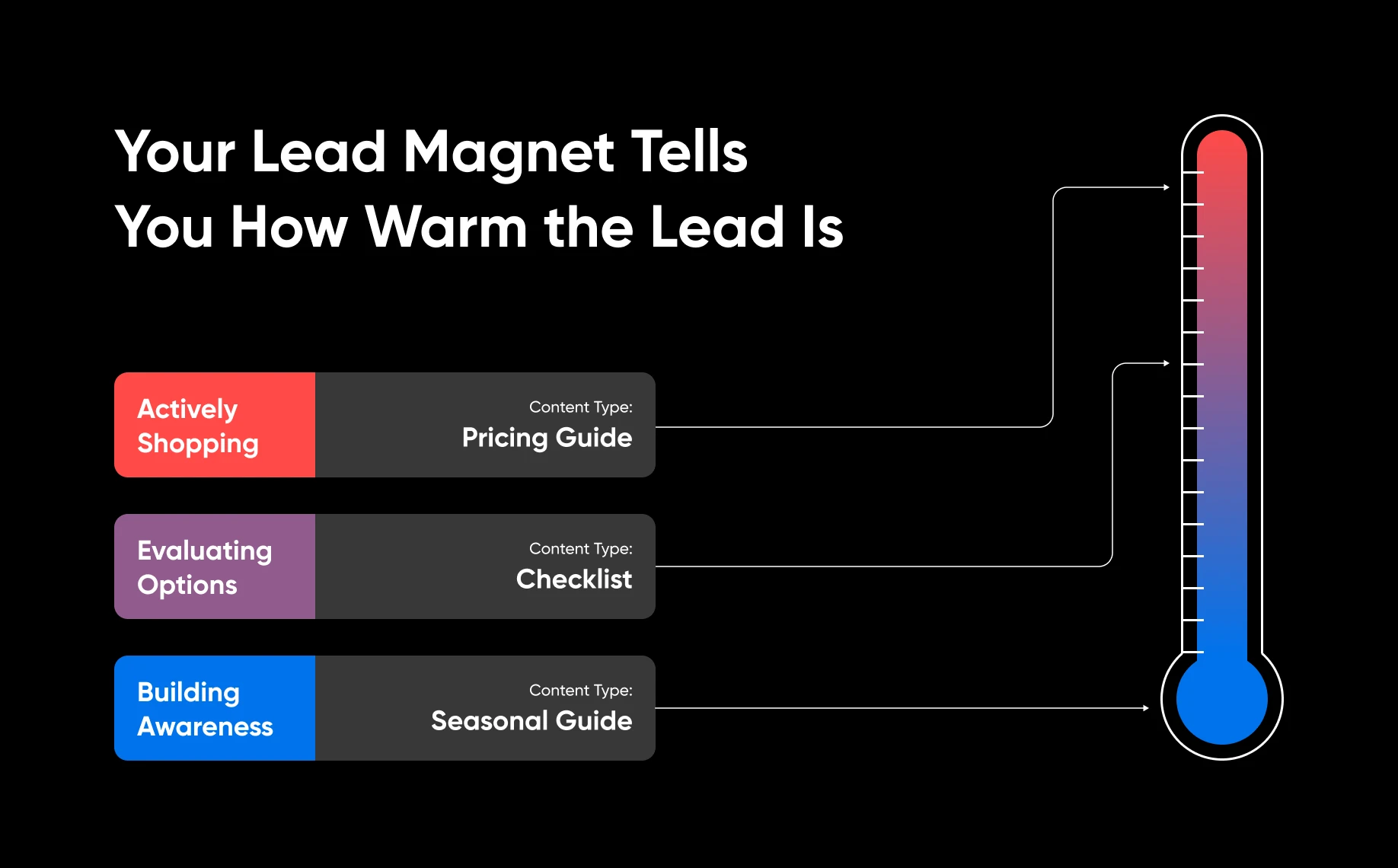
| Project timeline | Dropdown | Offer options such as “ASAP,” “Within 3 months,” and “Just researching.” This tells you how warm the lead is. You shouldn’t necessarily prioritize website leads on a first-come, first-served basis; someone looking for services ASAP should be contacted sooner than someone who’s just browsing. |
| Project description | Text field | Add an optional field for the visitor to add a description of their project, additional notes, or questions. |
And, when it comes to where to place forms, consider these strategies to maximize completion rates:
- Place forms on every major page on your site: A visitor who’s ready to convert on your service page shouldn’t have to navigate to the contact page to reach out. The trade-off is spam: more forms means more bot submissions burying real leads. A honeypot field (an invisible field that bots fill out and humans never see) filters most of it without adding friction; visible CAPTCHAs work too, but every extra puzzle costs you some legitimate leads.
- Use a descriptive CTA: “Get your free estimate” is likely to outperform a generic button that just says “Submit,” but experiment with different CTAs to see what works for your business.
- Add a confirmation message: Silence after submission leaves visitors wondering if their form was received. Even better if you can set expectations: “Thanks! We’ll respond within two business days.”
One more piece before you move on: speed. A form submission is a lead with a clock on it. Decide who on your team owns follow-up, route submissions somewhere that person actually monitors (an inbox they check, a shared address, a text alert), and set a response-time target you can hit. If your confirmation message promises a reply within two business days, beat it. The business that answers first often wins the job.
A well-placed form handles the people who are ready to write. For the ones who are ready to book, here’s how to take the phone out of the equation entirely.
Scheduling and Booking Tools
If it fits your service business model, online scheduling is a great way to eliminate the all-too-common back-and-forth that can kill sales: when a prospect submits a form, you call them, and you play phone tag for a few days.
When that happens, in the meantime, they can easily connect with a competitor who just lucked out and called at a time they were able to pick up the phone.
Embedding a scheduling tool into your website collapses that whole process into one interaction. The potential customer can see all of your available times, pick one that works for them, and book it, right then and there. No phone tag, and no waiting.
Some service businesses now take this a step further with AI chat assistants or virtual receptionists that answer questions, qualify the lead, and book the appointment around the clock. If after-hours inquiries are where you lose jobs, they’re worth a look.
There are many scheduling tools for service businesses, and most can integrate with your website through plugins or embed codes (and if you’re building the site itself, DreamHost’s Remixer can build booking and scheduling apps right into it). When evaluating tools, look for one that:
- Integrates with your calendar app so you can keep track of appointments without double bookings
- Sends automated confirmations and reminders
- Has a mobile-friendly booking interface
- Allows for custom intake questions so you can collect project details at the time of booking, before the appointment
Lead Magnets for Service Businesses
A lead magnet is a piece of content that you offer on your website in exchange for a potential customer’s contact information.
It allows you to capture email addresses from visitors who aren’t ready to book a consultation yet, while also learning information about them that might help you make a sale later.
More About B2B
B2B stands for Business-to-Business. B2B is a type of commerce where businesses sell products or services to other companies (rather than directly to consumers). This can be done through online platforms, such as websites and marketplaces, or offline via brick-and-mortar stores.
For example, a prospect who enters their email address to download a guide about patio design may not be interested in a hard sell for lawn maintenance, but a follow-up email about patio construction could get them to book a consultation.
You don’t need an elaborate funnel to make that happen. A simple sequence works: deliver the download immediately, follow with 2 or 3 genuinely helpful emails on the same topic over the next few weeks, then make a soft ask, like an invitation to book a consultation or request an estimate. Helpful first, pitch second.
Some examples of lead magnets that can be effective for service businesses include:
- Pricing guides: “What Does a Kitchen Remodel Cost in Phoenix in 2026?” “How Much Is an In-Ground Pool in Chicago?” “Your Pricing Guide To Catering By Event Size.” These are gold because they target people who are actively pricing out your services — AKA highly qualified leads.
- Checklists and preparation guides: “10 Questions to Ask Before Hiring a Landscaper.” “10 Steps To the Bathroom Redesign of Your Dreams.” “5 Items Brides Forget When Budgeting for the Wedding.” Position yourself as the expert helping them make good decisions, and you’ll establish trust well before they make a vendor decision.
- Seasonal guides: For HVAC, landscaping, roofing, and similar businesses, a “prepare your home for summer/winter” guide establishes authority and captures local leads.
Keep these exchanges simple; for example, the download is in exchange for a name, location, and email address.
The mechanics matter as much as the topic. A working lead magnet needs three pieces: a dedicated landing page that sells the download, a short gated form that collects contact details, and an automatic delivery email so the guide arrives the moment someone submits. Nobody should have to wait for you to send it by hand. Most email marketing tools handle the form and the delivery email together.
Then get it seen. A landing page optimized for the search terms your prospects actually use (“kitchen remodel cost Phoenix”) can pull in downloads on its own, and sharing the guide on your business’s social channels, or putting a small local ad budget behind it, extends the reach beyond people who already found your site.
And if a gated download is more commitment than some visitors want, a plain email signup still captures them: make it visible, say exactly what subscribers get (“one seasonal maintenance checklist per month”), and give them a reason to believe it’s worth it.
Build the trust layer around your conversion points
Forms, booking links, and lead magnets only convert visitors who already trust you enough to hand over their information. That trust is built by what surrounds the ask: reviews, testimonials, project photos, and credentials placed where people decide whether to reach out.
- Reviews and testimonials: Put a short quote from a real customer next to your form or booking link, not just on a separate testimonials page. A name, a town, and a specific result beat a wall of anonymous five-star ratings.
- Project photos: Before-and-after shots of real work do more convincing than stock photography ever will. Caption them with the service and the location.
- Credentials and guarantees: Licenses, insurance, certifications, years in business, and any satisfaction guarantee belong near the ask, where a hesitant visitor is looking for a reason to say yes.
None of this needs its own page. The point is placement: the moment someone considers filling out your form is the moment your proof should be in view.
Make the Next Step Obvious
The best lead generation systems don’t feel like systems. They feel like a website that actually thinks about what the visitor might need.
For someone ready to hire you today, that’s a quote form or a booking link. For someone who’s still comparing options, it’s a pricing guide they can take with them. Either way, your job is the same: Make the next step obvious, make it easy, and make sure there’s a next step for every kind of visitor.
That doesn’t happen by accident. Now you’ve got the framework to make it happen on purpose.
FAQs about lead generation for service businesses
How many fields should a service business contact form have?
Around six. Ask for a name, a preferred contact method, the service needed, a rough timeline, and an optional project description. That’s enough to qualify the lead and start a useful conversation without the friction that makes visitors abandon the form.
What is a lead magnet for a service business?
A lead magnet is a free piece of content, like a pricing guide, checklist, or seasonal preparation guide, offered in exchange for a visitor’s contact information. It captures prospects who are still researching so you can follow up by email before they’re ready to book.
How do I get more leads from my service business website?
Give every visitor a next step: short contact forms on every major page, an online booking tool for people ready to schedule, and a lead magnet for people still comparing options. Then respond fast. The first business to answer often wins the job.
Do online booking tools increase leads?
They remove the biggest leak in the process: phone tag. A prospect who can see your availability and book instantly doesn’t have to wait for a callback, or take a competitor’s call in the meantime. For consultative services, that shortens the sales cycle.
How fast should you respond to a website lead?
Same business day is a good target. Set a response-time promise in your confirmation message, route submissions somewhere someone actually monitors, and beat the promise when you can. A warm lead cools quickly, and slow responders lose to whoever answers first.

Stop Losing the Comparison Round
69% of consumers say a local business needs a website to be credible — and a business website delivers a 41% trust lift, the strongest credibility signal outside of online reviews. This 38-page playbook gives service business owners the strategy, pages, trust signals, lead generation, platform, and mobile performance blueprint to win the comparison round.
Get the eBook