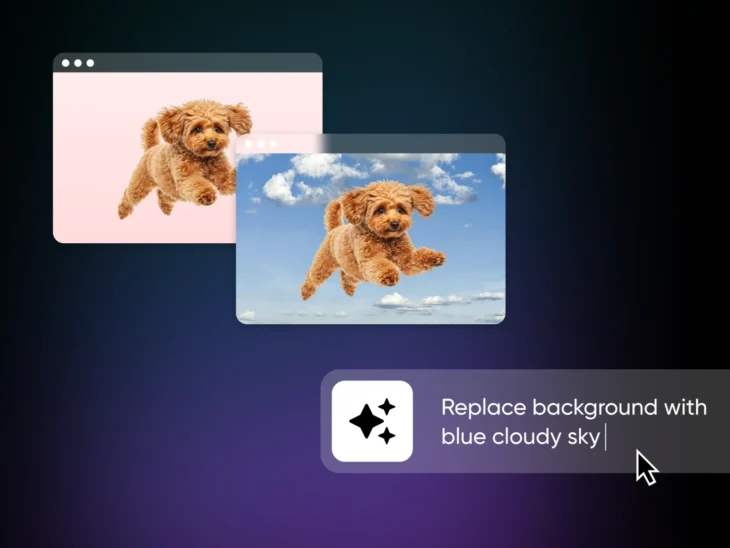
Until recently, photo editing felt like flying a spaceship. Hit that button, move the slider, aim your weapon.
That’s fine if you’re exploring deep space. But when you’re just trying to polish a few snaps for your website… it feels really cumbersome.
AI photo editors promise to speed things up. They use a cocktail of cutting-edge algorithms to do the pixel pushing for you — so you feel more like an executive director than a humble editor.
At least, that’s the theory. But do these AI tools really live up to the hype? And if so, which apps are worth your hard-earned moolah?
We decided to investigate and put the best AI photo editors through their paces!
The AI website builder that turns conversation into designer-level sites. Free with hosting.
Start Free Trial
What Can AI Photo Editors Actually Do?
Most AI photo editors are really good at replacing things, adding new content, and automating the boring parts of image editing.
That translates to:
- Removing backgrounds from product photos.
- Erasing unwanted objects for a cleaner final image.
- Replacing boring skies and adjusting lighting to match.
- Learning your editing style, so you can batch-edit photos faster.
- Sharpening up blurry photos that were destined for the trash.
- Upscaling small images without obvious loss of quality.
This all sounds very convenient. But aren’t you giving up some control by making AI do all the work? Eh…yes and no.
While you’re obviously delegating the manual work, most AI tools are not “click to fix.” You still have decisions to make about how the AI performs the task.
And just as importantly, most AI photo editing apps come with traditional editing tools. If you want to make the final adjustments yourself, you can.
What Are the Best Overall AI Photo Editors in 2026?
Based on our testing, the best AI photo editors in 2026 are Luminar Neo for all-around AI editing, Canva for social and marketing content, Photoroom and Claid for product photos, Imagen AI for batch editing, and Adobe Lightroom/Photoshop or ON1 Photo RAW for pro-grade work. Here’s the full list:
- Luminar Neo for the total AI editing experience.
- Canva for social media content and marketing graphics.
- Photoroom for easy product photo editing on the go.
- Claid for automated product photo editing.
- Remove.bg for quick background removal.
- Imagen AI for batch editing with personalized style.
- Radiant Photo 2 for one-click AI enhancement.
- Adobe Lightroom/Photoshop for pro-grade editing and organization.
- ON1 Photo RAW for an all-in-one advanced AI editing workflow.
Notice that we haven’t ranked them here. That’s because AI photo editors come in a wide range of flavors. What works for someone else might completely mess up your workflow.
So, here’s a quick cheatsheet to help you find the perfect match:
| Your Main Need | Best Tools | Why |
| Better images for my website | Luminar Neo, Canva | Rapid enhancements or custom graphics. |
| Product photos for my store | Photoroom, Claid, Remove.bg | Clean backgrounds and polished results in seconds. |
| Social media posts and graphics | Canva | Templates + AI tools. |
| Quick fixes and batch editing | Imagen AI, Radiant Photo 2 | One-click fixes, limited learning curve. |
| Professional editing without a subscription | ON1 Photo RAW, Luminar Neo | Complete toolkits with pay-once licenses. |
Of course, this is only the TL;DR version. Up next, we’ll be taking a deep dive into every app.
To make the list easier to navigate, we’ve sorted the reviews by use case. Just scroll until you find the description that matches what you need!
What Are the Best AI Photo Editors for Website Images?
You’re trying to update your website, but it’s taking forever to perfect the visuals. Ugh. Maybe try some of these AI editors instead?
We present to you, in no particular order:
Luminar Neo: Best Purpose-Made AI Editor
Unlike many photo editors, Luminar Neo was built for AI. And you can really feel it.
Skylum counts 24+ AI-based tools in the app (plus 100+ traditional features), and they’re surprisingly easy to control. We were particularly impressed by the sky replacer, which switched out clouds for a dramatic sunset. It only took a couple of clicks.
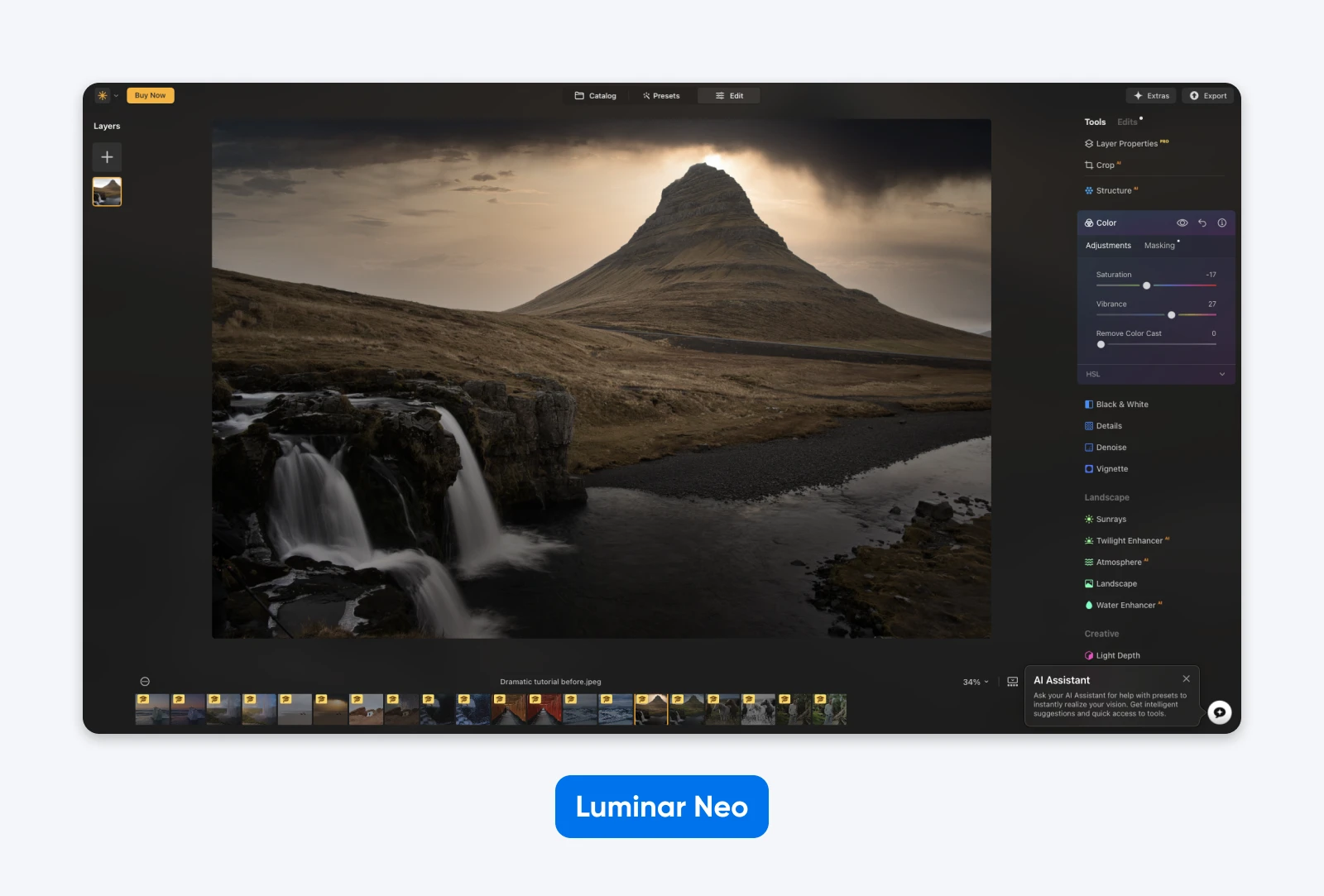
Neo also has a built-in AI assistant. This lets you ask for edits, a bit like prompting ChatGPT. In our tests, it didn’t always understand the creative vision. But it’s a nice option to have, nonetheless.
Luminar Neo works on both desktop and mobile devices, and it doubles as a plugin for Adobe Photoshop, Adobe Lightroom, and Apple Photos.
Best AI features:
- One-slider lighting and color enhancement.
- Easy sky replacement and relighting.
- Automatic skin retouching.
Weaknesses:
- Neo will make your computer sweat, especially if you try to edit batches.
- The generative AI tools are only included for one year — after that, they renew as a paid subscription.
What users say:
“I like how fast I can get stuff done. The AI tools (like Sky Replacement and Relight) are pretty smart. Most edits take just a few clicks and look good right away.” — Marharyta on G2.
Pricing: One-time purchase with a 30-day money-back guarantee. At the time of writing, Skylum’s sale prices are $129 (Desktop Only), $159 (All Platforms, including mobile), and $199 (Max).
Canva: Best AI Editor for Social Media and Marketing Content
Canva is aimed at people who want to grab a template, insert an image, and post to social media. But it’s actually much more capable than that.
This web-based platform lets you move subjects around your photos and remove anything you don’t want. You can even recompose your shots using text prompts.
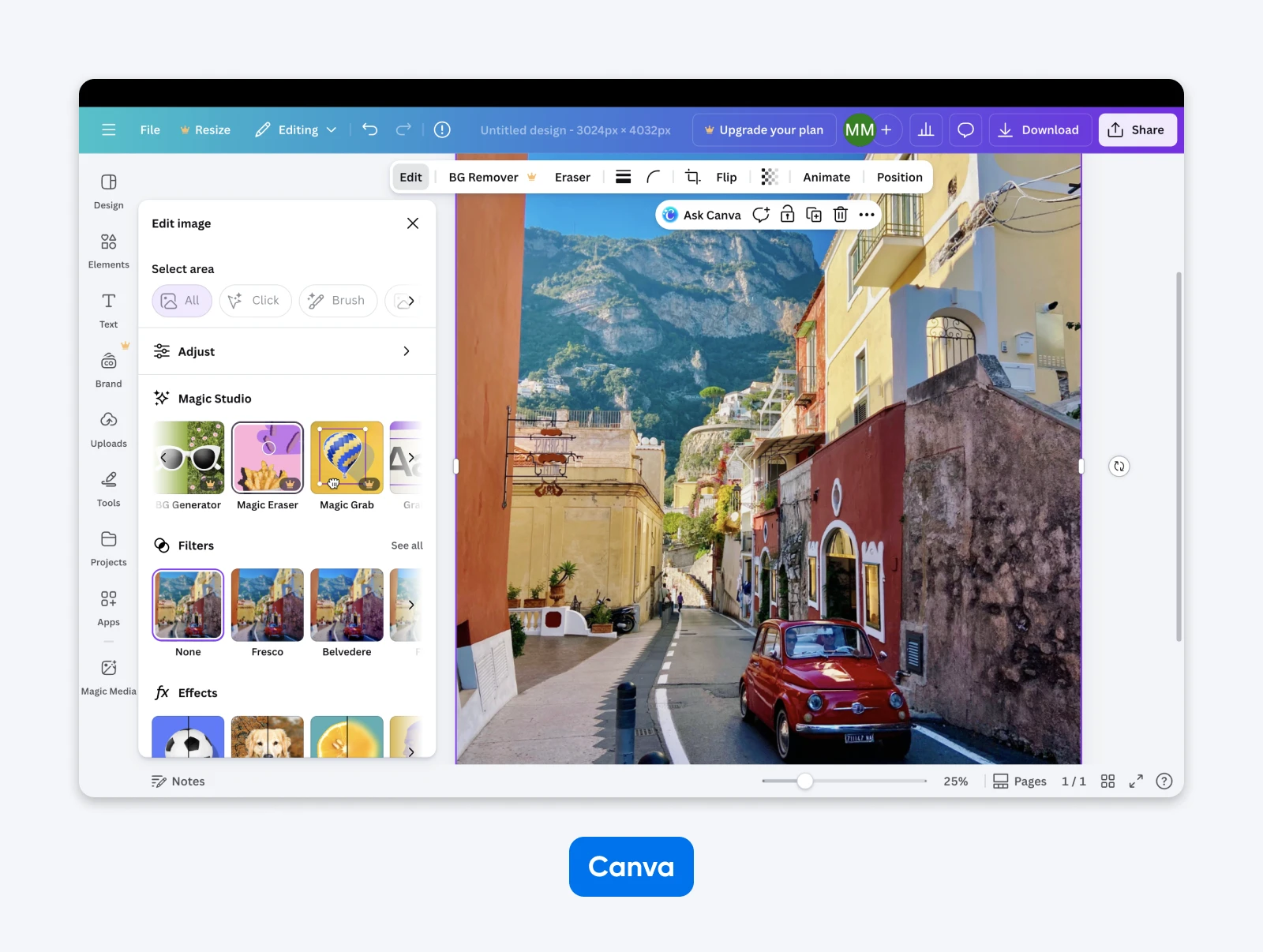
If that wasn’t enough, Canva has a huge library of AI “apps” — individual tools, each with a specific purpose. You can turn static images into video avatars, upscale photos, convert sketches into art, and much more.
Sure, the edits aren’t as clean as with professional-grade apps, but that doesn’t matter for many people.
Best AI features:
- Move any subject around the photo.
- Recompose your image using AI text prompts.
- Turn images into art or video.
Weaknesses:
- Most AI features are locked behind a subscription.
- The quality of edits doesn’t match that of pro-grade apps.
What users say:
“The AI tools are also really helpful, especially when I need to expand a background that wasn’t clearly captured in a photo. They’re one of my favorite features.” — Sahil A. on G2.
Pricing: Free to try, but in our testing, most of the AI tools sit in Canva’s paid plans.
What Are the Best AI Editors for Product Photos?
If you want people to buy from your online store, you need to show the goods, but creating great product photos can be a hassle.
These AI photo editors can help to speed things up:
Photoroom: Best for Polishing Product Photos on Mobile
Product photography feels surprisingly easy when you use Photoroom.
With this mobile-first app, you can snap a quick photo and replace the background in seconds. The AI technology generally does a good job of selecting the main subject, leaving you with a really clean result.
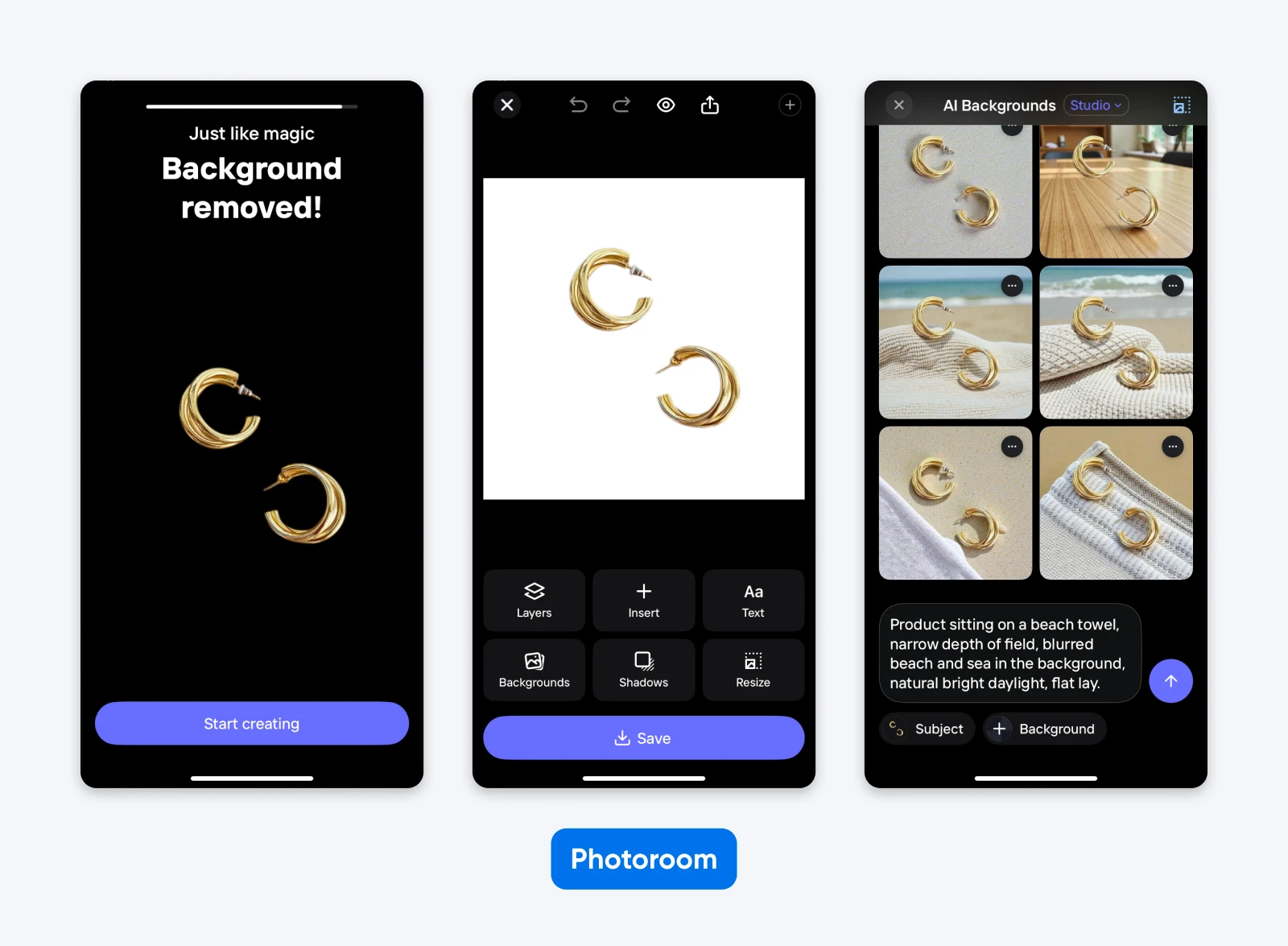
To take things a step further, Photoroom can place your product in realistic environments using generative AI — placing a handbag on the shoulder of a model, for example. You can also change the color of the product if you want (useful for product variants), and add a drop shadow.
Is it perfect? No. The AI doesn’t always get it right, but you can’t knock the convenience.
Best AI features:
- Automatically remove and replace backgrounds.
- AI-powered staging for lifestyle images.
- Change the product to any color.
Weaknesses:
- Lacks the full suite of traditional editing tools.
- Doesn’t always get the background cut-out right.
What users say:
“I have been using Photoroom for the past two years, mainly for background removal, and it gives extraordinary results for me. It saves a lot of time compared to manual image cutouts.” — Sanjith T. on G2.
Pricing: Start for free. Paid plans (Pro, Max, and Ultra) are metered by monthly AI credits and exports — the entry-level Pro plan includes 8,000 AI credits and 1,000 exports per month.
Claid: Best for Automated Product Photo Enhancement
For the price of mild inconvenience, Claid delivers a great AI editing experience for product photos.
This app is web-based and optimized for desktop devices, so you’ll need to upload photos to your computer. However, it’s worth the effort.
Claid lets you generate beautiful lifestyle photos from a simple product shot, including flatlays and fashion shoots.
You can choose from a range of different environments, models, and poses, and use text prompts to explain what you need. Our test results were really good.
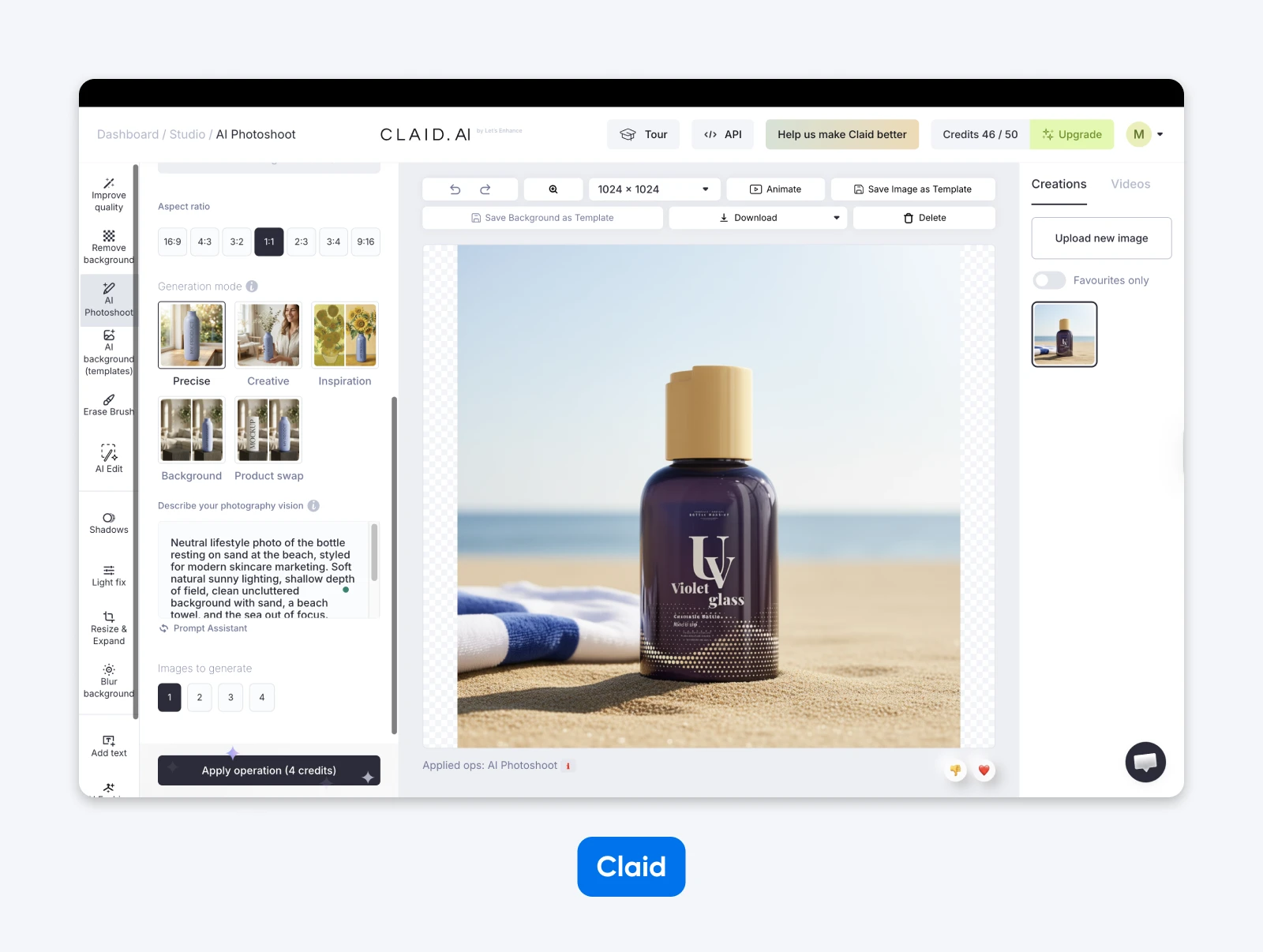
The background remover is similarly powerful, and we like the automatic enhancer feature — it adjusts lighting and color to add visual punch.
The best part? The Claid API lets you add these features directly to your store content management system (CMS).
Best AI features:
- Powerful AI staging including fashion and lifestyle templates.
- Remove backgrounds, objects, and people.
- Connect to other platforms via API.
Weaknesses:
- Not cheap.
- Not easy to fix cut-outs if the AI gets it wrong.
What users say:
“What used to take me a week now takes a day. I can clean up images, generate beautiful product shots, and get my marketing messages out the door so much faster now.” — Jen O’Farrell on Trustpilot
Pricing: The free trial includes 50 credits to spend on any operation; paid tiers are Essentials, Pro (2,000 credits per month), and Business.
Remove.bg: Best for Easy Background Removal
Is Remove.bg a one-trick pony? Hmm, maybe. A one-trick thoroughbred, perhaps?
This platform does just one thing: removes backgrounds. It’s quick, cheap, and easy.
The underlying machine learning tech does a pretty good job in most cases. And you can tweak the selection, if you need.
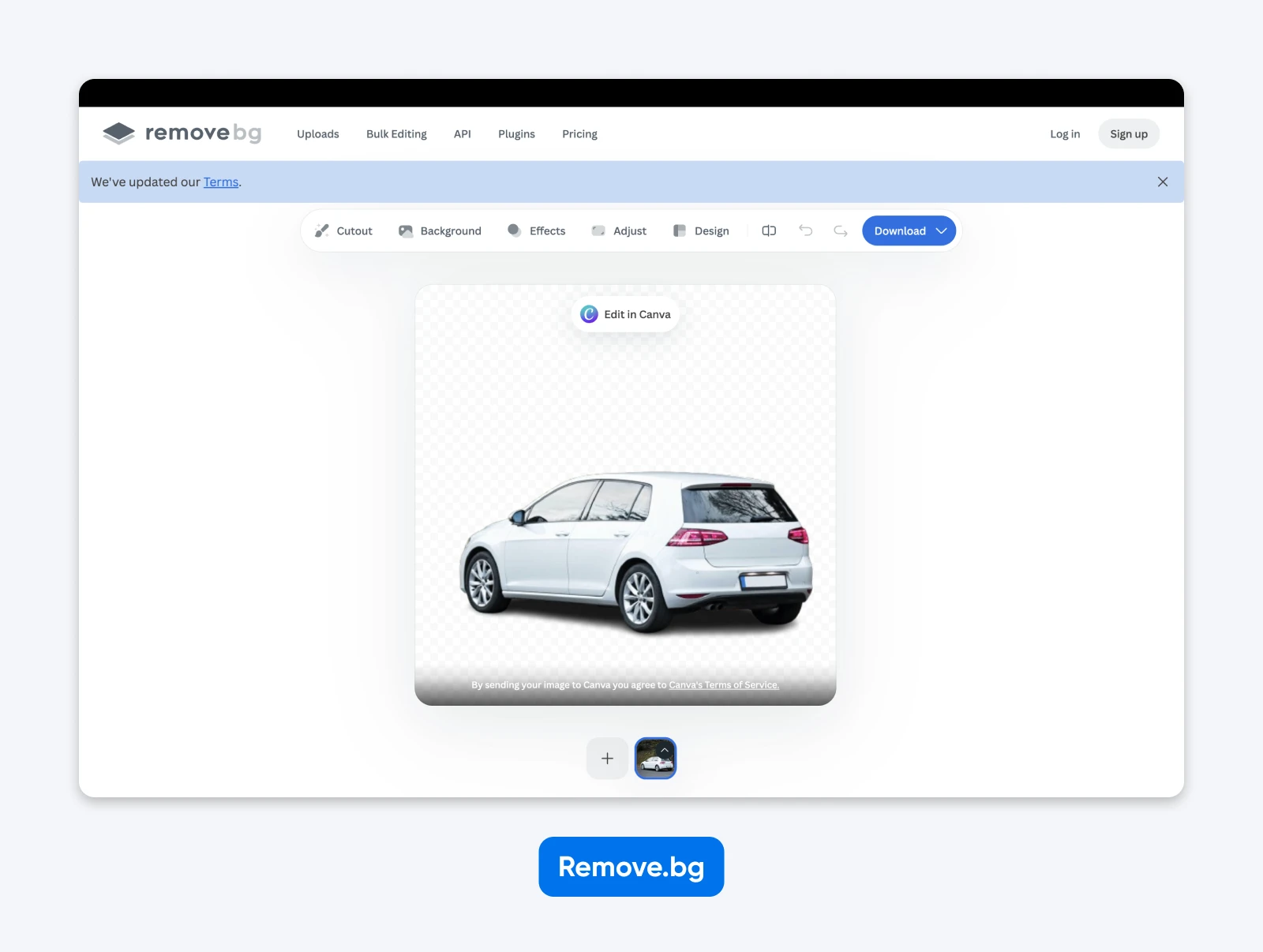
After that… well, you can add a new background. Plus, you get a few simple editing options, powered by Canva. (No surprise there: Remove.bg is a Canva Austria GmbH brand.)
Overall, there’s not much to dislike here. Remove.bg stays in its lane and gets the job done.
Best AI features:
- Remove backgrounds (duh).
- Replace backgrounds.
- It just does backgrounds, okay?!
Weaknesses:
- Only removes or replaces backgrounds (apart from basic editing tools).
What users say:
“Remove.bg has been a lifesaver for my design work. It removes backgrounds from images within seconds and does a surprisingly clean job, even with complex edges.” — Friedrich on Trustpilot.
Pricing: Automatic background removal is free to use; paid credits and subscriptions cover what Remove.bg calls “max quality, automation & scale.”
What Are the Best AI Photo Editors for Fast Fixes?
Quality isn’t always the most important thing. Sometimes, you just need to spruce up a heap of images in the shortest time possible.
Here are the best AI tools for the job:
Imagen AI: Best for Personalized Batch Editing
Imagen AI is built for one thing above all: speed at volume. Feed it a whole shoot, and it churns through the batch before your coffee goes cold. All we know is, this app is muy rapido.
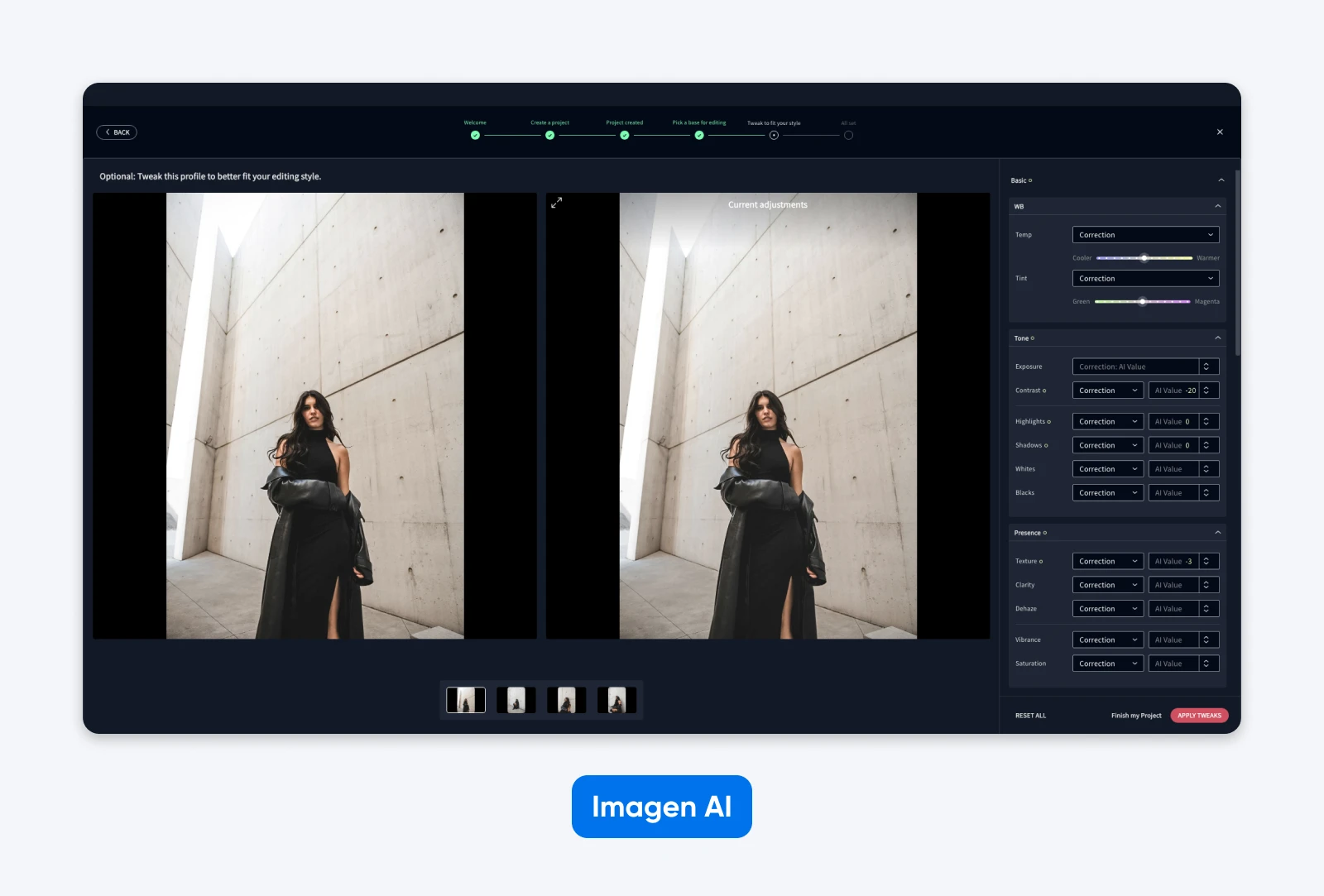
The standout feature is the AI profile tool. This lets you train Imagen to edit in your personal editing style. Or if you prefer, you can copy and remix the styles of experienced pros.
The results are solid. Rarely perfect, but you wouldn’t be embarrassed to publish them. You might just want to make a few tweaks using the additional AI tools, which include cropping, de-noising, and skin smoothing.
Best AI features:
- Apply batch edits in your chosen style.
- AI culling to help you sort through large batches.
- Additional AI tools for fine tuning.
Weaknesses:
- You have to pay for every AI action, or sign up for a subscription.
What users say:
“I used it on a wedding I shot and used John Branch’s Natural feels and it was awesome! 2000 images edited all consistent in like 20 min! I did have to go back and crop out distractions but I didn’t mind cause the I saved sooooooooo much time on the editing.” Rjs-images81 on Reddit.
Pricing: Rates change often — check Imagen AI’s site for current pay-as-you-go and subscription pricing.
Radiant Photo 2: Best Low-Effort AI Editor
Radiant Photo 2 is an editor for people who don’t really like editing.
When you load an image, the app uses AI to identify the key subjects. It then applies selective enhancements, according to what look you want.
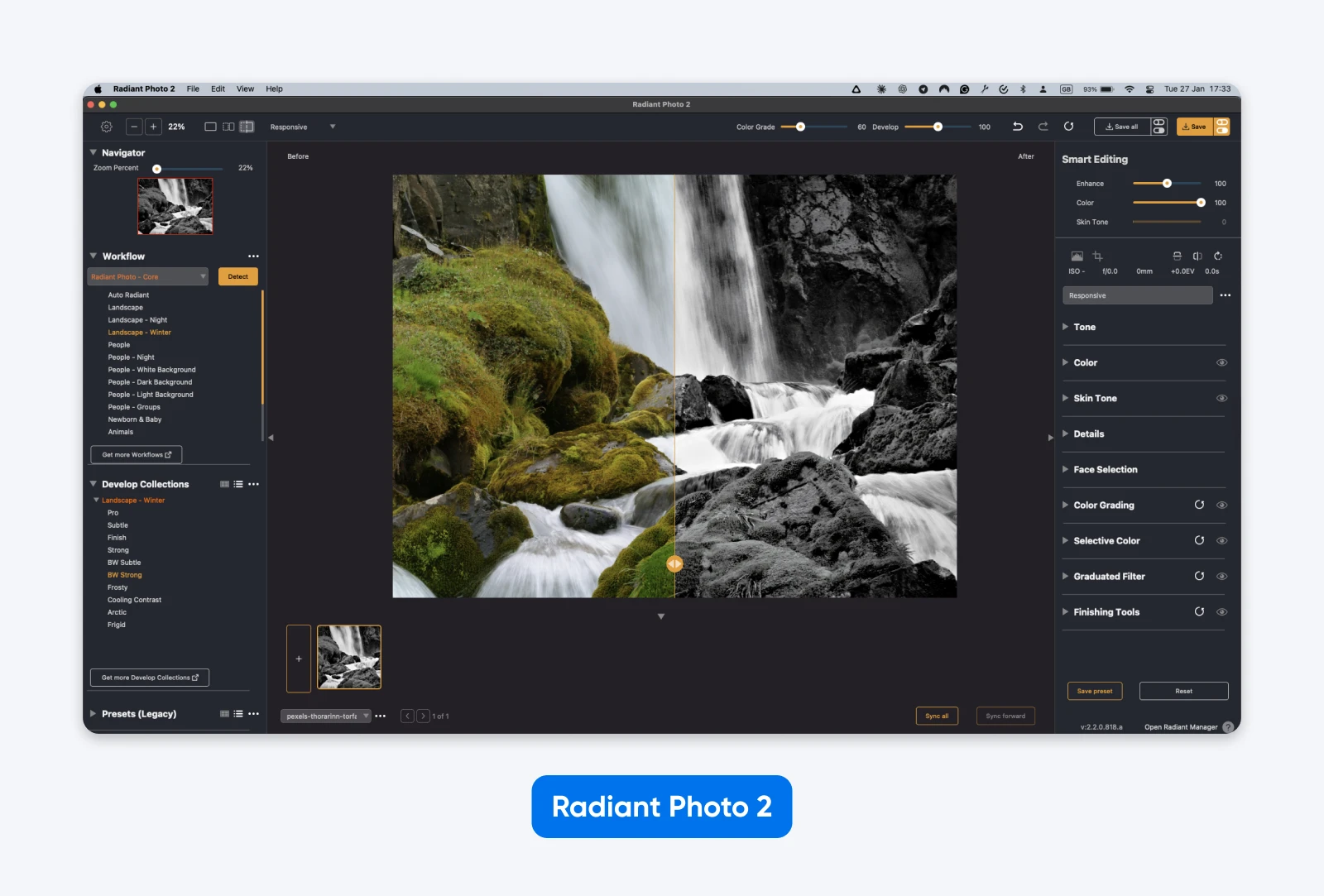
The results are generally satisfying and authentic; Radiant doesn’t use generative AI, and all processing happens locally on your computer — your photos are never uploaded to the cloud.
Again, the controls are really simple. You can apply sweeping changes with one slider. It also comes with loads of one-click presets, covering a wide range of photo styles.
Best AI features:
- Intelligent subject detection, covering many genres.
- Automatic enhancement with manual control.
- Subject-specific workflows, like pet and portrait photography.
Weaknesses:
- Not the strongest set of tools for manual adjustments.
- You have to buy the workflows individually.
What users say:
“It analyzes the image, figures out the content and the mood, and proposes presets to create the ideal version. This sounds megalomaniacal, but the results it offers are pleasing to the eye.” garbidz on DP Review
Pricing: One-time purchase with a 30-day money-back guarantee. The genre Workflows (Landscape, Portrait, Birds, and Pets) are add-ons, sold individually or as a bundle.
What Are the Best Advanced AI Photo Editors?
For professional-grade AI photo editing, the strongest picks are Adobe Lightroom and Photoshop (subscription) or ON1 Photo RAW (pay-once license). While AI makes it much easier to edit photos, the best results still require some skill.
If you’re happy to get a little technical, these advanced AI-fueled editors can help you achieve optimum image quality:
Adobe Lightroom/Photoshop: Best Pro-Grade AI Editors
Everyone knows Adobe’s Creative Cloud. But have you heard about the latest AI features?
In Lightroom, Generative Remove — powered by Firefly generative AI — erases distractions from your shots, right down to whole people in the background. And the AI-driven Lens Blur detects your subject automatically, then blurs everything behind it with one slider.
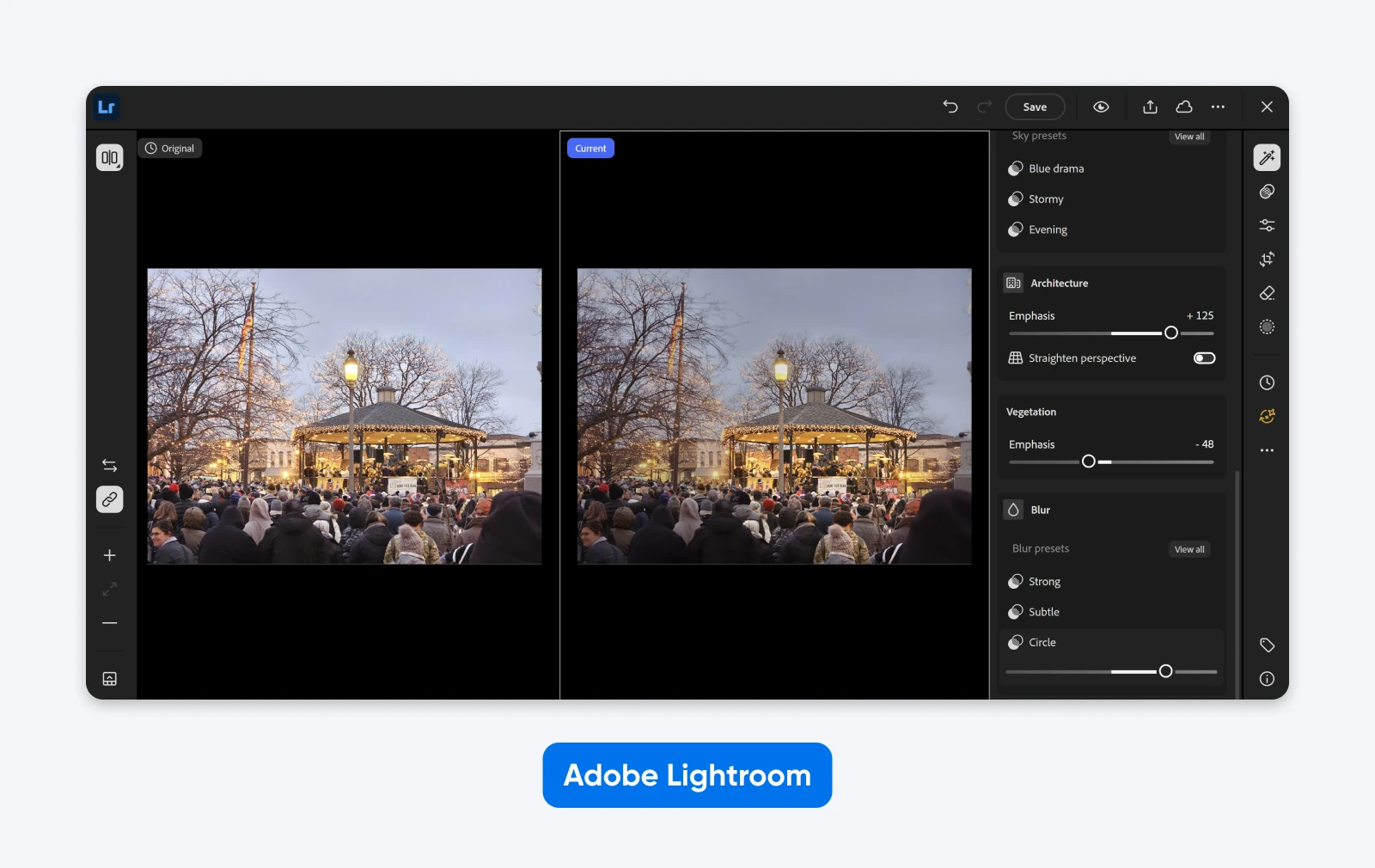
In Photoshop, the star attraction is Generative Fill. Don’t like the background? AI can replace it. Loads of distractions? You can paint over them with shiny new AI-generated pixels. Photoshop’s Generative Expand even extends your photo beyond the frame.
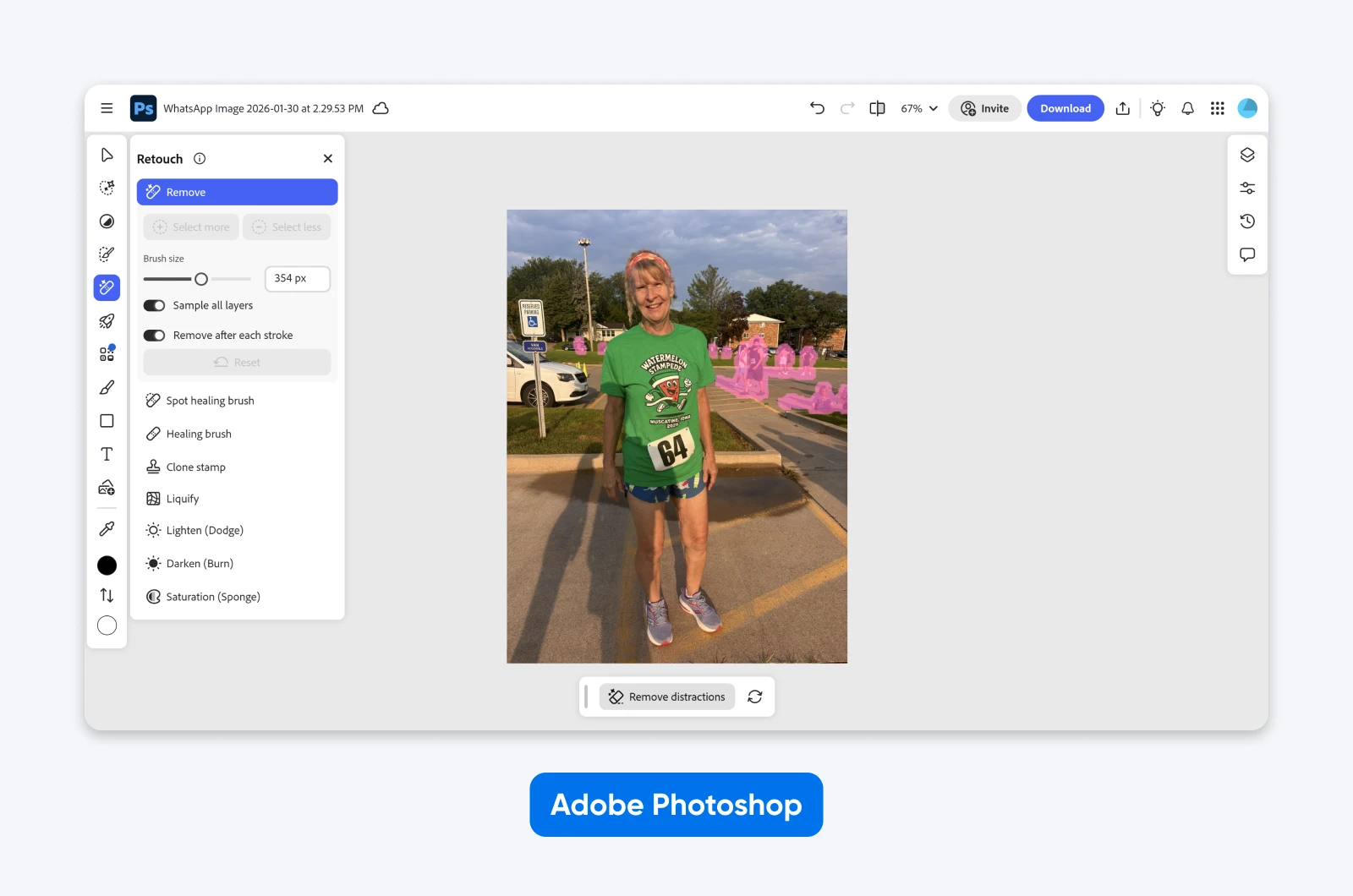
It’s fast, effective, and just a little mind-blowing. If you can stomach the subscription, it’s a compelling package.
Best AI features:
- Lightroom: Generative Remove for erasing distractions and photobombers.
- Lightroom: AI Lens Blur with automatic subject detection.
- Photoshop: Generative Fill, Expand, and Remove for adding (or deleting) content.
Weaknesses:
- Creative Cloud subscriptions are not cheap, and there’s no pay-once option.
What users say:
“I’ve also been playing around with studio images that I shot, and putting the subject in a variety of locations…. I’m pretty proficient with Photoshop, so I could have done this before. But not in less than five minutes, all the while matching the light and shadows.” Obi-Wayne on Reddit
Pricing: Subscription only. Adobe’s Photography plan bundles Lightroom and Photoshop with 1TB of cloud storage — current rates are on Adobe’s compare-plans page.
ON1 Photo RAW: Best All-in-One AI Editing Workflow
While Lightroom and Photoshop work as a tag team, ON1 Photo RAW combines organization and editing in one seamless workflow. And it works nicely.
ON1 offers intelligent masking (Super Select AI), Generative Erase to remove unwanted objects, NoNoise AI noise reduction, Tack Sharp AI sharpening, and Resize AI upscaling. Nothing unique, just useful stuff.
The most notable feature is the adaptive AI presets, which change to match the content in your images. In our tests, these one-click edits produced very tasteful results.
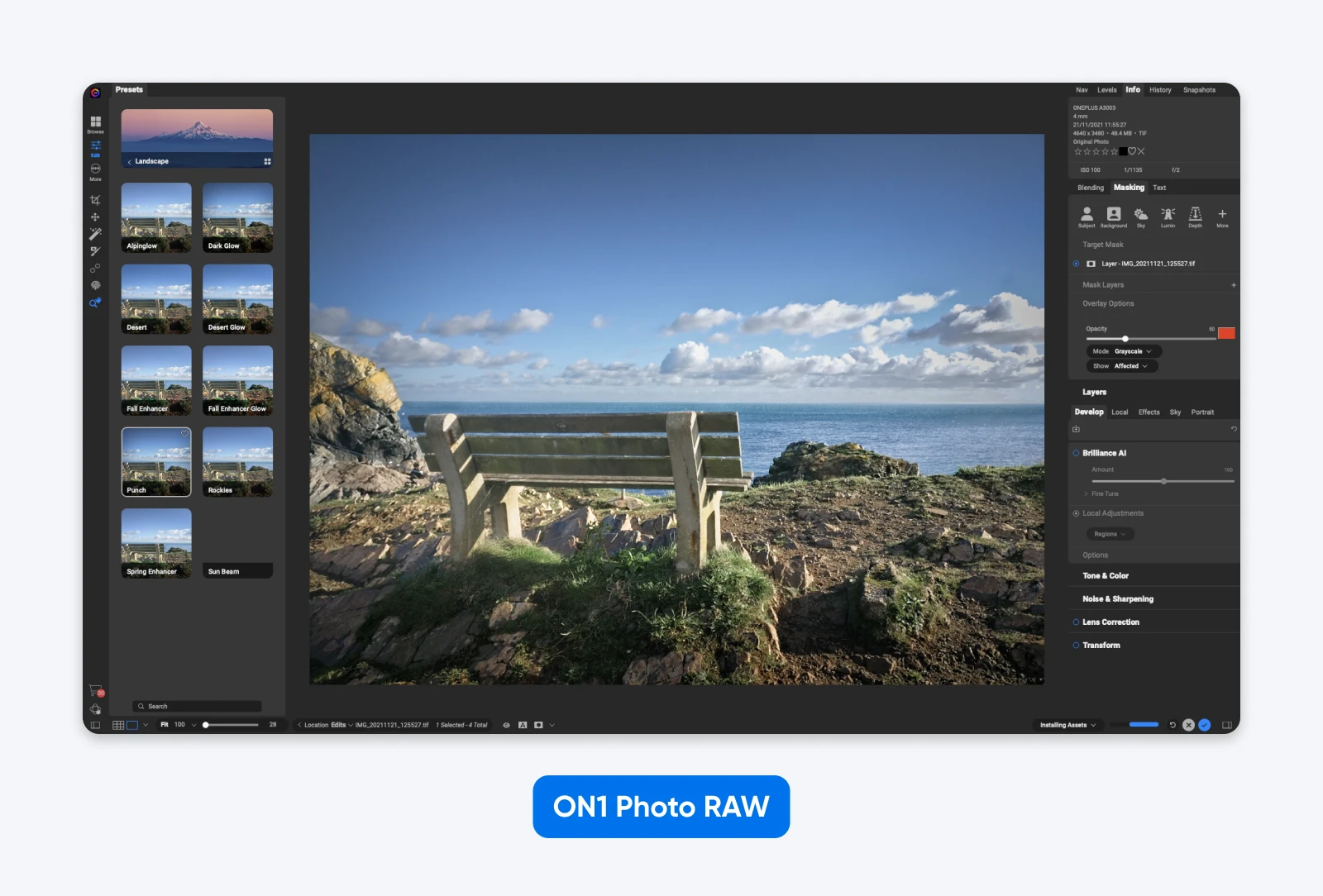
Aside from editing, ON1 uses AI to add keywords to all your photos automatically. If you’re a prolific editor, this could be a huge time saver.
Best AI features:
- AI presets that adapt to the content of your images.
- Selection of AI-enhanced manual editing tools.
- AI-powered keyword tagging for easier organization.
Weaknesses:
- Packing so many features into one app comes at the cost of speed.
- It also makes the interface cluttered; it feels like flying a spaceship.
What users say:
“I use On1 Photo RAW and I can recommend it; it’s more affordable than Adobe and has features from both Photoshop and Lightroom… The AI denoise and removal work well, and the masking brushes can do some amazing stuff.” — Icanhazplasmaz on Reddit.
Pricing: Pay once, own it — no subscription required. The standard license installs on two computers; the MAX edition (three computers) adds Restore AI plus plugin support for Photoshop and Lightroom. A subscription option is also available if you’d rather always have the latest version.
How Do You Choose the Right AI Photo Editor?
It’s ultimately down to what you want to achieve, your level of editing experience, and your budget.
- Want to make great content for your website or social media? Try Luminar Neo or Canva.
- Editing product photos for your online store? Use Photoroom or Claid.
- In a hurry? Imagen AI and Radiant Photo 2 can help.
- Know what you’re doing, but want more power? Look to Lightroom, Photoshop, and ON1 Photo RAW.
- On a tight budget? Use Remove.bg or Photoroom’s free tools.
Remember, many of these apps have free trials. Take them for a test drive yourself!

Beautiful Websites, Designed From Scratch
Stand out from the crowd with a modern WordPress website that’s 100% unique to you.
See MoreFAQs on AI Photo Editors
Still thirsty for more knowledge? We’re happy to quench your curiosity — here are some more answers!
Do you need an AI photo editor or an AI image generator?
An AI photo editor changes existing images, while an AI image generator (such as Midjourney or Adobe Firefly) creates visual content from scratch. If you’re fixing real photos — products, portraits, website shots — you want an editor.
What is the best free AI photo editor?
There are few truly free AI photo editors. Remove.bg removes backgrounds automatically for free, Photoroom lets you start for free, and Canva is free to try. If you outgrow the free tools, Pixlr’s Plus plan is $2.49 per month.
How much do AI photo editors cost?
Pricing models vary. Remove.bg offers free automatic background removal, while Pixlr’s Plus plan is $2.49 per month. Luminar Neo’s current one-time sale prices range from $129 to $199, and ON1 Photo RAW also offers a perpetual license. Adobe’s Photography plan is subscription-based.
What is the best web-based AI photo editor?
Canva is the most versatile web-based AI photo editor for everyday edits and marketing graphics. For product photos in the browser, Claid is the strongest tool we tested, and Remove.bg handles one-click background removal with nothing to install.
Is it safe to edit my photos with AI?
Generally, yes. But be cautious about uploading highly personal images; AI companies may use them for training data. If that worries you, pick a tool that processes photos locally — Radiant Photo 2, for example, never uploads your images to the cloud.
Should I reveal that my pictures were edited with AI?
For minor cleanups — a few stray hairs on a portrait — probably not. For realistic changes to what actually happened, yes. In some cases, disclosure is required: YouTube requires creators to disclose content that uses AI to meaningfully alter or generate photorealistic footage (minor edits like beauty filters and color adjustments are exempt). In the EU, the AI Act’s transparency rules for AI-generated and manipulated “deep fake” content apply as of August 2, 2026. And China’s labeling measures for AI-generated synthetic content, in force since September 1, 2025, require AI-generated content to be labeled and users to declare it when publishing.