
If you’ve been researching website options lately, you’ve probably run into the “AI website builder vs. WordPress” debate. It sounds like a simple either/or. It isn’t, and picking based on the wrong comparison is how people end up on a platform that doesn’t fit them a year later.
Not long ago, the big secret in this debate was that most “AI website builders” quietly built WordPress sites for you. In 2026, that’s only part of the story: a new class of agentic AI builders creates complete sites and web apps on their own platforms, with hosting built in. So the real choice now has three paths, not two.
This guide lays out all three: what each one actually builds, what you give up and gain with each, and how to choose based on your time, technical comfort, and long-term plans.
AI Website Builder vs. WordPress: What Are You Actually Comparing?
“AI website builder vs. WordPress” compares a method (AI builds it for you) with a platform (the software your site runs on). That’s why the debate feels confusing: the two aren’t mutually exclusive, and some AI builders produce WordPress sites while others don’t.
A manual WordPress setup still means real hours: researching themes, choosing plugins from a directory of about 60,000 free options, writing every page of content, and configuring dozens of settings. When we timed a manual WordPress build ourselves, it took 15–20 hours spread across multiple sessions.
AI builders compress that to minutes or a few hours. The question is what you end up owning when the AI is done, and that depends on which kind of AI builder you used.
Three Kinds Of AI Website Builders (And What They Actually Build For You)
1. Agentic AI builders (tools where the AI acts as your whole web team, building and hosting the site itself) create complete sites and web apps from a plain-English description. Remixer, DreamHost’s AI website and app builder, works this way: describe what you need, get a complete site in minutes, then refine it by continuing the conversation. Hosting, a global CDN, and SSL are included, along with working app features like customer logins, bookings, and Stripe payments. Durable and other describe-and-generate builders sit in this category, too.
2. AI-assisted WordPress builders generate real WordPress sites. Tools like ZipWP and 10Web ask a few questions and produce a working WordPress site with content and design in place. What you get is a normal WordPress installation: every theme, every plugin, and the standard migration path still work.
3. AI features inside page builders and platforms. Elementor AI, Divi AI, and SeedProd AI generate content and design elements inside those specific WordPress builders (for our purposes, they fold into the AI-assisted WordPress path), while Wix’s AI site builder (formerly Wix ADI) and Squarespace Blueprint generate sites on their own closed platforms. These are AI assists rather than a whole path by themselves; they inherit the strengths and limits of whatever they’re attached to.
Once you see the categories, the real decision becomes clear. It’s manual WordPress vs. AI-assisted WordPress vs. an agentic builder — three paths with different trade-offs. (For the wider tool landscape, including prompt-to-code options for developers, see our full guide to website builders in 2026.)
Manual WordPress vs. AI-Assisted WordPress vs. Agentic AI Builders
| Factor | Manual WordPress | AI-assisted WordPress | Agentic AI builder (e.g., Remixer) |
| Setup time | 15–20 hours | 1–3 hours | Minutes to generate; an hour or two to refine |
| Skills needed | Intermediate | None to start; WordPress skills grow over time | None; you refine by describing changes |
| Customization | Full WordPress ecosystem | Full WordPress ecosystem | Conversational edits within the platform |
| Plugins & extensions | ~60,000 WordPress plugins | ~60,000 WordPress plugins | Built-in app features (logins, bookings, payments); no third-party plugin store |
| App features (logins, payments) | Via plugins you choose and maintain | Via plugins you choose and maintain | Built in (database, accounts, Stripe, forms) |
| Maintenance | You handle updates and security | You handle updates and security | Platform-managed |
| Portability | Standard WordPress migration | Standard WordPress migration | Platform-hosted; your domain stays yours, but there’s no one-click export — moving means rebuilding |
| Pricing model | Hosting plan plus optional premium theme/plugins | Builder subscription, or bundled with hosting | One flat plan with hosting included |
1. Setup Time: Hours vs. Minutes
Manual WordPress setup is a weekend project: hosting setup and installation are quick (most hosts offer one-click installs), but theme research, customization, plugin selection, and writing all your content add up. Our timed build landed at 15–20 hours.
AI-assisted WordPress compresses that to a single focused session: answer a questionnaire, let the AI generate the site, then spend your time editing content for your brand voice rather than staring at blank pages.
Agentic builders are the fastest of all. Remixer generates a complete site from your description, typically in two to three minutes, and refinement happens by asking for changes (“make the header darker,” “add a booking page”) rather than learning an editor.
2. Content: AI Writes The First Draft Either Way
Writing content from scratch is the hidden time sink of any website project. Both AI paths hand you a complete first draft for every page, and both need the same follow-up: editing for your brand voice and checking every claim. Expect to spend an hour or two editing instead of days writing. The difference is where you edit — in the WordPress editor on the WordPress paths, or by telling the builder what to change on the agentic path.
3. Design Control After Launch

People assume AI means giving up design control. On the WordPress paths, that’s simply false: after the AI builds your site, it’s a normal WordPress site. You can switch themes, add any plugin, edit CSS directly, and use the Site Editor — the AI just saved you the setup hours.
On the agentic path, design control works differently: you describe what you want changed and the builder does it. That’s less granular than editing code, and far more approachable if you never wanted to touch code in the first place.
4. Ownership And Migration
This is where the paths differ most.
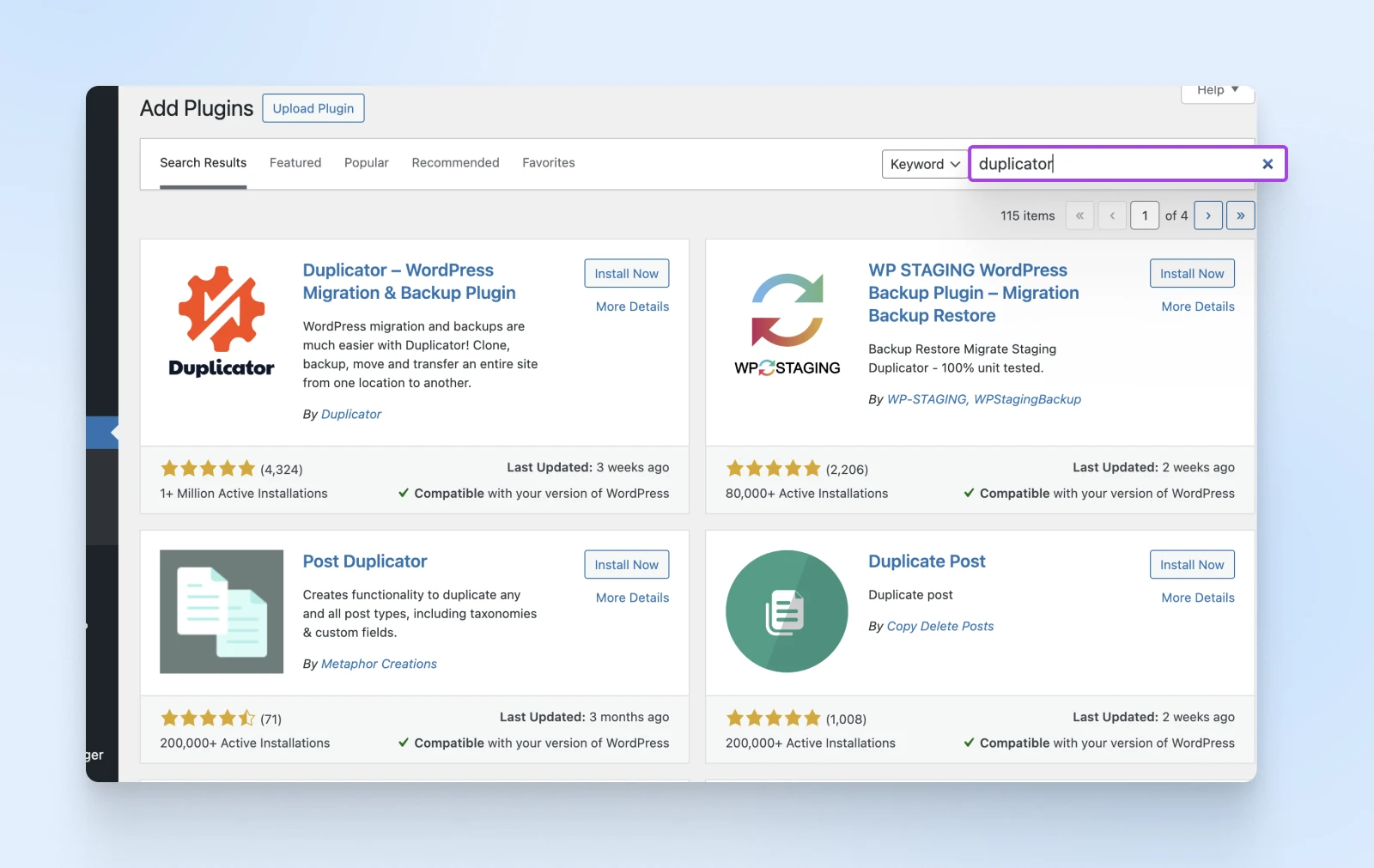
WordPress sites, however they were built, migrate the standard WordPress way: export, transfer, done. Plugins like Duplicator automate most of it, and if you’re moving to DreamHost, our free Automated Migration plugin handles the move for you. Your content, design, and functionality all come along.
Closed platforms like Wix and Squarespace (the ones we set aside earlier) are the other extreme: leaving generally means exporting your text and rebuilding everything else from scratch.
Agentic builders sit in between. Your site runs on the builder’s platform (that’s what makes the zero-maintenance model possible). You keep control of your domain, so your address and search equity can move with you, but the site itself would be a rebuild: there’s no one-click export to WordPress. Treat the choice as a real platform decision, not a temporary one.
Content Management System (CMS)
Content Management System (CMS) is a software or application that provides a user-friendly interface for you to design, create, manage, and publish content.
5. Advanced Functionality: Plugins vs. Built-In
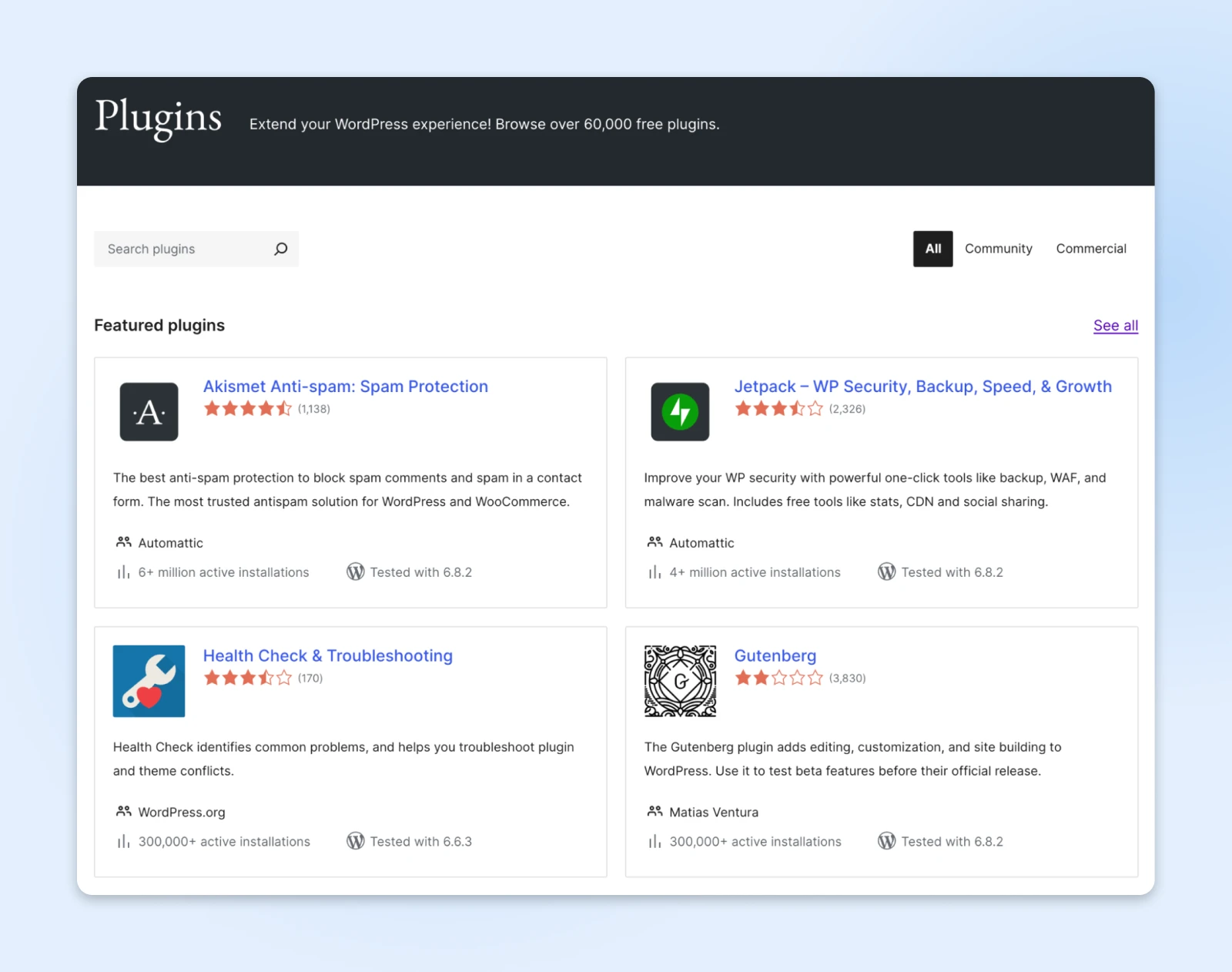
WordPress’s superpower is its ecosystem: roughly 60,000 free plugins covering e-commerce, memberships, learning management, bookings, and everything in between. Whichever way your WordPress site was built, all of it is available. The trade-off is that every plugin you add is something you chose, configured, and now maintain.
Remixer takes the opposite approach: the most common business features (customer accounts, booking and scheduling, membership areas, online stores with Stripe payments, forms that save to a real database) are part of the platform rather than add-ons. You can’t browse a third-party plugin store, but you also never debug a plugin conflict. Deeply custom or unusual functionality still favors WordPress.
6. Maintenance And Support
A WordPress site is yours to maintain: core updates, plugin updates, backups, and security are on your list (managed WordPress hosting shifts much of that burden to the host). If something breaks, your hosting support helps with the server, but the site itself is your responsibility or your developer’s.
On an agentic platform, maintenance isn’t a task you have, because the platform runs the infrastructure, and Remixer plans include 24/7 support from real humans for the whole product, not just the server.
7. Costs: Compare Models, Not Just Numbers
Prices change; models don’t. Manual and AI-assisted WordPress cost whatever your hosting plan costs, plus optional premium themes or plugins you choose to buy. You control almost every line item. (Our full WordPress cost breakdown covers realistic ranges.) Agentic builders like Remixer use one flat plan that includes hosting, CDN, SSL, support, and a monthly allowance of AI credits (credits cover AI edits and generations; your site stays up regardless). Closed platforms tend to start cheap and climb as you unlock e-commerce and marketing features tier by tier.
Which Approach Fits Your Situation?
Choose manual WordPress if:
- You enjoy learning technical skills and can invest 15–20 hours upfront.
- You want to hand-pick every component, or you have a developer.
- Your project needs unusual or deeply custom functionality from day one.
Choose AI-assisted WordPress if:
- You want the WordPress ecosystem but need to launch this week, not this month.
- You’re comfortable gradually learning WordPress while the site is live.
- Portability via the standard WordPress migration path matters to you.
Choose an agentic AI builder if:
- You want a professional site (or a working web app with logins, bookings, or payments) without becoming a website manager.
- You’d rather describe changes than learn an editor.
- Zero maintenance and included support are worth more to you than a plugin ecosystem.
AI Website Builder vs. WordPress FAQ
Is an AI website builder better than WordPress?
Neither an AI website builder nor WordPress is better across the board. AI builders win on speed and simplicity; WordPress wins on ecosystem depth and portability. Some AI builders generate WordPress sites, which gives you AI speed with WordPress flexibility — while agentic builders trade the plugin ecosystem for built-in features and zero maintenance.
Do AI website builders use WordPress?
Some AI website builders build on WordPress and some don’t. ZipWP and 10Web generate real WordPress sites. Agentic builders like Remixer, and platform tools like Wix’s AI builder or Squarespace Blueprint, build on their own platforms instead. Always check which kind you’re using — it determines your customization and migration options later.
Can I switch from an AI website builder to WordPress later?
If your AI builder created a WordPress site, moving is the standard WordPress migration. If it built on its own platform, expect to export your content and rebuild the design and functionality — plan for real hours, not a one-click move.
Are AI-built websites bad for SEO?
No. Search engines rank pages on quality, speed, and relevance, not on how they were built. AI-built sites rank fine when you edit the generated content for accuracy and depth; thin, unedited AI boilerplate is what underperforms, on any platform.
Stop Comparing “AI vs. WordPress”
The debate only feels hard because it compares a method to a platform. Ask two questions instead. First: do you need the WordPress ecosystem (specific plugins, deep customization, a developer workflow)? If yes, use WordPress, and let AI handle the setup if you value your weekend. Second: would you rather never think about themes, plugins, or updates at all? Then an agentic builder is the better fit.
Both paths are a conversation away: describe your site to Remixer and preview it free for 30 days, or start with WordPress hosting. Since Remixer previews are free for 30 days with no credit card, you can compare both with your own site idea before you commit to either.

