
Most “how to contribute to open source” guides assume you’re a developer. If you don’t know your way around GitHub, you’re often left on the sidelines. And that’s a huge miss, because the open web isn’t built only by people who code; it’s sustained by people who document, translate, organize, test, name, design, and support.
At DreamHost, we’ve always believed the open web works best when it’s open to everyone. Owning your digital presence goes beyond owning your domain or your hosting; it means contributing your perspective, however you show up. Whether you’re a small business owner, marketer, or content creator, the open web needs your skills every bit as much as your developer’s IDE.
How Can Non-Techies Contribute to Open Source?
You can contribute to open source without writing code by improving documentation, translating software, testing and triaging bugs, refining UX language, moderating communities, and promoting releases. Major projects, including WordPress and Kubernetes, run dedicated non-code teams and browser-based tools, so your existing writing, marketing, or organizational skills transfer directly.
The open web — the part of the internet built on open standards, where no single company controls access and anyone can build — runs on open-source projects maintained by communities. Developers write the code, but non-coders keep it usable, translated, documented, and discoverable. Without them, the infrastructure we all depend on would quickly grind to a halt.
Here are just a few ways non-technical contributions keep the open web running smoothly:
- Documentation writers explain how tools work so users can install, troubleshoot, and extend them.
- Translators and localization teams make software accessible to global audiences.
- Designers and UX writers ensure that what’s built is intuitive and human-friendly.
- Community moderators maintain healthy, inclusive spaces where collaboration thrives.
- Marketers and educators spread awareness of new releases and best practices, helping projects grow.
In other words, the open web runs on communication, clarity, and community.
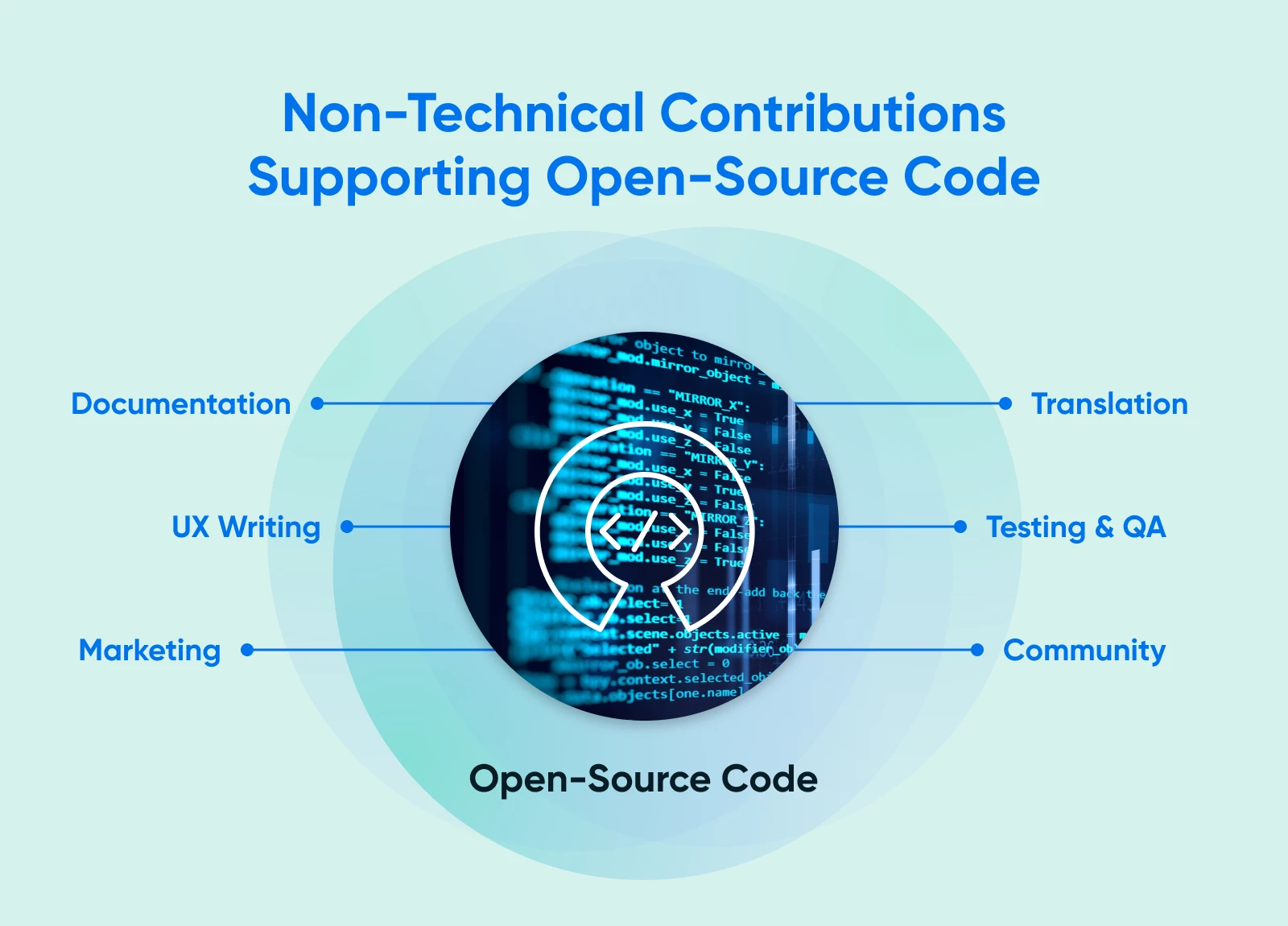
What Non-Technical Skills Do Open-Source Projects Need Most Right Now?
From editing documentation to coordinating releases, open-source projects depend on a wide range of non-technical skills to stay usable, accessible, and thriving. The behind-the-scenes contributions are what make open tools feel polished and professional. If you run a small business, you probably already practice many of these skills every day, from writing content to managing communities, keeping processes organized, and more.
Here are the most in-demand non-technical roles and how they contribute to the open web:
- Documentation and editing: Writers clarify installation steps, explain features, and keep wikis current. For example, WordPress’s Documentation Team maintains user handbooks that help millions of site owners navigate updates without touching code.
- Translation and localization: Translators in the Polyglots Team adapt software into more than 200 locales (208, per the Make WordPress Polyglots teams page, August 2026), ensuring accessibility for global users, just like a business expanding into new markets.
- UX writing and naming: Clear, consistent terminology keeps projects intuitive. In a Gutenberg discussion, contributors debated naming conventions to improve clarity across the editor interface.
- QA, testing, and triage: Testers reproduce bugs, verify fixes, and label issues so developers can focus on solving them — Kubernetes names issue triage among its official non-code contribution paths.
- Marketing and community engagement: From event promotion to newsletter writing, these contributors help projects grow awareness, much like small business owners market their own products.
- Release communications: Summarizing what’s new, why it matters, and how to update safely ensures users don’t get left behind. The CNCF counts non-code contributions like documentation and community management among the ways to get involved.
Non-technical contributors are an integral part of open-source models. They help turn great code into great products people actually understand and use.
Which Non-Technical Path Fits Your Skill Set?
Every skill you use to run your business — or build your career — can help you contribute to open source.
Whether you write, translate, test, or design, there’s a place to start small and grow into bigger community roles.
| Your Skill | Team/Area | Growth Path |
| Copywriting or editing | Documentation | Docs reviewer → Handbook editor |
| Translation | Polyglots | Locale editor → Mentor for new translators |
| QA or Operations Specialist | Testing/Triage | Triage lead → Release communications |
| UX writing or design | Design/Docs | UX content reviewer → Contributor to design standards |
| Marketing or community management | Marketing/Support | Campaign coordinator → Community advocate |
Choose the path that fits your existing strengths, and you’ll find it easier (and faster) to make an impact. Small, consistent contributions in your area of expertise can grow into meaningful influence within the projects you care about.
How Does This Tie Back to “Owning Your Digital Presence”?
Contributing to open source strengthens the very tools you depend on to run your website, store, or online community. When you give back, through writing, testing, or translation, you help ensure those platforms stay secure, well-documented, and freely available to everyone.
At DreamHost, we’ve always believed that owning your digital presence means shaping the open web itself. Our long-time support of WordPress and other open-source communities reflects that commitment.
When small business owners, marketers, and creators contribute their non-technical skills, they do more than maintain codebases; they protect the openness, freedom, and collaboration that make the web worth owning. That’s what it means to truly build on the open web.
Where Do You Find Beginner-Friendly Open-Source Tasks That Don’t Require Code?
You can start contributing to open-source projects without touching code by looking for beginner-friendly task boards, documentation backlogs, and translation portals.
Here are a few reliable entry points for non-technical contributors:
- Look for “Good First Issue” boards on GitHub repositories: These are curated lists of issues meant to help new contributors get comfortable with workflows and expectations.
- Look for documentation or translation portals that don’t require Git: For example, WordPress’s Polyglots translation platform runs entirely in the browser, and the Documentation Team edits documentation through browser-based tools on WordPress.org, coordinating through its blog and issue tracker.
- Look for community-backed initiatives: like the CNCF Contributor Portal, which highlights non-code contributions such as documentation, testing, design, translation, and community management.
- Look for triage and testing guides from larger ecosystems: like Kubernetes that show how to confirm issues, reproduce bugs, or help label incoming reports with no code changes required.
- Look for community photo-sharing initiatives that support open resources: For example, you can contribute photos to the WordPress Photo Directory by donating your pictures for anyone to use for free.
Start where you already understand the problem, such as translation, writing, or user experience, and you’ll find countless ways to help the open web thrive. AI tools can help you draft documentation, first-pass translations, or release notes; just check each project’s policy on AI-assisted contributions, and review anything before you submit it.
How Do You Grow From One-Off Help to a Trusted Contributor?
The fastest way to build trust in open-source communities is consistency. Most contributors move through a few natural stages, from quick, one-time helpers to steady collaborators and eventually mentors or team leads.
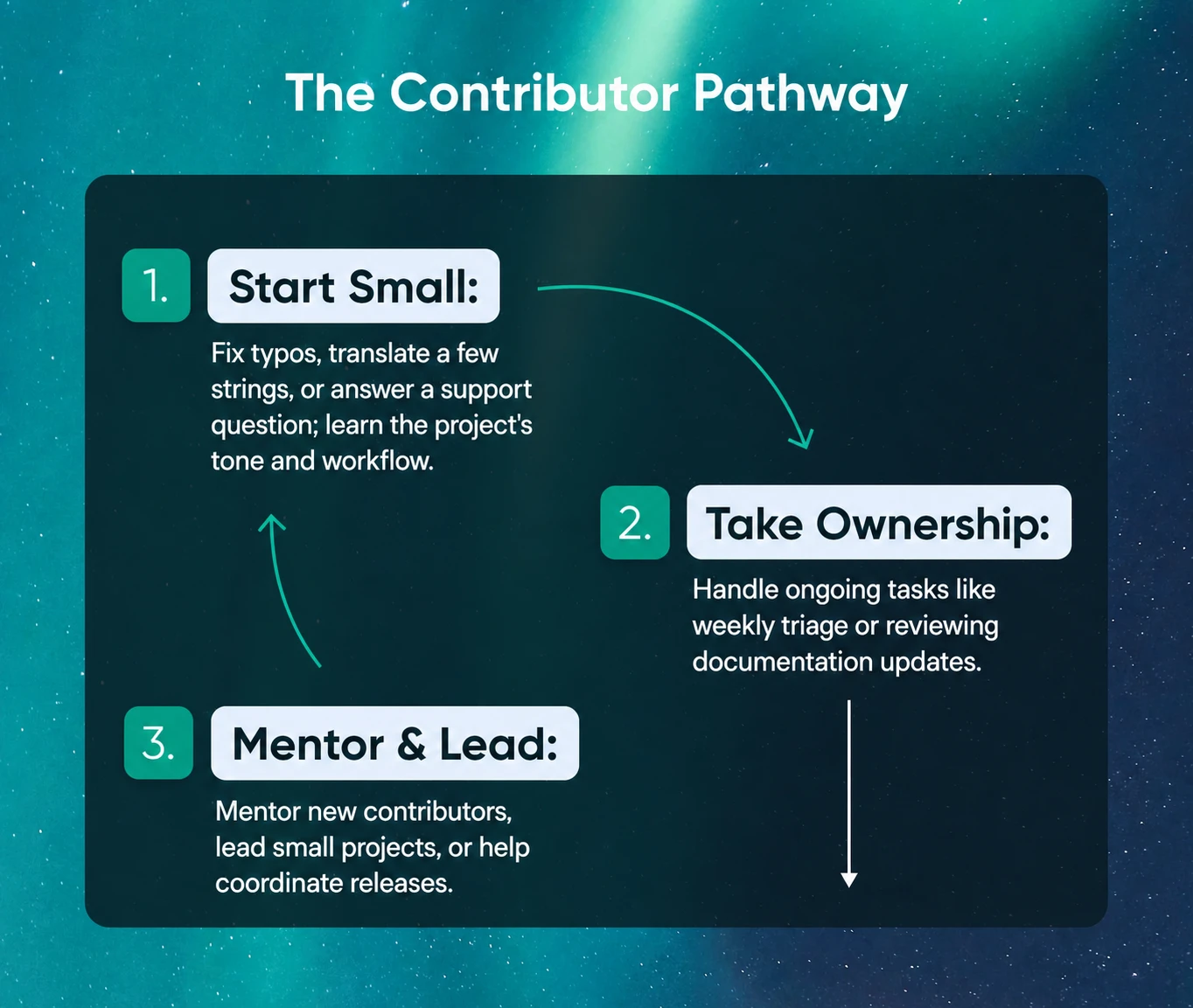
As projects like WordPress and Kubernetes show, the most valuable contributors are the ones who keep showing up and documenting what they learn.
Here’s what that progression often looks like:
- You fix typos, translate a few strings, or answer a support question. The goal here is learning the project’s tone and workflow.
- You take ownership of ongoing tasks, such as weekly triage or reviewing documentation updates.
- You mentor students through programs like WordPress Credits, lead small projects, or help coordinate releases.
Showing up consistently is the most powerful contribution. It signals reliability, builds reputation, and often leads to opportunities to shape strategy, manage teams, or improve contributor experience across the open web.
Frequently Asked Questions About Non-Technical Skills and the Open Web
Is documentation really a contribution?
Yes. Clear, up-to-date documentation is one of the most valuable ways to contribute to open source, because it helps users install, troubleshoot, and extend software without needing developer support. The Open Source Guides even list documentation among the contributions projects most need, noting that non-code work is often the most neglected part of a project.
Can I contribute without Git?
Absolutely. Many open-source projects offer “no Git” contribution paths, such as WordPress’s Polyglots translation portal or collaborative documentation platforms like the WordPress Docs Team. These let you translate text, edit pages, or report bugs directly through a browser.
Where do I find “Good First” tasks?
Look for issues tagged “Good First Issue” or “Help Wanted” in project repositories and contributor boards. The CNCF Contributor Portal is a great starting point for identifying safe, beginner-friendly tasks.
Does naming or UX writing count as a contribution?
Yes, words are UX. Projects like WordPress’s Gutenberg editor often host discussions about feature naming and interface terminology because clear language directly impacts usability. Suggesting consistent, plain-language terms is a high-impact way to improve open-source software.
How do I avoid stepping on toes when I’m new?
Start small, follow the project’s templates, and search before you post or propose changes. Most communities, including WordPress and CNCF, publish contribution guides outlining etiquette and feedback channels. When in doubt, ask questions respectfully — curiosity beats overconfidence.