Let’s be frank: building a website or web app with a truly interactive and responsive user interface can be challenging. You may or may not have experience with HTML, CSS, and JavaScript, and creating dynamic UI elements that remain fast and fluid is difficult.
This is where React comes in.
React simplifies the process of building a modern, interactive user interface (UI) compared to traditional methods by using a component-based architecture.
User Interface
User Interface (UI) refers to the point where humans interact with computers on web pages, devices, or apps. It’s a web design term focusing on user engagement.
This allows you to create reusable code and use a virtual Document Object Model (or DOM) that renders UI changes at lightning speed.
But where do you even begin? In this short guide, we’ve compiled the best resources for anyone who wants to learn React. We’ll look at interactive coding platforms, comprehensive video courses, and hands-on projects, all designed with the beginner in mind. Let’s get started!
The short answer: the best way to learn React is to start with the official react.dev docs, cement each concept with an interactive course, and then build small projects of your own. Here are the 9 methods this guide covers:
- The official React docs at react.dev (if you only pick one, start here)
- Codecademy
- freeCodeCamp
- Udemy
- Egghead.io
- Coursera (Meta’s React Basics course)
- Scrimba
- Vite and modern React frameworks
- YouTube courses
What is React.js?
React is an open-source JavaScript library for building user interfaces out of reusable pieces of code called components. Maintained by Meta and a large community of developers, React uses a virtual DOM to update only the parts of a page that change, which keeps even complex, interactive apps feeling fast.
It’s also wildly popular: per the Stack Overflow Developer Survey 2025, 44.7% of developers surveyed use React, second only to Node.js (48.7%) among web frameworks and technologies.

React can be used in building user interfaces, allowing developers to create interactive and dynamic web applications. React Native extends this to mobile app development. Meta (formerly Facebook) maintains React, along with a large community of developers who help keep it merrily humming along.
This library uses a virtual DOM and a component-based architecture instead of updating the entire webpage with every change.
Think of the virtual DOM as a simple copy of the actual web page’s structure.
When changes happen (like user input or data updates), React first updates this virtual DOM. Then, it figures out the best way to show those changes. It updates only the necessary parts of the actual web page. This approach makes rendering much faster, and the user experience is smoother.
Let’s take a look at a simple “Hello, world!” function of React.
Basic structure of a React component
A key feature is the use of React components, including functional components. Consider these the building blocks of your UI. Each component is self-contained code representing a specific part of the interface.
Let’s look at a simple example.
import React from 'react';

function App(props) {
 return (
   <div className='App'>
     <h1>Hello React.</h1>
   </div>
 );
}- For the above code, we’re first importing the React library.
- The “App” function takes props (short for properties) as a parameter that can be passed to be used within the function.
- The content within the
return()block is JSX.
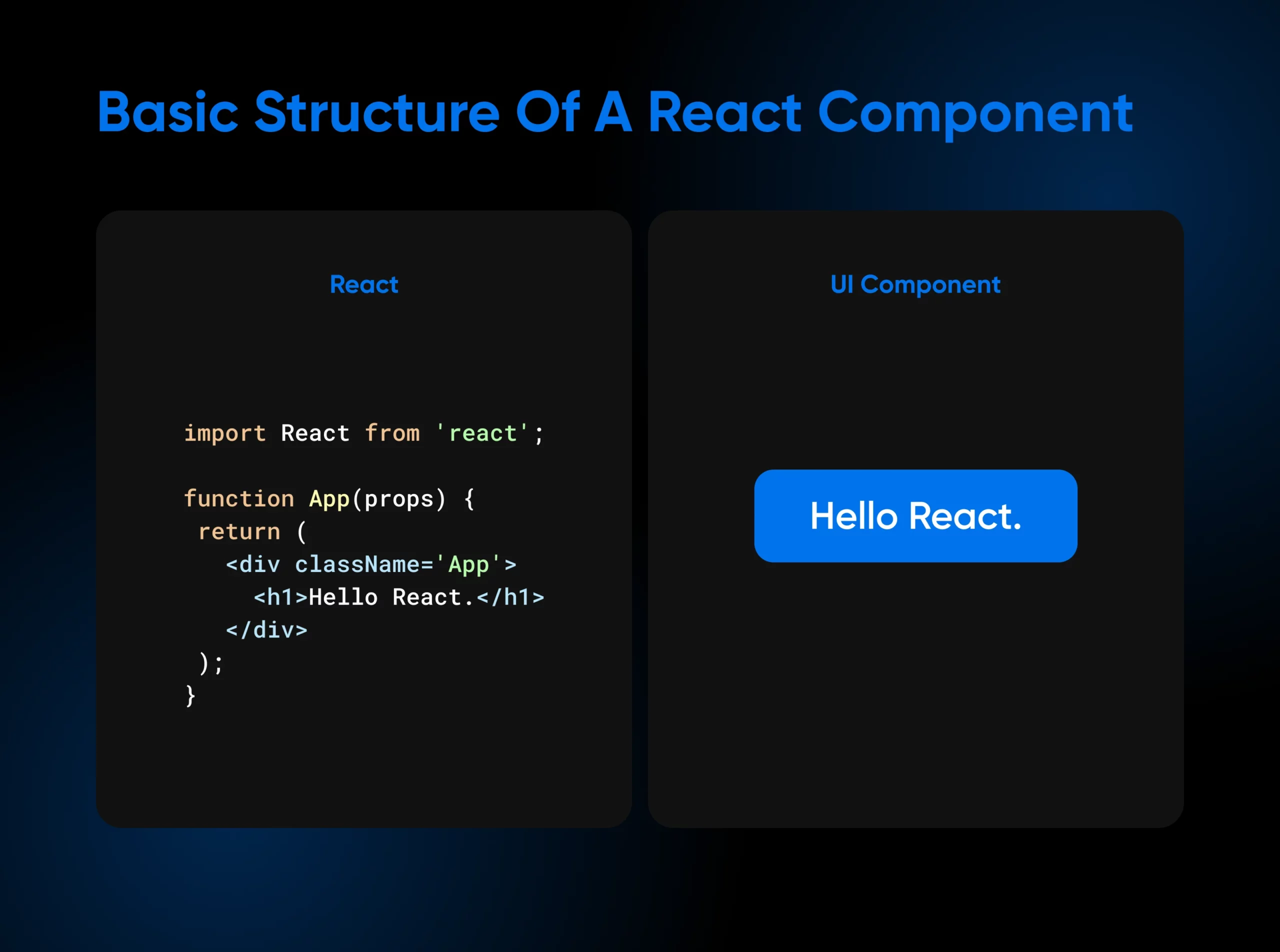
React uses JSX, a syntax extension that lets you write HTML-like code directly within your JavaScript files. This may seem unusual initially, but it provides a more visually intuitive way to define your UI elements and structure within your JavaScript code.
Here’s the next step up: the same idea with state and an event handler, the pattern you’ll use constantly in real apps.
import { useState } from 'react';

function Counter(props) {
 const [count, setCount] = useState(0);

 return (
   <button onClick={() => setCount(count + 1)}>
     {props.label}: {count}
   </button>
 );
}useStategives the component a piece of state (count) and a function to update it (setCount). The argument,0, is the starting value.- The
onClickhandler runs when the button is clicked. CallingsetCounttells React to re-render this one component with the new count. props.labelis a prop: the parent component decides what the button says by rendering<Counter label="Clicks" />.
Between these two snippets, you’ve met most of the beginner checklist: JSX, components, props, state, and event handlers. Add conditional rendering and rendering lists with keys, and you’ve covered the core concepts. The official Learn React guide walks through each one with runnable examples.
These features, along with a large and active community, make React a leading choice for developers building everything from single-page applications to complex web platforms.
Why you may want to learn React
React has enjoyed years of sustained popularity, and it remains the most-used front-end framework, per Stack Overflow’s 2025 Developer Survey.
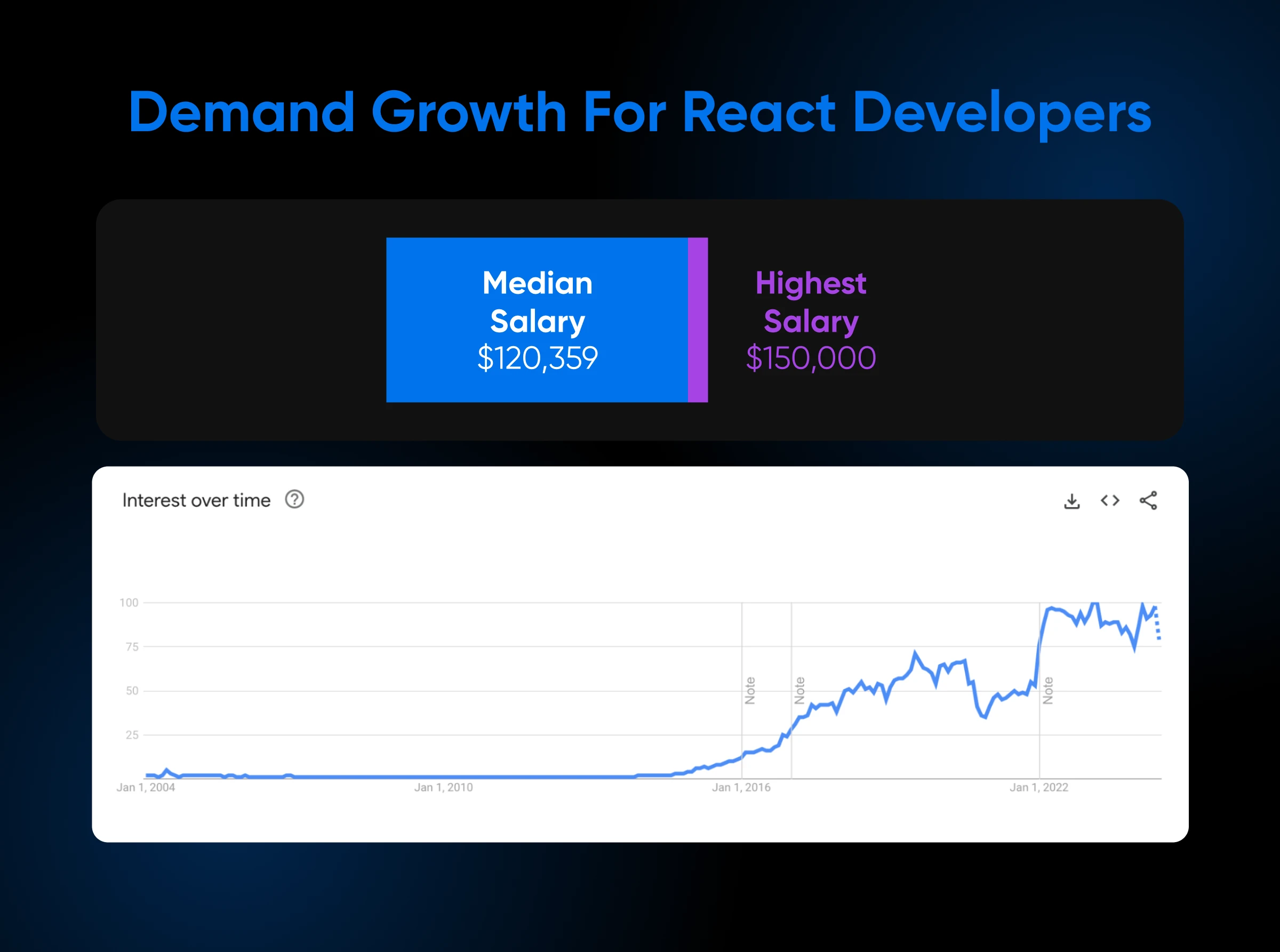
Front-end developers specializing in React can command average salaries of $123,925, with the most experienced developers earning up to about $148,748 per year, according to talent.com (2026).
This popularity stems from the numerous benefits React offers to developers:
- Clean and maintainable code: React promotes clean, reusable code through its component-based structure and encourages the use of design patterns for efficient development. This approach is excellent, especially when tackling large projects, as it simplifies development and maintenance.
- Efficient debugging: Debugging becomes less of a headache with React. The framework helps developers focus on individual components, making it easier to pinpoint and fix errors.
- Enhanced performance: React’s virtual DOM improves performance, resulting in faster rendering times and a smoother user experience.
- Strong community and resources: React has a vibrant community of developers willing to lend a helping hand. It’s a goldmine of resources: tutorials, libraries, and support when you’re learning and beyond.
What sets React apart is its declarative approach. You don’t need to tell React how to update the UI step-by-step. Instead, you describe the desired outcome, and React handles the complex implementation details behind the scenes.
This efficient, direct approach to UI development is at the heart of React’s appeal, resulting in better user experiences.
What to learn before React
Before you start learning React, you need a solid foundation in several web technologies. React itself is a JavaScript library. So, you will benefit from understanding JavaScript fundamentals to use it effectively.
This includes things like functions, objects, arrays, DOM manipulation, and ES6 syntax. Arrow functions, in particular, are commonly used in React code.
While React itself is a JavaScript library, diving into it requires a foundation in several core web technologies and concepts:
- Basic JavaScript: Learn the basics of JavaScript. Think functions, objects, arrays, and how to manipulate the DOM. Having a comfort level with ES6 syntax can help you speed up learning React.
- HTML and CSS proficiency: React relies on HTML and CSS for rendering and styling, so a strong understanding is a must. Want to make your applications look even better? Try exploring frameworks like Tailwind and Bootstrap.
- Version control with Git: Every developer, React-focused or otherwise, benefits from knowing Git. It’s about tracking changes, smooth collaboration, and the ability to rewind time on your codebase if needed.
- Basic understanding of package managers: Tools like npm or yarn are essential for managing the various libraries and dependencies within your React projects. Even a basic understanding of installation and management goes a long way.
A few other things can give you a head start, though they’re not strictly required. Webpack (or other module bundlers) can help organize your JavaScript code — understanding its basics is beneficial as your project grows.
Similarly, Babel converts modern JavaScript code using advanced concepts into a format older browsers can understand. While not mandatory, people frequently use Babel with React to ensure cross-browser compatibility. This may seem like a lot, but don’t worry — there are many resources to help you learn these foundational technologies.
The 9 best ways to learn React (fast)
The best way to learn React is the official documentation at react.dev, paired with one interactive course and a project of your own. Here’s how all 9 options compare before we dig into each:
| Resource | Cost | Best for | Main drawback |
|---|---|---|---|
| react.dev docs | Free | The canonical starting point; always current | No graded projects or certificate |
| Codecademy | Free course; certificate needs Plus or Pro | Typing code with instant feedback | Labeled intermediate; expects HTML and JavaScript first |
| freeCodeCamp | Free | Self-paced reading with a full written handbook | You supply the structure and accountability |
| Udemy | Free and paid courses | Structured video courses on a budget | Quality and freshness vary widely |
| Egghead.io | Free (featured course) | Short, focused video lessons | Beginner course last updated around 2020 |
| Coursera (Meta React Basics) | Free to enroll | A formal course with a certificate track | Longest commitment at roughly 30 hours |
| Scrimba | Free (featured course) | Interactive screencasts and coding challenges | Assumes you’re comfortable with JavaScript |
| Vite + a framework | Free | Building and shipping real projects | Docs assume some command-line comfort |
| YouTube | Free | Crash courses and second explanations | You filter outdated tutorials yourself |
1. The official React website
The official React docs are a complete resource for learning about this JavaScript library. You’ll find tutorials, examples, and helpful documentation. There’s also a community page listing forums and chats where you can connect with other React developers.
Start with the “Learn React” section: it runs from a Quick Start through chapters on describing the UI, adding interactivity, managing state, and escape hatches, so you can go exactly as deep as you need.
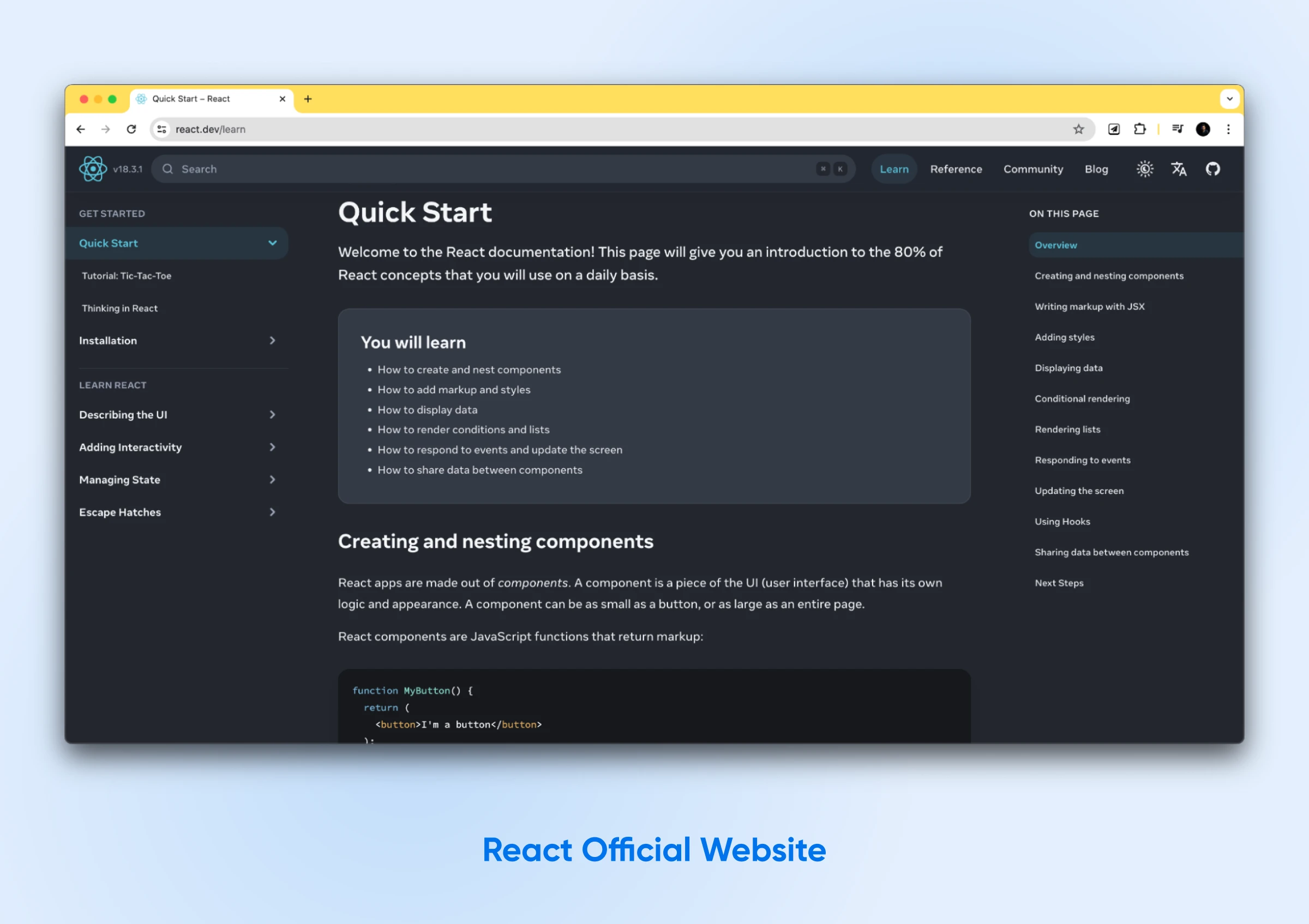
If you learn best by doing, this is a great place to start. You’ll learn fundamental concepts like components, props, and state. The documentation also covers the most essential React development techniques and thoroughly explains React’s benefits.
The website’s “Learn” and “Reference” sections house a wealth of resources, tools, and articles categorized by specific topics and goals. You can find information about adding React to an existing website, using it to create a new application, or exploring advanced concepts.
2. Codecademy
Codecademy is a website that offers interactive courses on various programming languages, like React:
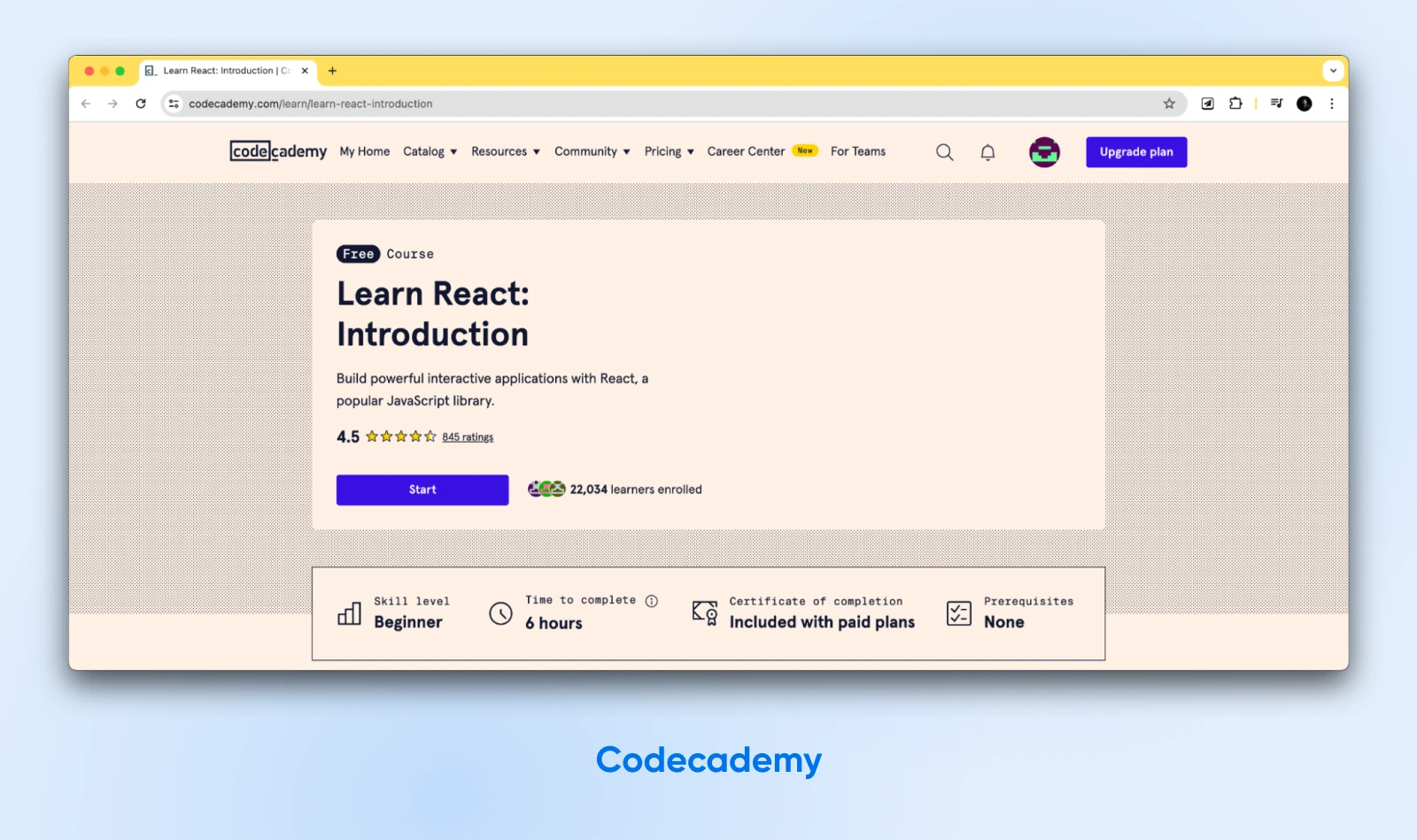
The courses are self-paced, so you can work through them at your own speed. More specifically, Codecademy offers a Learn React course on building front-end applications; its 11 lessons and 7 projects take you from JSX basics through hooks, styling, and forms:
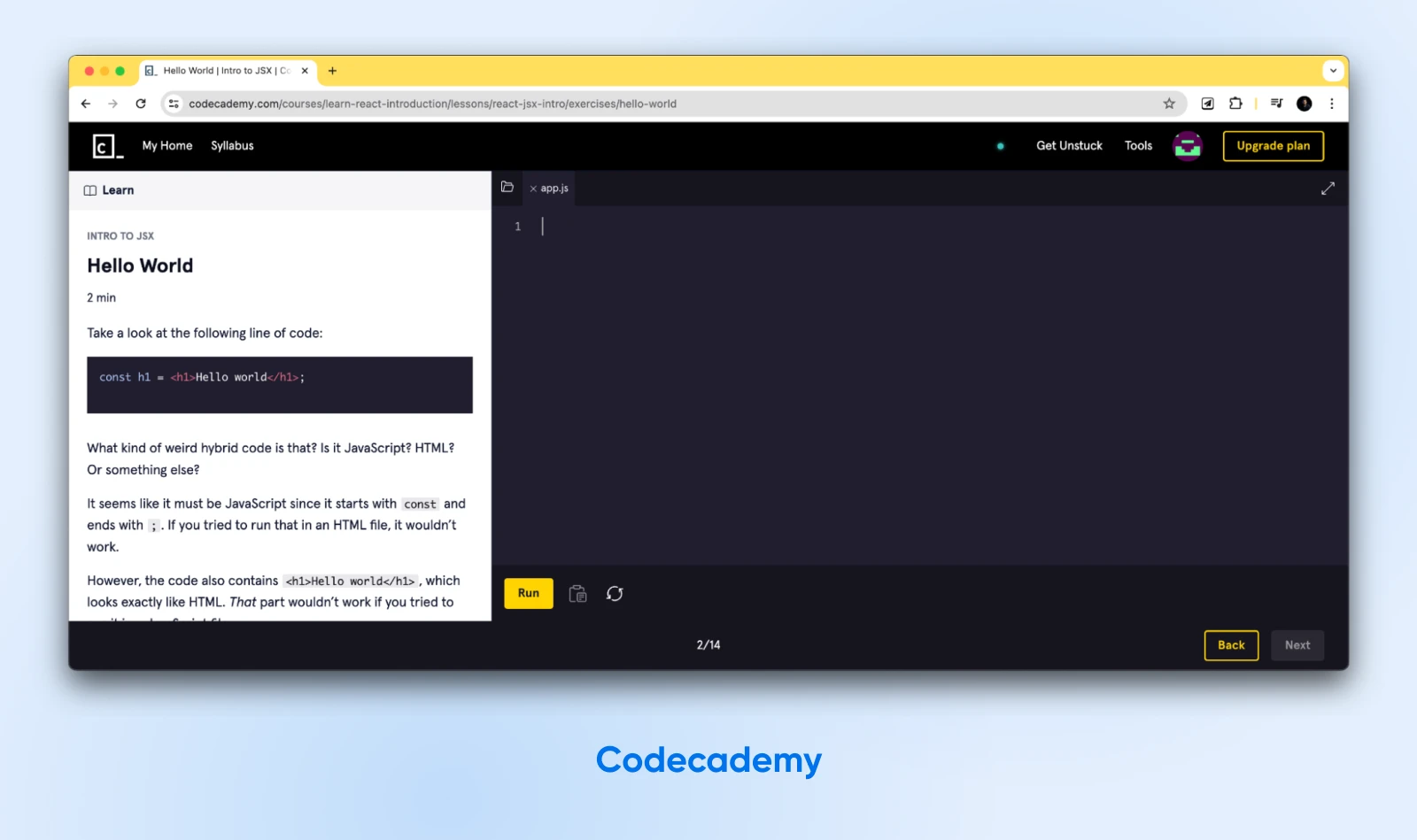
The Codecademy React course covers the basics of React, including how to create components, work with props and state, and use React hooks for enhanced functionality. Additionally, the course teaches you how to use React with JavaScript and how to build a simple front-end application with React. After you’ve completed this course, you should be able to build React applications confidently.
The course is free to take, with a Plus or Pro subscription required for the certificate of completion. Fair warning: Codecademy labels it intermediate and suggests its HTML and JavaScript courses first, so brush up before you dive in. Learners rate it 4.44 out of 5 across more than 3,000 ratings, and it takes approximately 13 hours to complete.
3. freeCodeCamp
freeCodeCamp.org offers a cost-effective way for aspiring developers to learn React.
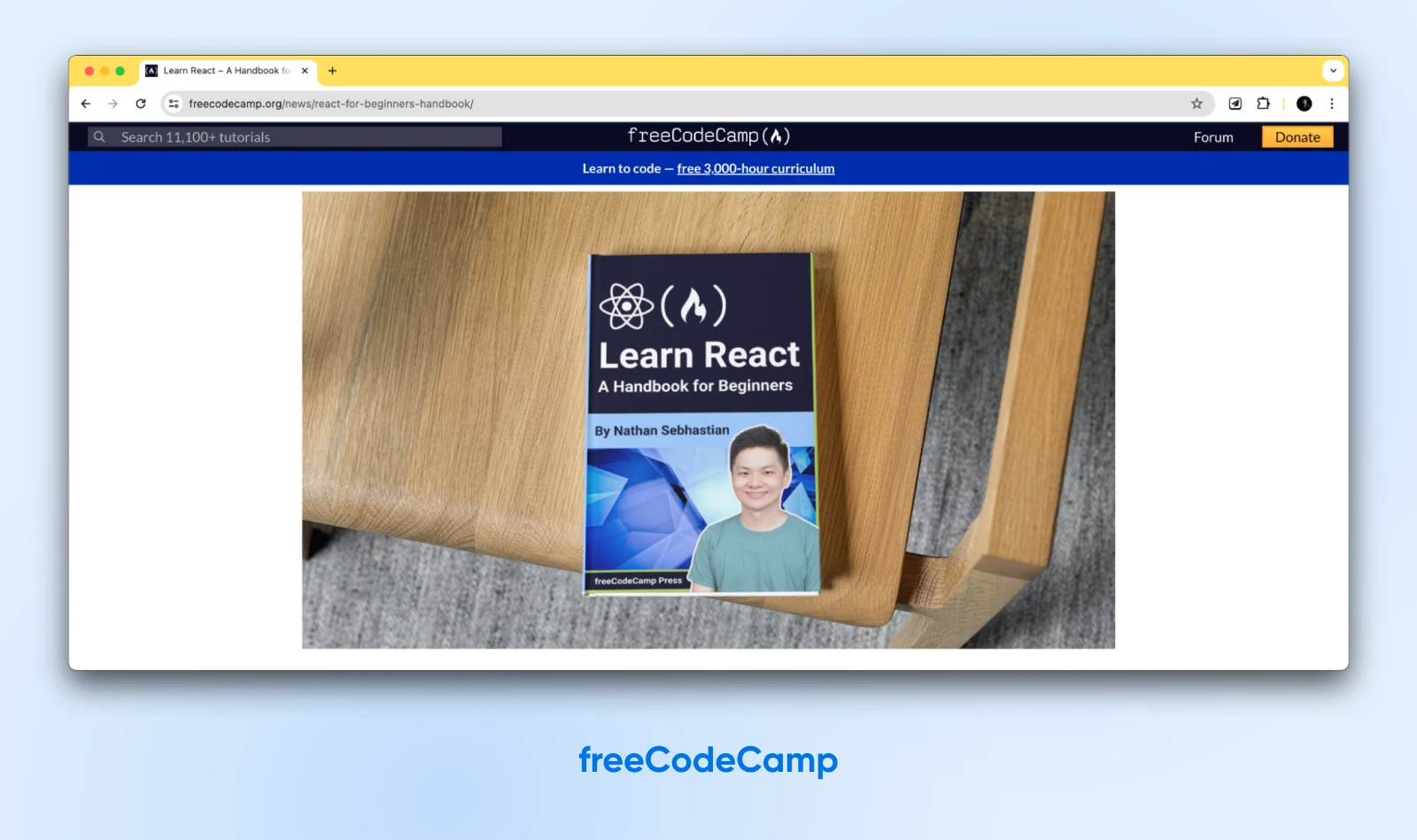
The platform excels at guiding beginners through foundational concepts before advancing to intermediate and advanced topics. Think of it as a personalized roadmap for your React learning journey. freeCodeCamp provides a wealth of tutorials and resources to support every stage of development.
4. Udemy
Udemy is a popular platform that provides a wide range of online learning paths on various subjects. It offers thousands of React courses alone. While some are outdated or short, there are plenty of solid options worth checking out, such as React JS Frontend Web Development for Beginners.
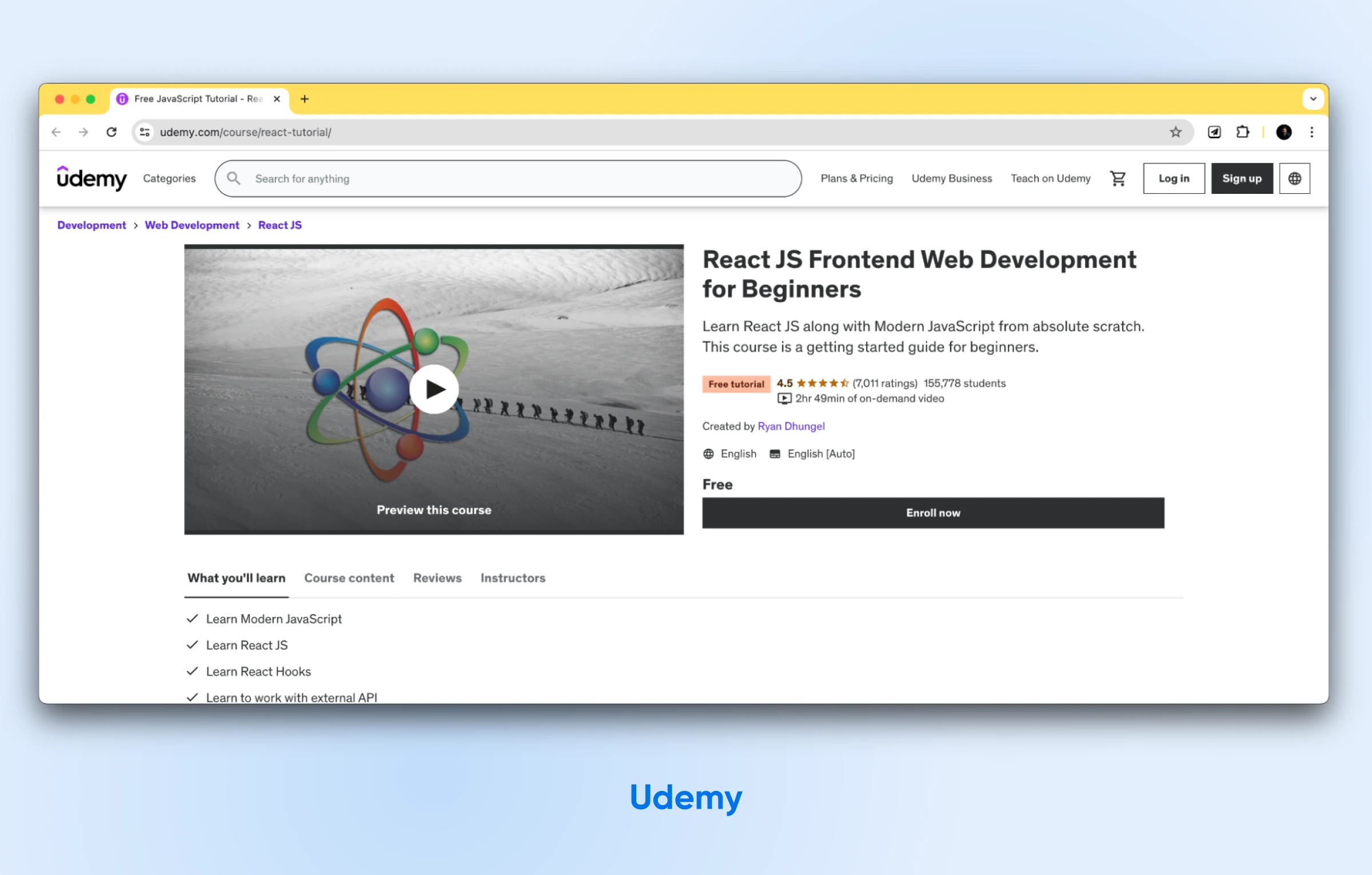
This free course teaches you the basics of hooks and working with external Application Programming Interfaces (APIs). It can also show you how to make AJAX requests and how to build a news app.
The course includes nearly three hours of online video content. However, paid memberships are also available. With a paid plan, you can get a certificate of completion, plus instructor Q&As and direct messages.
5. Egghead.io
Egghead.io is the pick if you want short, focused video lessons. It offers video courses on React topics, ranging from beginner-friendly tutorials to advanced concepts. One of the most popular courses to learn React is The Beginner’s Guide to React (last updated around 2020, so it predates React 18 and 19, though the fundamentals it teaches still hold):
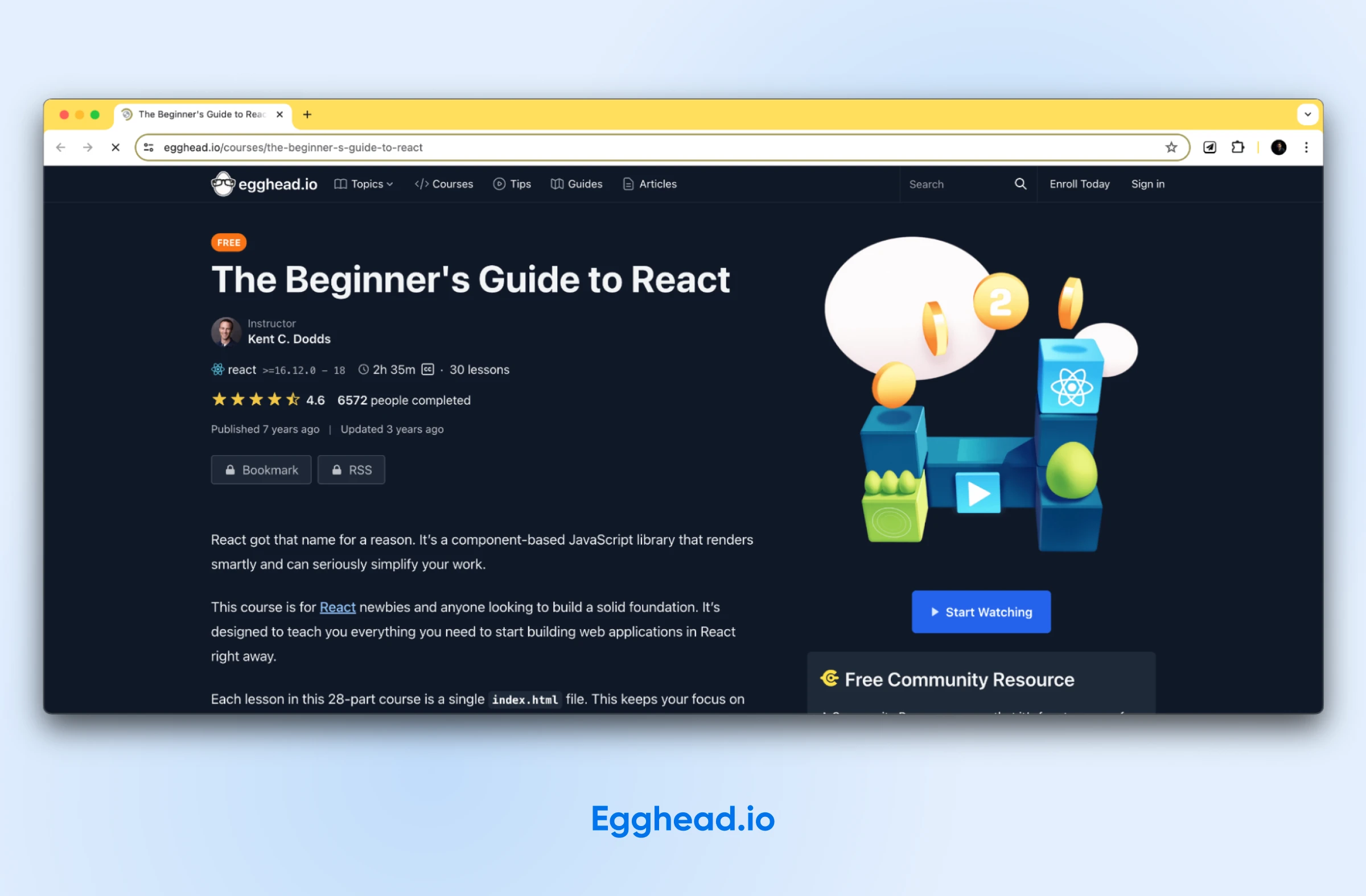
This free, hands-on course teaches you how to build smart websites with ReactJS. The course is composed of 28 parts, with each lesson in a single index.html file. It provides a distraction-free learning environment that keeps your attention on the code.
The course begins with a blank file and then gradually becomes more complex as you progress through the lessons. In the end, you’ll learn how to move to a production-ready environment and deploy your React apps. Additionally, the course teaches you what problems React can solve and how to work them out.
It also explains what JSX is and its role in standard JavaScript objects and function calls. In this course, you’ll also learn how to manage state with hooks and build forms.
6. Coursera
Another popular online platform for learning React is Coursera. The professional courses on this website are created by highly accredited universities and organizations worldwide.
You can start with the React Basics course by the creator of React, Meta:
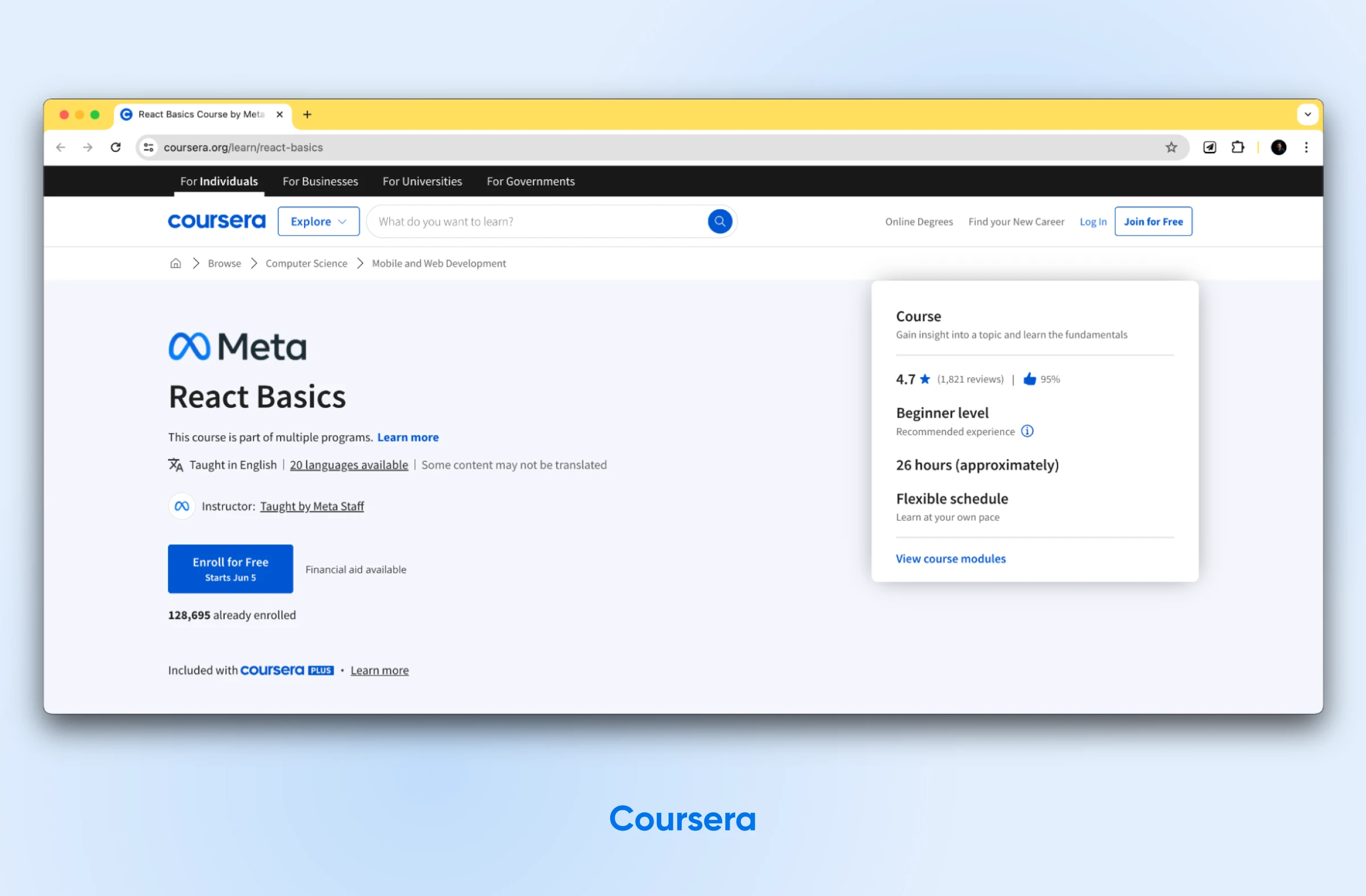
This is the most formal, university-style introduction on this list. Here are some key features of the course:
- Designed for beginners taking their first steps with React.
- Covers key concepts like component-based architecture, data flow with props, and building user interfaces with forms.
- Includes quizzes to test your understanding and approximately 30 hours of flexible learning at your own pace.
- Gives you a shareable certificate upon course completion to showcase your new skills.
Because this is Meta’s introductory React course, it pairs naturally with the official documentation. While it doesn’t cover advanced concepts, it provides a strong foundation for further learning.
7. Scrimba
Scrimba takes an interactive, screencast-first approach to learning React. It offers a catalog of interactive courses and paths to help you learn React Native, React app building, and much more.
One of the best Scrimba courses to learn React is aptly named Learn React:
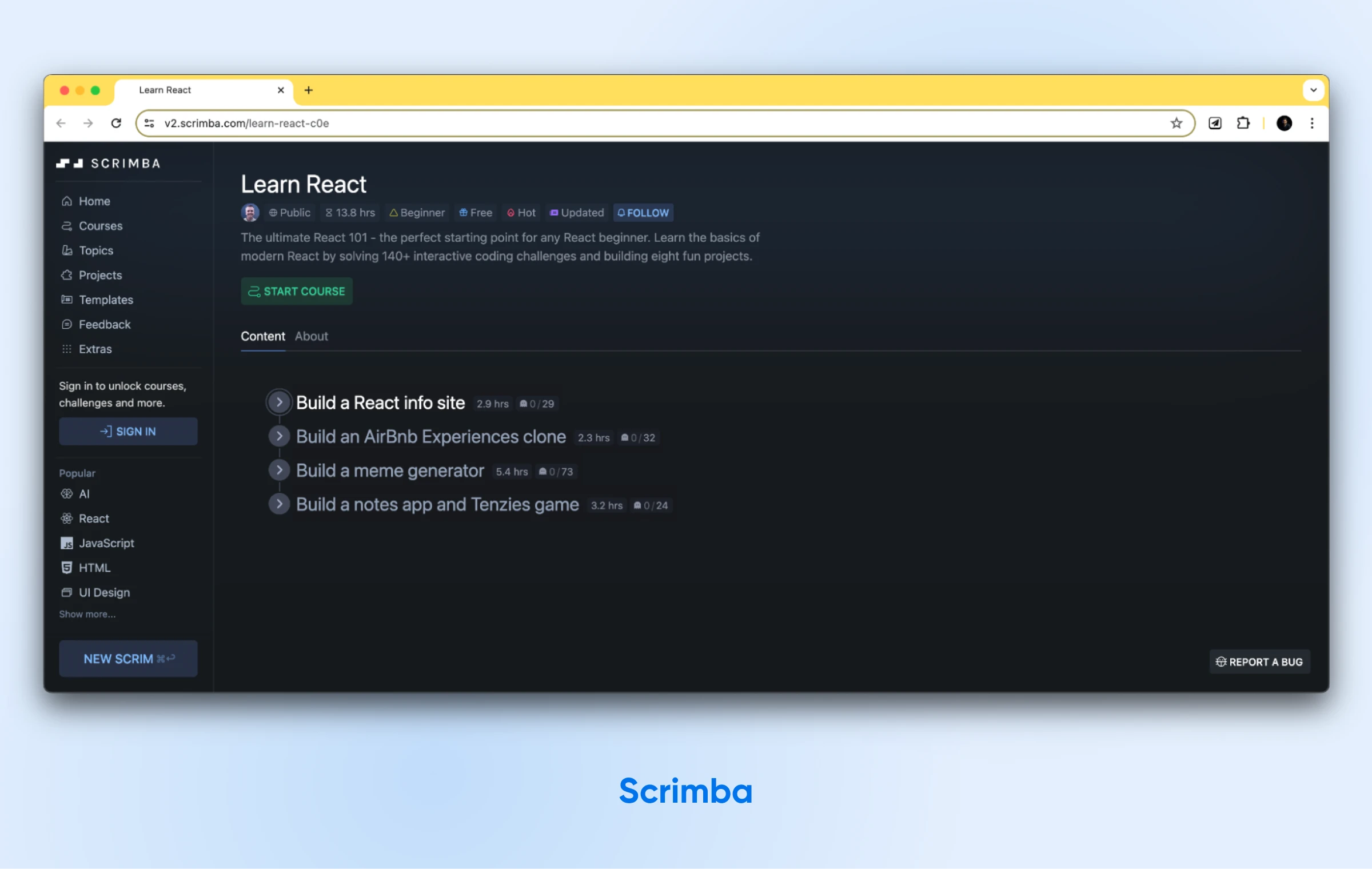
This interactive course suits beginners who want to learn by doing. It teaches the basics of modern React through more than 170 interactive coding challenges, and you’ll build six projects along the way.
Throughout the course, you can take multiple paths. For example, you’ll build projects that grow in complexity, including capstones like a Tenzies dice game.
8. Vite and modern React frameworks
Older tutorials (and earlier versions of this guide) pointed beginners to Facebook’s create-react-app. Don’t follow them: the React team officially deprecated Create React App in February 2025, and it now sits in maintenance mode with no active maintainers.
The current official guidance is to start new apps with a framework such as Next.js or React Router, or with a build tool like Vite, Parcel, or Rsbuild if you want a minimal setup while you learn.
For beginners, Vite is the sweet spot. One command scaffolds a working React project with a fast development server and a production build command:
npm create vite@latest my-app -- --template reactThe react.dev docs walk through this exact Vite setup in “Build a React app from Scratch” (their example shows the TypeScript variant, react-ts; the plain react template keeps you in the JavaScript you already know). It’s free, it runs on macOS, Windows, and Linux, and it saves you from configuring bundlers like Webpack or Babel by hand.
9. YouTube courses
YouTube is a fantastic, free resource for learning React. It offers an extensive collection of video tutorials and some full courses. Many seasoned developers and passionate educators come here to share their knowledge.
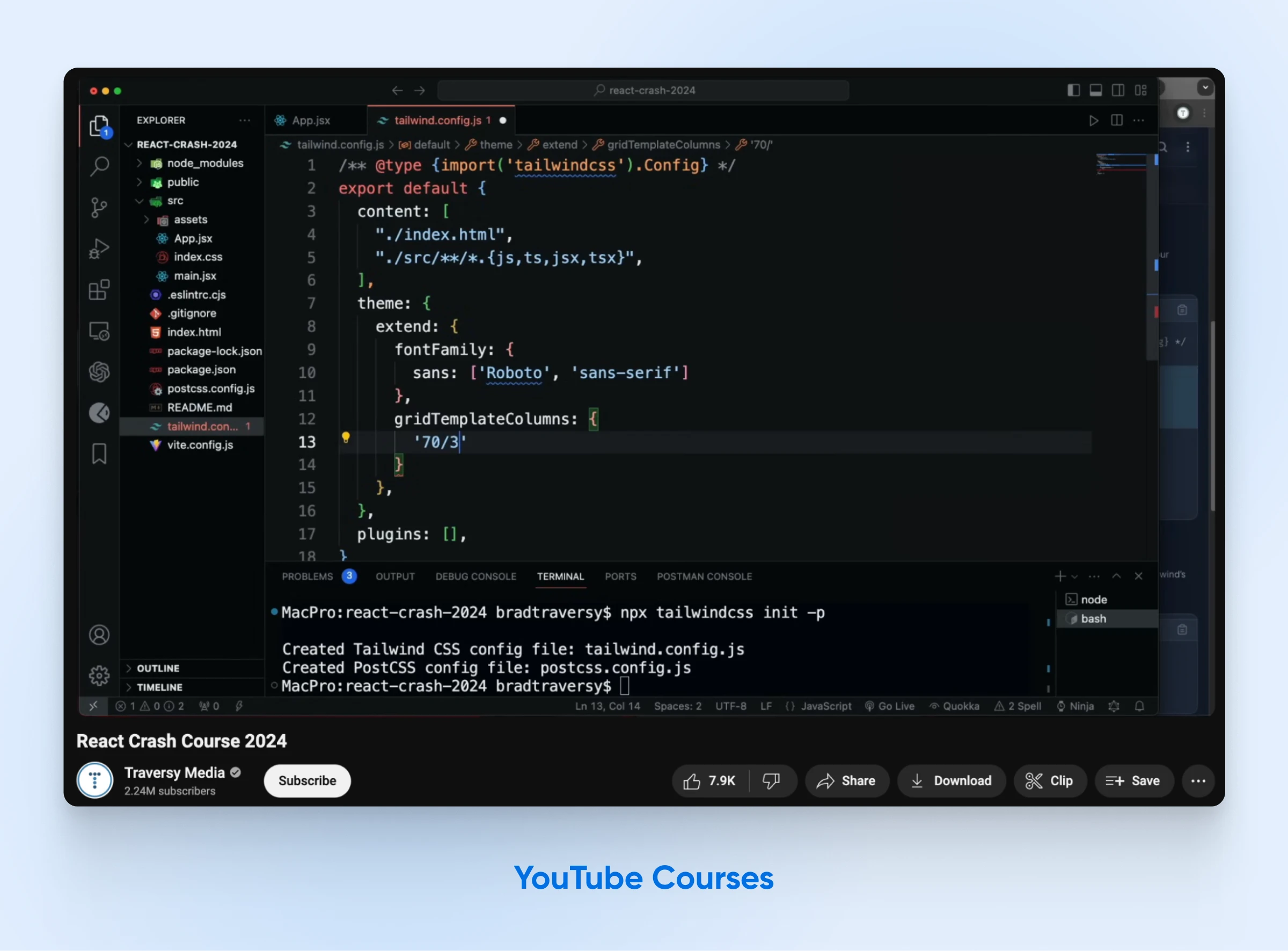
They present complex material in a digestible format to help beginners learn React concepts.
Let’s explore some top-tier YouTube channels and courses for learning React:
- Traversy Media’s React Crash Course: Brad Traversy, a well-known figure in web development instruction, presents this crash course on React. It quickly introduces beginners to the fundamentals of this library with practical examples and projects.
- The Net Ninja’s React Playlist for Beginners: The Net Ninja YouTube channel is known for its accessible teaching style. Their beginner-friendly React tutorial focuses on the essential concepts of React: components, state, and props. You’ll work on projects that solidify your understanding.
- Codevolution’s React Playlist: Codevolution provides a detailed walkthrough of React, examining its core concepts and features. Hands-on coding exercises and projects reinforce your learning throughout the course.
These YouTube courses and channels equip you with the knowledge and practical examples needed to learn React so you can start creating applications in no time.
What are the challenges of learning React?
Learning React comes with its share of hurdles, even for experienced developers.
To start with, switching to component-based architecture and a declarative UI demands a whole new way of thinking about application development. You’ll need to master concepts like JSX, props, state, and lifecycle methods — they’re the backbone of React.
Adding to this is the sheer breadth of tooling around React. While the variety is great for flexibility, the number of libraries, tools, and potential architectures can feel overwhelming. Choosing the right approach for your project becomes a challenge in itself.
Then, there’s the world beyond the core library. You’ll likely encounter tools like Redux for state management and Webpack for bundling, each with its own learning curve. Successfully weaving these elements into a cohesive application architecture requires a separate set of skills.
Should you learn plain React first or start with a framework?
Learn plain React first. Spend your first few weeks on components, props, state, and hooks in a minimal Vite setup, where nothing hides what React itself is doing. Graduate to a framework once your app outgrows that: the React team recommends frameworks like Next.js or React Router for most production apps, and its rule of thumb is that if your app needs routing, you would probably benefit from a framework.
Despite these challenges, React’s component model leads to more manageable and reusable code. The initial learning curve, while steep, often proves worthwhile for developers seeking to build reliable and maintainable user interfaces.
How long does it take to learn React?
Plan on a few weeks to get comfortable with React’s core concepts and a few months of project practice to get genuinely productive. The honest variable is how much JavaScript you already know.
The structured lessons themselves are shorter than you might expect: Codecademy estimates its Learn React course at about 13 hours, and Meta’s React Basics on Coursera runs about 30 hours. At an hour a day, either fits inside a month.
If you’re starting from zero, budget extra time up front for the JavaScript fundamentals before any of those hours pay off. And whatever your starting point, the calendar time that matters most is the part no course can compress: building your own projects until the patterns feel automatic.
How to pick the right learning resources for React?
To learn React well, you’ll want resources that fit how you learn best. It’s also good to mix structured lessons with hands-on practice. Still trying to figure out where to start? Here are a few ideas:
- Platforms like Codecademy and Scrimba are great if you learn by doing. They offer coding exercises with instant feedback, so you can see if you’re on the right track.
- If videos are your thing, check out Egghead.io, Udemy, or even React’s own website. They have comprehensive courses that walk you through everything.
- Sometimes you want explanations you can read carefully. For that, look to the React documentation itself, or sites like FreeCodeCamp, CSS-Tricks, and Smashing Magazine. They’re full of helpful guides and in-depth articles.
- If you want something structured and free, YouTube may be your best bet. Your only task will be filtering out the outdated and not-so-good tutorials.
The best approach is generally a combination of multiple learning methods. An AI assistant like ChatGPT or GitHub Copilot can round out any of them (ask it to explain a confusing chunk of JSX, or to quiz you on hooks), but make sure you write the code yourself rather than only generating it. For instance, you could start with a YouTube beginner’s course and then take a full certification course. Once you’re ready, you’ll solve more complex problems by looking up community posts and documentation and maybe even asking community members.
A suggested React learning roadmap
The fastest route for a beginner is a simple sequence: JavaScript fundamentals, then the official docs, then an interactive course, then your own projects. Here’s the order we’d follow:
- Nail the fundamentals first: JavaScript functions, objects, arrays, and ES6 syntax, plus working HTML and CSS.
- Work through the official Quick Start on react.dev: components, JSX, props, state, and event handling, with runnable examples.
- Cement it with one interactive course: Codecademy’s or Scrimba’s Learn React both give you instant feedback as you code.
- Build small projects with modern tooling: scaffold with Vite and rebuild something you understand well, like a to-do list or a quiz app.
- Deploy one of them: putting a project online (more on that below) teaches you the production build and gives you a portfolio piece.
How to deploy your first React project
Run your project’s production build, then upload the output to a web host. For most beginner React apps, that really is the whole job.
With a Vite project, npm run build compiles your app into a dist folder of plain HTML, CSS, and JavaScript, and you can check the result locally with npm run preview before it goes anywhere, per Vite’s deployment guide.
Because a client-side React app is just static files, the React team notes that single-page apps “can be deployed to a CDN or static hosting service without a server” (react.dev, 2025). Any host that serves files works, including DreamHost web hosting: upload the contents of dist to your site’s directory and you’re live.
Things change once your app needs a backend. If you add an API, a database, or server-side rendering through a framework like Next.js, you’ll need a host that can run Node.js; a virtual private server such as DreamHost VPS hosting gives you that control.
FAQs about learning React
Is React still worth learning in 2026?
Yes. React remains the most-used front-end framework, with 44.7% of developers surveyed using it per the Stack Overflow Developer Survey 2025, and the skills carry directly over to mobile development with React Native.
Can I learn React without knowing JavaScript?
Not effectively. React is a JavaScript library, and every tutorial assumes you can read and write JavaScript. Learn functions, objects, arrays, and ES6 syntax first; a few weeks of JavaScript practice makes React much easier.
Is React a framework or a library?
React is a library: it handles the user interface and leaves routing, data fetching, and build tooling to other tools. Frameworks like Next.js build on top of React and add those missing pieces for you.
Should I still use Create React App?
No. The React team deprecated Create React App in February 2025. For new projects, start with a build tool like Vite or a framework like Next.js, per the official react.dev guidance.
What is the best free way to learn React?
Start with the official react.dev documentation: it’s free and always current. Pair it with freeCodeCamp’s React handbook and a YouTube crash course, then practice on the free tiers of Codecademy or Scrimba.
Start learning React today
React gives you the power to build front-end applications. You can create complex user interfaces more efficiently and with less hassle than you might have experienced before. As you start building more complex React applications, you will need to find a dependable hosting platform to share your creations reliably with others.
When you’re ready to put a project online, remember the split from the deployment section: any static host can serve a Vite build, and DreamHost web hosting is one solid option for those static files. If your app grows a Node.js backend or server rendering, that’s the point where DreamHost VPS hosting becomes the better fit.
Either way, the hosting is the easy part. Open the react.dev Quick Start and write your first component today.