WordPress 6.7 “Rollins” was released on November 12, 2024. The update shipped the modern Twenty Twenty-Five default theme, refined Data Views in the Site Editor, introduced a Zoom Out mode for composing pages with patterns, and added automatic HEIC-to-JPEG image conversion. WordPress hasn’t stood still since: 6.8 followed in April 2025, 6.9 on December 2, 2025, and 7.0 on May 20, 2026. As of August 2026, the current release is 7.0.3.
Here’s a look back at what WordPress 6.7 actually delivered, feature by feature, plus where WordPress stands today and what to do if your site is still running 6.7.
New default theme
The Twenty Twenty-Five theme debuted as the new default theme with WordPress 6.7. It’s a clean, minimal block theme built around typography and readability, and it ships with multiple style variations, color palettes, block patterns, and templates. The Roadmap to 6.7 describes its target audience as “a spectrum of bloggers”: simple personal blogs, photography and portfolio sites, and more complex editorial sites like a news publication.
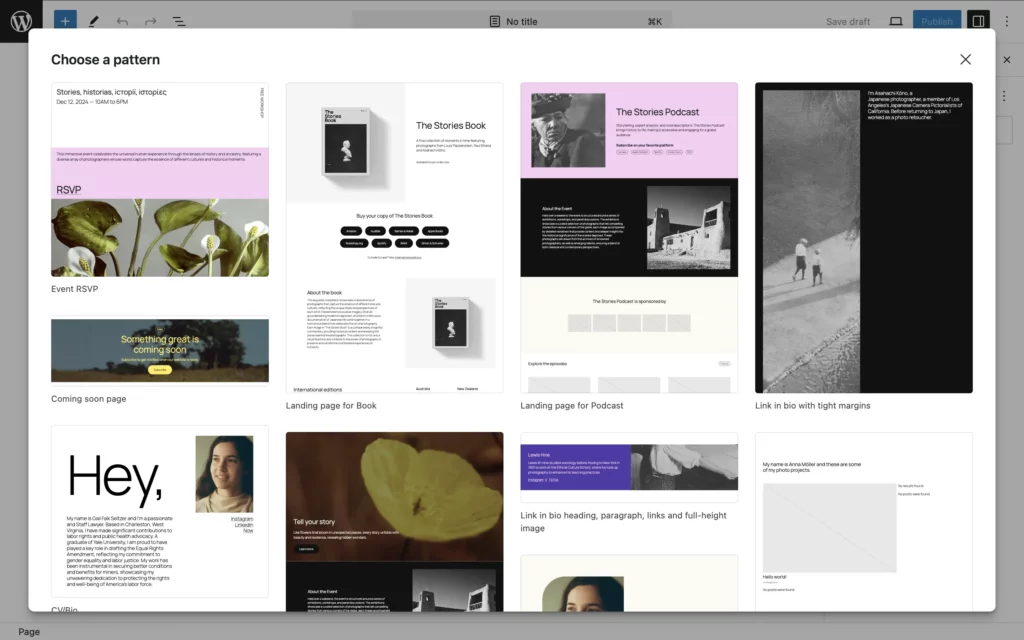
Built to take full advantage of the block editor enhancements that shipped alongside it, Twenty Twenty-Five leans on pre-designed patterns, blocks, and templates for building page layouts. The official release announcement calls it “pared down to the essentials,” and that minimalism is the honest trade-off: you assemble much of your site’s personality from its patterns and style variations rather than getting an opinionated design out of the box.
The theme adapts its layouts across screen sizes and includes accessibility-focused improvements, and community feedback shaped it throughout development. It has aged well, too: as of 2026, Twenty Twenty-Five is still the newest default theme WordPress has shipped, with Twenty Twenty-Seven planned to arrive with WordPress 7.2 in early December 2026. For a detailed overview of the Twenty Twenty-Five theme, visit the official WordPress announcement.
If you want to see the theme in action, here is a demo site that will help you navigate the different blog and news templates and patterns.
Data Views improvements
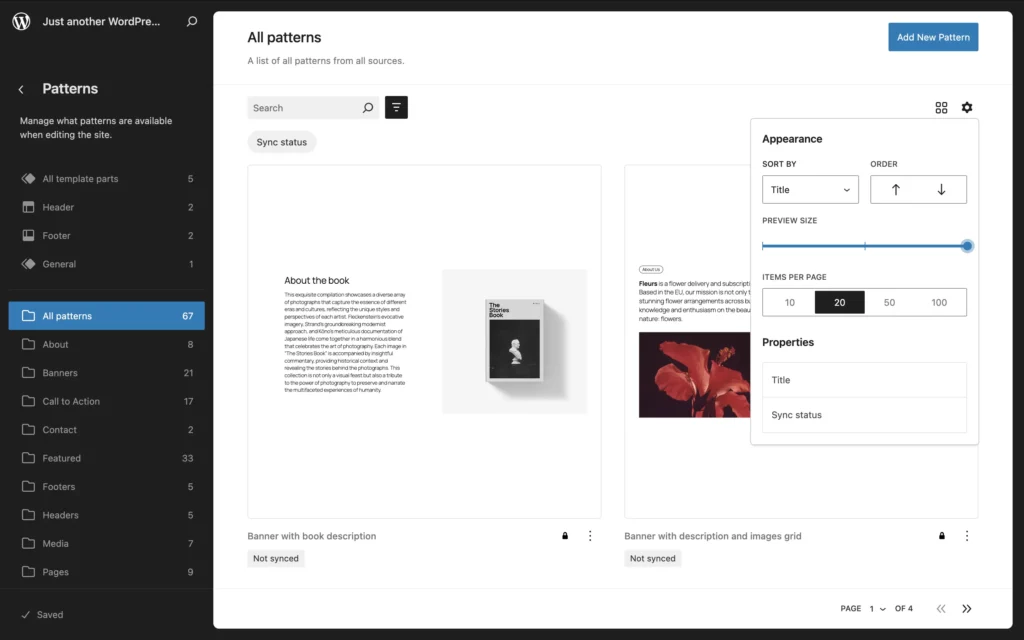
WordPress 6.7 brought several refinements to Data Views — the list, grid, and table views used to manage content in the Site Editor — with the goal of making the views more flexible and functional.
The updates let users adjust the density of information displayed within grid layouts, and provide the option to show or hide filters in the user interface. Users can also rearrange the order of columns in table views to better suit their preferences. Additionally, the aspect ratio for grid layouts can now be customized, giving users greater control over design. Finally, Data Views options were moved out of a menu format, allowing for more creative and flexible design choices.
Query Loop block refinement
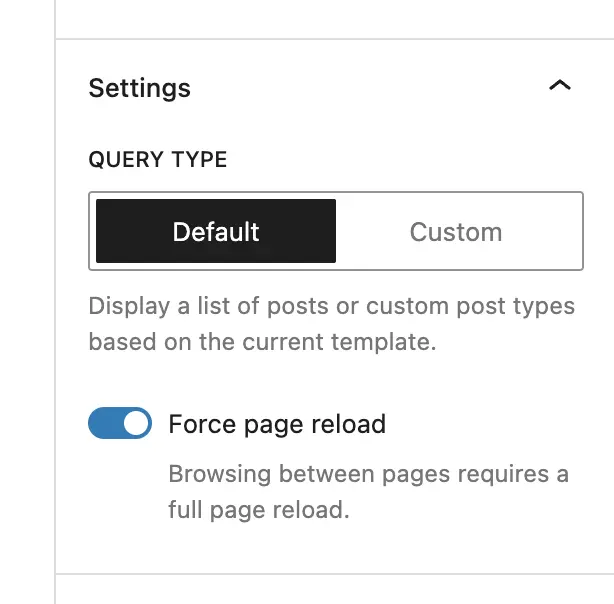
The Query Loop block is a highly versatile and intricate tool in the site-building toolkit. It’s crucial for this block to be both capable and user-friendly. To that end, WordPress 6.7 refined the block’s settings copy and improved its context detection, making it more intuitive to customize.
“The Query Loop block is one of the most confusing but necessary for constructing dynamic information with block themes,” said Jos Velasco, DreamHost’s WordPress Professional III. “I am so excited that it has been simplified and works out of the box most of the time!”
“I am so excited that it has been simplified and works out of the box most of the time!”
Zoom Out to compose with patterns
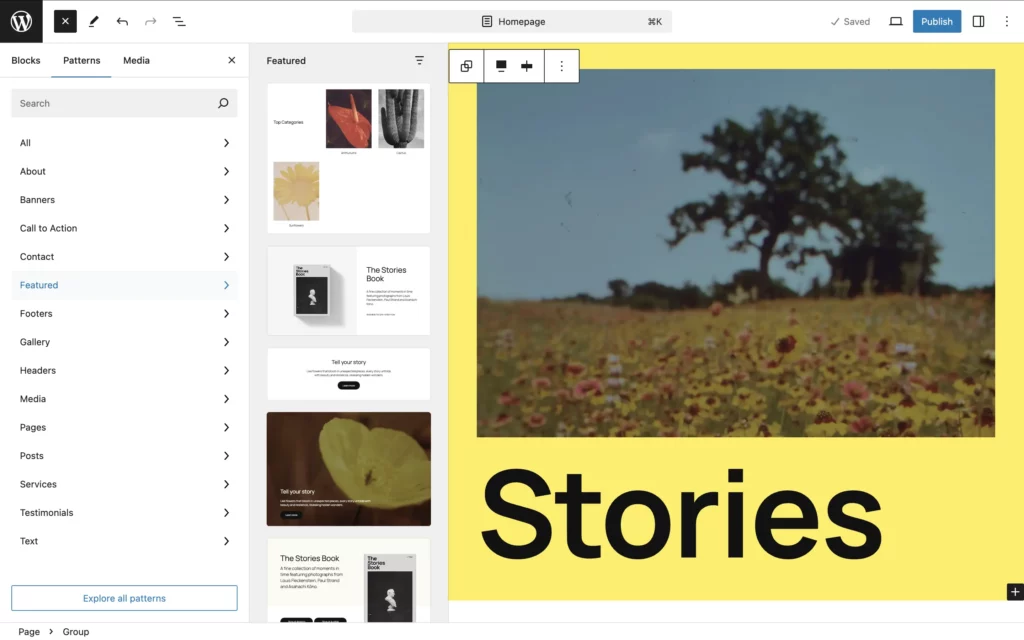
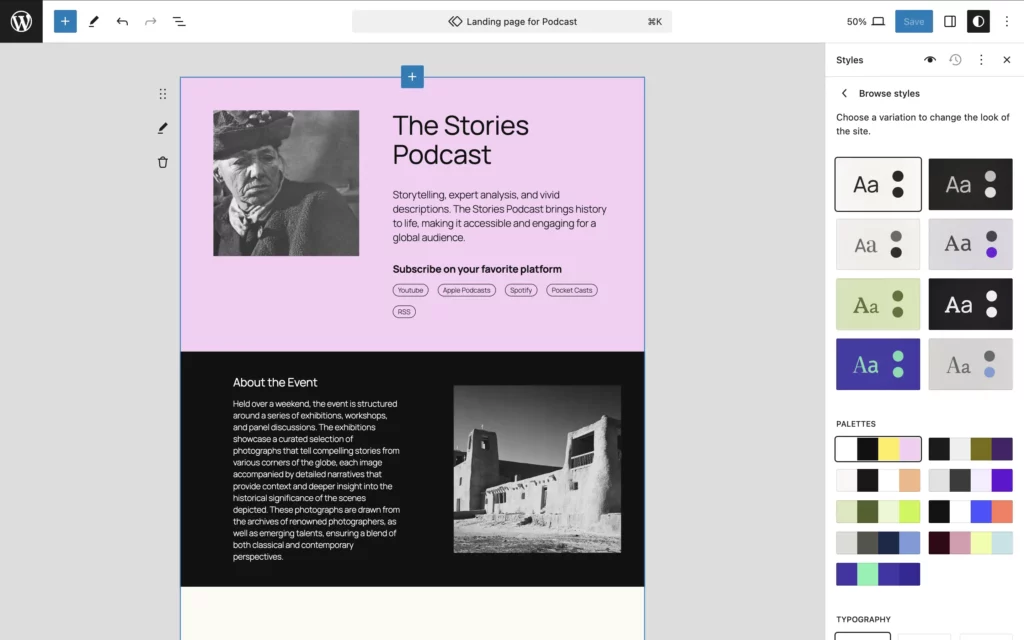
As patterns became increasingly feature-rich and widespread, WordPress 6.7 introduced a new way to edit and create at the pattern level rather than focusing solely on individual blocks. The official release announcement summed it up: “The new Zoom Out feature lets you design your site with a macro view, stepping back from the details to bring the big picture to life.”
In practice, that means you can step back to a broader view of your site and add, edit, shuffle, or remove entire patterns to shape a page, then zoom back in when you need block-level control. It’s a genuinely different way to compose a layout: think arranging furniture from the doorway instead of with your nose against the wall.
Meta boxes in the iframed Post Editor
Previously, attempts to embed the post editor within an iframe were hindered by meta boxes, which obstructed the content from loading correctly and led to significant disruptions and workarounds. To address this, WordPress 6.7 introduced a split view that keeps both meta boxes and canvas content visible during content creation, maintaining a consistent what-you-see-is-what-you-get experience between the editor and front-end views.
“Editing content with the Site Editor feels intuitive. I’m not saying that it always is, but this improvement in consistency is always appreciated!” said Alejandro Granata, DreamHost WordPress Technical Support Specialist.
“This improvement in consistency is always appreciated!”
Performance improvements and HEIC image conversion
Performance was one of the primary focus areas for WordPress 6.7, and the shipped release named its wins. Per the official release announcement, WordPress 6.7 delivered faster pattern loading, optimized previews in the Data Views component, improved PHP 8+ support with removal of deprecated code, auto sizes for lazy-loaded images, and more efficient tag processing in the HTML API. The Site Editor experience was also refined so users can build and manage their sites with greater ease.
Additionally, WordPress 6.7 introduced automatic conversion of HEIC images (commonly used by Apple devices) to JPEG upon upload. This change ensures compatibility across browsers, as HEIC support is limited. The conversion is handled by the server if it supports HEIC through Imagick, with a fallback for manual conversion if necessary. Users can disable this feature using a filter in the code. The original HEIC file remains downloadable for reference.
“This is a step forward in making it easy to upload content regardless of your device. I wish it could convert directly to AVIF, though!” said Jason Cosper, DreamHost’s WordPress Product Advocate.
“A step forward in making it easy to upload content regardless of your device.”
New design tools and accessibility improvements
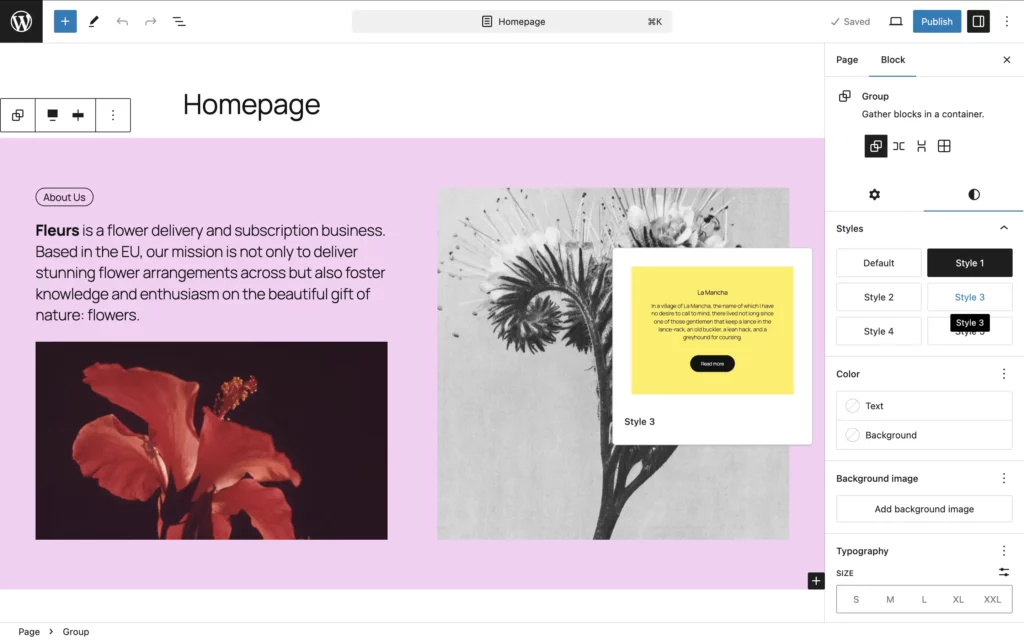
WordPress 6.7 shipped several new design tools and customization options. The Styles interface gained font size presets that you can create, edit, remove, and apply, complete with fluid typography for responsive font scaling. A new UI also made it possible to connect blocks to custom fields in just a few clicks, putting control of dynamic content directly in the editor. On the accessibility front, the release included 65+ fixes and enhancements, from improved user interface components and keyboard navigation in the editor to an accessible heading on WordPress login screens and clearer labeling throughout. That work continues WordPress’s ongoing commitment to inclusivity, ensuring that all users, regardless of their abilities, can build and manage websites effectively.
When was WordPress 6.7 released?
WordPress 6.7 was released on November 12, 2024. Code-named “Rollins” after jazz saxophonist Sonny Rollins, it arrived on schedule after a beta and release candidate cycle tested by the WordPress community. You can read the full record in the official WordPress 6.7 release announcement.
Nine days later, a fast-follow maintenance release, WordPress 6.7.1, arrived on November 21, 2024, focused solely on fixing bugs introduced in 6.7 (see the official 6.7.1 release schedule). The most visible fix: images rendering smaller than intended, a side effect of 6.7’s new sizes=auto attribute for lazy-loaded images. If you updated in that first week and watched your images shrink, that was the bug. The release also repaired translation loading and an editor crash when browsing uncategorized patterns, landing deliberately ahead of the Black Friday commerce week.
Where WordPress stands today
As of August 2026, the current WordPress release is 7.0.3, published August 6, 2026, per the official release archive. Three major versions have shipped since 6.7: WordPress 6.8 in April 2025, WordPress 6.9 on December 2, 2025, and WordPress 7.0 on May 20, 2026. The archive is blunt about older branches: “Only the most recent in the 7.0 series is safe to use and actively maintained.”
Still running WordPress 6.7? How to upgrade safely
If your site is still on 6.7, it’s three major versions behind the current release, and WordPress.org no longer considers that branch safe to run. Don’t panic; upgrade deliberately. Take a fresh backup, update your plugins and themes first, test the core update on a staging copy of your site if you have one, and then update production. If you host with DreamHost WordPress hosting, daily automated backups are included on every plan, which can give you a recent restore point if an update misbehaves.
WordPress 6.7: the bottom line
WordPress 6.7 marked a real step forward for the platform when it shipped on November 12, 2024, pairing core performance improvements with new design tools and accessibility enhancements. The releases that followed — 6.8, 6.9, and 7.0 — built directly on those foundations. For the definitive record of what shipped, read the official WordPress 6.7 release announcement; the original Roadmap to 6.7 is still worth a look as planning history.
WordPress 6.7 FAQ
When did WordPress 6.7 come out?
WordPress 6.7 “Rollins” was released on November 12, 2024. A fast-follow maintenance release, WordPress 6.7.1, followed on November 21, 2024, fixing a small set of bugs introduced in 6.7.
Is WordPress 6.7 the latest version?
No. As of August 2026, the latest WordPress release is 7.0.3, published August 6, 2026. Three major versions have shipped since 6.7: WordPress 6.8, 6.9, and 7.0.
What’s new in WordPress 6.7?
WordPress 6.7 shipped the Twenty Twenty-Five default theme, Data Views refinements in the Site Editor, a Zoom Out mode for composing with patterns, font size presets with fluid typography, automatic HEIC-to-JPEG image conversion, and 65+ accessibility fixes.
What is the default theme in WordPress 6.7?
Twenty Twenty-Five, a flexible, typography-focused block theme, debuted as the default theme in WordPress 6.7. As of 2026 it remains the newest default theme; Twenty Twenty-Seven is planned to ship with WordPress 7.2 in early December 2026.
Is WordPress 6.7 still supported?
WordPress.org’s release archive states that only the most recent release in the 7.0 series is safe to use and actively maintained. If your site still runs 6.7, back up, test on staging, and upgrade to the current version.