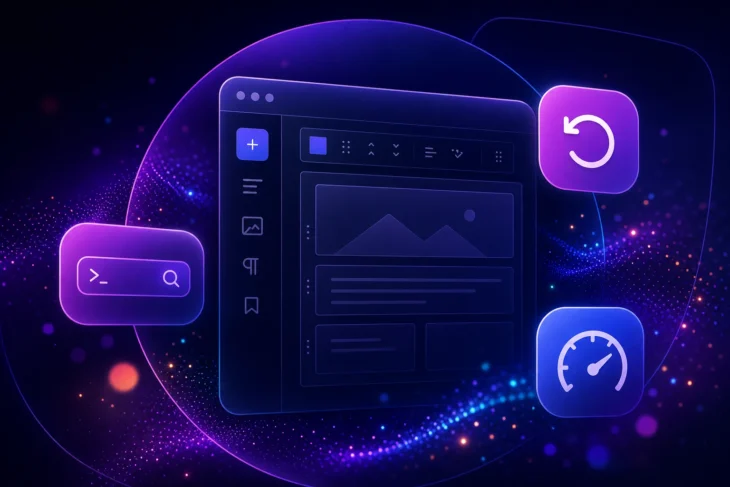
Key focus areas for WordPress 6.3
WordPress 6.3 “Lionel” was released on August 8, 2023. The release brought content, templates, and patterns together in the Site Editor for the first time, and added a Command Palette, style revisions, synced patterns, new Footnotes and Details blocks, automatic rollback for failed manual plugin and theme updates, 170+ performance updates, and more than 50 accessibility improvements.
A lot has happened since. As of August 2026, the current release is WordPress 7.0.2, shipped July 17, 2026, and the WordPress.org release archive notes that only the most recent series is actively maintained. More on what that means for sites still running 6.3 below.
The 6.3 development cycle opened on March 9, 2023, when trunk opened for the release, per the official WordPress 6.3 Development Cycle page. The original proposal for WordPress 6.3, released on April 14, 2023, outlined several key areas of focus, including further full-site editing (FSE) enhancements, performance improvements, and accessibility upgrades. The shipped release delivered on all three. As always, the WordPress community sought volunteers to contribute their skills to various teams, and developers, designers, testers, and content creators all pitched in.
New features in detail
Here’s what WordPress 6.3 shipped, per the official WordPress 6.3 release notes:
- A unified Site Editor: content, templates, and patterns in one place, with block theme previews
- The Command Palette (⌘+K on Mac, Ctrl+K on Windows)
- Patterns you can create and sync in the editor (reusable blocks were renamed synced patterns)
- Style revisions with a timeline and one-click restore
- Automatic rollback for failed manual plugin and theme updates
- New Footnotes and Details blocks, plus design controls like image aspect ratios
- 170+ performance updates and more than 50 accessibility improvements
- A new minimum PHP version: 7.0.0
Everything in the Site Editor, plus synced patterns
WordPress 6.3 brought content, templates, and patterns together in the Site Editor for the first time. The practical payoff: less hopping between separate screens to change one thing. You can add pages, adjust navigation menus, browse style variations, and preview a block theme (customizing it as you go) before committing to the switch. The Site Editor also picked up distraction-free designing, a revamped Top Toolbar with parent selectors for nested blocks, and a List View that supports drag and drop to every content layer, per the 6.3 release notes.
Patterns got a matching upgrade: you can now create them right in the editor and save them to a “My Patterns” section. Each one can be synced (the new name for reusable blocks), so a change in one place updates every copy, or unsynced, a cookie-cutter starting point you tweak per use. Think of a call-to-action box reused across dozens of posts: synced means fixing the typo once. WordPress 6.3 also added a new modal for jumpstarting template creation from patterns.
The Command Palette
WordPress 6.3 introduced a Command Palette, a nifty feature akin to Spotlight (macOS) or PowerToys Run (Windows) for WordPress. Press ⌘+K on Mac or Ctrl+K on Windows, click the sidebar search icon in Site View, or click the Title Bar, and you can jump to a specific template or open your editor preferences in seconds. It’s a big step towards getting you where you need to go in your dashboard with nothing more than a few keystrokes.
The Command Palette gives you a quick, efficient way to reach WordPress functions and perform tasks without digging through menu after menu. Developers got something too: the WordPress 6.3 Field Guide introduced a Command Palette API for registering custom commands.
Performance: 170+ updates
WordPress 6.3 shipped more than 170 performance updates, per the official release post, including defer and async support for the Scripts API and fetchpriority support for images. Combined with block template resolution, image lazy-loading, and the emoji loader, these changes can dramatically improve a site’s perceived load time.
In plain terms: fetchpriority tells the browser which image to load first, usually your hero image, which helps Largest Contentful Paint (LCP), and defer/async keep scripts from blocking the rest of the page while they load.
Rollback for failed plugin and theme updates
Another major step forward was automatic rollback for failed manual theme and plugin updates. Per the official dev note, should the manual plugin or theme update process fail, WordPress 6.3 automatically restores the previously installed version. In earlier versions of WordPress, an update process that failed partway could leave a site nonfunctional until someone restored the old files by hand.
Note the scope, though: rollback covers a failed update process. It won’t necessarily save you from an update that installs successfully but ships a bug or a library incompatibility that breaks your site. For those, you still want backups and a staging environment. DreamHost’s one-click WordPress staging, included with every DreamPress plan, lets you test plugins, themes, and code safely before pushing changes live.
Style revisions
Style revisions let you roll your theme back to old site styles in just a click, giving you the flexibility to experiment and change your site’s look without worry. This is especially handy if you frequently modify your website’s appearance and layout.
Want to revert to a previous design configuration? Select the revision from an easy-to-use timeline, and WordPress restores it in one click. No need to manually undo each change.
New blocks and design tools: Footnotes, Details, and aspect ratios
WordPress 6.3 added two brand-new blocks. The Footnotes block lets you add and link footnotes to any paragraph, which is handy for annotations and citations. The Details block shows or hides content on click: use it to avoid spoiling a surprise, build an interactive Q&A section, or tuck a long paragraph under a heading.
Design controls grew too. The most practical addition is aspect ratios on images: swap a new photo into a pattern and the crop holds, so the layout doesn’t jump. Beyond that, captions became customizable from the Styles interface without code, duotone filters moved into Styles management, and the Cover block gained text color, layout, and border settings.
Accessibility: more than 50 improvements
WordPress 6.3 implemented more than 50 accessibility improvements across the platform, per the official release post. Highlights for anyone using assistive technologies: better labeling, smoother tab and arrow-key navigation, a revised heading hierarchy, and new controls in the admin image editor.
One caveat worth knowing: these improvements make WordPress itself more accessible, not your site automatically. Your theme, colors, alt text, and heading order are still yours to audit, so run your own checks after updating.
Under the hood: PHP 7.0.0 minimum and a development mode
WordPress 6.3 dropped support for PHP 5; the new minimum supported version became PHP 7.0.0, announced on Make WordPress Core on July 5, 2023. Any site still on PHP 5.6 had to upgrade its PHP before moving to 6.3 or beyond.
For developers, 6.3 also added a development mode, set via the WP_DEVELOPMENT_MODE constant in wp-config.php, per the Make WordPress Core dev note of July 14, 2023.
Overall, WordPress 6.3 delivered significant usability, performance, and accessibility improvements for the WordPress community.
How WordPress 6.3 fit into a busy 2023
With WordPress 6.2 “Dolphy” released on March 29, 2023, and WordPress 6.3 following on August 8, 2023, it’s safe to say 2023 was a busy year for WordPress volunteer developers. And they weren’t done: WordPress 6.4 arrived that November.
As reported in Make WordPress Core on April 14, 2023, the timeline for WordPress 6.3’s release took into account two major flagship WordPress events that year: WordCamp Europe, which occurred in early June, and WordCamp US and the Community Summit in late August.
The developer teams wanted to avoid having any major milestones like Beta 1 and RC1 conflict with the WordCamp gatherings, so they fit the release process, from Beta 1 to the final WordPress 6.3 release, into a 10-week window between both WordCamps.
What’s more, regarding the Gutenberg release cadence, WordPress 6.3 brought over changes in the block editor from the Gutenberg plugin up to version 16.1, for a total of 10 Gutenberg releases since the release of WordPress 6.2.
Who led the WordPress 6.3 release
In the April 14 proposal announcement on the Make WordPress Core blog, openings were announced for volunteers to lead a number of development teams: Release Coordinator, Core Tech Lead, Editor Tech Lead, Core Triage Lead, Editor Triage Lead, Documentation Lead, Marketing & Communications Lead, Test Lead, Design Lead, and Performance Lead. Every role was filled: the shipped release was led by Release Lead Matías Ventura, with Francesca Marano and Héctor Prieto as Release Coordinators, per the 6.3 Development Cycle page.
WordPress 6.3 release date and schedule
WordPress 6.3 was released on August 8, 2023, exactly the date the April proposal targeted. Here’s how the release cycle played out, per the official WordPress 6.3 Development Cycle page:
- March 9, 2023: Alpha began, and trunk opened for 6.3
- June 27, 2023: Beta 1
- July 18, 2023: Release Candidate 1
- August 8, 2023: WordPress 6.3 “Lionel” general release
Where WordPress stands now
WordPress 6.3 was far from the end of the line. WordPress 6.4 “Shirley” followed on November 7, 2023, with Josepha Haden Chomphosy as Release Lead. The April 2023 planning proposal had billed 6.4 as a “women and non-binary-led release,” echoing the WordPress 5.6 release, “Simone.”
As of August 2026, the current release is WordPress 7.0.2, shipped July 17, 2026, and the 7.0 branch itself debuted on May 20, 2026. The WordPress.org release archive is blunt about older versions: only the most recent series is “safe to use and actively maintained.” WordPress 6.3 now sits among the past releases, so a site still running it is overdue for an update.
Updating works the way it always has: back up your site first, then head to Dashboard > Updates in your admin area, as WordPress.org’s version documentation describes. Confirm your PHP version meets the current minimum, and on a big version jump, test the update on a staging copy before touching production. DreamPress, DreamHost’s managed WordPress hosting, includes 1-click staging and daily backups on every plan for exactly this kind of job.
WordPress 6.3 FAQ
When was WordPress 6.3 released?
WordPress 6.3 “Lionel,” named after jazz artist Lionel Hampton, was released on August 8, 2023, per the official WordPress.org announcement.
What new features did WordPress 6.3 add?
WordPress 6.3 unified content, templates, and patterns in the Site Editor, and added the Command Palette, synced patterns, style revisions, automatic rollback for failed manual plugin and theme updates, Footnotes and Details blocks, 170+ performance updates, and more than 50 accessibility improvements.
Is WordPress 6.3 still supported?
No. WordPress.org’s release archive says only the most recent release series is safe to use and actively maintained, and it lists 6.3 among past releases. A site still on 6.3 should update to the current version.
What is the latest WordPress version?
As of August 2026, the latest WordPress release is 7.0.2, shipped July 17, 2026, per the WordPress.org release archive. The 7.0 branch debuted on May 20, 2026.
How do I update from WordPress 6.3?
Back up your site, then go to Dashboard > Updates in your WordPress admin and run the update. Check that your server’s PHP version meets the current minimum first, and test on a staging copy if you have one.