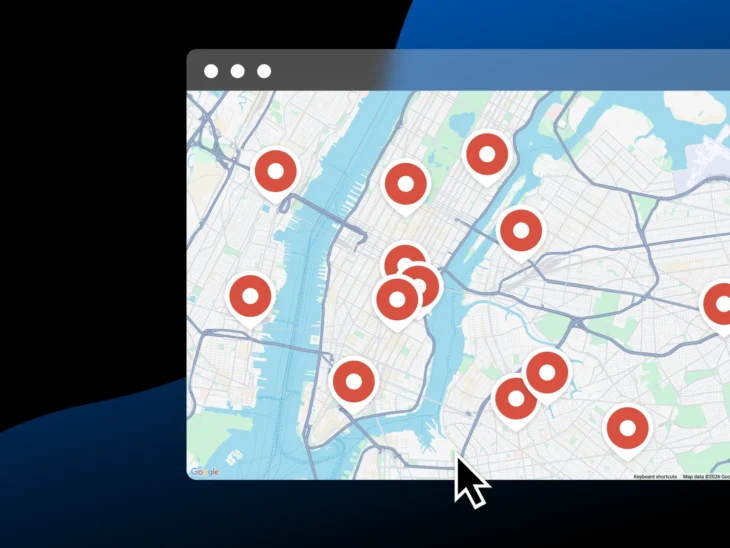
Showing up in Google Maps can feel a little like trying to get the best table at the hottest new restaurant, except they don’t take reservations and you don’t know who’s taking names or how the waitlist works.
For small businesses, local search results are incredibly valuable. They’re where people go when they need to book a plumber, pick a spot for brunch, or call an emergency dentist. And these usually aren’t window shoppers. They’re folks with intent and a phone in their hand.
But unlike scoring a table at that overbooked, super hot new restaurant, you don’t need to know a guy or even get lucky to boost your Google Maps visibility. You just need to convince Google that your business is real, your information is accurate, and you’re a relevant, trustworthy result for the searchers looking for a business like yours. And let’s bust one myth up front: per Google’s own local-ranking documentation, “There’s no way to request or pay for a better local ranking on Google” — so treat any service selling guaranteed Maps rankings with heavy skepticism.
And that means the businesses that win local search aren’t always the ones with the biggest marketing budgets or the best name recognition. There are practical things you can do to improve your odds, like cleaning up your business info, strengthening your website, building better citations, and adding schema markup, which are all tactics that make it easier for Google to understand exactly who you serve and where you serve them.
Let’s learn how Google Maps ranking works and what small businesses can do to become easier to find.
How does Google Maps ranking work?
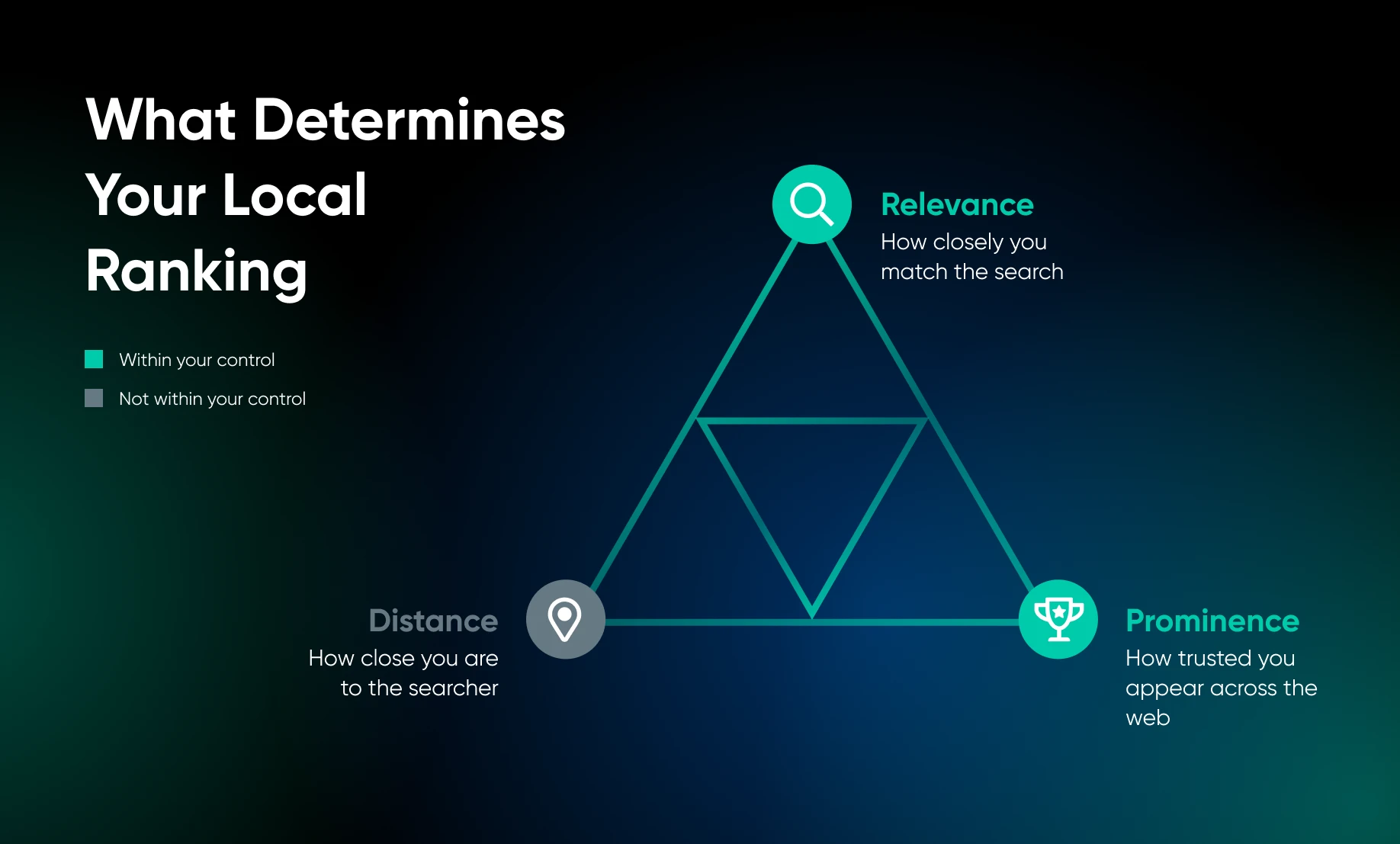
Google uses three primary factors to determine local rankings:
| Factor | What It Means | How You Impact It |
| Relevance | How closely your business matches what someone searched for | Profile completeness Categories Services Keywords on your website |
| Distance | How close your business is to the searcher or specified location | Accurate address/service area setup Location-specific pages on your website |
| Prominence | How established and trusted your business appears across the web | Reviews Backlinks Citations Mentions Consistent overall web presence |
Distance is largely fixed — you can’t move your business closer to every searcher.
But relevance and prominence are built. A business with strong relevance and prominence signals can still outrank a geographically closer competitor, because Google’s algorithm is trying to find the best match, not just the nearest one.
How to check your current Google Maps ranking
Before you optimize anything, get a baseline, and know that there’s no single “your ranking.” Distance is one of Google’s three local ranking factors, so the results reshuffle with every searcher’s location. As Google’s local-ranking documentation puts it, “Distance refers to how far each business is from the customer who’s searching.” In practice, your ranking is a map, not a number.
To see where you actually stand:
- Search in an incognito or private window so your own history doesn’t skew the results, and repeat the search from a few different spots around your area.
- Use a geogrid rank tracker, which checks your position from a grid of points across your service area and maps exactly where you show up and where you don’t.
- Review your Google Business Profile performance insights to see which searches surface your profile and how many calls, clicks, and direction requests it earns.
Repeat the same checks monthly. That turns “are we ranking better?” from a hunch into a measurement.
NAP consistency across the web
NAP stands for Name, Address, and Phone Number.
Google doesn’t mention “NAP consistency” specifically in its documentation, but it does say that businesses with complete and accurate info are more likely to show up in local search results. The practical principle: every place your business appears online should give the same accurate business name, address, phone number, and URL, with no conflicting or outdated details.
A good practice is to create a master record of your important business information:
- Full legal business name (as it will appear everywhere online)
- Street address
- Local phone number
- Website URL
- Business hours (including holiday and seasonal variations)
Then, audit the most likely places your business appears:
- Yelp
- Bing Places
- Apple Maps
- TripAdvisor
- Your local chamber
- Industry directories
Update anything that conflicts with your master record.
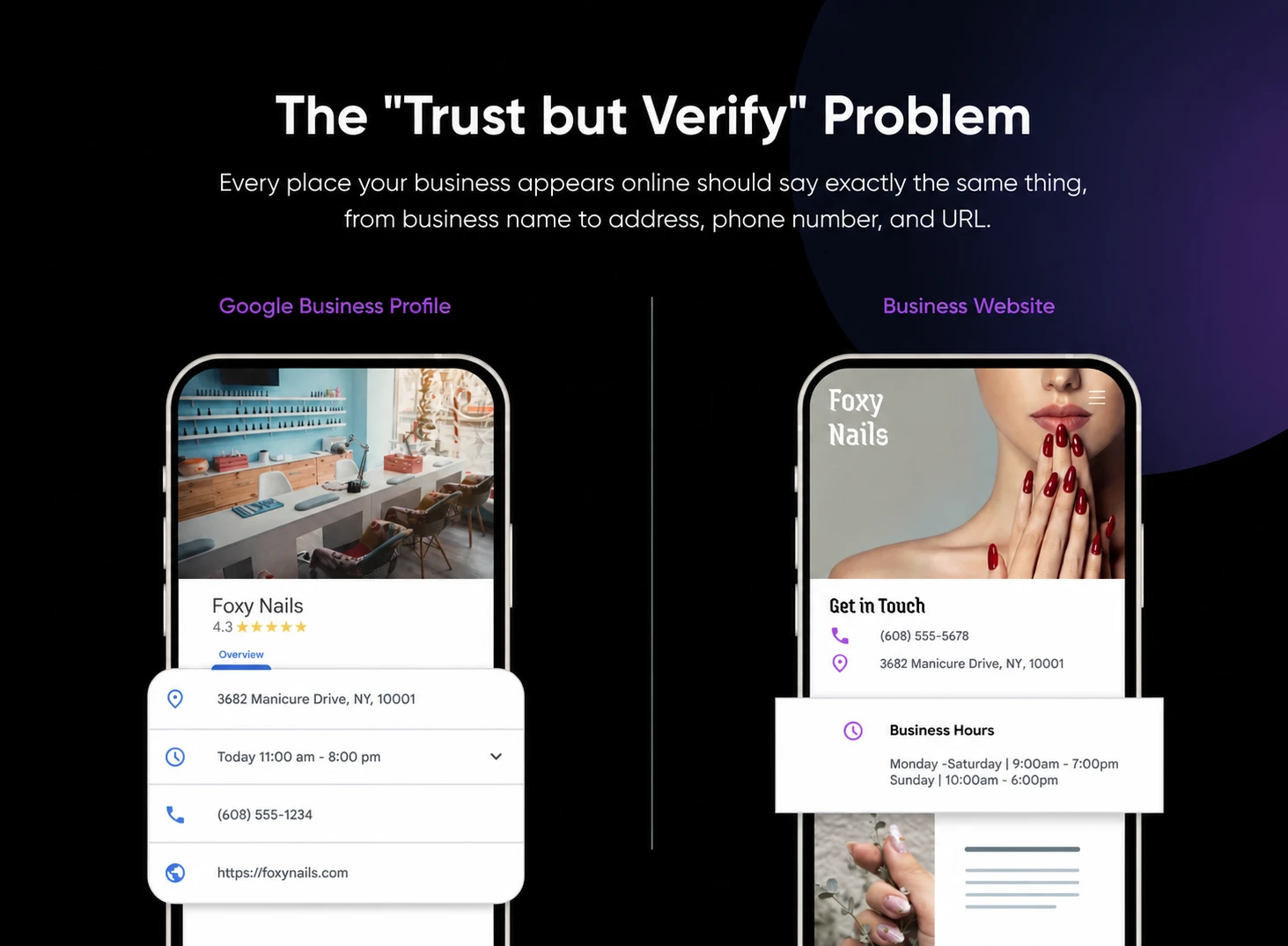
Local visibility gets much easier when your business information lives on a site you control, not scattered across platforms you signed up for years ago and forgot about.
Local citations and directories
A citation is any mention of your business’s name, address, and phone number on another website. Citations build the web of evidence Google uses to validate your existence and location. But more isn’t always better; a citation on a spammy, low-quality directory site can do more harm than good. You want quality and consistency.
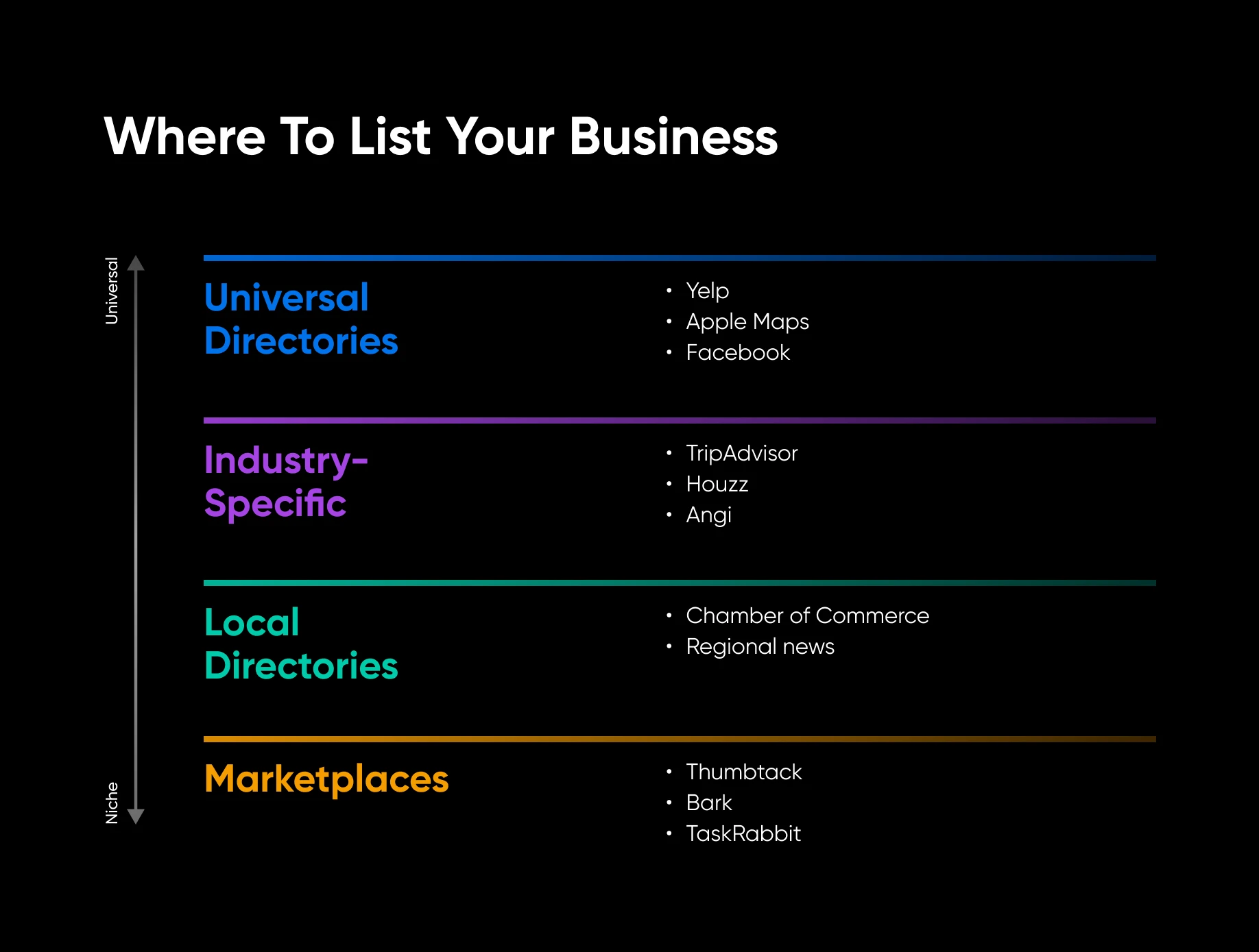
Start with high-value directories that Google knows and trusts:
- Universal: Yelp, Bing Places, Apple Maps, Facebook, Nextdoor.
- Industry-specific: TripAdvisor for hospitality, Houzz for home services, Healthgrades for healthcare, Avvo for legal, and Angi for contractors.
- Local: Your chamber of commerce, local business associations, neighborhood organization directories, and regional news sites that list businesses.
- Marketplaces: Thumbtack, Bark, TaskRabbit, or other platforms relevant to your service type.
When you create or update a listing, use your master record; don’t let directories auto-populate your information from incorrect or outdated sources. Claim every profile and verify your business details.
Avoid paying for bulk directory submissions from services that blast your information to tons of sites. Cleaning up bad citations later is more work than just doing it right the first time.
Schema markup for local businesses
Of all the tactics in this playbook, schema markup is the most technical — but it’s also one of the fastest to implement if you’re on WordPress. Schema markup is code you add to your website that helps Google understand specific facts about your business.
LocalBusiness schema is the type designed to describe local businesses; it helps Google understand details like your hours, location, and services. The fields that matter most are:
- Business name
- Address
- Phone number
- Business hours
- Geographic service areas, if applicable
- Website URL
- Business type (using the most specific Schema.org type available)
If your business also sells products online, add the Product schema to relevant pages for another layer of specificity that can help in both local and ecommerce search results.
You don’t need to write schema manually. WordPress plugins can generate it for you: Rank Math includes a Local SEO module that outputs it, and Yoast’s paid Local SEO add-on handles it too (the free base plugin outputs Organization schema, not the LocalBusiness fields above). The more important thing is making sure the information in your schema matches your Google Business Profile (GBP) and your master NAP record.
Google Maps optimization: a step-by-step workflow for local businesses
Depending on whether you have a physical storefront or a service-area business, here are two workflows you can follow to make sure your Maps information is consistent and optimized across the web:
For storefront businesses
- Claim and verify your Google Business Profile if you haven’t already. Verification proves to Google that you’re authorized to represent the business — Google lists it as the first step to better local ranking.
- Verify your GBP address is exact and matches your website contact page.
- Choose the most specific primary category that fits your business, then add relevant secondary categories and attributes (parking, Wi-Fi, wheelchair access) so Google can match you to more searches.
- Set your business hours, with updated hours for holidays.
- Audit your top 10 citations and fix any inconsistencies against your master record.
- Add or update LocalBusiness schema on your website.
- Create a location-specific landing page if you serve multiple areas or have multiple locations.
- Add 10-15 real photos to your profile, including interior, exterior, service, and product shots.
- Set a monthly reminder to add one new post and check for any suggested edits Google may have made to your profile.
For service-area businesses
- Claim and verify your Google Business Profile here, too — verification matters just as much without a storefront.
- Hide your home or office address in the GBP settings if you don’t receive customers there.
- Set up to 20 service areas using the cities, towns, or ZIP codes where you actually work.
- Build location-specific pages on your website for your most important service areas.
- Make sure your site’s contact page matches the phone number in your GBP.
- Add schema that lists your service areas.
- Build citations on local business directories in the communities you serve. These have more relevance signals than national directories for service-area businesses.
- Ask customers in each service area to mention their city in reviews when appropriate. This can strengthen your relevance signal for those locations.
One more scenario worth planning for: You do all of this, and a competitor with a keyword-stuffed business name or a suspicious pile of five-star reviews still outranks you. Don’t copy their tactics; Google’s guidelines prohibit them. Instead, suggest an edit on their listing directly in Maps, or report the profile through Google’s Business Redressal Complaint Form.
If this all seems like a lot to manage alongside actually running your business, that’s completely fair. DreamHost Pro Services can handle designing your website, implementing it, marketing and SEO, and more — so you don’t have to manage every task on your own.
How do reviews affect your Google Maps ranking?
Reviews are a direct prominence signal. Google’s local-ranking documentation says so outright: “More reviews and positive ratings can help your business’s local ranking.” They’re also one of the few ranking levers your customers build for you — if you make it easy for them.
- Ask at the right moment. Request a review right after a job well done or a happy checkout, and share your profile’s direct review link so it takes seconds. Never buy reviews or offer incentives for them; that violates Google’s policies and can get reviews (or your profile) removed.
- Respond to every review, positive and negative. Google’s own tips note that replying “shows that you value their feedback,” and a thoughtful response to a critical review builds trust with the next reader.
- Favor a steady stream over a burst. A handful of genuine reviews arriving every month looks more trustworthy, to Google and to customers, than 40 that appear in one week and then silence.
How long does Google Maps optimization take?
Expect weeks to months, not , and different tactics move at different speeds. Google keeps its ranking algorithm confidential and publishes no timelines, so here are honest working expectations:
- Profile edits: Google says changes usually show up in about 10 minutes, though some edits sit in review for up to 30 days.
- Citation cleanup and schema: Directories update on their own schedules, and Google has to recrawl your site, so give these a few weeks to be reflected.
- Reviews, links, and prominence: These compound over months. Steady effort beats a sprint.
Whatever you do, don’t chase daily fluctuations. Recheck your rankings monthly with the same incognito or geogrid method you used for your baseline, and judge trends over quarters, not days.
Google Maps ranking FAQs
Do I need to pay for a Google Maps ranking service?
No. Per Google, “There’s no way to request or pay for a better local ranking on Google.” A legitimate agency can do the optimization work in this guide for you, but anyone promising guaranteed top-3 Maps placement is selling something Google says doesn’t exist.
How do I improve local rankings without a storefront?
Set your Google Business Profile up as a service-area business: hide your address, define up to 20 service areas, build location pages on your website, and earn reviews that mention the cities you serve. Consistent citations in local directories round out the signal.
Does my website affect my Google Maps ranking?
Yes. Google uses information from across the web to judge relevance and prominence, and your website is the source you control most. Consistent NAP details, LocalBusiness schema, and location-specific pages all reinforce what your Google Business Profile claims.
Can I rank on Google Maps in a city where I have no address?
Only if it’s inside your defined service area, and even then distance works against you. The map pack favors proximity, so focus your Maps efforts close to home and use city-specific website pages to compete in regular search results farther out.
Make Google Maps optimization easier to maintain
Google Maps optimization is really an exercise in making your business easier to trust (for both customers and Google).
Start with the basics: your business name, address, phone number, website, hours, categories, services, and service areas. Make your website the source of truth, then bring your Google Business Profile, citations, directories, and schema markup into alignment.
From there, small, steady steps add to your consistency and trustworthiness: real photos, citations, and customer reviews. If you want to keep it up yourself, the DreamHost SEO Toolkit adds guided SEO tasks, keyword tracking, and automatic site health checks every 24 hours.
No business can control every factor that impacts its Google Maps rankings, but you can control the signals you send. The clearer those signals are, the easier it becomes for Google (and your next customer) to see your business as the right local choice. And the payoff is bigger than Maps: AI assistants and AI Overviews lean on the same consistent, verifiable business data when they recommend local businesses, so every cleanup you make here compounds.

Get Found When Nearby Customers Search
Fewer than half of local businesses have complete, consistent information across Google, their website, and the rest of the internet — and Google explicitly favors the ones that do. This 35-page playbook gives small business owners a complete system for Google Business Profile, Maps, reviews, and local SEO content so your business shows up when “near me” searches happen.
Get The Playbook