Supercharge Your Website's Security
FREE with Let's Encrypt SSL/TLS Certificates!

Protect your data and boost customer trust with industry-leading encryption that's included free with our hosting plans – because your website's safety should never come at a price.

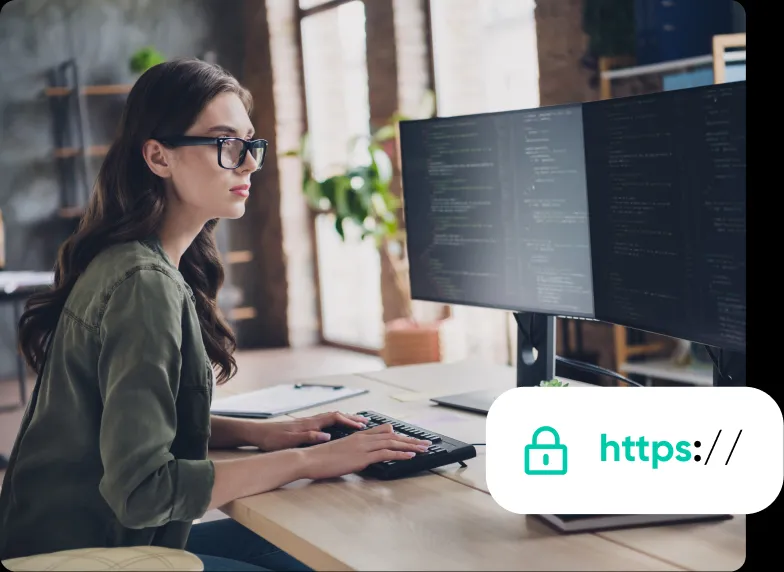
Unlock the power of trust and security.
SSL/TLS certificates shield your users’ precious data from prying eyes and cyber threats, boosting customer confidence. Soar up the search rankings, and rest easy knowing your website is safeguarded with industry-leading encryption.
Data Encryption
SSL/TLS encryption secures the data transmitted between a user's browser and your website's server. This ensures that sensitive information such as login credentials, payment details, and personal data cannot be intercepted or eavesdropped on by malicious actors.
Trust and Credibility
HTTPS is a signal of trust for users. Visitors are more likely to trust and engage with a website that is secured with HTTPS, especially when they see the green padlock symbol. This trust can lead to increased user confidence and, thus, higher conversion rates.
Protection Against Phishing
SSL/TLS certificates verify the authenticity of your website. When users see the padlock symbol or the "Secure" label in their browser's address bar, they know they are connecting to your legitimate website, not a malicious imposter.
SEO Benefits
Search engines like Google prioritize secure websites in their search results. Having an SSL/TLS certificate can positively impact your search engine rankings, potentially leading to more organic traffic to your site.
Compliance
Many regulatory bodies and industry standards, such as GDPR in Europe and PCI DSS for e-commerce, require the use of SSL/TLS encryption to protect user data. Complying with these standards is essential to avoid legal and financial consequences.
Browser Compatibility
Most modern web browsers mark non-HTTPS websites as "Not Secure," which can deter users from interacting with your site.
Why Let's Encrypt?
Let's Encrypt is an open Certificate Authority (CA) that offers FREE secure certificates that are just as secure as paid certificates and that provide the same level of HTTPS protection to your website.
It's free.
Anyone who owns a domain can obtain a trusted certificate for that domain at zero cost.
It's simple.
There's no payment, no validation emails, and certificates renew automatically.
It's automatic.
The enrollment process for certificates occurs during the server's native installation process. The renewal is also automatic.
It's secure.
Let's Encrypt serves as a platform for implementing modern security techniques and best practices.
Get a Free SSL Certificate
with Any DreamHost Hosting Plan
Frequently Asked Questions
- Confidentiality: Only your browser and the server can decrypt the traffic.
- Authentication: Ensure that both sender and recipient can validate each other's identities.
- Integrity: End-to-end encryption protects data from being modified without your knowledge.
SSL certificates create encrypted connections between browsers and web servers. When you visit a site that uses a connection certified with SSL or TLS, only that site can access the data that you send. SSL certificates use a combination of asymmetric and symmetric encryption technologies to secure your connection.
Asymmetric encryption uses a pair of keys, one public and one private, to encrypt and decrypt data. This ensures that only the intended recipient can read the data. Symmetric encryption, on the other hand, uses a single key to encrypt and decrypt data, and this key is shared between the sender and recipient.
For more details, please check our Complete Guide to SSL/TLS and HTTPS blog.SSL is essentially used to secure data transmission. However, it's not a one-size-fits-all solution for overall website security.
In addition to SSL, there are many other measures you can take to protect against cyber threats, such as using strong passwords, keeping software up-to-date, and implementing multi-factor authentication.
For additional peace of mind, you might consider signing up for DreamShield. This service will scan your website on a daily basis, detect and block malware, and alert you if your website is at risk.If you’ve bought an SSL/TLS certificate from an external CA, you’ll need to connect it to your site and install it. The process can vary depending on your site, your web host, and the type of certificate you’ve chosen. However, there are two basic methods for installing an SSL/TLS certificate:
Option 1: Install the Really Simple SSL plugin.
Option 2: Use the DreamHost control panel.
For more details, please check our Complete Guide to SSL/TLS and HTTPS blog.SSL/TLS certificates come in many forms, all of which have their unique pros and cons. Your choice of certificate depends largely on your requirements and budget. Let’s go through the different categories to help you find the option that works best for you:
Domain Validation (DV): This type of certificate requires you to prove that you have the right to use a specific domain. This makes it the least secure option, but it’s also the cheapest type. This is recommended for smaller sites that don’t handle sensitive data, such as blogs or portfolios.
Organization Validation (OV): This is a more secure option, which requires a more thorough check of your website. The CA will vet your organization to ensure that you are legitimate and trustworthy. As such, this is also slightly more expensive and will take a little longer to acquire. However, this type of certificate is recommended for larger sites that handle user data and purchasing.
Extended Validation (EV): This is the most secure option but also the most costly and time-consuming. Acquiring extended validation requires a thorough vetting process and is usually more expensive than the previous option. This also means that it takes the longest to be approved. This type of certificate is geared towards very large, high-traffic sites, such as e-commerce businesses and official government sites.
For more details, please check our Complete Guide to SSL/TLS and HTTPS blog.